
Metallitrend 5 GUN
Metallitrend 8-12 Fingerprint Gun Safe Instruction Manual
Model: 5 GUN (12"D x 14"W x 57"H)
1. Introduction
This manual provides essential instructions for the safe and effective use of your Metallitrend 8-12 Fingerprint Gun Safe. Please read this manual thoroughly before installation and operation to ensure proper functionality and security. Keep this manual for future reference.
2. Safety Information
- Always store firearms unloaded and locked within the safe.
- Keep all keys, passwords, and registered fingerprints confidential and out of reach of unauthorized individuals, especially children.
- Ensure the safe is securely mounted to a wall or floor to prevent unauthorized removal or tipping.
- Do not store emergency keys or backup power sources inside the safe.
- Regularly check battery levels to ensure continuous operation of the electronic lock.

Image: The safe is designed to protect children from accessing dangerous items. Always ensure the safe is locked.
3. Package Contents
Verify that all components are present:
- Metallitrend 8-12 Fingerprint Gun Safe (1 unit)
- Emergency Keys (2 units)
- Expansion Bolts (for mounting)
- Adjustable Shelves / Gun Racks
- Instruction Manual
4. Setup
4.1 Unpacking and Initial Inspection
Carefully remove the safe from its packaging. Inspect for any signs of damage during transit. Report any damage to the retailer immediately.
4.2 Initial Access (Emergency Key)
Locate the emergency keys provided. Insert one key into the keyhole, usually located behind the keypad or a cover. Turn the key and simultaneously turn the handle to open the safe door. This is for initial access and in case of battery failure or forgotten password/fingerprint.
4.3 Battery Installation
The safe requires batteries for the electronic lock and fingerprint scanner. Open the safe door using the emergency key. Locate the battery compartment on the inside of the door. Install the required batteries (typically AA, quantity specified in the compartment) ensuring correct polarity. Close the compartment cover.
4.4 Wall Mounting
For optimal security, it is highly recommended to mount the safe to a wall or floor. The safe features pre-drilled holes on the back. Use the provided expansion bolts to secure the safe to a sturdy surface. Ensure the mounting location is discreet and structurally sound.

Image: The safe features solid locking bolts and a thick door for enhanced security.
4.5 Interior Configuration
The safe includes adjustable shelves and gun racks. Customize the interior layout to accommodate your firearms and accessories. The removable gun racks allow for flexible storage of rifles, shotguns, and pistols.

Image: Interior dimensions and capacity for various firearms with adjustable shelving.
5. Operation
5.1 Unlocking Methods
Your Metallitrend gun safe offers three primary unlocking methods:
- Fingerprint Identification: Quick access using registered fingerprints.
- Electronic Password: Access using a user-defined numerical code.
- Emergency Key: Manual override for initial setup, battery failure, or forgotten codes/fingerprints.
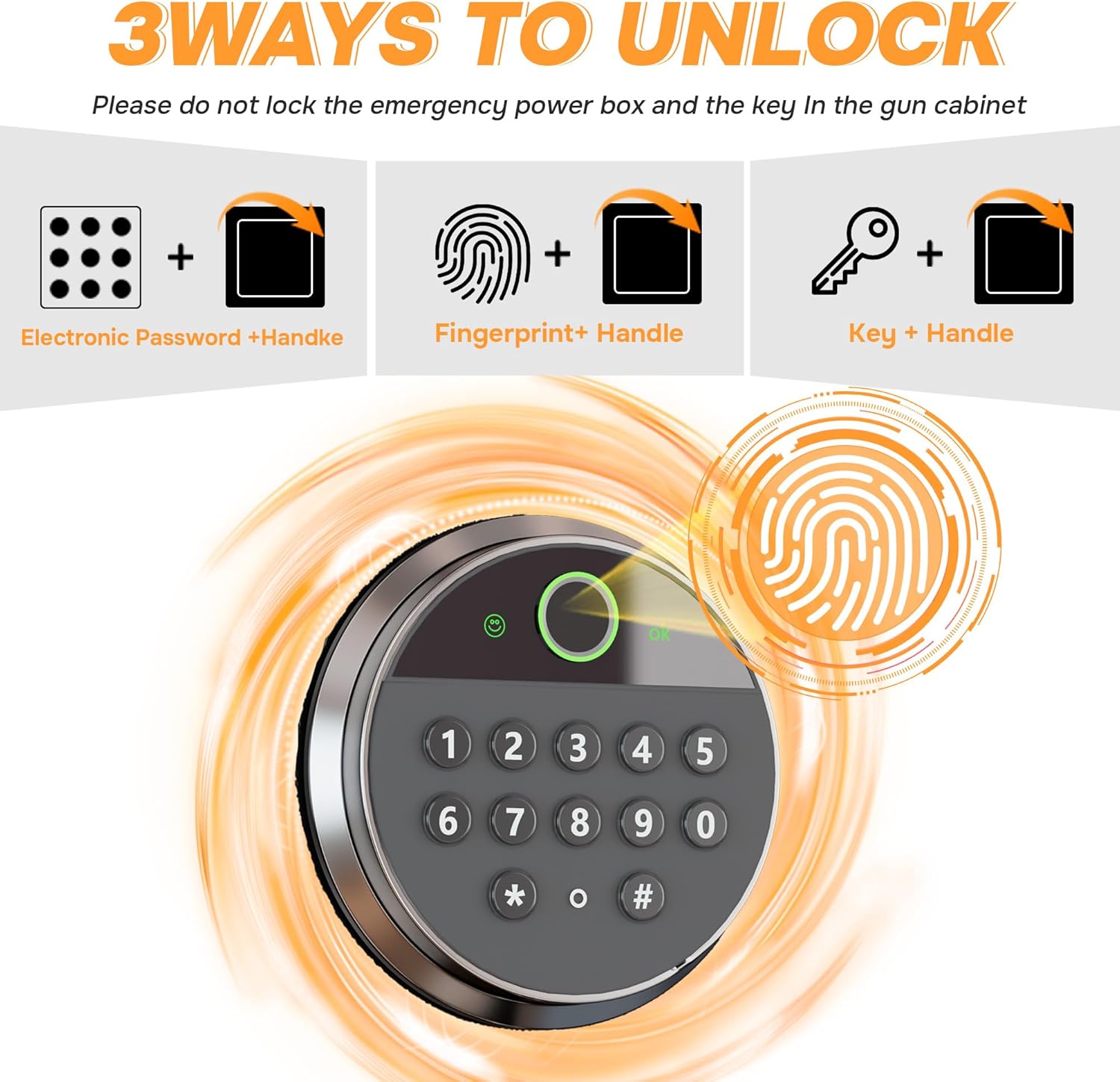
Image: The safe offers three methods for unlocking: electronic password, fingerprint, and emergency key.
5.2 Registering Fingerprints
- Open the safe door.
- Locate the reset button (often a small red button) on the inside of the door. Press it.
- Place your finger on the fingerprint scanner. The indicator light will flash.
- Lift and place your finger multiple times (typically 3-5 times) from different angles until the indicator light confirms successful registration (e.g., a green light or beep).
- Repeat for additional fingerprints if desired.
5.3 Setting/Changing Electronic Password
- Open the safe door.
- Press the reset button on the inside of the door.
- Enter your desired password (4-8 digits) on the keypad, then press '#' or 'OK' to confirm.
- Re-enter the same password and press '#' or 'OK' again to confirm. The indicator light will confirm successful password setting.
5.4 Alarm System
The safe is equipped with a dual alarm system for enhanced security:
- Wrong Password/Fingerprint Alarm: If an incorrect password or unregistered fingerprint is entered three consecutive times, the alarm will activate.
- Vibration Alarm: If the safe experiences significant shaking, knocking, or forced entry attempts, the vibration sensor will trigger the alarm.
To silence the alarm, use a correct unlocking method (fingerprint, password, or key).
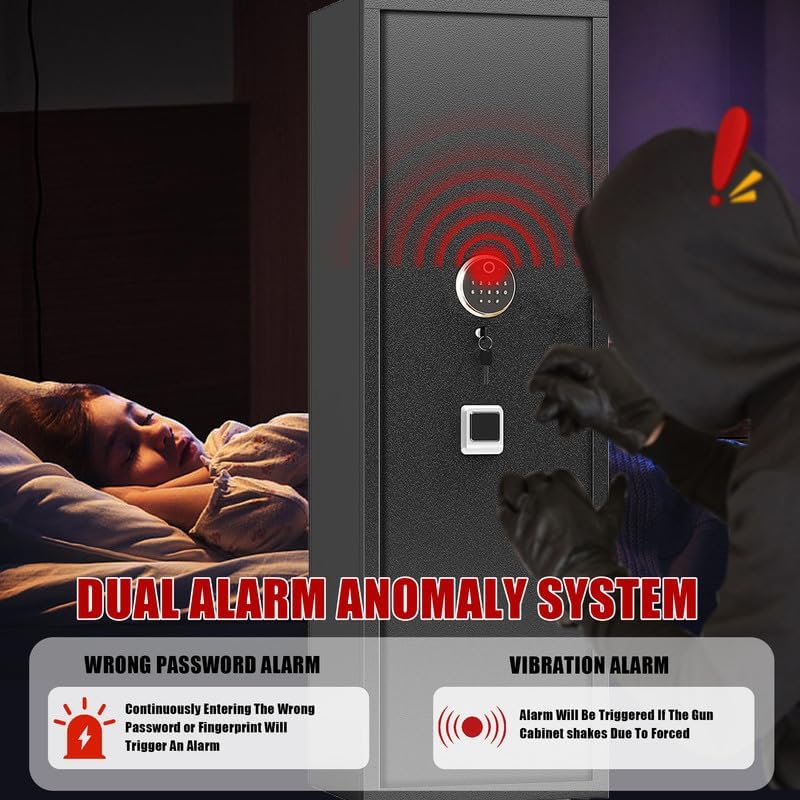
Image: The safe features a dual alarm system that activates upon incorrect access attempts or physical tampering.
6. Maintenance
6.1 Battery Replacement
When the battery level is low, the safe's indicator light may flash or emit a warning sound. Replace all batteries promptly to ensure continuous operation. Use high-quality alkaline batteries.
6.2 Cleaning
Clean the exterior of the safe with a soft, damp cloth. Avoid abrasive cleaners or solvents that could damage the finish. Keep the fingerprint scanner clean and dry for optimal performance.
7. Troubleshooting
- Safe does not open with fingerprint/password: Check battery levels and replace if necessary. Ensure your finger is clean and placed correctly on the scanner. Verify the password is entered correctly. Use the emergency key if electronic access fails.
- Alarm triggers unexpectedly: Check if the safe has been moved or bumped. Ensure no one has attempted unauthorized access. If the alarm persists, check for loose connections in the battery compartment.
- Keypad/scanner unresponsive: Replace batteries. If the issue persists, use the emergency key and contact customer support.
8. Specifications
| Feature | Specification |
|---|---|
| Brand | Metallitrend |
| Product Dimensions | 12"D x 14"W x 57"H |
| Lock Type | Biometric, Electronic Combination Lock, Key |
| Color | Black |
| Capacity | 4.3 Cubic Feet |
| Material | Metal (All-Steel Construction) |
| Special Features | Alarm System, Biometric Fingerprint, Combination Lock, Scratch Resistant |
| Mounting Type | Wall Mount |
| Item Model Number | 5 GUN |
9. Warranty and Support
Metallitrend is committed to providing quality service. If you have any questions or require assistance with your gun safe, please contact our customer support. We aim to resolve any issues within 24 hours.
For specific warranty details, please refer to the documentation included with your purchase or contact the retailer.
Ask a question about this manual
Ask about setup, troubleshooting, compatibility, parts, safety, or missing instructions. Manuals+ will review the question and use this page’s manual context to help answer it.