
1. Introduction
This user manual provides detailed instructions for the safe and efficient operation, maintenance, and troubleshooting of your roborock Q8 Max Robot Vacuum and Mop Cleaner. Please read this manual thoroughly before using the product and retain it for future reference.
2. Safety Information
Always follow basic safety precautions when using electrical appliances to reduce the risk of fire, electric shock, or injury. This includes:
- Ensure the robot is fully charged before first use.
- Do not operate the robot in wet environments or near water.
- Keep hair, loose clothing, fingers, and all parts of the body away from openings and moving parts.
- Do not use the robot to pick up large objects, sharp objects, or burning/smoking materials.
- Supervise children and pets when the robot is operating.
- Use only manufacturer-specified attachments and accessories.
3. Product Overview
The roborock Q8 Max is a robot vacuum and mop cleaner designed for efficient floor cleaning. Key features include:
- DuoRoller Brush: Two rubber brushes for enhanced vacuuming performance and reduced hair tangles.
- 5500 Pa Suction: Powerful suction for effective dirt and pet hair removal.
- Vacuum and Mop Simultaneously: Integrated cleaning function with 30 adjustable water flow levels.
- PreciSense LiDAR Navigation: Advanced navigation system for detailed and accurate mapping.
- Obstacle Avoidance: Detects and avoids objects on the floor.
- 3D Mapping: Creates a virtual map of your home for optimized cleaning routes.
- Easy-to-Use App: Control and customize cleaning settings via the Roborock App.
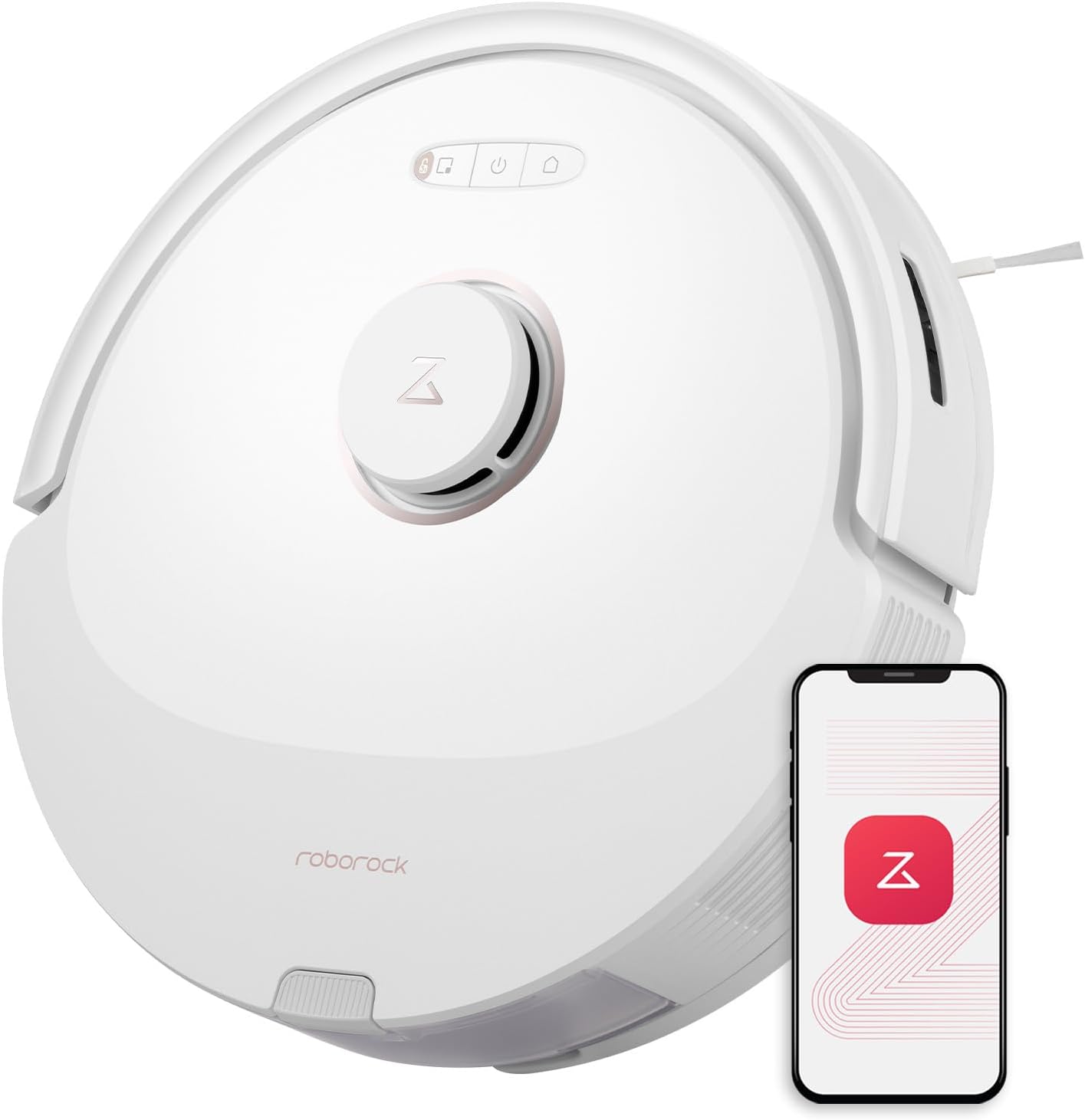
Figure 3.1: roborock Q8 Max Robot Vacuum and Mop Cleaner.

Figure 3.2: Close-up of the DuoRoller Brush system.

Figure 3.3: Robot vacuum performing simultaneous vacuuming and mopping.
4. Setup
4.1 Unpacking and Placement
- Remove all packaging materials and protective films from the robot and charging dock.
- Place the charging dock against a wall on a hard, level surface, ensuring there is adequate clear space around it (e.g., 0.5m on sides, 1.5m in front).
- Connect the power cable to the charging dock and plug it into a power outlet.
4.2 Initial Charging
Place the robot on the charging dock. Ensure the charging contacts on the robot align with those on the dock. The robot will begin charging automatically. For first-time use, fully charge the robot before operation.
4.3 App Installation and Connection
- Download the Roborock App from your device's app store (iOS or Android).
- Open the app and follow the on-screen instructions to create an account and add your roborock Q8 Max.
- Connect the robot to your home Wi-Fi network as prompted by the app.

Figure 4.1: Roborock App for controlling the robot vacuum.
4.4 Mapping Your Home
After initial setup, the robot will perform a quick mapping run using its PreciSense LiDAR Navigation. This creates a detailed map of your home, which can be viewed and customized in the app. The 3D Mapping feature allows you to add furniture and specify floor materials for an optimized cleaning route.
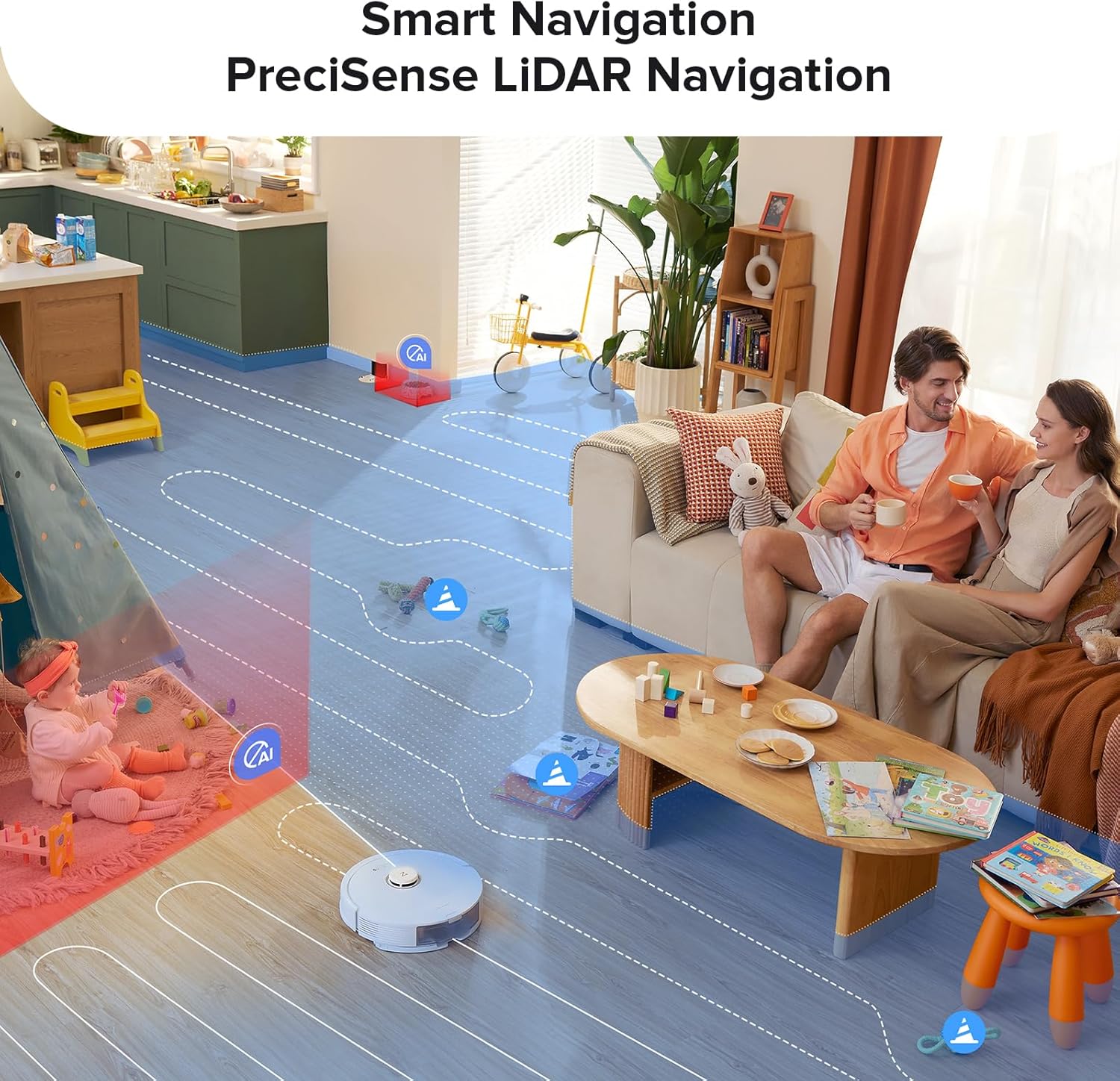
Figure 4.2: Robot vacuum mapping the environment with smart navigation.
5. Operating Instructions
5.1 Starting and Stopping Cleaning
- Start: Press the power button on the robot or use the Roborock App to start a cleaning cycle.
- Pause: Press any button on the robot or use the app to pause cleaning.
- Dock: Press the dock button on the robot or use the app to send the robot back to its charging dock.
5.2 Vacuuming and Mopping
The Q8 Max can vacuum and mop simultaneously. Ensure the water tank is filled and the mop cloth is attached for mopping functions. You can adjust the water flow level (30 options) via the Roborock App to suit different floor types and cleaning needs.
5.3 Obstacle Avoidance and No-Go Zones
The robot is equipped with obstacle avoidance technology to navigate around common household items. For areas you wish the robot to avoid, such as stairs or delicate items, you can set up No-Go Zones and Invisible Walls within the Roborock App.

Figure 5.1: Robot vacuum utilizing obstacle avoidance technology.
5.4 Scheduling and Voice Control
- Scheduling: Use the Roborock App to set cleaning schedules for specific times and areas.
- Voice Control: The Q8 Max is compatible with Amazon Alexa, Google Home, and Siri Shortcuts, allowing you to control the robot using voice commands.
6. Maintenance
Regular maintenance ensures optimal performance and extends the lifespan of your robot vacuum.
6.1 Dustbin and Water Tank
- Empty Dustbin: Empty the dustbin regularly, ideally after each cleaning cycle.
- Clean Water Tank: Rinse the water tank after each mopping session to prevent residue buildup.
6.2 DuoRoller Brush
Remove the DuoRoller Brush periodically and clean any tangled hair or debris. Use the cleaning tool provided to cut and remove hair wrapped around the brushes.
6.3 Filters
Tap the filter to remove loose dirt. Rinse the filter with water if necessary, ensuring it is completely dry before reinstallation. Replace filters every 3-6 months, or as needed.
6.4 Sensors and Charging Contacts
Wipe all sensors (LiDAR, cliff sensors, wall sensors) and charging contacts on both the robot and the dock with a soft, dry cloth to ensure proper function.
7. Troubleshooting
If your roborock Q8 Max encounters an issue, refer to the following common solutions. For more detailed troubleshooting, consult the Roborock App or the official support website.
| Problem | Possible Cause | Solution |
|---|---|---|
| Robot does not start or respond. | Low battery; power button not pressed; robot stuck. | Ensure robot is charged; press and hold power button; clear any obstructions. |
| Poor cleaning performance. | Full dustbin; clogged filter; tangled brushes. | Empty dustbin; clean/replace filter; clean DuoRoller Brush. |
| Robot cannot find charging dock. | Dock obstructed; dock not powered; robot too far. | Ensure clear path to dock; check power connection; manually place robot near dock. |
| Mopping leaves streaks or insufficient water. | Empty water tank; clogged water nozzle; dirty mop cloth. | Fill water tank; clean water nozzle; wash/replace mop cloth; adjust water flow in app. |
8. Specifications
| Feature | Detail |
|---|---|
| Brand | roborock |
| Model Name | Q8 Max |
| Surface Recommendation | Carpet, Hard Floor, All Floor Type |
| Special Features | Automatic Dust Collection, Logical Navigation, DuoRoller Brush, 5500Pa Suction, Obstacle Avoidance |
| Color | White |
| Controller Type | App Control |
| Filter Type | Cloth, Cartridge |
| Battery Life | 180 minutes |
| Battery Type | Lithium Ion |
| Dustbin Capacity | 470 ml |
| Water Tank Capacity | 350 ml |
| Power Source | Battery Powered |
| Included Components | Robot Vacuum, Charging Dock, Combined Dustbin & Water Tank, DuoRoller Brush |
| Item Weight | 8.8 Pounds |
| UPC | 195043005423 |
9. Warranty and Support
9.1 Warranty Information
The roborock Q8 Max Robot Vacuum and Mop Cleaner comes with a 90-day limited warranty. Please refer to the warranty card included with your product or visit the official roborock website for full terms and conditions.
9.2 Customer Support
For technical assistance, product inquiries, or warranty claims, please contact roborock customer support through their official website or the contact information provided in the Roborock App. Ensure you have your model number (Q8 Max) and proof of purchase available when contacting support.


