
1. Introduction
This manual provides essential information for the proper operation and maintenance of your BOBLOV KJ23Pro 2K Body Camera and Dual Shoulder Mount. Please read this guide thoroughly before use to ensure optimal performance and longevity of your device.
2. Package Contents
Verify that all items listed below are included in your package:
- BOBLOV KJ23Pro 2K Body Camera
- Dual Shoulder Mount
- USB Cable
- User Manual

Image: Contents of the BOBLOV KJ23Pro 2K Body Camera package, including the camera, various mounts, cables, and user manual.
3. Setup
3.1. Charging the Body Camera
Before first use, fully charge the camera. Connect the provided USB cable to the camera's USB-C port and plug the other end into a compatible USB power adapter (not included) or a computer's USB port. The charging indicator light will show the charging status.
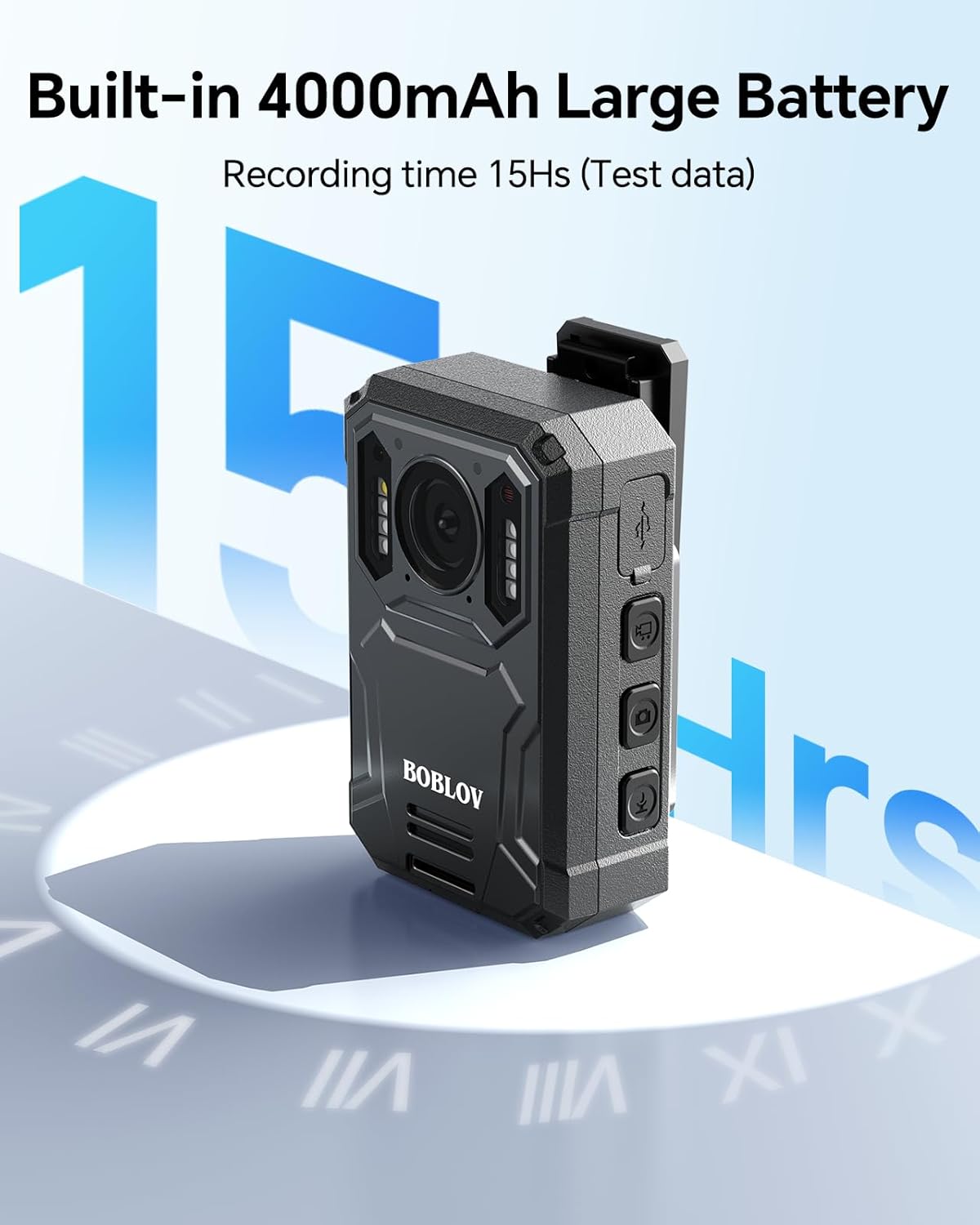
Image: The BOBLOV KJ23Pro Body Camera connected via USB-C cable for charging, with a blue indicator light visible.
3.2. Attaching the Shoulder Mount
The dual shoulder mount is designed for universal compatibility. Adjust the straps to fit your body comfortably. The camera can be attached to the mount using the integrated clip mechanism. Ensure the camera is securely fastened before use.

Image: A man wearing the BOBLOV KJ23Pro Body Camera attached to an adjustable chest mount, demonstrating its wearable nature.

Image: Four different scenarios showing individuals wearing the BOBLOV Dual Shoulder Mount during patrolling, walking pets, evidence collection, and cycling, highlighting its versatility.
4. Operating Instructions
4.1. Power On/Off
To power on the camera, press and hold the Power button located on the side of the device until the screen illuminates. To power off, press and hold the Power button again until the screen turns off.
Video: An unboxing and initial setup guide for the BOBLOV KJ23Pro, demonstrating how to power on the device and navigate basic functions.
4.2. Recording Video
Once powered on, press the Video button to start recording. The screen will display a recording indicator. Press the Video button again to stop recording.
4.3. Taking Photos
While the camera is on, press the Photo button to capture a still image. The camera will briefly display the captured image.
4.4. Night Vision Activation
To activate Night Vision, press and hold the Night Vision button. The five IR lights will illuminate, enabling recording in low-light conditions. Repeat the action to deactivate Night Vision.

Image: The BOBLOV KJ23Pro Body Camera with its five IR lights activated for night vision, shown in a dark environment.
Video: A short demonstration of the BOBLOV KJ25 (similar model) 1080P Body Camera, showcasing its night vision capabilities in action.
4.5. Audio Recording
The camera supports audio-only recording. Press the Audio button to start/stop audio recording. A microphone icon will appear on the screen during audio recording.
4.6. Car Dash Cam Mode
The KJ23Pro features a Car Dash Cam Mode. When enabled, the camera can be continuously powered and will automatically record when the vehicle is on. This mode is ideal for continuous surveillance during driving.
Video: A review of the Boblov KJ25 (similar model) Body Camera, highlighting its features including the Car Dash Cam Mode and motion detection.
4.7. Motion Detection
The camera can be set to motion detection mode, where it will only record when motion is detected in its field of view. This feature is useful for security monitoring and conserving battery life.
5. Key Features
- High-Resolution Capture: Records video in 2K resolution and captures photos at 38MP for clear and detailed evidence.
- Extended Battery Life: Equipped with a 4000mAh battery, providing up to 15 hours of continuous recording (at 1080P).
- Enhanced Night Vision: Features five high-intensity IR lights for superior visibility and recording quality in complete darkness.
- Robust Design: IP66-rated for water and dust resistance, ensuring durability in various environments.
- Ample Storage: Includes 128GB of internal flash memory for storing extensive footage.
- Versatile Connectivity: USB-C port for fast charging and data transfer.
- Universal Mount: The dual shoulder mount is compatible with all major body camera brands and models, offering an adjustable waistline from 33.8 to 47.2 inches.
6. Mounting Options
The BOBLOV KJ23Pro offers flexible mounting solutions to suit various needs:
- Dual Shoulder Mount: The primary mount included, designed for comfortable, hands-free operation. It is adjustable to fit most body types.
- Pocket Clip: A smaller clip is provided for attaching the camera to shirt pockets or other thin garments.
- Car Mount (Suction Cup): An optional suction cup mount allows the camera to be securely attached to a car windshield or dashboard for dash cam functionality.

Image: A diagram illustrating the flexible size and adjustability of the BOBLOV Dual Shoulder Strap Mount, with dimensions and front/back views.

Image: The compact chest mount with a clamp board, showing how the BOBLOV Body Camera can be attached for secure, hands-free recording.
7. Maintenance
- Cleaning: Use a soft, dry cloth to clean the camera lens and body. Avoid abrasive materials or harsh chemicals.
- Storage: Store the camera in a cool, dry place away from direct sunlight and extreme temperatures.
- Battery Care: For optimal battery longevity, avoid fully discharging the battery frequently. Charge the camera regularly, even if not in active use.
- Firmware Updates: Periodically check the BOBLOV website for any available firmware updates to ensure your camera has the latest features and performance improvements.
8. Troubleshooting
- Camera not turning on: Ensure the battery is charged. Connect the camera to a power source and try again.
- Recording issues: Check available storage space. If full, transfer files to a computer and delete them from the camera.
- Poor video quality: Ensure the lens is clean and free from smudges. Check the recording resolution settings.
- Mounting instability: Verify that the mount is correctly assembled and securely fastened to your garment or surface. Adjust straps for a snug fit.
9. Specifications
| Feature | Detail |
|---|---|
| Model Name | KJ23Pro |
| Video Resolution | 2K, 1080p |
| Photo Resolution | 38MP |
| Battery Capacity | 4000mAh (up to 15 hours at 1080P) |
| Night Vision | 5 IR Lights |
| Waterproof Rating | IP66 |
| Internal Memory | 128GB |
| Connectivity | USB-C |
| Photo Sensor | CMOS |
| Video Format | MPEG-4 |
| Audio Format | MP3 |
10. Warranty & Support
BOBLOV products come with a standard manufacturer's warranty. Please refer to the warranty card included in your package or visit the official BOBLOV website for detailed warranty terms and conditions.
For technical support, troubleshooting, or any inquiries regarding your BOBLOV KJ23Pro Body Camera, please contact BOBLOV customer service through their official website or the contact information provided in the user manual.


