
Introduction
This manual provides detailed instructions for the assembly, operation, and maintenance of your FLEXISPOT 63x32 Inch Electric Standing Desk. Please read this manual thoroughly before assembly and use to ensure proper function and safety.
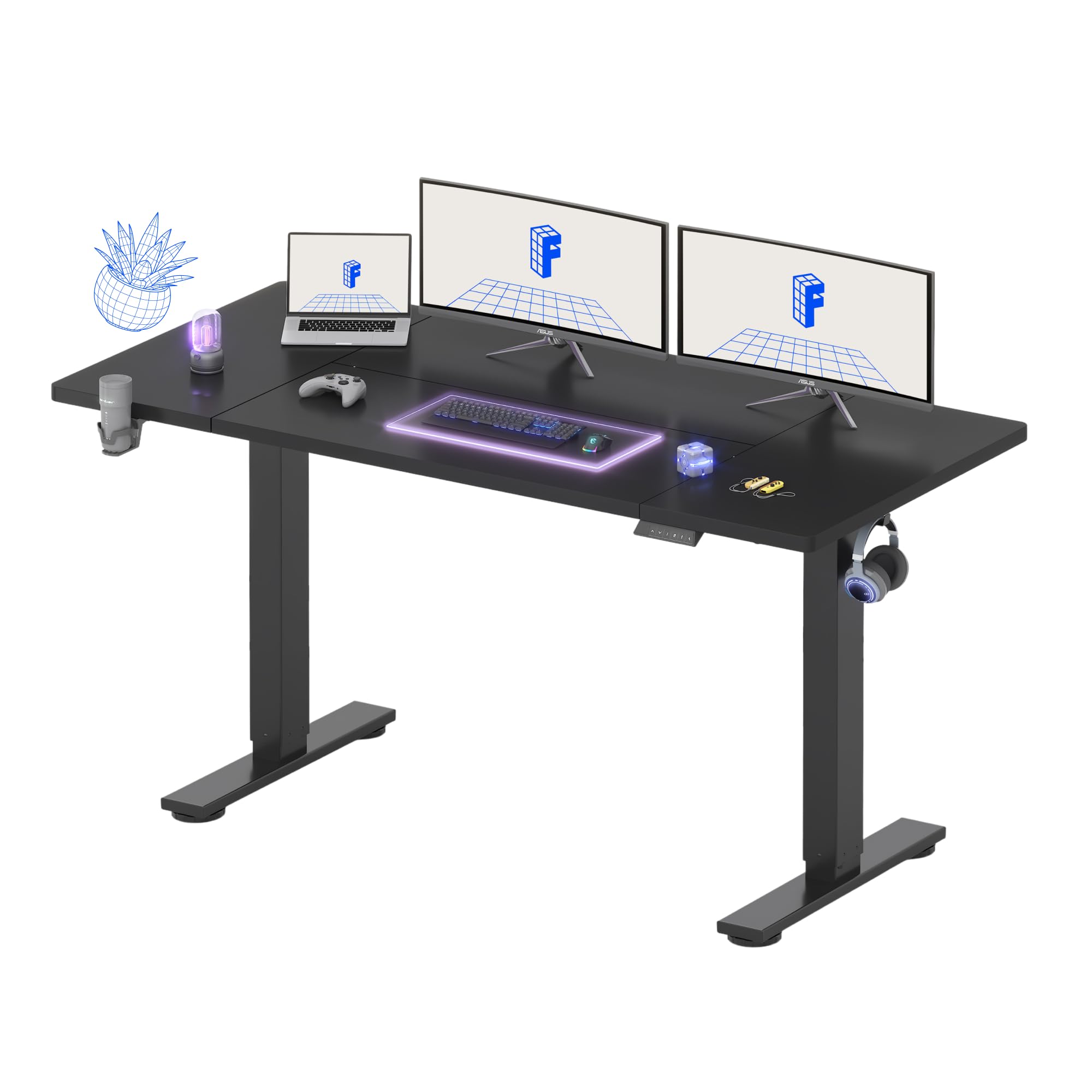
The FLEXISPOT 63x32 Inch Electric Standing Desk, ready for use.
Safety Information
Always follow the assembly instructions carefully. Do not exceed the weight capacity of 154 lbs (70 kg). Ensure the desk is properly anchored to the floor to prevent tipping. Keep the work area clear of obstacles to prevent accidents. Keep children and pets away from the desk during operation. Do not sit or stand on the desk. Disconnect power before cleaning or maintenance.
Package Contents
Verify that all components are present before beginning assembly:
- Desktop (63"x32")
- Desk Frame (Legs and Crossbar)
- Control Panel with LED Display
- Power Adapter and Cable
- Cup Holder
- Cable Management Tray
- Cable Organizer Clips
- Assembly Hardware (screws, Allen wrench, screwdriver)

Included Cup Holder and Headphone Hook.

Cable Management Tray and Organizer.
Setup and Assembly
Refer to the detailed assembly guide included in your package for step-by-step instructions. Ensure you have adequate space for assembly. A power drill may be required for certain steps, but is not included with the product. All necessary hardware is provided.
Important Note: The desktop and desk frame may ship in separate packages and could arrive at different times. Please ensure you have received all packages before starting assembly.

Desk components may arrive in separate boxes.
Operating Instructions
Height Adjustment
Use the up (^) and down (v) arrow buttons on the control panel to adjust the desk height. The current height will be displayed on the LED screen. The desk adjusts smoothly and quietly between 28.9 inches and 46.5 inches.
Memory Presets
The control panel features 4 programmable memory presets, allowing you to save and recall your preferred sitting and standing heights with a single touch. To save a height setting:
- Adjust the desk to your desired height using the up/down buttons.
- Press the 'M' button (or 'Set' button, if applicable) once. The LED display may flash.
- Within a few seconds, press one of the number buttons (1, 2, 3, or 4) to save the current height to that preset.
To recall a saved height, simply press the corresponding number button (1, 2, 3, or 4). The desk will automatically move to the saved position.

Multifunctional Control Panel with Memory Presets.
Maintenance
To ensure the longevity and optimal performance of your standing desk, follow these maintenance guidelines:
- Cleaning: Regularly wipe the desktop surface with a soft, damp cloth. Avoid using harsh chemicals, abrasive cleaners, or solvents that could damage the finish.
- Hardware Check: Periodically check all screws and connections to ensure they remain tight. Re-tighten any loose fasteners as needed.
- Electrical Components: Keep the motor and electrical components free from dust and moisture. Do not spray liquids directly onto the control panel or motor housing.
- Cable Management: Ensure cables are properly routed and secured using the provided cable management solutions to prevent snagging or damage during height adjustments.
Troubleshooting
If you encounter any issues with your FLEXISPOT Electric Standing Desk, refer to the following common troubleshooting steps:
Desk Not Adjusting Height
- Power Connection: Check all power connections. Ensure the power adapter is securely plugged into both the desk's control box and a working wall outlet.
- Obstructions: Verify that no cables, objects, or furniture are obstructing the movement of the desk legs. Clear any potential blockages.
- Reset Procedure: If the desk is unresponsive, a reset may be required. Refer to the specific control panel manual for detailed reset procedures, which typically involve holding down certain buttons (e.g., 'M' and 'V' simultaneously) until the display shows 'RST' or similar, then releasing and allowing the desk to cycle to its lowest position.
Unstable or Wobbly Desk
- Assembly Check: Ensure the desk is assembled correctly and all screws, especially those connecting the legs to the desktop and crossbar, are tightened securely.
- Level Surface: Check that the desk is on a level surface. Adjust the leveling feet at the bottom of the desk legs if necessary to compensate for uneven floors.
- Weight Capacity: Do not exceed the maximum weight capacity of 154 lbs (70 kg). Uneven weight distribution can also affect stability.
Alignment Issues During Assembly
- If screw holes do not align perfectly, re-check the orientation of the components against the assembly instructions. Sometimes, slightly loosening other screws temporarily can provide enough play to align the problematic holes. Avoid forcing screws, as this can strip threads or damage components.
Specifications
Key specifications for the FLEXISPOT 63x32 Inch Electric Standing Desk:
| Feature | Detail |
|---|---|
| Model Number | MAH0002392 |
| Desktop Dimensions | 63 inches (W) x 32 inches (D) |
| Height Range | 28.9 inches to 46.5 inches |
| Maximum Load Capacity | 154 lbs (70 kg) |
| Material (Frame) | Alloy Steel |
| Material (Desktop) | Engineered Wood |
| Color | Black |
| Special Features | 4 Memory Presets, Cup Holder, Cable Management & Organizer, Headphone Hook |

Desk dimensions and adjustable height range.
Warranty and Support
Your FLEXISPOT 63x32 Inch Electric Standing Desk is covered by a limited warranty:
- Frame and Mechanical Components: 5-year warranty
- Electronics: 2-year warranty
For customer support, warranty claims, or to purchase replacement parts, please contact FLEXISPOT directly through their official website or customer service channels. Please have your model number (MAH0002392) and proof of purchase available when contacting support.


