
Introduction
Thank you for choosing the ZICOROOP Tr5 Portable Bluetooth Speaker. This manual provides essential information for setting up, operating, and maintaining your speaker. Please read it thoroughly before use to ensure optimal performance and longevity of your device.
Product Overview
The ZICOROOP Tr5 is a versatile portable Bluetooth speaker designed for high-quality audio experiences both indoors and outdoors. Key features include:
- 15W Stereo Sound: Delivers clear and powerful audio.
- TWS Pairing: Connect two Tr5 speakers for a 360° stereo sound experience.
- IPX6 Waterproof: Resistant to water splashes and rain, suitable for outdoor use (not for submersion).
- Bluetooth 5.3: Ensures stable and extended wireless connectivity up to 66 feet.
- LED Light: Integrated LED lighting for enhanced ambiance.
- Long Playtime: Up to 15 hours of audio playback on a single charge (at 50% volume).
- Multiple Connectivity Options: Bluetooth, AUX input, and TF card support.
Product Highlights
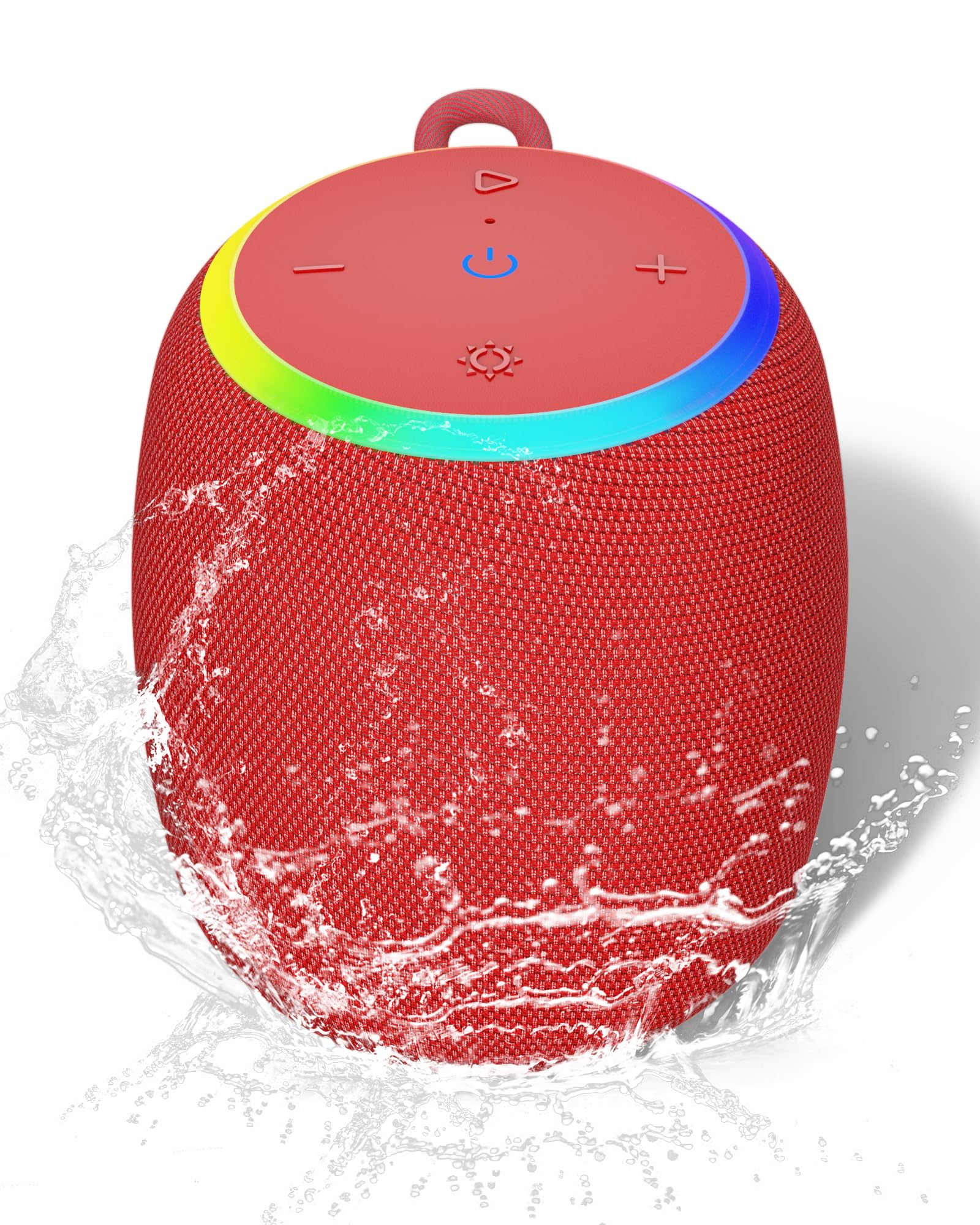
Image: The ZICOROOP Tr5 speaker showcasing its dynamic LED light ring and indicating 15W powerful sound, Type-C charging, Aux-in, and Bluetooth 5.3 connectivity.

Image: A user connecting their smartphone to the ZICOROOP Tr5 speaker via Bluetooth 5.3, emphasizing the stable and extended wireless connection.

Image: The ZICOROOP Tr5 speaker positioned on rocks beside a river, demonstrating its IPX6 waterproof capability, making it suitable for outdoor environments.

Image: A person cycling outdoors with the ZICOROOP Tr5 speaker, highlighting its long battery life of up to 15 hours of playtime.
Package Contents
Please check the box for the following items:
- ZICOROOP Tr5 Portable Bluetooth Speaker
- USB-C Charging Cable
- AUX Audio Cable
- User Manual
Controls and Indicators
Familiarize yourself with the speaker's controls:
| Button/Indicator | Function |
|---|---|
| Power Button (⏻) | Press and hold to power on/off. Short press to play/pause. |
| Volume Up (+) | Short press to increase volume. Long press for next track. |
| Volume Down (-) | Short press to decrease volume. Long press for previous track. |
| Mode Button (M) | Short press to switch between Bluetooth, AUX, and TF card modes. |
| LED Light Button (☀) | Short press to cycle through LED light modes or turn off. |
| TWS Pairing Button (∞) | Press to initiate TWS pairing (see TWS Pairing section). |
| Charging Port (USB-C) | Connect USB-C cable for charging. |
| AUX Input | Connect external audio devices via 3.5mm AUX cable. |
Setup
1. Charging the Speaker
Before first use, fully charge the speaker. Connect the provided USB-C cable to the speaker's charging port and the other end to a USB power adapter (not included). The LED indicator will show charging status and turn off when fully charged. A full charge provides up to 15 hours of playtime at 50% volume.
2. Power On/Off
Press and hold the Power button (⏻) for 2-3 seconds to turn the speaker on or off. A sound prompt will indicate the power status.
Operating Instructions
1. Bluetooth Pairing
- Ensure the speaker is powered on and in Bluetooth mode (indicated by a flashing blue LED). If not, short press the Mode button (M) to switch modes.
- On your device (smartphone, tablet, etc.), enable Bluetooth and search for available devices.
- Select "ZICOROOP Tr5" from the list. A successful connection will be confirmed by an audible prompt and a solid blue LED.
- Once paired, you can control playback and volume directly from your device or the speaker's buttons.
2. TWS (True Wireless Stereo) Pairing
To achieve 360° stereo sound, you can pair two ZICOROOP Tr5 speakers together:
- Ensure both Tr5 speakers are powered on and in Bluetooth mode, but not connected to any other device.
- On one of the speakers (this will be the primary speaker), short press the TWS Pairing button (∞). The speaker will emit a pairing tone.
- The two speakers will automatically connect to each other. A successful TWS connection will be indicated by an audible prompt.
- Now, connect your device to the primary speaker via Bluetooth as described in the "Bluetooth Pairing" section. Audio will play through both speakers in stereo.

Image: Two ZICOROOP Tr5 speakers wirelessly connected to a laptop, illustrating the True Wireless Stereo (TWS) pairing feature for an immersive audio experience.
3. AUX Mode
To play audio from a non-Bluetooth device:
- Connect one end of the 3.5mm AUX audio cable to your external device's audio output and the other end to the AUX input port on the Tr5 speaker.
- The speaker will automatically switch to AUX mode, or you may need to short press the Mode button (M) to select AUX mode.
- Control playback and volume from your external device.
4. LED Light Modes
The ZICOROOP Tr5 features integrated LED lighting. Short press the LED Light button (☀) to cycle through various light modes or to turn the lights off.
Maintenance
- Keep the speaker clean by wiping it with a soft, dry cloth.
- Avoid using harsh chemicals or abrasive materials.
- Ensure the charging port cover is securely closed when not charging to maintain IPX6 water resistance.
- Store the speaker in a cool, dry place when not in use.
Troubleshooting
| Problem | Solution |
|---|---|
| Speaker does not power on. | Ensure the battery is charged. Connect to a power source and try again. |
| Cannot pair via Bluetooth. | Make sure the speaker is in Bluetooth pairing mode (flashing blue LED). Ensure your device's Bluetooth is on and within range. Forget previous pairings on your device and try again. |
| No sound. | Check volume levels on both the speaker and your connected device. Ensure the correct input mode (Bluetooth, AUX) is selected. |
| TWS pairing fails. | Ensure both speakers are Tr5 models and are not connected to any other Bluetooth device before initiating TWS pairing. Keep them close during pairing. |
Specifications
| Feature | Detail |
|---|---|
| Model Name | Tr5 |
| Speaker Type | Satellite, Outdoor |
| Connectivity Technology | Bluetooth 5.3, Auxiliary |
| Wireless Range | Up to 66 Feet |
| Speaker Maximum Output Power | 15 Watts |
| Audio Output Mode | Stereo (with TWS pairing) |
| Waterproof Rating | IPX6 |
| Power Source | Battery Powered (1 Lithium Ion battery included) |
| Playtime | Up to 15 hours (at 50% volume) |
| Control Method | Touch |
| Product Dimensions | 5.31 x 3.74 x 3.74 inches |
| Item Weight | 15.8 ounces |
Official Product Video
Video: An official overview of the ZICOROOP Tr5 Bluetooth Speaker, demonstrating its features and design. This video is provided by the seller, Zicoroop.
Safety Information
- Do not expose the speaker to extreme temperatures or direct sunlight for prolonged periods.
- Avoid dropping or subjecting the speaker to strong impacts.
- Keep out of reach of children.
- Do not attempt to disassemble or repair the speaker yourself. Contact qualified service personnel.
- While IPX6 rated, avoid partial or complete immersion in water.
Warranty and Support
The ZICOROOP Tr5 Portable Bluetooth Speaker comes with a limited warranty. For detailed warranty information, product support, or technical assistance, please refer to the contact information provided on the product packaging or visit the official ZICOROOP website.
For further assistance, you may also visit the ZICOROOP Store on Amazon.