
BLAUPUNKT CALI900
BLAUPUNKT CALI900 Car Multimedia System User Manual
Model: CALI900
Introduction
This manual provides comprehensive instructions for the installation, operation, and maintenance of your BLAUPUNKT CALI900 Car Multimedia System. Please read this manual thoroughly before using the device to ensure proper functionality and safety.
The BLAUPUNKT CALI900 is a state-of-the-art car multimedia system featuring a 9-inch QLED 2.5D touch screen, Quad Core 2.0G Processor, and extensive connectivity options including Apple CarPlay, Android Auto, Built-in WiFi, Bluetooth, DAB+, and Navigation capabilities.
What's in the Box
- BLAUPUNKT CALI900 Car Multimedia 9-inch QLED 2.5D Touch Screen Panel
- Necessary wiring harnesses
- External Microphone
- GPS Antenna
- Mounting hardware
Setup and Installation
Proper installation is crucial for optimal performance and safety. It is recommended that installation be performed by a qualified professional.
Physical Installation
The CALI900 features a floating 9-inch QLED display. Ensure adequate space in your vehicle's dashboard for both the main unit and the adjustable display.

Image: Side view of the BLAUPUNKT CALI900 illustrating the adjustable floating screen mechanism, which allows for flexible positioning of the 9-inch QLED display relative to the main unit.
Wiring Connections
Identify the various input and output ports on the rear of the unit for proper connection to your vehicle's electrical system, speakers, and external devices.

Image: Detailed rear view of the BLAUPUNKT CALI900 main unit, highlighting the power input, speaker outputs, and various auxiliary connections for accessories like the rear view camera, external microphone, and USB ports.
- Power Connection: Connect the main power harness to your vehicle's power supply (constant 12V, accessory, and ground).
- Speaker Outputs: Connect your vehicle's speakers to the corresponding outputs. The unit supports 4.1 Channel Pre-Outs.
- USB Ports: Utilize the 2x Rear USB (Standard A-Type) for media playback and smartphone connectivity.
- Camera Input: Connect a rear view camera to the dedicated input for enhanced safety.
- Steering Wheel Control: Connect to your vehicle's steering wheel controls for integrated operation.
- External Microphone: Connect the external microphone for improved hands-free calling audio quality.
- GPS Antenna: Connect the GPS antenna for navigation functionality.
Operating Instructions
Basic Operation
The CALI900 operates on Android 10.0, providing a familiar and intuitive user interface via its 9-inch QLED touch screen.
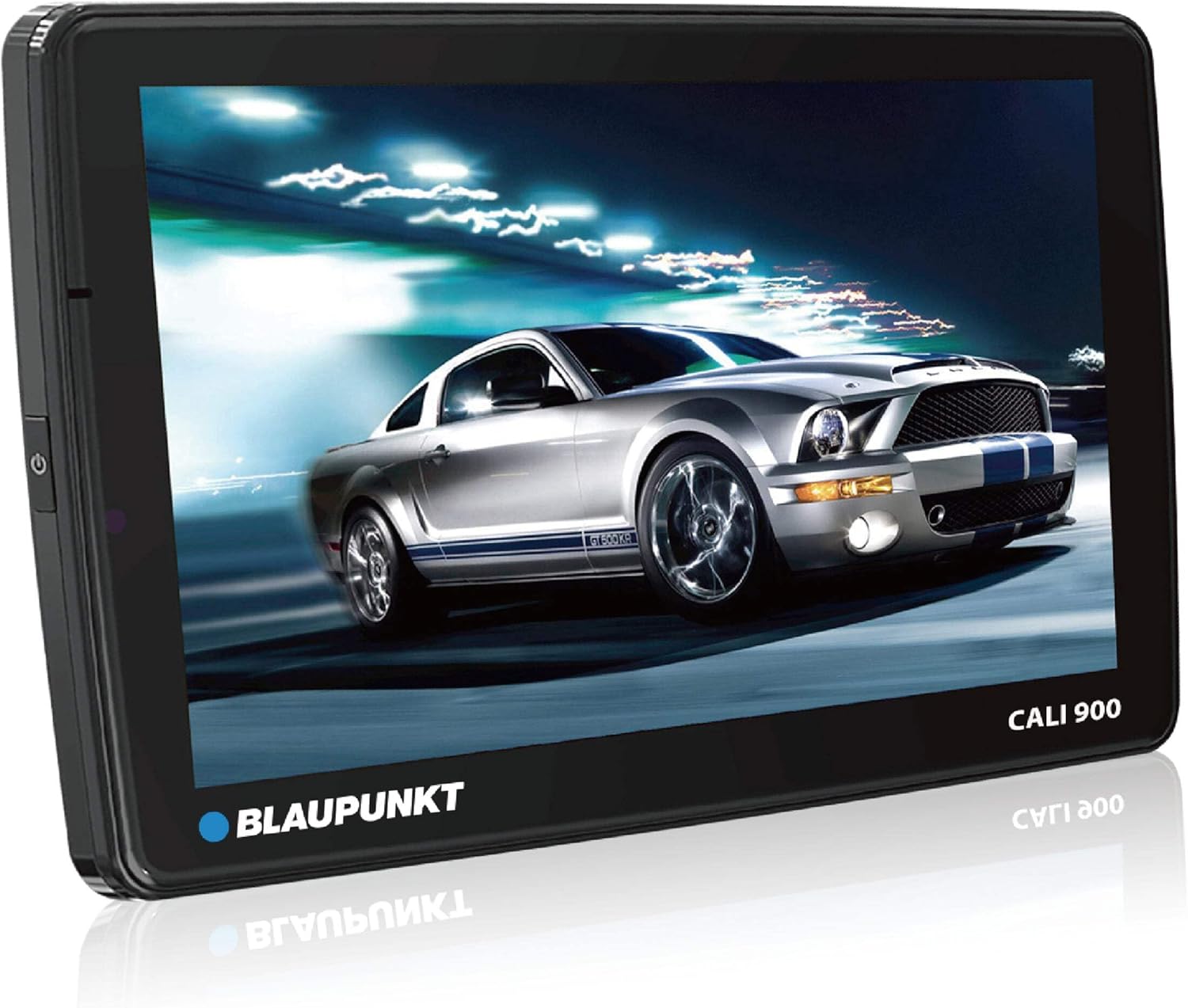
Image: Front view of the BLAUPUNKT CALI900 QLED display, showcasing its vibrant screen and user interface, ready for interaction.
Radio Functions
- Tuner: High-End Tuner with FM (RDS) and AM bands.
- Station Memory: Store up to 30 stations for quick access.
- RDS Features: Supports AF, CT, EON, PS, PTY, TA, TP, RT for enhanced radio information.
Navigation
The unit comes with built-in GPS and is prepared for navigation. Install your preferred navigation application from the Android app store.
Smartphone Connectivity (CarPlay / Android Auto)
- Wireless/Wired: Connect your Apple or Android smartphone wirelessly or via USB for Apple CarPlay and Android Auto functionality.
- Access navigation, music, messages, and more directly from the unit's display.
Bluetooth Functions
- Hands-Free Calling: Make and receive calls using the built-in or external microphone and vehicle speakers.
- Audio Streaming: Stream music from your smartphone via A2DP profile.
- Phonebook: Upload phonebook contacts (up to 1,000 entries) and view call history.
- Pairing: Pair up to 5 devices. Default pairing code is 0000.
Multimedia Playback
- USB Playback: Play audio (MP3, WMA, WAV), video (AVI, MP4, WMV, MKV), and picture (JPEG, JPG, BMP, PNG) files from USB storage.
- Supports ID3-tag display, folder/file browsing, mix, and repeat functions.
Audio Settings
- DSP: Utilize the Digital Sound Processor with a 32-band EQ for precise audio customization.
- Adjust 4.1 Channel Pre-Outs and SubPreout for external amplifiers.
Maintenance
Regular maintenance ensures the longevity and optimal performance of your BLAUPUNKT CALI900.
- Screen Cleaning: Use a soft, lint-free cloth to gently wipe the QLED touch screen. Do not use abrasive cleaners or solvents.
- Software Updates: Periodically check for software updates via the built-in WiFi connection to ensure the system has the latest features and bug fixes.
- Connection Check: Ensure all wiring connections remain secure, especially after initial installation or any vehicle maintenance.
- Environmental Conditions: Avoid exposing the unit to extreme temperatures, direct sunlight for prolonged periods, or excessive moisture.
Troubleshooting
This section addresses common issues you might encounter with your CALI900 unit.
| Problem | Possible Cause | Solution |
|---|---|---|
| Unit does not power on. | Incorrect power wiring; Blown fuse; Vehicle battery issue. | Check power connections (constant 12V, accessory, ground). Inspect vehicle fuses. Verify vehicle battery voltage. |
| No audio output. | Speaker wires disconnected; Volume too low; Mute function active; Incorrect audio source. | Verify speaker connections. Increase volume. Deactivate mute. Select correct audio source. Check DSP settings. |
| Bluetooth connection issues. | Device not paired; Bluetooth off on phone/unit; Interference. | Ensure Bluetooth is enabled on both devices. Re-pair the device. Move closer to the unit. Reset Bluetooth settings. |
| Touch screen unresponsive. | System freeze; Screen calibration issue. | Perform a soft reset (refer to specific reset procedure in full manual if available). If persistent, contact support. |
| GPS signal lost or inaccurate. | GPS antenna obstructed or disconnected; Poor satellite visibility. | Ensure GPS antenna is properly connected and has a clear view of the sky. Move to an open area. |
Specifications
| Feature | Detail |
|---|---|
| Operating System | Android 10.0 |
| CPU Processor | A53 Quad-Core 2.0GHz |
| RAM/ROM | 2GB RAM / 32GB ROM |
| Display Type | 9-inch QLED 2.5D Touch Screen Panel |
| Display Resolution | 1280 x 720 pixels |
| Radio Tuner | High-End Tuner (FM RDS, AM) |
| Navigation | Built-in GPS, Navi-ready |
| Smartphone Integration | Wireless/Wired Apple CarPlay, Android Auto |
| Bluetooth Version | 4.1 (HFP, PBAP, A2DP) |
| USB Ports | 2x Rear USB (Standard A-Type) |
| Audio Output | 4.1 Channel Pre-Outs, SubPreout |
| Equalizer | DSP with 32 band EQ |
| WiFi | Built-in WiFi |
| Supported Video Formats | AVI, MP4, WMV, MKV |
| Supported Audio Formats | MP3, WMA, WAV |
| Product Dimensions (D x W x H) | 4.53" x 7.87" x 5.12" (115mm x 200mm x 130mm) |
| Item Weight | 2.21 lbs (1.20 kg) |
Warranty and Support
Information regarding product warranty and customer support is not provided in the available product data. Please refer to the product packaging or the manufacturer's official website for detailed warranty terms and support contact information.
For technical assistance or service inquiries, please contact BLAUPUNKT customer service.
Related Documents - CALI900
 |
Blaupunkt Series 900 Car Multimedia System User Manual Comprehensive user manual for the Blaupunkt Series 900 Car Multimedia System, covering installation, operation, features like Bluetooth, Apple CarPlay, Android Auto, USB playback, and troubleshooting. Includes detailed connection diagrams and multimedia support lists. |
 |
Blaupunkt Santa Rosa 980 Car Multimedia System User Manual Comprehensive user manual for the Blaupunkt Santa Rosa 980 car multimedia system, detailing its features, operation, safety guidelines, connectivity options (USB, Bluetooth, PhoneLINK), sound settings, troubleshooting, and warranty information. |
 |
Blaupunkt Orlando 750 6.9" Touchscreen MP5 Receiver Instruction Manual This manual provides detailed instructions for the Blaupunkt Orlando 750, a 6.9-inch touchscreen MP5 receiver compatible with Android Auto and Apple CarPlay. It covers installation, wiring, main unit and remote control operation, on-screen functions like radio, Bluetooth, phone linking, USB/SD input, auxiliary input, front camera, and setup, along with specifications and troubleshooting. |
 |
Blaupunkt Key Largo 980 10.1-Inch Android Car System User Manual User manual for the Blaupunkt Key Largo 980, a 10.1-inch Android car system. Provides detailed instructions and specifications for operation and installation. |
 |
Blaupunkt Santa Cruz 370 Car Multimedia System User Manual Comprehensive user manual for the Blaupunkt Santa Cruz 370 car multimedia system, covering installation, operation, radio, navigation, and media playback features. |
 |
Blaupunkt Philadelphia 835 Multimedia Navigation Operating Instructions Comprehensive operating instructions for the Blaupunkt Philadelphia 835 multimedia navigation system, covering device and remote controls, safety information, radio operation, navigation features, media playback (DVD, CD, USB, SDHC, iPod/iPhone), Bluetooth connectivity, sound settings, basic system configurations, and useful information. |
Ask a question about this manual
Ask about setup, troubleshooting, compatibility, parts, safety, or missing instructions. Manuals+ will review the question and use this page’s manual context to help answer it.