
Introduction
Thank you for choosing the FLEXISPOT Electric Height-Adjustable Desk, Model QB2M-2080-IE. This manual provides essential information for the safe and efficient assembly, operation, and maintenance of your new desk. This desk features a robust dual-motor lift system, an intelligent control panel with memory functions, and an anti-collision system, designed to enhance your workspace ergonomics.
The desk measures 200 x 80 cm and offers a height adjustment range from 70 cm to 119 cm, accommodating various user preferences and working styles. Its sturdy construction supports a static load of up to 120 kg and a dynamic load of 100 kg.
Safety Information
- Weight Capacity: Do not exceed the maximum static load of 120 kg (264 lbs) or dynamic load of 100 kg (220 lbs). Overloading can cause damage and pose a safety risk.
- Anti-Collision System: The desk is equipped with an anti-collision feature. Ensure the area around the desk is clear during height adjustments to prevent activation or damage.
- Children and Pets: Keep children and pets away from the desk during operation to prevent injury.
- Power Supply: Use only the provided power adapter. Ensure the power cord is not damaged or pinched.
- Liquids: Avoid spilling liquids on the control panel or motor components.
- Assembly: Follow all assembly instructions carefully. Ensure all screws and fasteners are securely tightened before use.
Setup and Assembly
Assembly of your FLEXISPOT desk is required. It is recommended to have at least two people for assembly due to the size and weight of the components.
- Unpack Components: Carefully unpack all parts and check against the packing list (not provided in this manual, refer to your product packaging).
- Assemble Frame: Follow the detailed instructions provided in the separate assembly guide for connecting the dual-motor lift system and leg columns.
- Desktop Assembly: The desktop is supplied in multiple sections (typically 4 parts). Carefully align and secure these sections together using the provided fasteners. Ensure a flush and stable surface.
- Attach Desktop to Frame: Position the assembled desktop onto the frame. Secure the desktop to the frame using the designated screws, ensuring all connections are tight.
- Connect Control Panel: Attach the intelligent control panel to the underside of the desktop in the desired location. Connect the control panel and motor cables to the control box.
- Power Connection: Connect the power adapter to the control box and then to a suitable power outlet.

Image: Product Details. This image illustrates the overall dimensions of the desk (200cm x 80cm) and highlights that the desktop is composed of 4 parts for assembly. It also indicates the desk's waterproof design and maximum weight support of 120KG.
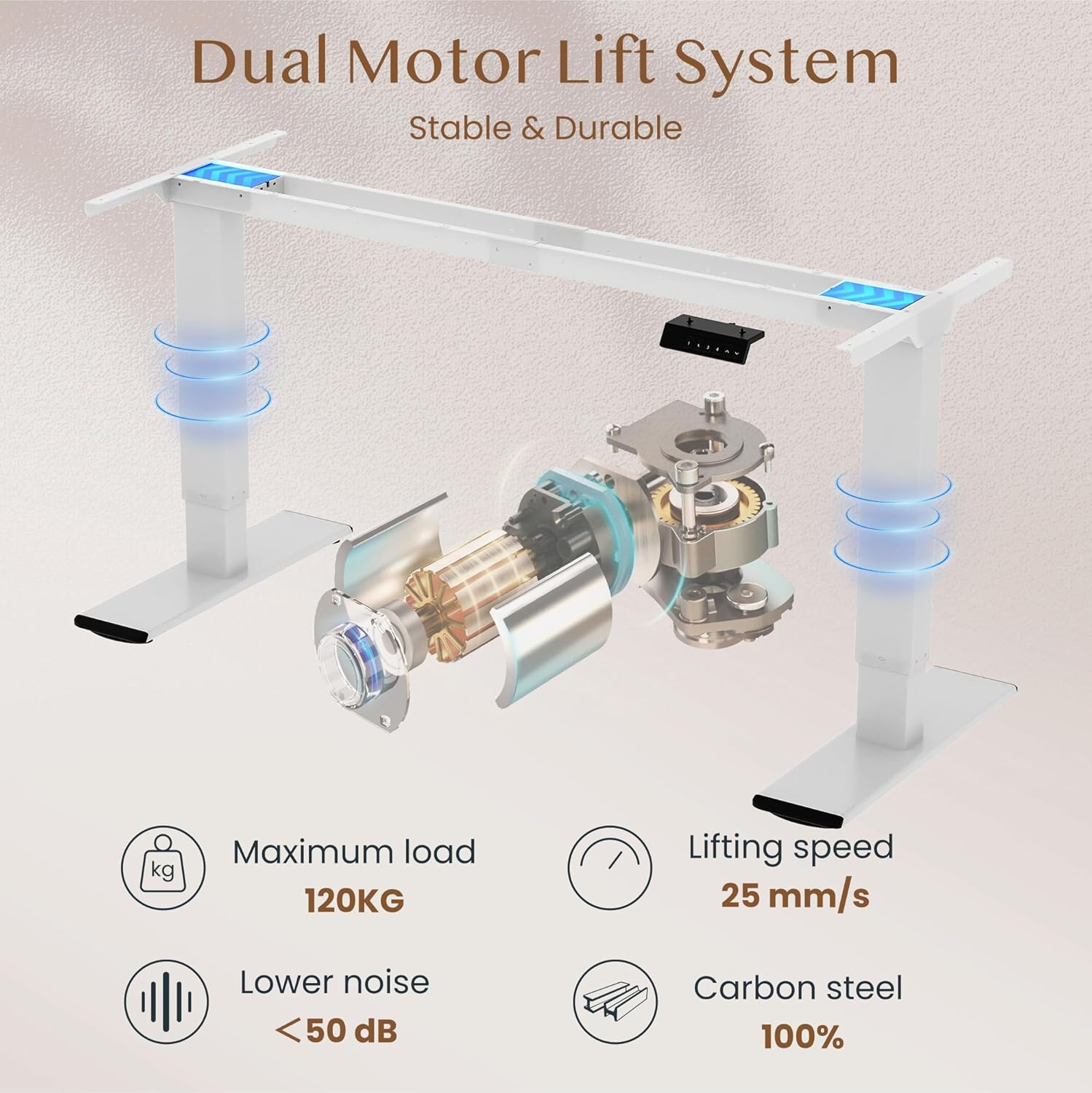
Image: Dual Motor Lift System. This diagram shows the internal components of the dual motor lift system, emphasizing its stability and durability. Key features like the maximum load of 120KG, lifting speed of 25 mm/s, noise level below 50 dB, and 100% carbon steel construction are highlighted.
Operating Instructions
Your FLEXISPOT desk is designed for easy height adjustment and includes memory functions for convenience.
- Adjusting Height: Use the ∧ (Up) and ∨ (Down) buttons on the control panel to raise or lower the desk to your desired height. The current height will be displayed on the LED screen.
- Setting Memory Presets:
- Adjust the desk to your preferred height.
- Press the "M" button (or similar memory set button, if present).
- Immediately press one of the numbered preset buttons (1, 2, 3, or 4) to save the current height to that position.
- To recall a saved height, simply press the corresponding numbered button.
- Anti-Collision Function: The desk is equipped with an anti-collision system. If the desk encounters an obstruction during movement, it will automatically stop and reverse slightly to prevent damage.

Image: Height Adjustable. This image demonstrates the desk's height adjustment capability, allowing users to switch between sitting and standing positions. It visually represents the height range from approximately 72cm to 121cm.

Image: Intelligent Control Panel. This image displays a close-up of the desk's control panel, featuring Up & Down buttons, four memory height presets (1, 2, 3, 4), an LED screen, and an anti-collision function indicator.

Image: Safety Collision Avoidance System. This illustration visually compares the desk's behavior with and without the anti-collision function, showing how it prevents damage by reversing movement when an obstruction is detected.
Maintenance
To ensure the longevity and optimal performance of your FLEXISPOT desk, follow these simple maintenance guidelines:
- Cleaning: Wipe the desk surface and frame with a soft, damp cloth. Avoid abrasive cleaners or harsh chemicals that could damage the finish.
- Check Connections: Periodically check all screws and fasteners to ensure they remain tight. Re-tighten if necessary.
- Cable Management: Ensure all cables are neatly managed and not pinched or tangled, especially during height adjustments.
- Motor Care: The dual motors are designed for maintenance-free operation. Do not attempt to open or lubricate the motor housing.
Troubleshooting
If you encounter any issues with your FLEXISPOT desk, refer to the following common troubleshooting steps:
- Desk Not Moving:
- Check if the power cord is securely plugged into both the desk's control box and the wall outlet.
- Ensure all cables connecting the control panel and motors to the control box are properly seated.
- If an error code is displayed on the control panel, consult the full troubleshooting guide on the FLEXISPOT website or contact customer support.
- Anti-Collision System Triggered:
- If the desk stops unexpectedly, check for any obstructions above or below the desktop. Remove any items that may be interfering with its movement.
- The system is designed to protect the desk and objects. Once the obstruction is cleared, the desk should resume normal operation.
- Uneven Movement:
- Ensure the desk is not overloaded beyond its weight capacity.
- Verify that the desk is placed on a level surface.
- Check that all assembly screws are tightened evenly.
Specifications
| Brand | FLEXISPOT |
| Model Number | QB2M-2080-IE |
| Desktop Dimensions | 200 cm x 80 cm (78.74 x 31.5 inches) |
| Height Adjustment Range | 70 cm - 119 cm (27.5 - 46.8 inches) |
| Motor System | Dual Motors |
| Lifting Speed | 25 mm/s |
| Noise Level | Below 50 dB |
| Maximum Static Load Capacity | 120 kg (264 lbs) |
| Maximum Dynamic Load Capacity | 100 kg (220 lbs) |
| Desktop Material | Multi-part desktop (e.g., maple finish), waterproof design |
| Frame Material | Carbon Steel |
| Control Panel | Intelligent hand control with LED screen, 4 memory presets, anti-collision function |
| Item Weight | 40.9 Kilograms (90.17 lbs) |
| Assembly Required | Yes |

Image: Thickened Table Legs. This image highlights the robust design of the desk's legs, indicating their thickness and contribution to the desk's overall stability.

Image: Sturdy and Durable. This image visually represents the desk's high weight capacity of 120kg and emphasizes the thick table legs (75x45mm) that ensure its stability.
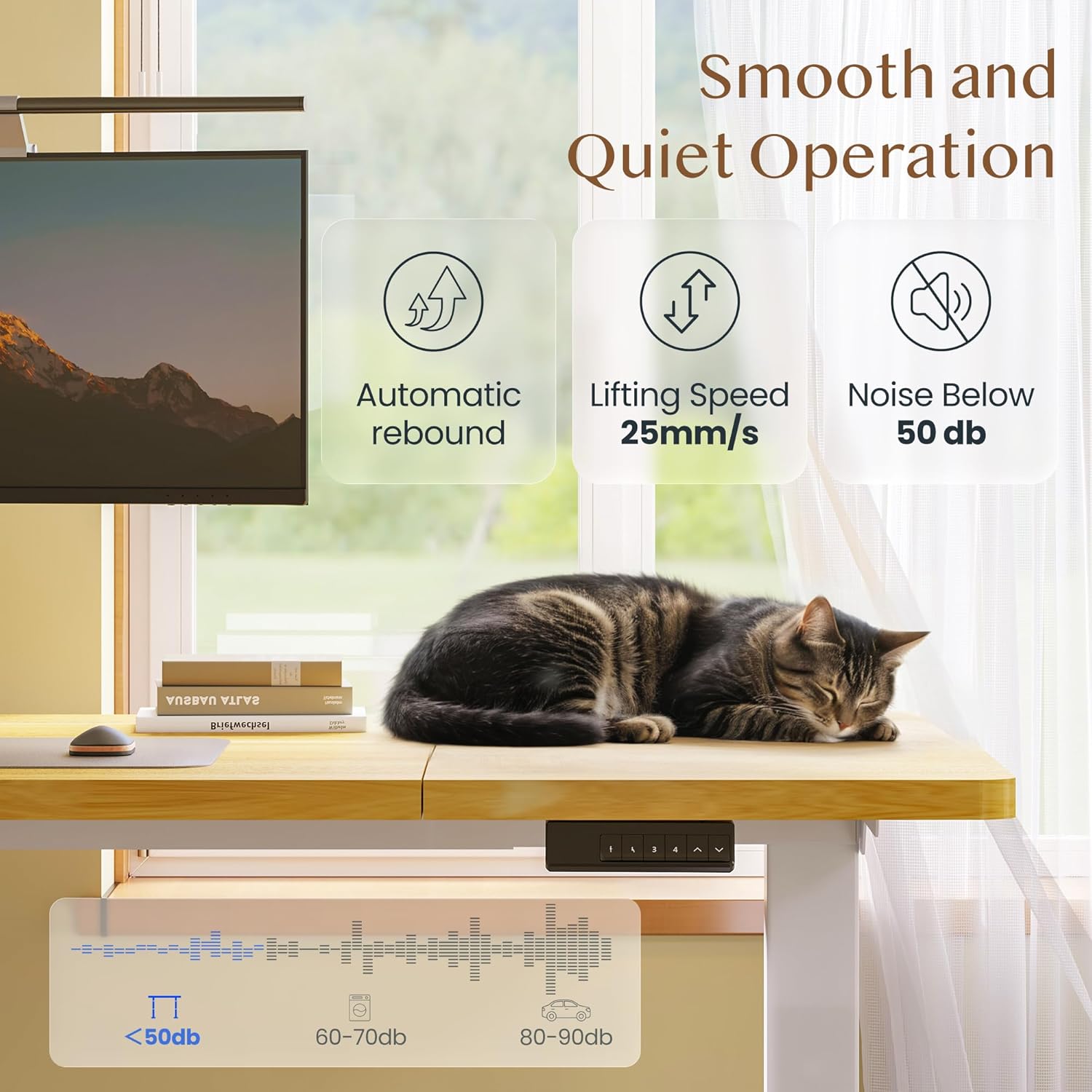
Image: Smooth and Quiet Operation. This image details the desk's operational characteristics, including automatic rebound, a lifting speed of 25mm/s, and a noise level below 50 dB, ensuring a quiet working environment.
Warranty and Support
Specific warranty details for your FLEXISPOT Electric Height-Adjustable Desk (Model QB2M-2080-IE) are typically provided with your product packaging or can be found on the official FLEXISPOT website. Please retain your proof of purchase for warranty claims.
For further assistance, technical support, or to inquire about replacement parts, please visit the official FLEXISPOT website or contact their customer service department.


