
1. Introduction
This manual provides essential instructions for setting up, operating, and maintaining your iTouch Smart Watch Fitness Tracker, Model Active 4. Please read this manual thoroughly to ensure proper use and to maximize the device's features.
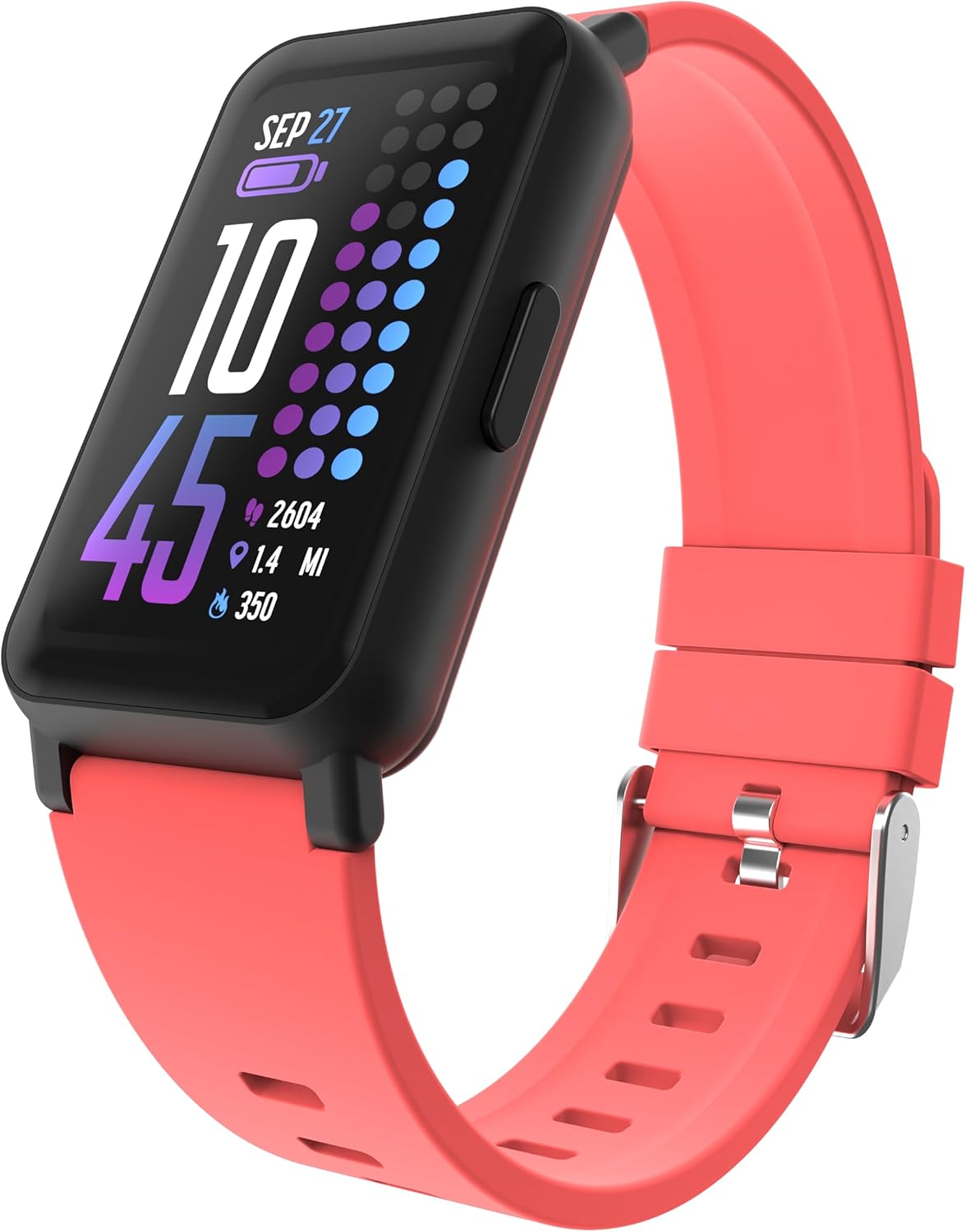
Image: The iTouch Smart Watch Fitness Tracker in Coral, displaying time, date, battery, steps, distance, and calories.
2. What's in the Box
Your iTouch Smart Watch Fitness Tracker package includes:
- iTouch Smart Watch (Model Active 4)
- Charging Cable
3. Setup
3.1 Charging the Device
Before first use, fully charge your iTouch Smart Watch. Connect the provided charging cable to the charging pins on the back of the watch and to a USB power source.

Image: The iTouch Smart Watch connected to its magnetic charging cable, showing a 100% battery indicator on the screen.
3.2 Installing the iTouch Wearables App
To access all features and synchronize data, download the iTouch Wearables app from your smartphone's app store (compatible with Android and iOS).
3.3 Pairing Your Smart Watch
- Ensure your smart watch is charged and powered on.
- Enable Bluetooth on your smartphone.
- Open the iTouch Wearables app and follow the on-screen instructions to create an account or log in.
- Select 'Add Device' or 'Pair New Device' within the app.
- Select your iTouch Smart Watch from the list of available devices.
- Confirm the pairing request on both your watch and smartphone.
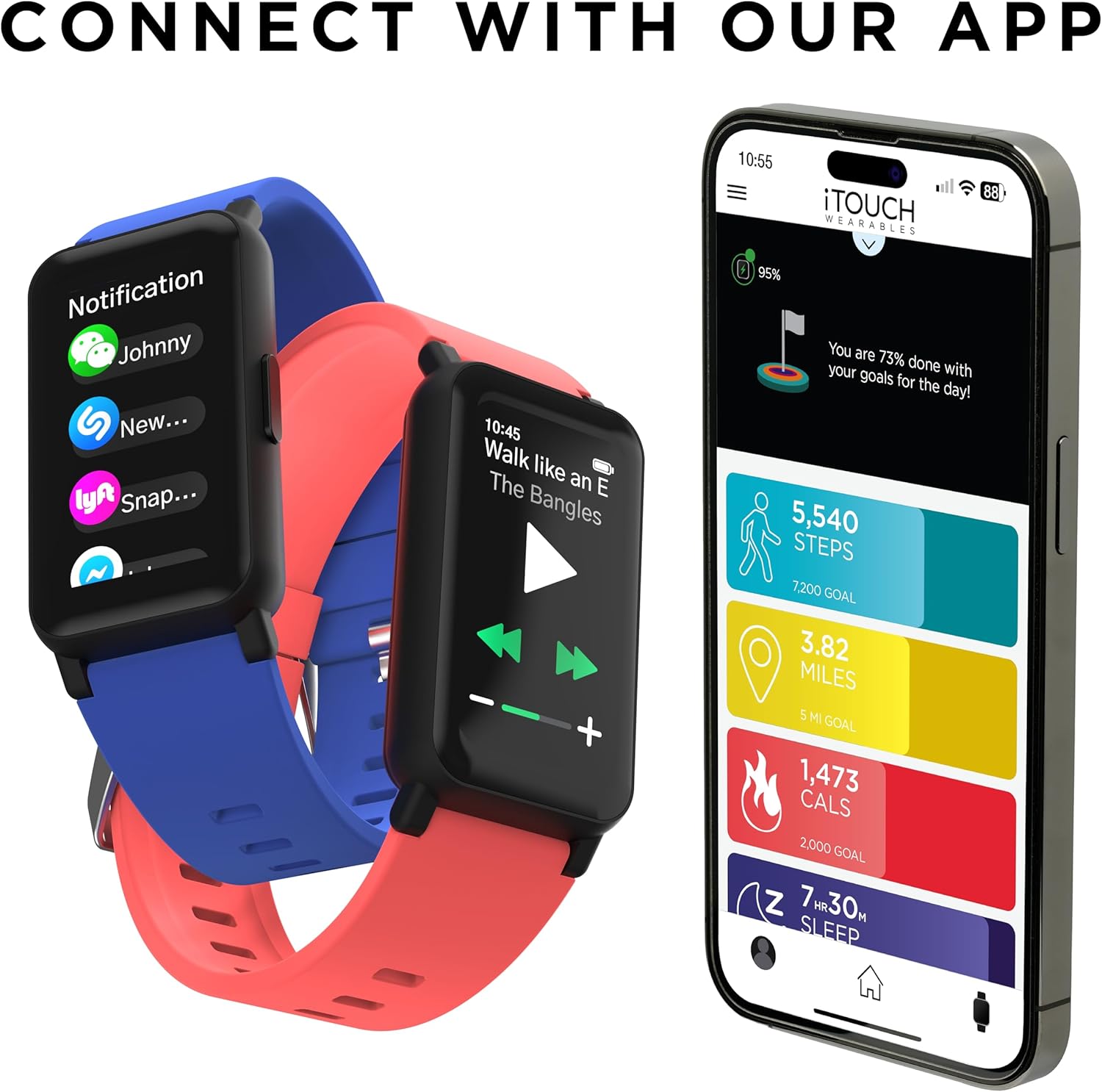
Image: Two iTouch Smart Watches (blue and coral) next to a smartphone displaying the iTouch Wearables app interface, showing daily goals for steps, miles, calories, and sleep.
4. Operating Your iTouch Smart Watch
4.1 Basic Navigation
- Touch Screen: Swipe left, right, up, or down to navigate through menus and features. Tap to select.
- Side Button: Press to return to the home screen or wake the device.
4.2 Health Monitoring
The iTouch Smart Watch provides various health tracking features:
- Heart Rate Monitor: Continuously monitors heart rate at 30-minute intervals. You can also take on-demand measurements.
- SpO2 Tracking: Measures blood oxygen levels. On-demand measurements are available.
- Sleep Monitor: Tracks sleep patterns and duration.
- Stress Tracking & Breathing Exercises: Helps manage stress and promotes relaxation.
- Cycle Tracking: Monitors menstrual cycles.
- Coffee Intake Monitoring: Helps track daily caffeine consumption.

Image: The iTouch Smart Watch screen showing a heart icon and '120 BPM' (beats per minute), indicating a heart rate measurement.

Image: A person sleeping, with an iTouch Smart Watch on their wrist displaying a sleep tracking interface showing sleep duration and a goal.
4.3 Activity Tracking
The watch tracks your daily activity and supports various sports modes:
- Pedometer: Counts your steps throughout the day.
- 96 Sports Modes: Select from a wide range of workout modes to track specific activities.
- Connected GPS: Utilizes your smartphone's GPS for accurate distance and route tracking during outdoor activities.

Image: A person wearing an iTouch Smart Watch, with text indicating "100+ Workout Modes" and icons for various sports like running, cycling, and weightlifting.

Image: An iTouch Smart Watch on a wrist and a smartphone displaying the iTouch Wearables app, showing tracked steps, miles, and calories.
4.4 Smart Features
Stay connected and control your phone remotely:
- Notifications: Receive call, message, and app notifications directly on your wrist.
- Music Remote: Control music playback on your smartphone.
- Camera Remote: Remotely trigger your smartphone's camera shutter.
- Find Watch: Locate your watch if misplaced.
- Weather Updates: View current weather and a 4-day forecast.

Image: An iTouch Smart Watch showing incoming notifications from various apps, alongside a smartphone screen displaying the app's notification settings.
4.5 Customization
Personalize your watch to match your style:
- Watch Faces: Choose from over 100+ watch faces or create custom ones via the app.

Image: A collection of iTouch Smart Watches in various colors, each displaying a different watch face, with a smartphone showing the watch face library in the iTouch Wearables app.
4.6 Water Resistance
The device is IP68 water resistant, suitable for swimming and other water activities. Avoid hot water or steam.

Image: An iTouch Smart Watch with water droplets on its screen, set against a dark, textured background, illustrating its water-resistant feature.
5. Maintenance
5.1 Cleaning Your Smart Watch
Regularly clean your watch and band to prevent skin irritation and maintain functionality. Use a soft, lint-free cloth. If necessary, dampen the cloth with water. Do not use harsh chemicals or abrasive materials.
5.2 Battery Care
To prolong battery life:
- Avoid extreme temperatures.
- Charge the device fully before it completely drains.
- Utilize battery-saving modes if available in the settings.
6. Troubleshooting
If you encounter issues with your iTouch Smart Watch, refer to the following common solutions:
- Device Not Turning On: Ensure the watch is fully charged. Connect it to the charger for at least 30 minutes.
- Pairing Issues:
- Ensure Bluetooth is enabled on your smartphone.
- Restart both your smartphone and the smart watch.
- Make sure the watch is within Bluetooth range of your phone.
- If the app requires email verification for sync, ensure you receive and enter the code. Check your spam/junk folder if not received.
- Notifications Not Appearing:
- Check app settings to ensure notifications are enabled for desired applications.
- Verify that your phone's notification permissions are granted to the iTouch Wearables app.
- Ensure the watch is connected via Bluetooth.
- Inaccurate Step Count:
- Ensure the watch is worn snugly on your wrist.
- Calibrate your stride length in the app settings if available.
- Movement of your arm during activities like typing may sometimes be registered as steps.
- Skin Irritation: If you experience skin irritation, ensure the band is not too tight and clean the watch and band regularly. If irritation persists, discontinue use and consult a doctor.
7. Specifications
| Feature | Detail |
|---|---|
| Model Name | Active 4 |
| Screen Size | 1.47 inches |
| Display Type | Full Touch Screen, 172 x 320 pixels |
| Water Resistance | IP68 (up to 1 meter) |
| Connectivity | Bluetooth |
| GPS | Via Smartphone |
| Health Monitoring | Heart Rate, SpO2, Sleep, Stress, Cycle Tracking, Coffee Intake |
| Activity Modes | 96 Sports Modes, Pedometer |
| Battery Type | 1 Lithium Ion (included) |
| Standby Time | Up to 10 days |
| Working Time | Up to 7 days |
| Case Dimensions | 42.7 x 25 x 10.7 mm |
| Item Weight | 28 Grams (0.988 ounces) |
| Wrist Size (Min/Max) | 130mm (5.12") / 215mm (8.46") |
| Compatibility | Android & iOS |
8. Warranty and Support
For warranty information, please refer to the documentation included with your purchase or visit the official iTouch Wearables website. If you require technical assistance or have questions not covered in this manual, please contact iTouch customer support through their official channels.


