
Tolifo PL-100RGB
Tolifo PL-100RGB LED Video Light User Manual
Model: PL-100RGB
1. Introduction
The Tolifo PL-100RGB is a powerful and portable 100W RGB LED video light designed for various photography and videography applications. It features a built-in 18000mAh battery, adjustable color temperature from 2700K to 6500K, full 360° RGB color control, and 20 special lighting effects. With high CRI 97+ and TLCI 98+ ratings, it ensures accurate color reproduction. The light supports both manual and app control via Bluetooth and is equipped with a standard Bowens mount for versatile accessory attachment.
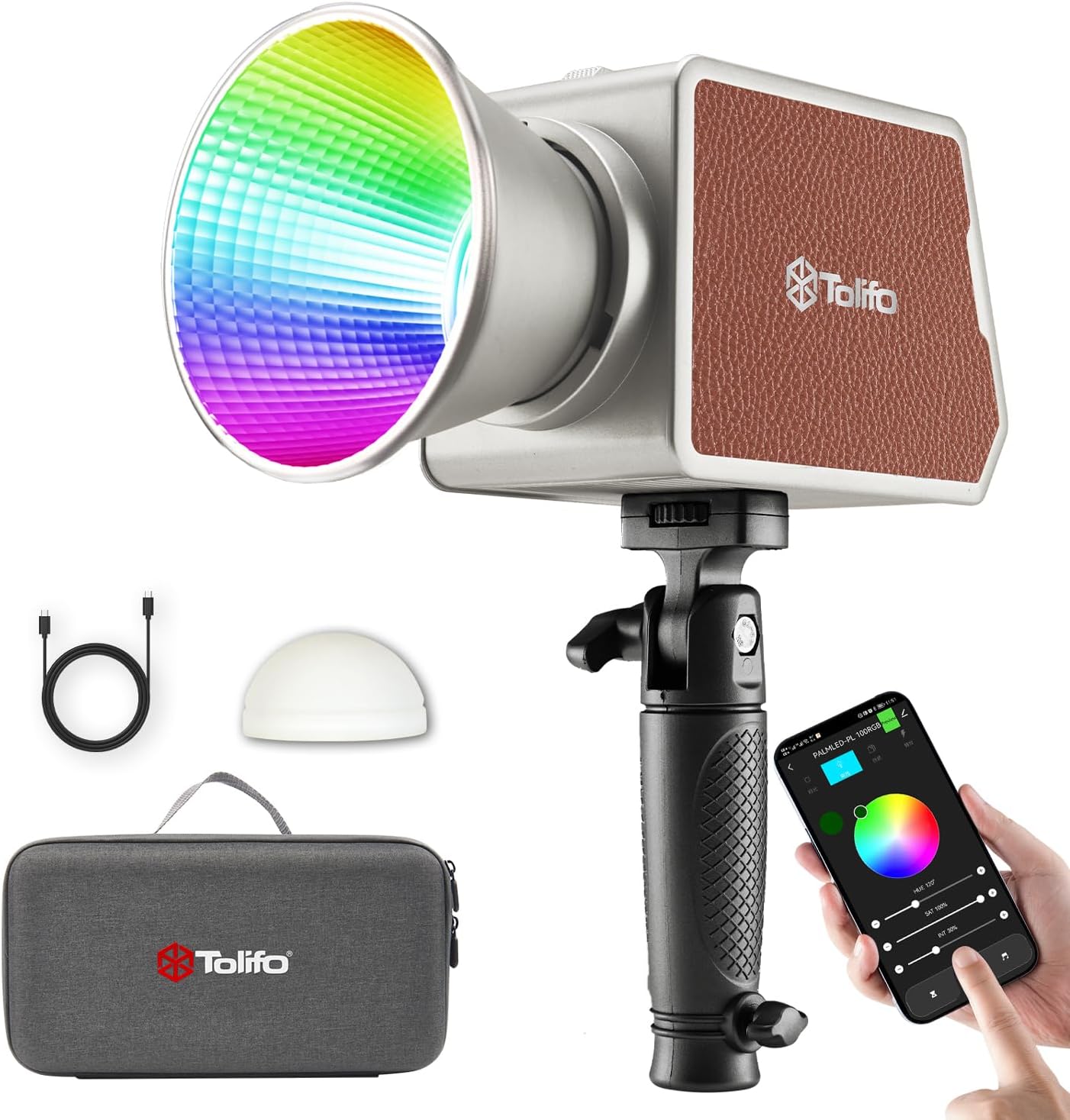
Image 1.1: The Tolifo PL-100RGB LED Video Light shown with its included accessories, including a handle, USB-C cable, silicone diffuser, and carrying bag.

Image 1.2: The compact and lightweight design of the Tolifo PL-100RGB, weighing 1.79 lbs and measuring 4.35"x2.58"x3", making it suitable for portable use.
2. Safety Instructions
- Do not expose the light to rain or moisture to prevent electric shock.
- Do not disassemble or modify the product. Repairs should only be performed by authorized service personnel.
- Keep the light away from flammable materials and heat sources.
- Ensure proper ventilation during operation to prevent overheating. The built-in cooling fan helps manage temperature.
- Avoid direct eye exposure to the LED light, as it can cause discomfort or damage.
- Use only the specified charging cable and power adapters.
- Store the light in a dry, cool place when not in use.
3. Package Contents
Verify that all items listed below are included in your package:
- Tolifo PL-100RGB Video Light
- Mini Reflector
- Silicone Diffuser
- Handle
- USB Type-C Charging Cable
- Carrying Bag
- User Manual (this document)
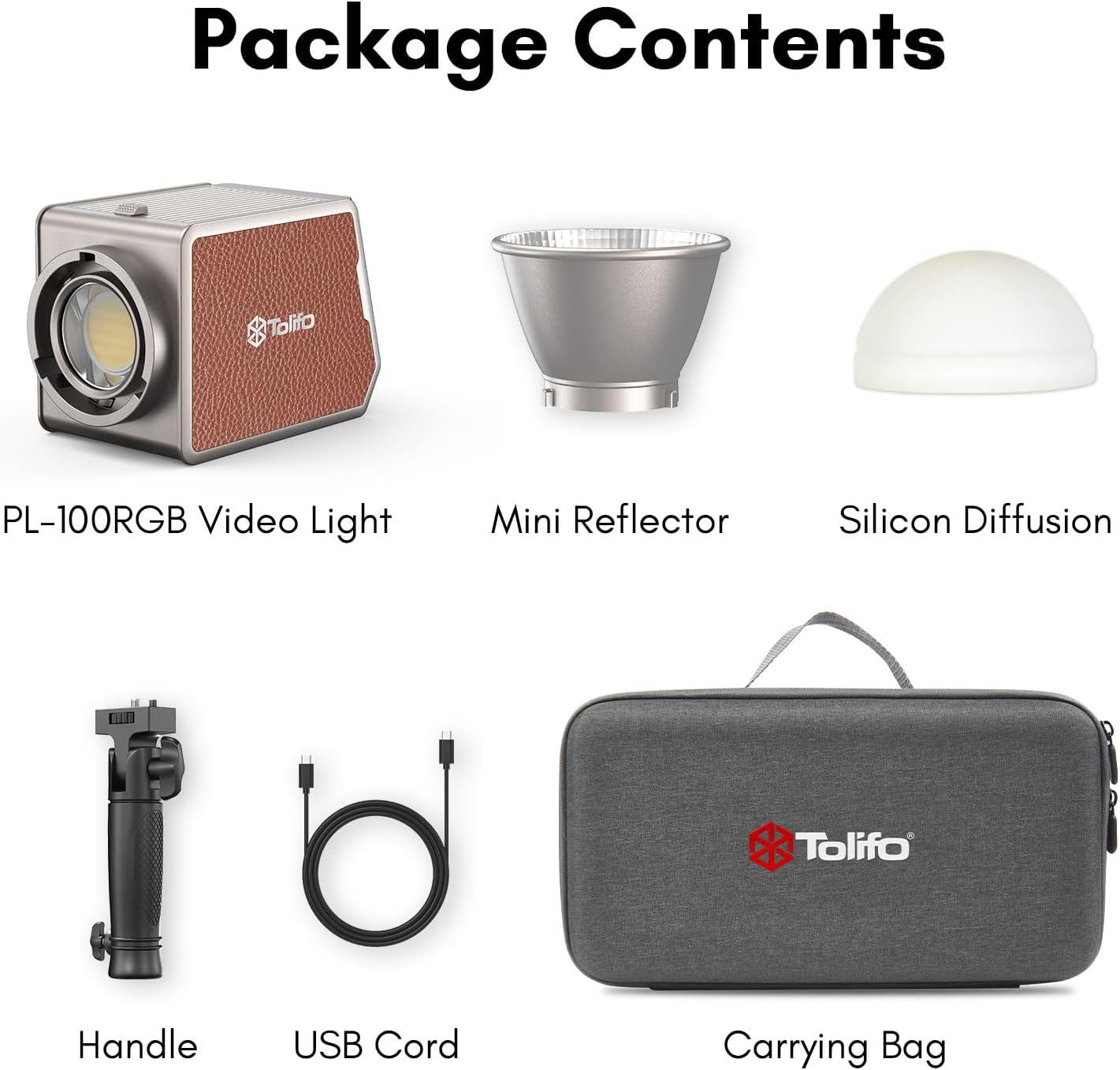
Image 3.1: Visual representation of all items included in the Tolifo PL-100RGB product package.
4. Product Overview
Familiarize yourself with the main components of the Tolifo PL-100RGB LED Video Light.

Image 4.1: Key features of the Tolifo PL-100RGB, including battery capacity, color rendering index, and maximum illumination.
4.1 Main Components
- COB LED: The central light source providing 100W output.
- Bowens Mount: Standard mount for attaching light modifiers like softboxes and reflectors.
- Control Panel: Features an HD LCD screen and control dials for manual adjustments.
- Cooling Fan: Integrated fan for efficient heat dissipation during operation.
- Battery Compartment: Houses the built-in 18000mAh lithium-ion battery.
- Charging Ports: Includes a Type-C port and a DC power port.
- 1/4"-20 Thread: For mounting on tripods or light stands.


Image 4.2: Details of the HD LCD screen for settings display and the internal cooling fan for thermal management.
5. Setup
5.1 Initial Charging
Before first use, fully charge the built-in battery. Connect the provided USB Type-C cable to the light's Type-C port and to a compatible USB power adapter (not included) or power bank. The light can also be charged via the DC power port for maximum output.
5.2 Attaching Accessories
- Reflector/Diffuser: Align the Bowens mount of the mini reflector or silicone diffuser with the light's Bowens mount. Twist clockwise until it locks securely.
- Handle: Attach the handle to the 1/4"-20 thread on the bottom of the light or to a light stand.
5.3 Mounting the Light
The light can be mounted on a tripod or light stand using its 1/4"-20 threaded hole. Ensure the mounting is stable before operation.

Image 5.1: The Tolifo PL-100RGB light integrated into a studio setup with a softbox, illustrating its versatility with Bowens mount accessories.
6. Operating Instructions
6.1 Powering On/Off
Locate the power button on the control panel. Press and hold to turn the light on or off.
6.2 Manual Control
Use the control dials and buttons on the light's panel to adjust settings:
- Color Temperature (CCT): Adjust from 2700K (warm) to 6500K (cool) for various ambient lighting conditions.
- Hue (RGB): Select any color across the 360° spectrum.
- Saturation: Control the intensity of the selected color from 0% to 100%.
- Brightness: Adjust the light output from 0% to 100%.
- Special Effects: Cycle through 20 preset lighting effects such as Pulsing, Lightning, TV, Candle, and more.

Image 6.1: Visual guide to adjusting Hue, Saturation, Brightness, and Color Temperature settings on the light.

Image 6.2: The Tolifo PL-100RGB light displaying various color outputs, showcasing its wide color spectrum.
6.3 App Control (Linklite App)
The Tolifo PL-100RGB can be controlled wirelessly via the Linklite app on your smartphone.
- Download: Search for "Linklite" in your device's app store and install it.
- Connect: Enable Bluetooth on your smartphone. Open the Linklite app, and it should automatically detect the PL-100RGB light. Select the corresponding model.
- Control: Use the app interface to adjust all lighting parameters, including CCT, Hue, Saturation, Brightness, and special effects. The app allows for wireless control up to 60 meters.
- Multi-Light Control: The app supports controlling multiple lights on the same channel.

Image 6.3: The Linklite app interface on a smartphone, demonstrating wireless control capabilities for the Tolifo PL-100RGB light.
6.4 Silent Mode
Activate silent mode to reduce fan noise. In this mode, the brightness may be reduced by approximately 20% to maintain optimal operating temperature.
7. Battery Information
The Tolifo PL-100RGB features a built-in 18000mAh lithium-ion battery for portable operation.
- Battery Capacity: 18000mAh
- Runtime: Approximately 66 minutes in normal mode; approximately 45 minutes in enhanced mode (at full power).
- Charging:
- Type-C Port: Supports simultaneous use and charging. Compatible with external power banks.
- DC Power Port: For maximum output and faster charging.
- The battery can be charged even when the light is turned off.

Image 7.1: Details of the built-in 18000mAh battery and its operational duration in different power modes.
8. Maintenance
- Cleaning: Use a soft, dry cloth to clean the exterior of the light. Do not use abrasive cleaners or solvents.
- Storage: When not in use for extended periods, store the light in its carrying bag in a cool, dry place. Ensure the battery is partially charged (around 50%) before long-term storage to prolong battery life.
- Battery Care: Avoid fully discharging the battery frequently. Recharge the battery at least once every three months if stored for long periods.
9. Troubleshooting
| Problem | Possible Cause | Solution |
|---|---|---|
| Light does not turn on. | Battery is depleted. | Charge the light using the USB Type-C or DC power port. |
| App cannot connect to the light. | Bluetooth is off; app not updated; light not in pairing mode. | Ensure Bluetooth is enabled on your phone. Restart the app and the light. Check for app updates. |
| Light output is lower than expected. | Silent mode is active; battery is low; power saving mode. | Deactivate silent mode. Charge the battery. Ensure the light is not in a power-saving setting. |
| Light overheats. | Poor ventilation; prolonged use at high power. | Ensure the cooling fan vents are not obstructed. Reduce power output or allow the light to cool down. |
10. Specifications
| Feature | Detail |
|---|---|
| Model | PL-100RGB |
| Output Power | 100W |
| Illuminance | 13000 Lux @ 1m |
| Color Temperature | 2700K - 6500K |
| Color Modes | RGB (0-360° Hue, 0-100% Saturation) |
| CRI | ≥97 |
| TLCI | ≥98 |
| Special Effects | 20 preset effects |
| Battery Capacity | 18000mAh (Built-in Lithium Ion) |
| Battery Runtime | Approx. 66 min (Normal Mode), 45 min (Enhanced Mode) |
| Charging Ports | USB Type-C, DC Power Port |
| Control Methods | Manual, Bluetooth App (Linklite) |
| Mounting | Bowens Mount, 1/4"-20 Thread |
| Dimensions | 5.7"L x 3.39"W x 3.94"H (145x86x100mm) |
| Weight | 1.79 lbs (0.81 kg) |
11. Warranty & Support
11.1 Warranty Information
The Tolifo PL-100RGB LED Video Light comes with a one-year warranty from the date of purchase. This warranty covers manufacturing defects and malfunctions under normal use. It does not cover damage caused by misuse, unauthorized modifications, accidents, or improper maintenance.
11.2 Customer Support
For any questions, technical assistance, or warranty claims, please contact Tolifo customer service. Refer to the contact information provided on the product packaging or the official Tolifo website.
Please retain your proof of purchase for warranty service.
Related documentsPL-100RGB


Ask a question about this manual
Ask about setup, troubleshooting, compatibility, parts, safety, or missing instructions. Manuals+ will review the question and use this page’s manual context to help answer it.