
Important Safety Information
Please read all instructions carefully before using this treadmill. Retain this manual for future reference.
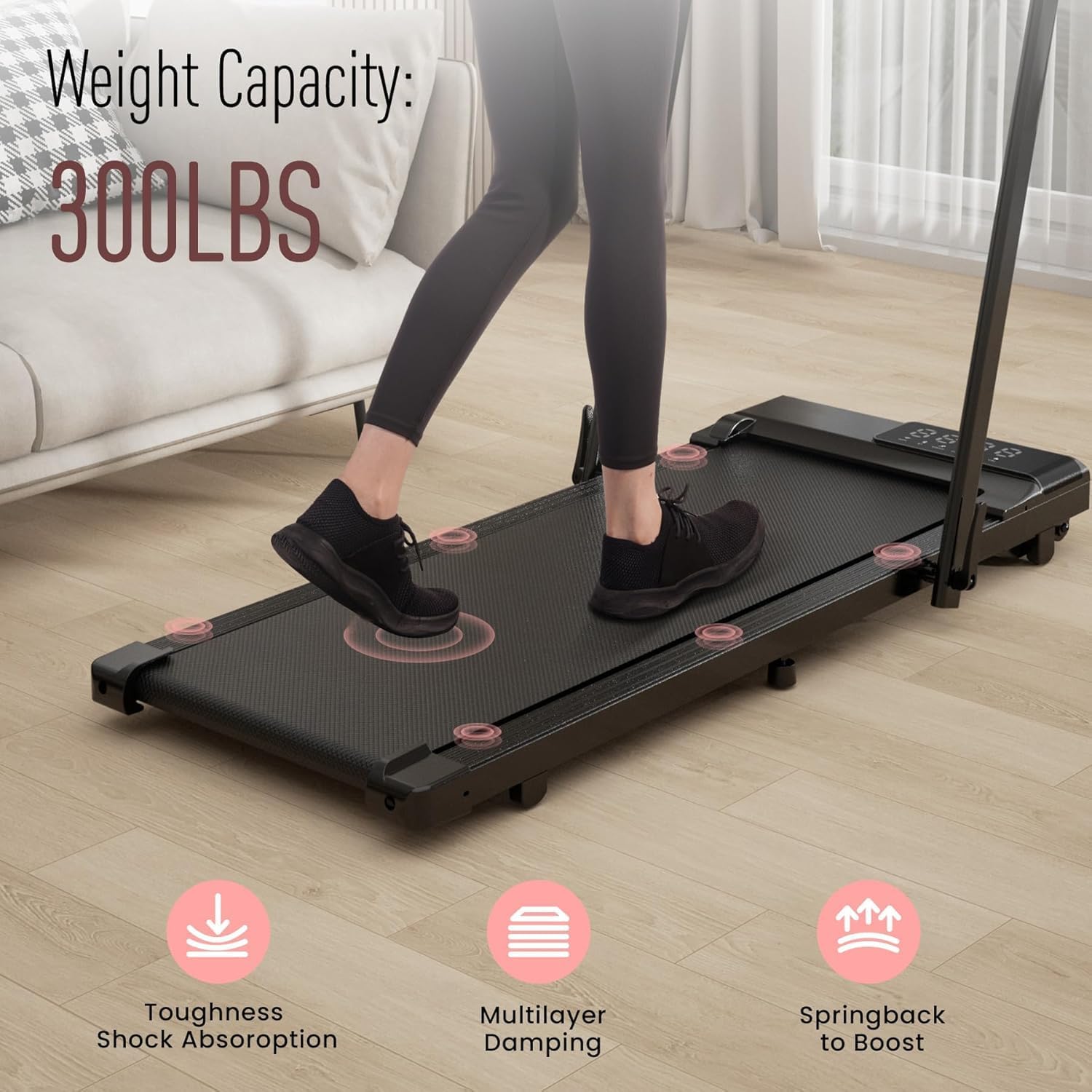
- Weight Capacity: Do not exceed the maximum user weight of 300 lbs (approximately 136 kg).
- Placement: Place the treadmill on a flat, stable surface. Ensure adequate clear space around the treadmill for safe operation.
- Power Source: Use only with a grounded electrical outlet. Do not use extension cords.
- Children and Pets: Keep children and pets away from the treadmill during operation.
- Emergency Stop: Familiarize yourself with the emergency stop function and safety key. Always attach the safety key clip to your clothing during use.
- App Activation: This treadmill requires activation via the PitPat app before first use. Refer to the 'Setup' section for details.
- Maintenance: Perform regular maintenance as described in this manual to ensure safe and optimal performance.
Package Contents
Verify that all components are present in the package:
- DeerRun 3-in-1 Under Desk Treadmill
- Remote Control
- Power Cord
- Tool Kit
- Safety Key
- User Manual (this document)
Product Overview
The DeerRun 3-in-1 Under Desk Treadmill is designed for versatile fitness routines, offering walking, running, and under-desk working modes. Its compact, foldable design makes it suitable for home and office environments with limited space.
Key Features:
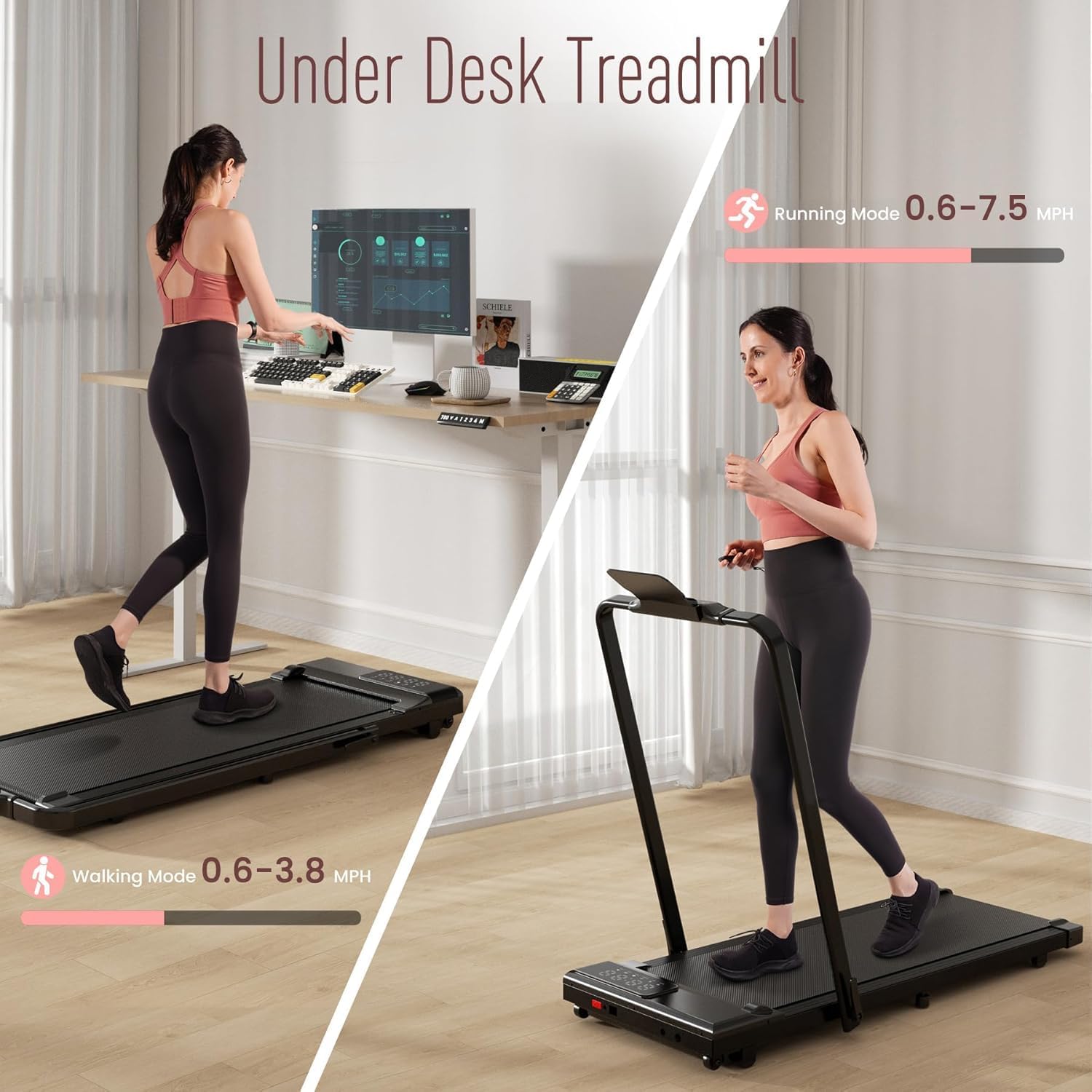
- 3-in-1 Functionality: Easily switch between under-desk walking (0.6-3.8 mph) and running (0.6-7.5 mph) by adjusting the handrail.
- Powerful & Quiet Motor: Equipped with a 3.0 HP motor, operating at less than 60 dB, suitable for quiet environments.
- Smart Connectivity: Features an LED display and smart app integration (PitPat app) for real-time tracking, training, and social interaction.
- Comfortable Running Surface: A 43-inch x 16-inch widened belt with 5 layers of anti-slip shock absorption protects joints and muscles.
- Space-Saving Design: Foldable design with transport wheels for easy movement and storage under furniture.
- High Weight Capacity: Supports users up to 300 lbs.



Setup
The DeerRun 3-in-1 Under Desk Treadmill requires no assembly and can be used directly out of the box after initial setup.
- Unboxing: Carefully remove the treadmill from its packaging. Inspect for any damage during transit.
- Placement: Place the treadmill on a firm, level surface. Ensure there is at least 2 feet of clear space behind the treadmill and 1 foot on each side.
- Power Connection: Plug the power cord into a grounded electrical outlet.
- Handrail Adjustment (Optional): If you intend to use the running mode, raise the handrail to its upright position until it locks securely. For under-desk walking, the handrail can remain folded down.
- App Download and Activation:
- Download the PitPat app from your device's app store (available on App Store and Google Play).
- Follow the in-app instructions to connect your treadmill via Bluetooth and complete the activation process. The treadmill will not function without app activation.
- If you encounter issues with app activation, refer to the 'Troubleshooting' section or contact customer support.

Operating Instructions
1. Power On/Off
- To Power On: Ensure the treadmill is plugged in. Press the power button on the treadmill or the remote control. The LED display will light up.
- To Power Off: Press and hold the stop button on the remote control or the treadmill's console until the display turns off.
2. Safety Key
Always attach the safety key clip to your clothing before starting a workout. If the safety key is detached, the treadmill will stop immediately for safety.
3. Selecting Modes and Speed
The treadmill automatically adjusts its maximum speed based on the handrail position:
- Under-Desk Walking Mode (Handrail Folded): Speed range 0.6 - 3.8 mph. Ideal for walking while working or light exercise.
- Running Mode (Handrail Raised): Speed range 0.6 - 7.5 mph. Suitable for brisk walking, jogging, and running.
4. Using the Remote Control
The remote control allows you to start, stop, and adjust the speed of the treadmill.
- Start/Pause: Press the 'Start/Pause' button to begin or temporarily stop your workout.
- Speed Adjustment: Use the '+' button to increase speed and the '-' button to decrease speed.
- Stop: Press the 'Stop' button to end your workout.
- Speed Shortcuts: Use the preset speed buttons (e.g., 3 mph, 6 mph) for quick adjustments.
5. Using the PitPat Smart App
The PitPat app enhances your workout experience by providing advanced features:
- Real-time Tracking: Monitor your exercise time, speed, distance, and calories burned.
- AI-Guided Training: Access various training programs and events.
- Social Features: Connect with other users and participate in global competitions.
- Remote Control: The app can also be used to control the treadmill's speed and start/stop functions.
Maintenance
Regular maintenance ensures the longevity and safe operation of your treadmill.
- Cleaning: Wipe down the treadmill surface with a damp cloth after each use. Avoid using abrasive cleaners.
- Belt Lubrication: The running belt requires periodic lubrication to reduce friction and extend its lifespan. Refer to the specific instructions provided with your lubrication kit or contact customer support for guidance.
- Belt Tension and Alignment: Check the running belt tension and alignment regularly. If the belt slips or moves off-center, adjust it according to the instructions in the tool kit or contact customer support.
- Storage: When not in use, fold the treadmill and store it in a dry, safe place away from direct sunlight and extreme temperatures.
Troubleshooting
If you encounter any issues with your DeerRun treadmill, refer to the common problems and solutions below. If the problem persists, contact customer support.
| Problem | Possible Cause | Solution |
|---|---|---|
| Treadmill does not power on. | Power cord not properly connected; power outlet issue; safety key not in place. | Ensure power cord is securely plugged in. Check the power outlet. Ensure the safety key is correctly inserted. |
| Treadmill does not start after powering on. | Safety key not attached; PitPat app not activated. | Attach the safety key clip to your clothing. Download and activate the treadmill via the PitPat app. |
| Unusual noise during operation. | Running belt needs lubrication; loose components. | Lubricate the running belt as per maintenance instructions. Check for and tighten any loose screws or bolts. |
| Running belt slips or is off-center. | Belt tension or alignment issue. | Adjust belt tension and alignment using the provided tool kit. Refer to the maintenance section or contact support. |
| Remote control not working. | Batteries are dead; remote control not paired. | Replace batteries in the remote control. Refer to the pairing instructions in the full manual (if applicable) or contact support. |
Specifications
| Feature | Detail |
|---|---|
| Brand | DeerRun |
| Model | B0D8VRMDMH |
| Color | Midnight |
| Material Type | Alloy Steel, Plastic |
| Frame Material | Alloy Steel |
| Product Dimensions (Unfolded) | 137.6 cm (Depth) x 64.8 cm (Width) x 12.7 cm (Height) |
| Product Dimensions (Folded) | 54.17 x 25.51 x 5 inches (approx. 137.6 x 64.8 x 12.7 cm) |
| Item Weight | 61.51 lbs (approx. 27.9 kg) |
| Maximum Horsepower | 3 HP |
| Speed Range | 0.6 to 7.5 mph |
| Maximum Speed | 7.5 mph |
| Display Type | LED |
| Display Metrics | Time, Calories Burned, Distance, Speed |
| Number of Programs | 1 (referring to basic operation, app provides more) |
| Power Source | Corded Electric |
| Special Features | App Connectivity, Lightweight, Foldable, Shock Absorbing, Portable |
| Recommended Uses | Under-desk treadmill for running, walking, and jogging |
| Target Audience | Unisex |
| Batteries Included | Yes (for remote control) |
Warranty and Support
DeerRun is committed to providing innovative fitness equipment and excellent customer service.
- Warranty: We offer a one-year after-sales service to ensure 100% customer satisfaction.
- Customer Support: If you have any questions, concerns, or require assistance with your treadmill, please do not hesitate to contact us. We are dedicated to providing prompt support.
For specific contact details, please refer to the packaging or the official DeerRun website.