
FLEXISPOT EP1E Set
FLEXISPOT Electric Height-Adjustable Standing Desk
Model: EP1E Set
User Instruction Manual
1. Introduction
Thank you for choosing the FLEXISPOT Electric Height-Adjustable Standing Desk, Model EP1E Set. This desk is designed to enhance your workspace with its versatile height adjustment, robust construction, and intelligent features. It allows you to effortlessly switch between sitting and standing positions, promoting a healthier and more productive work environment.
Key features include a wide height adjustment range (73-122 cm), a strong load capacity of 70 kg, a smart control panel with memory presets, and a child lock function for safety. The desk operates quietly, ensuring minimal disturbance in your home or office.

This image displays the FLEXISPOT Electric Height-Adjustable Standing Desk in a typical office setup, highlighting its spacious desktop and clean design.
2. Important Safety Information
Please read all safety instructions carefully before assembly and operation to ensure safe and proper use of your FLEXISPOT standing desk. Keep this manual for future reference.
- Ensure all components are securely fastened before use.
- Keep children and pets away from the desk during operation to prevent injury from moving parts.
- Do not overload the desk. The maximum weight capacity is 70 kg.
- Ensure there are no obstacles in the desk's path during height adjustment.
- Use the desk only indoors and in a dry environment.
- Unplug the power cord before cleaning or performing any maintenance.
- The desk is equipped with an anti-collision rebound function. Do not attempt to bypass or disable this safety feature.
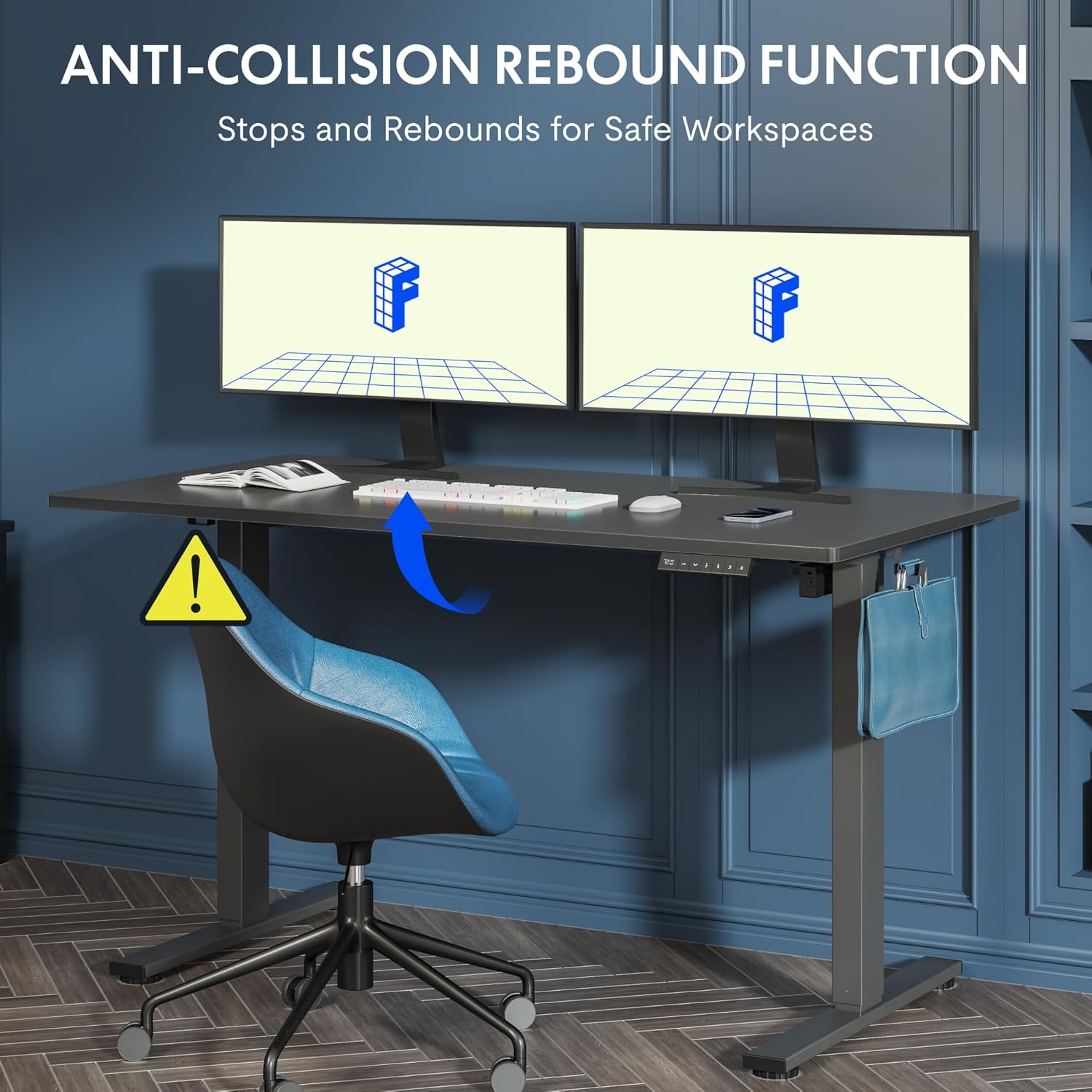
This image illustrates the anti-collision rebound function of the desk, which automatically stops and reverses if it encounters an obstacle during height adjustment, ensuring user safety.
3. Setup and Assembly
Your FLEXISPOT standing desk requires assembly. Please follow the detailed instructions provided in the separate assembly guide included with your product packaging. The following are general guidelines:
- Unpack All Components: Carefully remove all parts from the packaging and lay them out on a clean, soft surface to prevent scratches.
- Verify Parts: Check the contents against the packing list in your assembly guide to ensure all parts are present.
- Follow Step-by-Step Instructions: Adhere strictly to the assembly steps outlined in your dedicated assembly manual.
- Two-Person Assembly Recommended: For easier and safer assembly, especially when handling the desktop and frame, it is highly recommended to have two people.
- Secure All Connections: Ensure all screws, bolts, and electrical connections are tightened and secured before plugging in the desk.

This image provides key dimensions and performance specifications of the desk, including its adjustable height range, load capacity of 70kg, quiet operation under 50dB, and adjustment speed of 20mm/s.
4. Operating Instructions
Your FLEXISPOT standing desk features an intuitive smart control panel for easy height adjustment and memory functions.
Control Panel Overview

This image details the smart control panel of the desk, showing the LED height display, up/down adjustment buttons, a sit/stand toggle, and four programmable memory preset buttons for customized height settings.
- LED Display: Shows the current height of the desk in centimeters.
- Up/Down Arrows (▲ / ▼): Press and hold to move the desk up or down to your desired height.
- Sit/Stand Button (↷): This button may function as a quick toggle between pre-set sitting and standing heights, or as a general height adjustment button depending on the specific model configuration.
- Preset Buttons (1, 2, 3, 4): These buttons allow you to save and recall your preferred sitting and standing heights.
Memory Function Setup
- Adjust the desk to your desired height using the Up/Down arrows.
- Press the 'M' or 'Set' button (if available, otherwise proceed to next step).
- Press one of the preset buttons (1, 2, 3, or 4) within a few seconds. The LED display will show 'S-' followed by the number, indicating the height has been saved.
- To recall a saved height, simply press the corresponding preset button (1, 2, 3, or 4). The desk will automatically move to that saved position.
Child Lock Function
The child lock function prevents accidental adjustments. Refer to your specific control panel's instructions for activation and deactivation. Typically, it involves pressing and holding a combination of buttons (e.g., 'M' and '3' simultaneously) until a lock symbol appears or the display indicates 'LOC'. Repeat the action to unlock.

This image demonstrates the wide height adjustment range of the desk, from 73.5cm to 118cm, illustrating its versatility for various tasks and user preferences.
5. Maintenance and Care
Proper maintenance will ensure the longevity and optimal performance of your FLEXISPOT standing desk.
- Cleaning: Wipe the desk surface and frame with a soft, damp cloth. Avoid using abrasive cleaners, harsh chemicals, or solvents, as these can damage the finish.
- Regular Checks: Periodically check all screws and bolts to ensure they are tight. Re-tighten if necessary.
- Cable Management: Utilize cable management solutions (e.g., cable ties, trays) to keep cords tidy and prevent them from interfering with the desk's movement.
- Power Cord: Ensure the power cord is not pinched or tangled.

This image highlights the included accessories: two convenient hooks for hanging items like headphones or bags, and a cup holder to keep beverages secure and prevent spills.
6. Troubleshooting
If you encounter issues with your FLEXISPOT standing desk, please refer to the following common troubleshooting steps:
| Problem | Possible Cause | Solution |
|---|---|---|
| Desk does not move or respond to controls. | Power cord disconnected, circuit breaker tripped, motor overload. | Check power connection. Ensure the power cord is securely plugged into the wall outlet and the control box. Unplug for 10 minutes, then plug back in to reset. Reduce load if overloaded. |
| Desk moves unevenly or makes unusual noises. | Loose connections, uneven weight distribution, foreign object. | Check all assembly connections and tighten if loose. Redistribute weight evenly on the desktop. Inspect for any obstructions under or around the desk. |
| Error code displayed on control panel. | Specific system fault. | Refer to your specific assembly guide or the FLEXISPOT website for a list of error codes and their corresponding solutions. Often, a power cycle (unplug and replug) can resolve temporary errors. |
If the problem persists after attempting these solutions, please contact FLEXISPOT customer support for further assistance.
7. Specifications
Below are the technical specifications for the FLEXISPOT Electric Height-Adjustable Standing Desk, Model EP1E Set:
| Feature | Specification |
|---|---|
| Brand | FLEXISPOT |
| Model Name | EP1E Set |
| Product Dimensions (D x W x H) | 60D x 140W x 122H centimetres (Max Height) |
| Adjustable Height Range | 73 cm - 122 cm (or 73.5 cm - 118 cm as per image) |
| Material | Metal Frame, Maple Tray (Desktop) |
| Color | White Frame + Maple Tray |
| Special Features | Adjustable, Electric, Ergonomic, Stable, Memory Function, Child Lock, Anti-Collision |
| Maximum Weight Recommendation | 70 Kilograms |
| Noise Level | Under 50 dB |
| Assembly Required | Yes |

This image emphasizes the robust construction of the desk, highlighting its 70kg load capacity and durability, having undergone over 50,000 lifting and lowering tests.
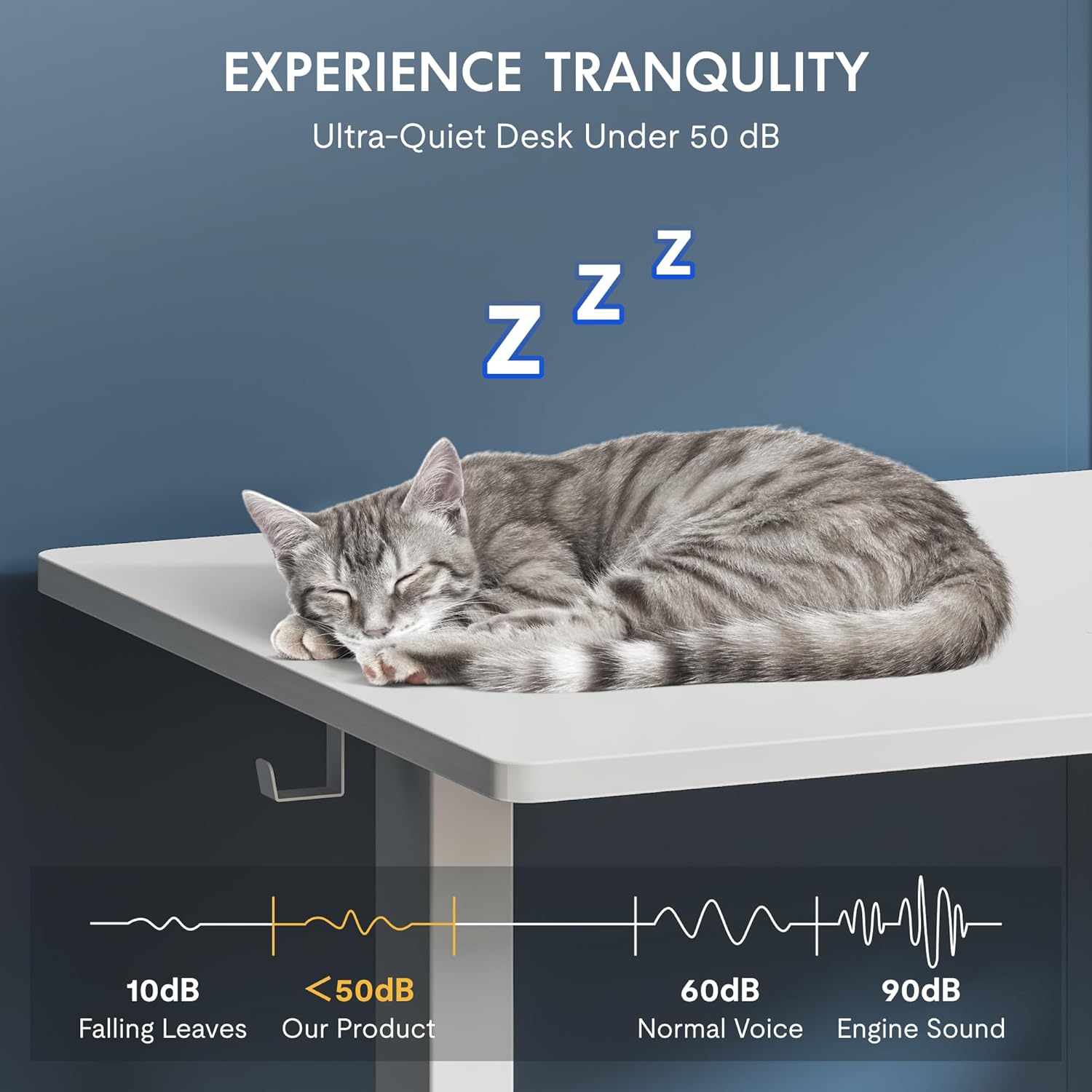
This image demonstrates the desk's ultra-quiet operation, with a noise level below 50dB, ensuring a peaceful working environment.
8. Warranty Information and Customer Support
For detailed warranty information, please refer to the warranty card included with your product or the purchase documentation from your retailer. FLEXISPOT provides support for its products to ensure customer satisfaction.
If you require assistance with assembly, operation, or troubleshooting that is not covered in this manual, please contact FLEXISPOT customer support through their official website or the retailer where you purchased the product.
You can also visit the official FLEXISPOT store for more information and resources: FLEXISPOT Official Store
Related documentsEP1E Set


Ask a question about this manual
Ask about setup, troubleshooting, compatibility, parts, safety, or missing instructions. Manuals+ will review the question and use this page’s manual context to help answer it.