
MTAKYA Magic Link CarPlay Dongle
MTAKYA Wireless CarPlay & Android Auto Adapter User Manual
Model: Magic Link CarPlay Dongle
1. Introduction
Thank you for choosing the MTAKYA Wireless CarPlay & Android Auto Adapter. This innovative device is designed to seamlessly convert your vehicle's existing wired CarPlay or Android Auto system into a wireless experience, providing enhanced convenience and smart connectivity on the go. Enjoy stable and fast data transmission with 5.8GHz Wi-Fi, allowing for effortless navigation, music streaming, hands-free calls, and more.

The MTAKYA Wireless CarPlay & Android Auto Adapter, shown with compatible smartphones and connection cables.
2. Setup Guide
Follow these simple steps for the initial connection of your adapter:
- Step 1: Plug the adapter into your car's USB port.
Use the provided USB-A to C or USB-C to C cable to connect the adapter to your vehicle's original wired CarPlay or Android Auto USB port. - Step 2: Turn on your phone's Bluetooth and Wi-Fi.
Ensure both Bluetooth and Wi-Fi are enabled on your smartphone. - Step 3: Select to connect to CarPlay/Android Auto.
On your phone's Bluetooth settings, select the adapter's Bluetooth device (e.g., "BT Device: AIbox-BT-0185") and confirm the pairing request. - Step 4: Tap to enable CarPlay/Android Auto.
Once paired, a prompt will appear on your phone to enable CarPlay or Android Auto. Tap to confirm and wait for the wireless connection to establish.

Visual guide for the plug-and-play connection process.
Setup Video Tutorial
This video demonstrates the unboxing, initial connection, and quick access to the CarPlay smart interface.
3. Operating Instructions
Once connected, the adapter provides quick access to your CarPlay or Android Auto smart interface. For subsequent uses, simply turn on your phone's Bluetooth and Wi-Fi, and the adapter will automatically connect when you start your car.
Key Features:
- Online Navigation: Access your preferred navigation apps directly on your car's display.
- Music & Media: Stream music, podcasts, and audiobooks from your phone.
- Communication: Make and receive calls, send messages, and access your contacts hands-free.
- Voice Control: Utilize Siri or Google Assistant for voice commands, enhancing safety and convenience.

The adapter supports both Wireless CarPlay and Wireless Android Auto interfaces.
Control Methods:
The adapter supports various control methods, allowing you to interact with your car's system in a way that suits you:
- Touch Screen Control: Directly interact with the car's display.
- Steering Wheel Control: Use your vehicle's built-in steering wheel buttons.
- OEM Knob Control: Navigate menus using your car's original equipment manufacturer (OEM) control knob.
- Voice Control: Activate your phone's voice assistant (Siri/Google Assistant) for hands-free operation.
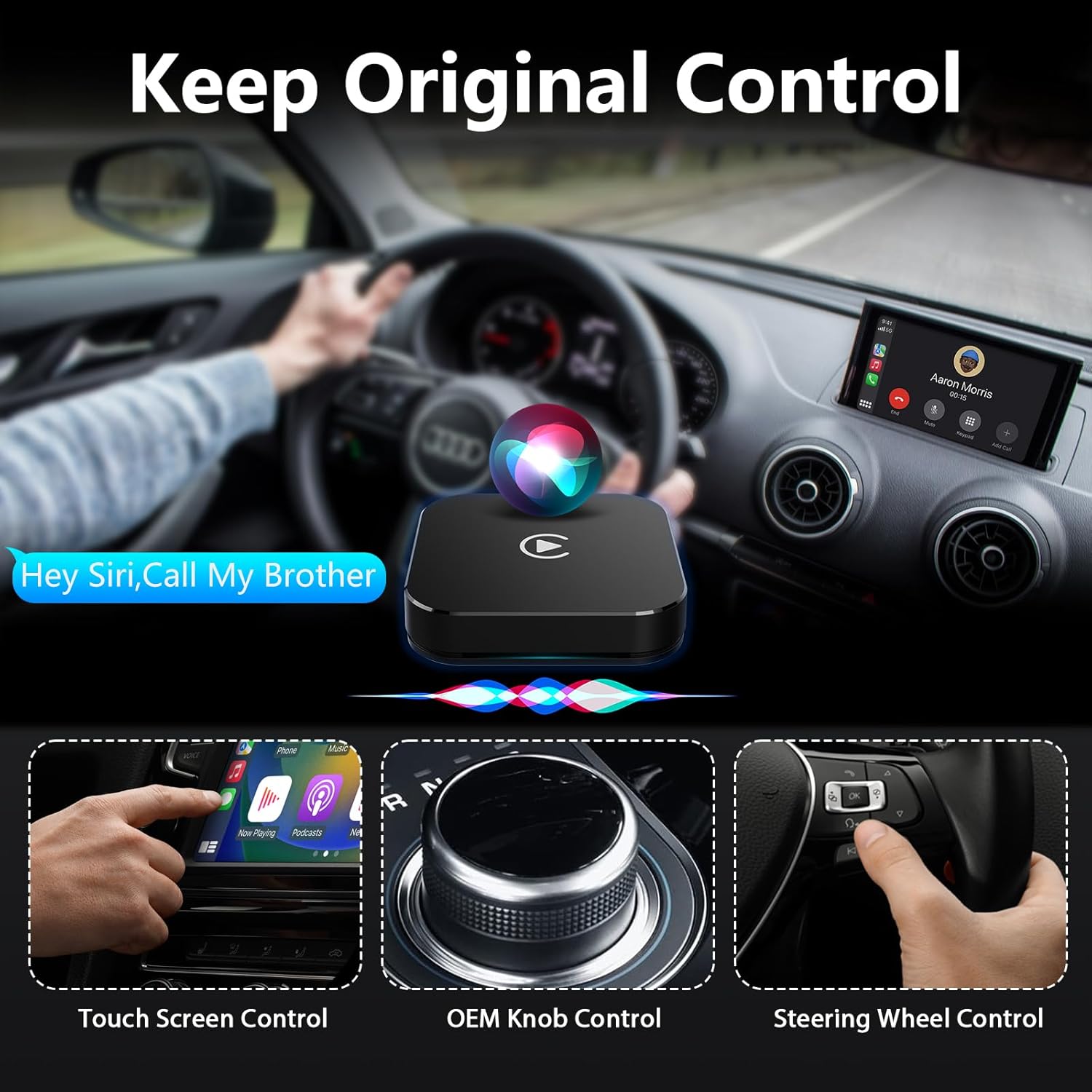
Maintain original car control functionality with the adapter.
4. Maintenance
To ensure the longevity and optimal performance of your MTAKYA Wireless CarPlay & Android Auto Adapter, please observe the following maintenance guidelines:
- Keep the device clean and free from dust and debris. Use a soft, dry cloth for cleaning.
- Avoid exposing the adapter to extreme temperatures, direct sunlight, or high humidity.
- Do not attempt to disassemble or repair the device yourself. This will void the warranty.
- Store the adapter in a cool, dry place when not in use.
5. Troubleshooting
If you encounter any issues with your adapter, please refer to the following common questions and solutions:
- Q: The device does not connect to the phone's Bluetooth (BT)?
- A: 1) Check if Bluetooth is turned on on your phone. 2) Disconnect the device's cable and reconnect. 3) Turn off Bluetooth and forget the device, then reconnect. If still unable to connect, delete the connection history on the vehicle screen, then search and connect again.
- Q: If my car already has wireless CarPlay, can I use this CarPlay adapter?
- A: Please check if your car has a USB/Type-C port that supports wired CarPlay. If yes, you can use this adapter.
- Q: What should I do if it buffers all the time when watching streamings?
- A: Usually, video buffering issues are related to a slow network. Please check your mobile phone's network settings, or connect to another fast network.
- Q: What to do if the app doesn't work and asks for an update, but says it is not compatible with the device?
- A: Please contact us directly to get a new available file for updating. We will reply timely to assist you.
6. Specifications
| Feature | Detail |
|---|---|
| Model Number | Magic Link CarPlay Dongle |
| Dimensions | 2.36 x 1.57 x 0.79 inches |
| Weight | 1.06 ounces |
| Connectivity | USB (5.8GHz Wi-Fi for wireless connection) |
| Controller Type | Siri (Voice Control) |
| Special Features | Wireless Android Auto, Wireless Apple CarPlay |
| Compatible Devices | Smartphones (iPhone 6 and newer with iOS 12+, Android 11 or later) |
| Compatible Cars | Vehicles with factory wired CarPlay from 2016 onwards |
| Audio Output Mode | Stereo |
| Color | Black |

Compact design and durable components of the adapter.

Wide compatibility with various smartphone models and car brands.
7. Warranty and Support
Your MTAKYA Wireless CarPlay & Android Auto Adapter comes with a 12 Months Warranty. We are committed to providing excellent customer service. If you have any questions or require technical assistance, please do not hesitate to contact us. We offer 24 Hours Professional Technical Support Service to ensure your satisfaction.
For further inquiries or support, please refer to the contact information provided with your purchase or visit the official MTAKYA brand store.
Ask a question about this manual
Ask about setup, troubleshooting, compatibility, parts, safety, or missing instructions. Manuals+ will review the question and use this page’s manual context to help answer it.