
1. Introduction
This manual provides instructions for the ZWP XRS551-D replacement remote control. This remote is designed to operate various Vizio Soundbar models, offering a direct replacement experience without the need for complex programming.

Image: Front view of the ZWP XRS551-D replacement remote control, showcasing its button layout.
1.1 Compatible Soundbar Models
The ZWP XRS551-D remote control is compatible with the following Vizio Soundbar models:
- SB3531-D0
- SB3621N-E8
- SB3651-E6
- SB3651E6
- SB3820-C6
- SB3851-D0
- SB4031-D5
- SB4051-D5
- SB351-D0
The remote control is constructed from high-quality ABS material, ensuring durability and a comfortable grip. It features an ergonomic design for ease of use and quick response times.

Image: A graphic highlighting the ZWP XRS551-D remote control's smart and quality features, including stable link, 0.2-second fast response, easy grip and control, and power-saving capabilities.
2. Setup
2.1 Battery Installation
The remote control requires two AAA batteries (not included). Follow these steps to install them:
- Locate the battery compartment on the back of the remote control.
- Slide the battery cover downwards to open it.
- Insert two AAA batteries, ensuring correct polarity (+ and -) as indicated inside the compartment.
- Slide the battery cover back into place until it clicks securely.

Image: A view of the back of the ZWP XRS551-D remote control with the battery cover removed, showing the battery compartment and the correct orientation for inserting two AAA batteries. Two AAA batteries are depicted next to the remote, with a red 'X' over them to indicate they are not included. The image also highlights an ultra-long standby time of up to 6 months.
2.2 Initial Use
No programming is required. Once batteries are installed, the remote control is ready for immediate use with compatible Vizio Soundbar models. Simply point the remote towards your soundbar and begin operation.

Image: A hand holding the ZWP XRS551-D remote control, with text indicating "Perfectly Compatible" and "No Setup Required," illustrating the ease of initial use.
3. Operating Instructions
3.1 Basic Functions
The remote control provides standard functions for your Vizio Soundbar. Familiarize yourself with the button layout for optimal control:
- Power Button: Turns the soundbar on or off.
- Volume Up/Down: Adjusts the soundbar's volume level.
- Mute Button: Mutes or unmutes the soundbar audio.
- Input Button: Cycles through available audio inputs (e.g., HDMI, Optical, Bluetooth).
- Menu Button: Accesses the soundbar's menu options for settings adjustments.
- Navigation Buttons (Up/Down/Left/Right/OK): Used for menu navigation and selection.
- Play/Pause, Skip Forward/Backward: Controls media playback when applicable (e.g., Bluetooth audio).
3.2 Remote Control Range and Angle
The remote operates using infrared (IR) technology. Ensure a clear line of sight between the remote control and the soundbar's IR receiver for optimal performance. The maximum effective range is approximately 10 meters (26 feet). It supports multi-angle induction up to 120 degrees, allowing for flexible positioning.
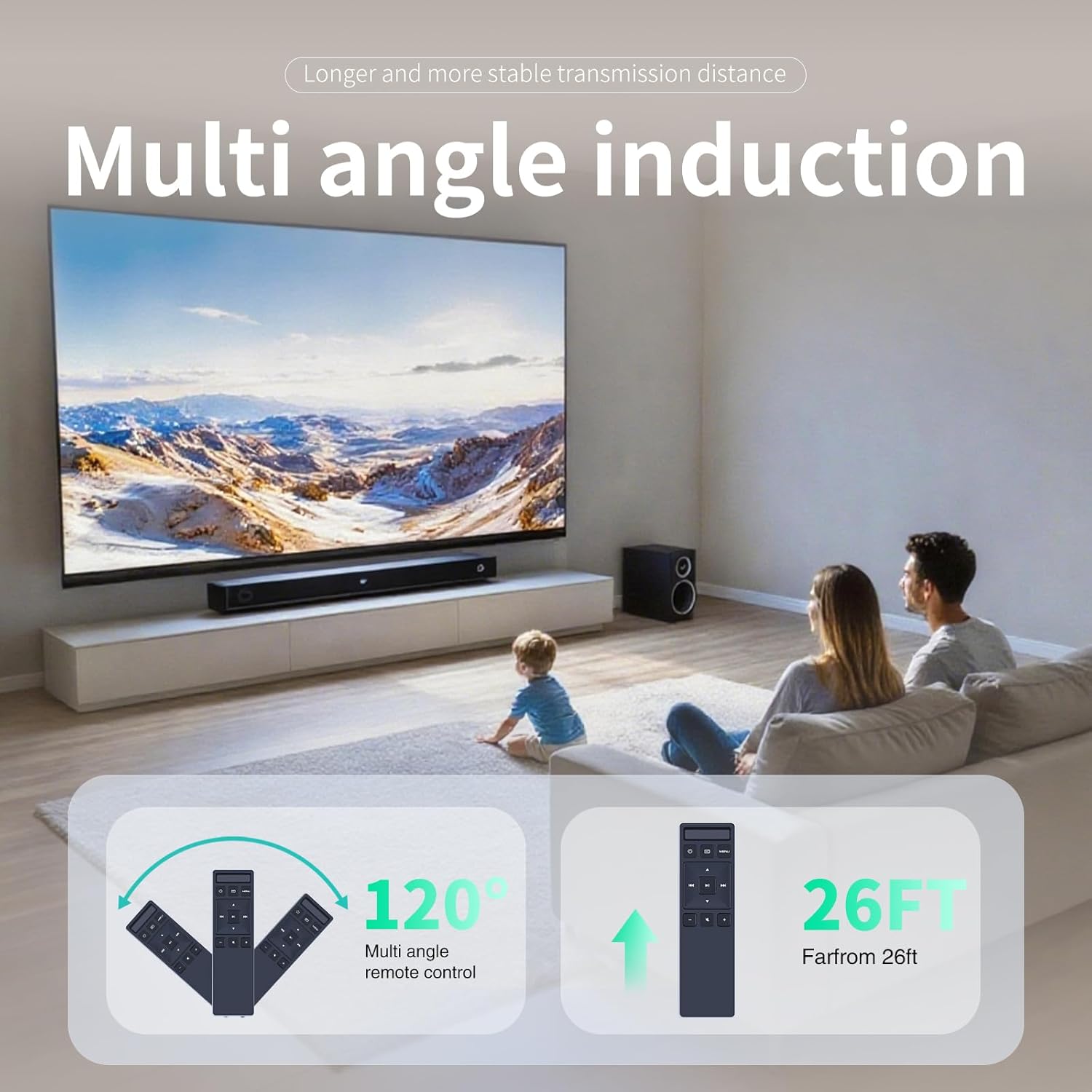
Image: An illustration demonstrating the ZWP XRS551-D remote control's operational range and angle. It shows the remote functioning effectively up to 26 feet and at angles up to 120 degrees.
4. Maintenance
4.1 Cleaning
To clean the remote control, wipe it with a soft, dry cloth. Do not use liquid cleaners, solvents, or abrasive materials, as these may damage the surface or internal components.
4.2 Battery Replacement
Replace batteries when the remote control's responsiveness decreases or it stops functioning. Always replace both AAA batteries simultaneously with new ones. Do not mix old and new batteries or different battery types, as this can lead to improper operation or battery leakage.
4.3 Storage
If the remote control will not be used for an extended period, remove the batteries to prevent leakage and potential damage to the device. Store the remote in a cool, dry place away from direct sunlight and extreme temperatures.
5. Troubleshooting
5.1 Remote Not Responding
- Check Batteries: Ensure batteries are inserted correctly with the proper polarity (+ and -). Replace with fresh AAA batteries if necessary.
- Line of Sight: Verify there are no obstructions between the remote control and the soundbar's IR receiver.
- Distance: Ensure you are within the effective operating range (approximately 10 meters or 26 feet).
- Soundbar Power: Confirm the soundbar is powered on and functioning correctly.
5.2 Intermittent Functionality
- Battery Level: Low batteries can cause inconsistent performance. Replace them with fresh ones.
- Interference: Strong light sources (e.g., direct sunlight, fluorescent lights) or other infrared devices might interfere with the remote's signal. Try operating the remote in a different environment or adjusting lighting conditions.
6. Specifications
6.1 General
- Model: XRS551-D
- Brand: ZWP
- Color: Black
- Material: High-quality ABS
- Connectivity Technology: Infrared (IR)
- Controller Type: Button Control
- Max Number of Supported Devices: 1 (Soundbar)
6.2 Power
- Battery Type: 2 x AAA (Alkaline recommended, not included)
- Standby Time: Up to 6 months (approximate, with fresh batteries)
6.3 Dimensions and Weight
- Length: 7.28 inches (18.49 cm)
- Width: 1.92 inches (4.88 cm)
- Height: 1.02 inches (2.59 cm)
- Item Weight: 2.4 ounces (68 grams)

Image: A visual representation of the ZWP XRS551-D remote control highlighting its ergonomic design and precise dimensions: Length 7.28 inches, Width 1.92 inches, and Height 1.02 inches.
7. Warranty and Support
The ZWP XRS551-D remote control is manufactured with high-quality materials and undergoes quality assurance checks to ensure reliable performance. For any questions, technical assistance, or support inquiries, please contact the seller directly through your purchase platform.
Information regarding specific warranty terms and conditions may be available from your point of purchase or by contacting the seller.