
Missyou MS4
Missyou 3D Hologram Fan User Manual
Model: MS4
Introduction
This manual provides comprehensive instructions for the setup, operation, maintenance, and troubleshooting of your Missyou 3D Hologram Fan. Please read this manual carefully before using the product to ensure safe and optimal performance.
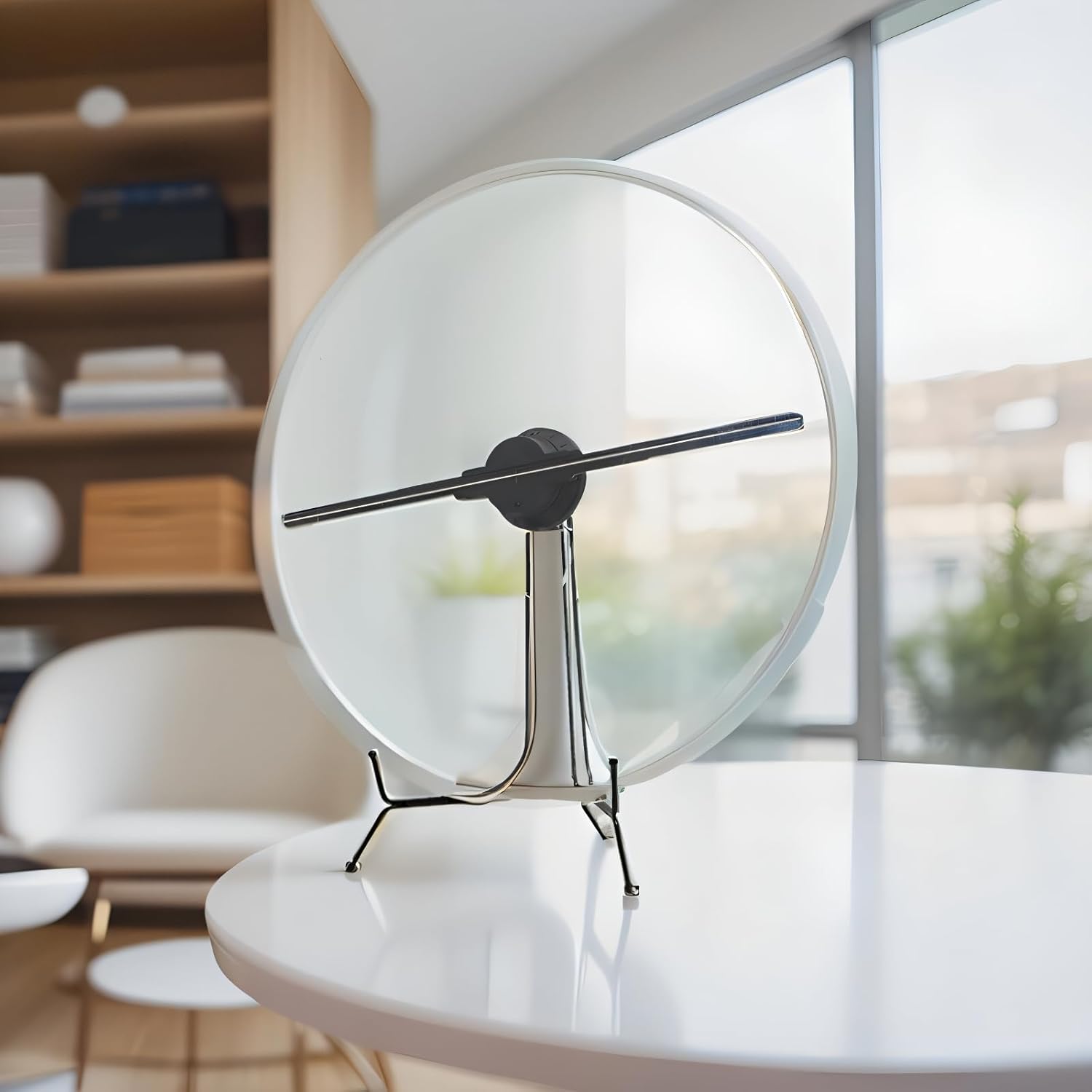
Figure 1: Missyou 3D Hologram Fan with protective cover.
Package Contents
Verify that all items are present in the package:
- 3D Hologram Fan Unit with Protective Cover
- Remote Control
- Power Supply
- SD Memory Card
- Card Reader
- Instruction Manual
- Gloves (for handling)
- Mounting Accessories (screws, brackets)

Figure 2: Included accessories with the 3D Hologram Fan.
Setup and Installation
The Missyou 3D Hologram Fan is designed for easy installation. It can be mounted on a wall or ceiling, or placed on a flat surface using its sturdy stand.
1. Unpacking
- Carefully remove all components from the packaging.
- Inspect for any damage. If damaged, contact customer support.
- It is recommended to wear the provided gloves when handling the fan blades.
2. Placement Options
Choose a suitable location for your hologram fan. Ensure there is adequate space around the fan for optimal viewing and air circulation.
- Tabletop Placement: Use the included stand for stable placement on any flat surface.
- Wall/Ceiling Mounting: Utilize the provided mounting accessories. Ensure the mounting surface is strong enough to support the fan's weight. Refer to the separate mounting guide for detailed instructions.

Figure 3: Tabletop placement of the 3D Hologram Fan.
3. Power Connection
- Connect the power supply to the fan's power input port.
- Plug the power adapter into a standard electrical outlet.
Operation
The Missyou 3D Hologram Fan offers multiple ways to manage and display content.
1. Content Management
The fan supports various content formats including PNG, MP4, MKV, RMVB, JPEG, GIF, and MOV. You can upload content via Wi-Fi using the official Missyou app or by directly loading content onto the SD card.
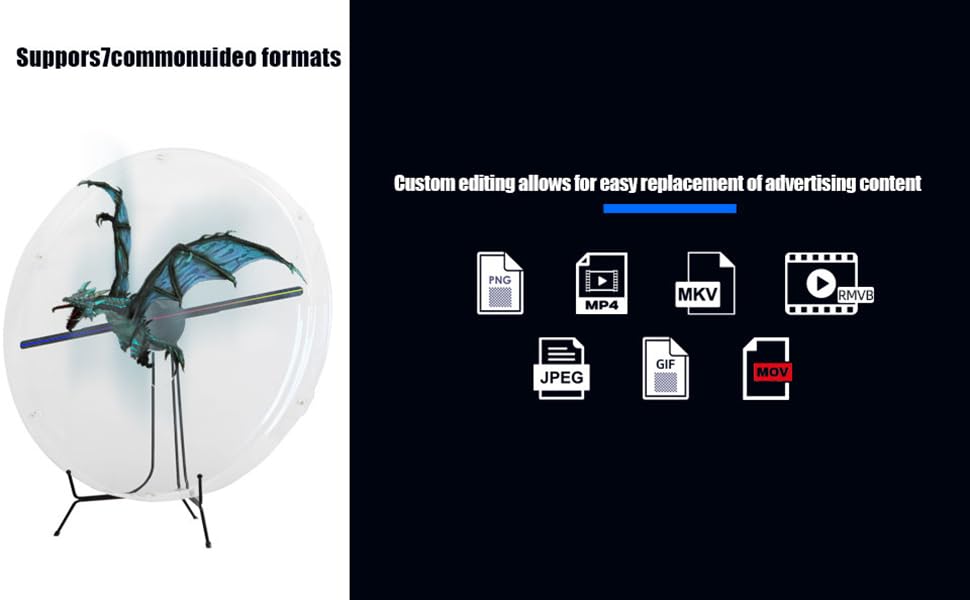
Figure 4: Supported content formats.
2. Using the Missyou App (Recommended)
The official Missyou app provides a user-friendly interface for managing your hologram fan. It is compatible with both Android and iOS devices.
- Download: Search for "Missyou" in your device's app store.
- Connect: Open the app and follow the instructions to connect to your hologram fan via Wi-Fi.
- Upload Content: Use the app to upload new video materials and images. The app supports one-click conversion for compatible files.
- Control: Manage playback, adjust settings, and schedule operation directly from the app.

Figure 5: App control interface.
3. Using the Remote Control
The included remote control allows for convenient operation of the fan.
- Power On/Off: Use the dedicated buttons to turn the fan on or off.
- Playback Control: Navigate through content, pause, play, and adjust playback order.
- Scheduling: Set specific times for the fan to automatically turn on or off.

Figure 6: Remote control functions.
4. Bluetooth Audio Synchronization
Enhance your holographic display with synchronized audio by connecting external Bluetooth speakers.
- Pairing: Enable Bluetooth on your external speaker and on the hologram fan (via app or remote settings).
- Connect: Select your speaker from the list of available devices to pair.
- Enjoy: Audio will now play through your connected speakers, synchronized with the visual content.
Maintenance
Proper maintenance ensures the longevity and optimal performance of your Missyou 3D Hologram Fan.
- Cleaning: Gently wipe the transparent acrylic protective cover with a soft, dry cloth. Avoid abrasive cleaners or solvents.
- Blade Safety: The transparent cover is designed to prevent contact with the spinning blades. Do not operate the fan without the cover in place, especially in public or high-traffic areas.
- Storage: When not in use for extended periods, store the fan in a cool, dry place, away from direct sunlight and extreme temperatures.
Troubleshooting
This section addresses common issues you might encounter. For more complex problems, please contact customer support.
| Problem | Possible Cause | Solution |
|---|---|---|
| Fan does not power on. | No power, loose connection, faulty power adapter. | Check power cable connection. Ensure outlet is functional. Try a different power outlet. |
| No holographic image displayed. | Incorrect content format, no content loaded, fan not spinning. | Ensure content is in a supported format (PNG, MP4, etc.). Upload content via app or SD card. Check if the fan blades are spinning. |
| Image appears distorted or blurry. | Low resolution content, fan not at optimal speed. | Use high-resolution content. Ensure the fan is operating at full speed. |
| Cannot connect to Wi-Fi/App. | Incorrect Wi-Fi password, out of range, app issues. | Verify Wi-Fi password. Move closer to the fan. Restart the app and the fan. |
| No audio from external speakers. | Bluetooth not paired, speaker volume low, speaker off. | Ensure Bluetooth is enabled and paired correctly. Check speaker power and volume. |
Specifications
| Feature | Detail |
|---|---|
| Brand | Missyou |
| Model Number | MS4 |
| Product Dimensions | 10 x 10 x 10 inches (approximate, as per product data) |
| Item Weight | 3.99 pounds |
| Display Resolution | 1920 x 1080 (as per product data) |
| Connectivity Technology | Wireless (Wi-Fi, Bluetooth) |
| Special Features | Built-In 3D, App Control, Remote Control, Bluetooth Audio Sync |
| Recommended Use | Indoor |
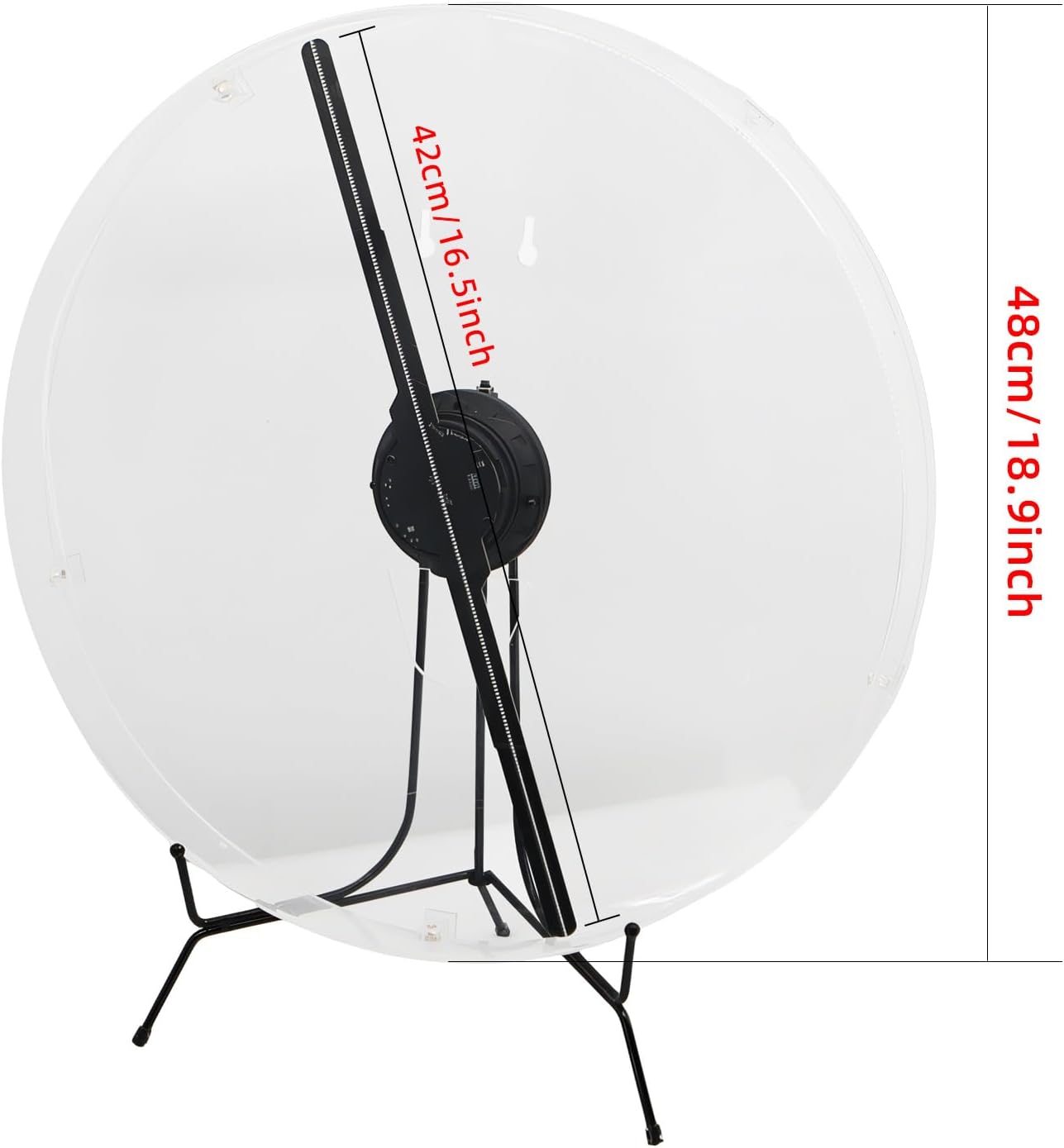
Figure 7: Product dimensions.
Customer Support and Warranty
Missyou is committed to providing excellent customer service.
- After-Sales Support: Enjoy reliable one-on-one online support for any technical or content-related inquiries.
- Warranty Information: Please refer to your purchase documentation or contact Missyou customer service for specific warranty terms and conditions.
For support, please visit the Missyou Store on Amazon or contact their dedicated support team.
Ask a question about this manual
Ask about setup, troubleshooting, compatibility, parts, safety, or missing instructions. Manuals+ will review the question and use this page’s manual context to help answer it.