
BRANO ZM-ZMRH-05S
BRANO 30 Inch Wall Mount Range Hood User Manual
Model: ZM-ZMRH-05S
1. Product Overview
The BRANO 30 Inch Wall Mount Range Hood is designed to enhance your kitchen environment with powerful ventilation and intelligent control options. Crafted from durable stainless steel, this range hood offers a sleek, modern aesthetic while effectively removing smoke, grease, and odors. Key features include a robust 900 CFM suction, versatile voice, gesture, and touch controls, a 4-speed exhaust fan, a convenient memory mode, and adjustable LED lighting.
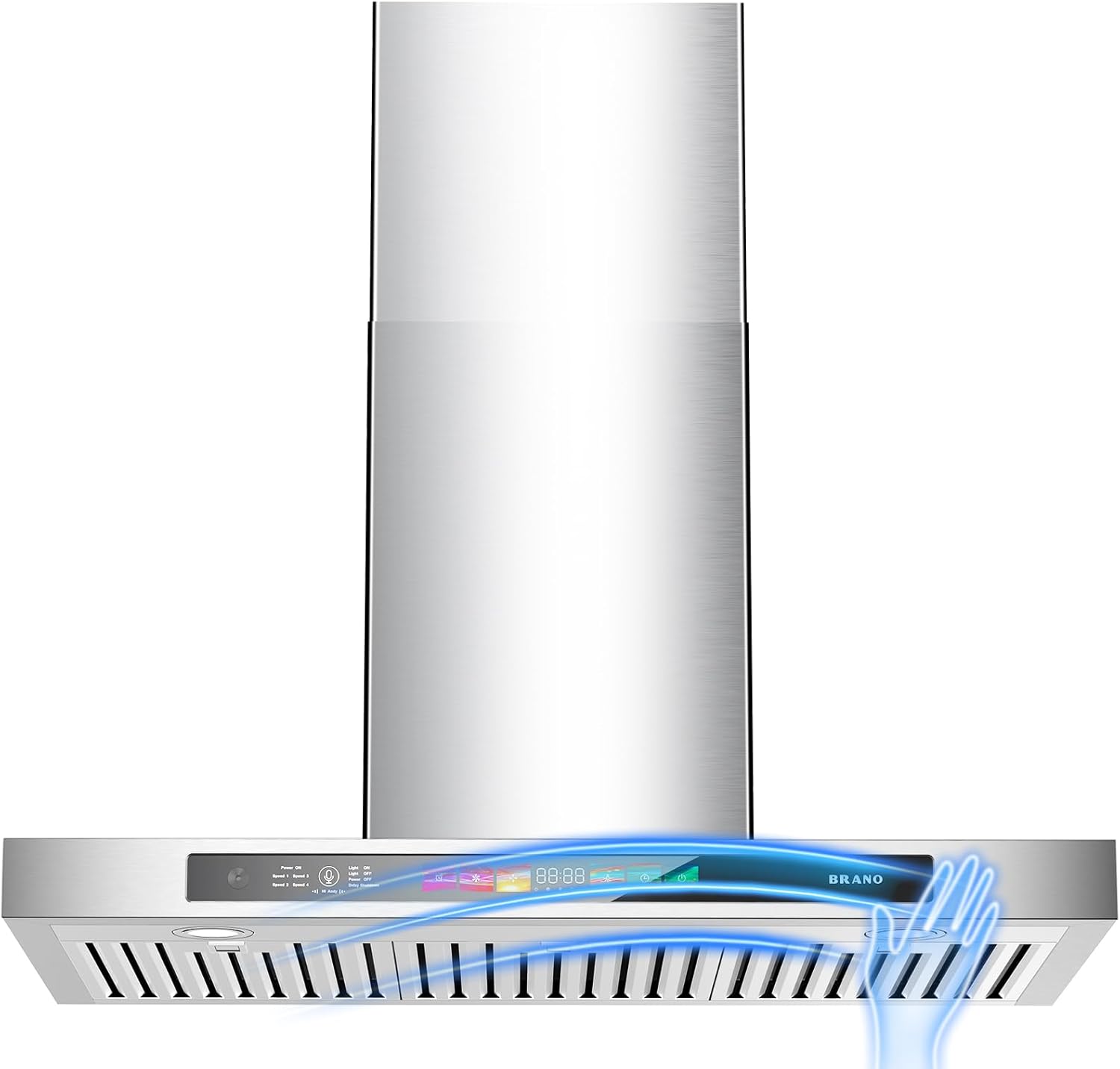
Figure 1.1: BRANO 30 Inch Wall Mount Range Hood front view.
2. Safety Information
Please read all instructions carefully before installation and operation to prevent injury or damage. Keep this manual for future reference.
- Always disconnect power before servicing or cleaning the unit.
- Ensure proper ventilation in the room when the range hood is used simultaneously with gas or other fuel-burning appliances.
- Do not flambé under the range hood.
- Clean grease filters regularly to prevent grease buildup and fire hazards.
- Installation must be performed by a qualified technician in accordance with all local codes and regulations.
- The surface of the chimney received will be covered with a layer of white protective film. Please tear it off before use.

Figure 2.1: Important notice regarding protective film removal before installation.
3. What's in the Box
Your BRANO Range Hood package includes the following components:
- Wall mount range hood (1 unit)
- User manual (1 copy)
- Installation accessories (1 set)
4. Setup and Installation
The BRANO range hood is designed for wall-mounted installation. For detailed step-by-step instructions, please refer to the included installation accessories manual. Ensure the protective film is removed from the chimney surface before installation.

Figure 4.1: Product dimensions for installation planning.
5. Operating Instructions
The BRANO range hood offers multiple intuitive control methods for your convenience.
5.1 Voice Control
Activate voice control by saying the wake-up word "Andy". You can then issue commands such as "Power on", "Speed 1", "Speed 2", "Speed 3", "Speed 4", "Light on", "Light off", and "Delay shutdown".

Figure 5.1: Voice control in action, showing 'Hi Andy, Power on' command.
Video 5.1: Demonstration of voice control functionality for the BRANO range hood, showing commands for fan speed adjustments.
5.2 Gesture Control
The range hood can be controlled with simple hand gestures:
- Wave your hand to the right to increase fan speed.
- Wave your hand to the left to decrease fan speed.

Figure 5.2: Hand gestures for controlling fan speed.
5.3 Touch Control
The integrated touch display panel allows for direct control of all functions, including power, fan speed (4 speeds), light, timer, and delay shutdown.
5.4 Memory Mode
The advanced memory function automatically restores your last used settings upon each use, providing seamless continuity without manual reconfiguration.
5.5 Dimmable LED Lights
The brightness of the integrated LED lights can be adjusted by long-pressing the light button on the control panel.

Figure 5.3: Dimmable LED lights providing adjustable illumination over the cooking area.
5.6 Delay Shutdown
The delay shutdown feature allows the fan to continue operating for 180 seconds after cooking, ensuring all residual grease and fumes are removed, keeping your kitchen air fresh.
Figure 5.4: Delay shutdown function for thorough air purification.
6. Maintenance
Regular maintenance ensures optimal performance and longevity of your BRANO range hood.
6.1 Cleaning the Exterior
Wipe the stainless steel exterior with a soft cloth and a mild, non-abrasive cleaner. Avoid harsh chemicals or abrasive pads that could scratch the surface.
6.2 Cleaning Baffle Filters
The permanent baffle filters are dishwasher-safe for easy cleaning. Remove the filters by sliding them out, place them in your dishwasher, and run a normal cycle. Ensure they are completely dry before re-installing.

Figure 6.1: Dishwasher-safe baffle filters for convenient cleaning.
7. Troubleshooting
If you encounter issues with your range hood, please refer to the following common troubleshooting tips:
| Problem | Possible Cause | Solution |
|---|---|---|
| Fan not operating | No power supply; Motor issue | Check power connection and circuit breaker. If problem persists, contact support. |
| Low suction power | Clogged filters; Improper installation | Clean or replace filters. Ensure proper ducting and sealing. |
| Excessive noise | Loose parts; Obstruction in fan; Improper installation | Check for loose screws or objects. Verify correct installation and ducting. |
| Lights not working | Bulb failure; Electrical connection issue | Check light connections. If LED, contact support for replacement. |
| Voice/Gesture control unresponsive | Sensor obstruction; Software glitch | Ensure sensors are clean and unobstructed. Try power cycling the unit. |
If these steps do not resolve the issue, please contact BRANO customer support for further assistance.
8. Specifications
| Feature | Specification |
|---|---|
| Model Number | ZM-ZMRH-05S |
| Air Flow Capacity | 900 CFM |
| Material | Stainless Steel |
| Noise Level | 65 dB (max) |
| Mounting Type | Wall Mount |
| Controls Type | Touch, Voice, Gesture |
| Voltage | 110 Volts |
| Number of Speeds | 4 |
| Item Weight | 37.8 pounds |
| Light Source Type | LED |
| Wattage | 230 watts |
| Filter Type | Baffle |
| Ventilation Type | Ducted |
| Product Dimensions | 19.1"D x 12.8"W x 29.5"H |
9. Warranty and Support
BRANO stands behind the quality of its products. This range hood is backed by a 5-year service warranty.
For any assistance, questions, or concerns regarding your BRANO range hood, please do not hesitate to contact our dedicated customer support team. We are committed to ensuring your satisfaction and providing prompt resolution to any issues.
You can find contact information for support on the BRANO official website or through your purchase platform.
Ask a question about this manual
Ask about setup, troubleshooting, compatibility, parts, safety, or missing instructions. Manuals+ will review the question and use this page’s manual context to help answer it.