
Introduction
Thank you for choosing the EverBrite LED Motion Sensor Night Light. This manual provides essential information for the safe and efficient use of your new night lights. Please read these instructions carefully before installation and operation, and retain them for future reference.
What's in the Box
Verify that all components are present before proceeding with installation.
- 6 x RGB Motion Sensor Night Lights
- 6 x Adhesive Iron Sheets
- 6 x Lanyards
- 18 x AAA Batteries (pre-installed or included separately)

Image: All components included in the EverBrite 6-pack, neatly arranged.
Setup: Battery Installation
Your EverBrite LED Motion Sensor Night Lights require 3 AAA batteries each. Batteries are included with your purchase.
- Open the Battery Compartment: Gently twist the back cover of the night light counter-clockwise to unlock and remove it.
- Insert Batteries: Insert 3 AAA batteries into the compartment, ensuring correct polarity (+/-) as indicated inside.
- Close the Compartment: Replace the back cover and twist clockwise until it locks securely into place.

Image: Visual instructions for installing AAA batteries into the night light.
Operating Instructions
Motion Sensor Activation
The night light features a sensitive motion sensor with a detection range of up to 13 feet and a 125° sensing angle. It activates when motion is detected in environments with light between 10-50 LUX (dim indoor settings) or full natural light conditions below 10 LUX. The light will automatically turn off after 15-25 seconds of no motion detected to conserve battery life.
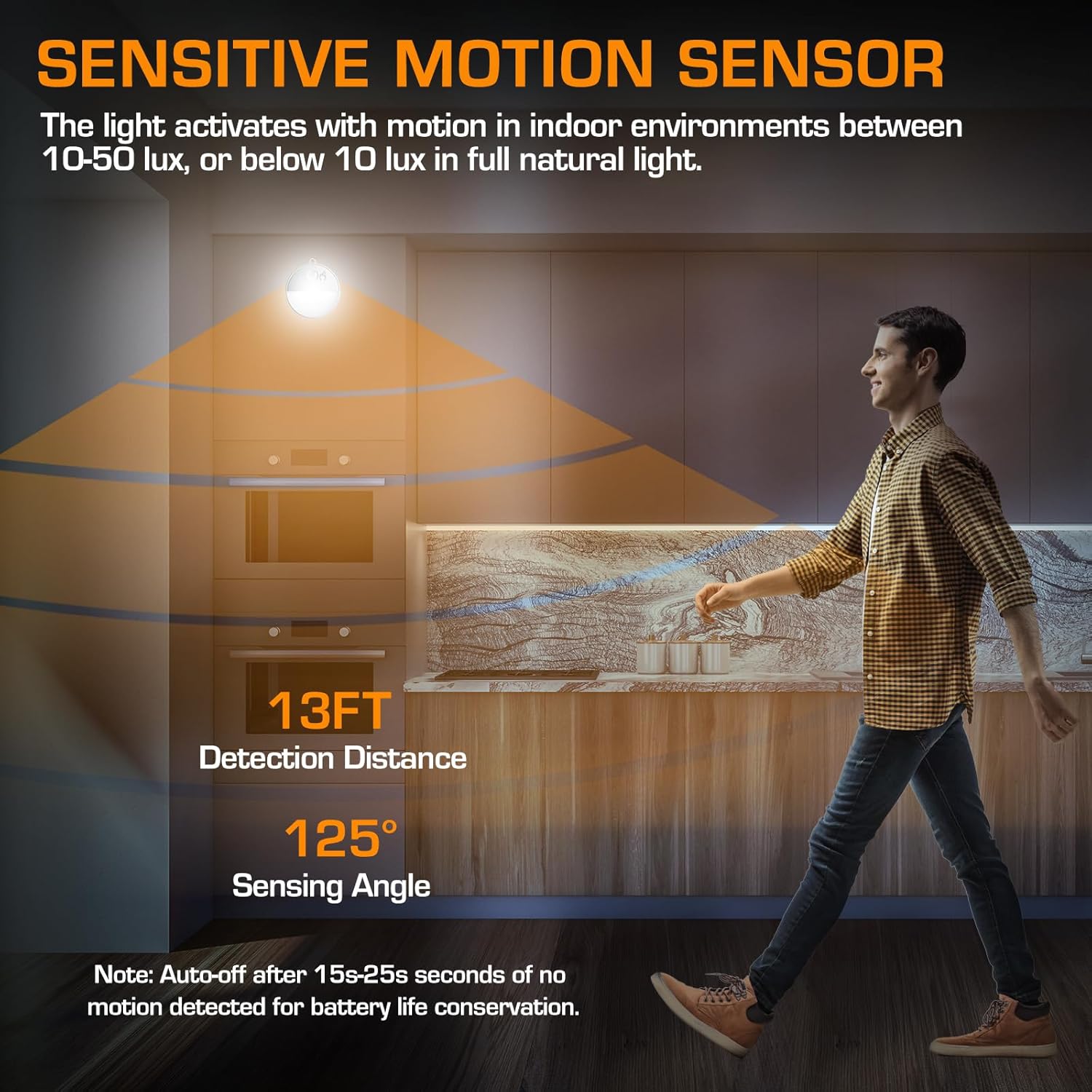
Image: Demonstration of the motion sensor's detection range and angle in a kitchen setting.
Dimmable & Color Options
The night light offers adjustable brightness and 16 color options (cool white and 15 RGB colors).
- Change Color: Tap the finger symbol on the light to cycle through cool white and 15 RGB colors.
- Adjust Brightness (Dimming): Hold the finger symbol to activate stepless dimming. Brightness can be adjusted up to 10 lumens, providing sufficient light for a 13-foot distance.

Image: Instructions for changing colors and dimming the night light using the touch sensor.
Product Overview Video
Video: An official product video from EverBrite showcasing the features and functionality of the LED Motion Sensor Night Light, including its color-changing and motion-sensing capabilities.
Color Options Demonstration Video
Video: An official product video from EverBrite demonstrating the 15 RGB color options and cool white light available with the motion sensor night lights.
Installation Methods
The EverBrite LED Motion Sensor Night Light offers three versatile installation methods:
- Magnet Adsorption: The light has a built-in magnet, allowing it to be directly attached to any iron surface.
- Stick On: Use the provided adhesive iron sheets. Peel off the protective backing from an adhesive sheet, stick it to your desired surface, and then attach the night light magnetically to the sheet.
- Hanging: Utilize the included lanyards. Attach a lanyard to the designated loop on the night light and hang it in your preferred location.
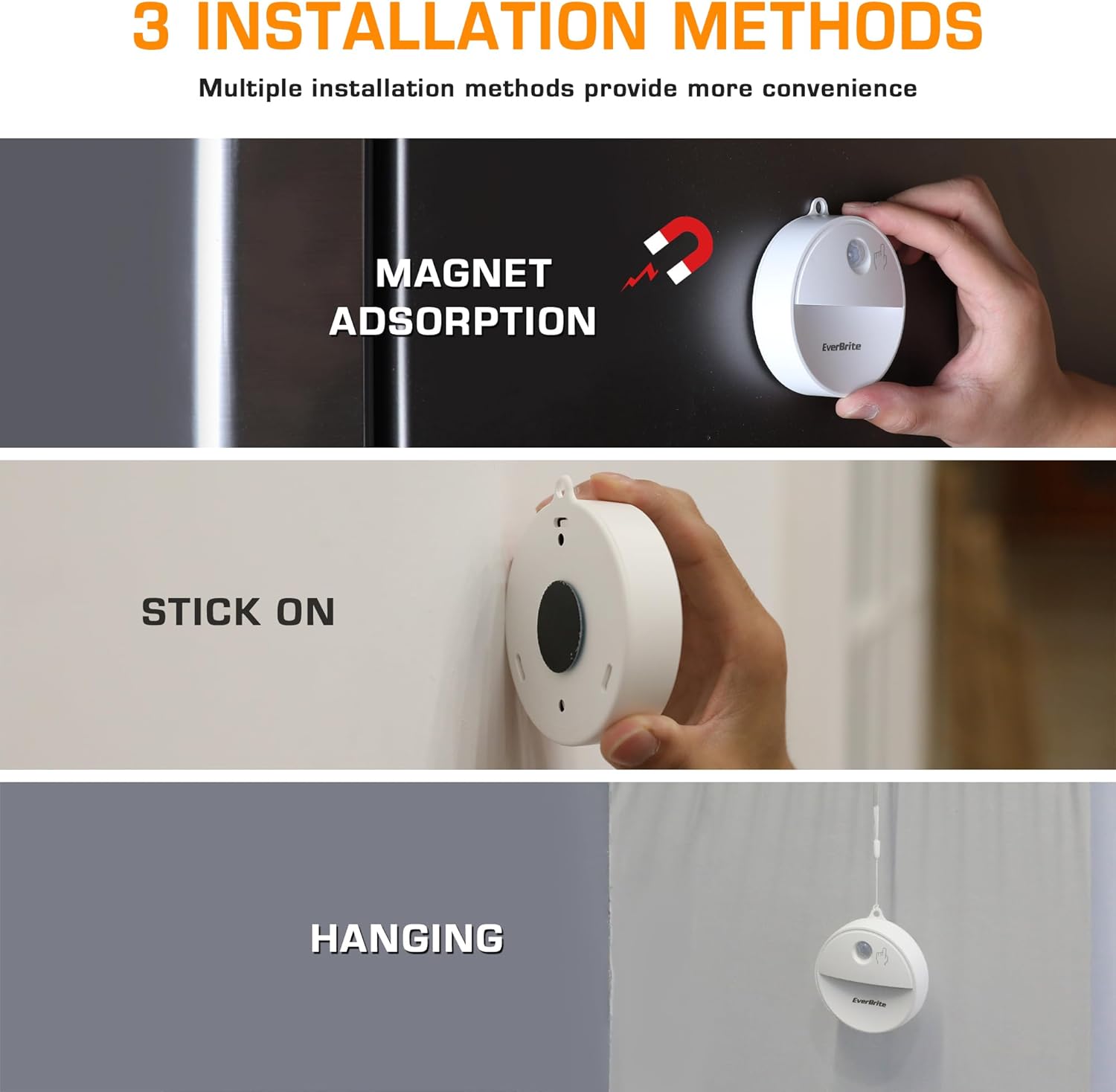
Image: Visual guide for the three installation methods: magnetic, adhesive, and hanging.
Specifications
| Feature | Detail |
|---|---|
| Model Number | E007099AE |
| Brand | EverBrite |
| Light Source Type | LED |
| Light Color Options | 15 RGB colors, Cool White |
| Dimmable | Yes (Stepless dimming up to 10LM) |
| Motion Sensor Range | Up to 13 feet |
| Sensing Angle | 125° |
| Auto-off Timer | 15-25 seconds (after no motion detected) |
| Power Source | Battery Powered (3 x AAA per light, included) |
| Material | Plastic |
| Product Dimensions | 3.47"D x 3.14"W x 0.86"H |
| Weight | 1.26 pounds (total for 6-pack) |
| Mounting Type | Wall Mount (Magnet, Adhesive, Hanging) |
| Indoor/Outdoor Usage | Indoor |

Image: Detailed dimensions and key features of the EverBrite night light.
Maintenance
- Cleaning: Wipe the surface of the night light with a soft, dry cloth. Do not use abrasive cleaners or immerse the device in water.
- Battery Replacement: Replace all three AAA batteries when the light output diminishes or the motion sensor becomes less responsive. Ensure correct polarity during replacement.
- Storage: If storing the night lights for an extended period, remove the batteries to prevent leakage and damage.
Troubleshooting
- Light not turning on:
- Check battery installation and ensure batteries are fresh.
- Verify the ambient light conditions. The sensor activates in dim light or darkness.
- Ensure the motion sensor is not obstructed.
- Light stays on constantly:
- Check for continuous motion within the sensor's range.
- Ensure the ambient light is not too low, causing the sensor to remain active.
- Motion sensor not detecting:
- Confirm the light is in an area with sufficient darkness for activation.
- Check the distance and angle of detection.
Warranty and Support
For warranty information or technical support, please refer to the packaging or contact EverBrite customer service directly. Keep your purchase receipt for warranty claims.

