1. Important Safety Information
Please read this entire manual before assembling or operating the Wenoker Exercise Bike. Keep this manual for future reference. Failure to follow these instructions could result in injury or damage to the product.
- Consult your physician before starting any exercise program, especially if you have pre-existing health conditions.
- Keep children and pets away from the equipment during operation.
- Place the exercise bike on a flat, stable surface. Ensure adequate space around the bike for safe operation.
- Inspect the equipment before each use for loose parts, wear, or damage. Do not use if damaged.
- Wear appropriate exercise clothing and footwear. Avoid loose clothing that could get caught in moving parts.
- The maximum user weight for this exercise bike is 160 kg (352 lbs).
- Use the emergency brake to stop the flywheel quickly if needed.
- Do not attempt to modify the exercise bike.
2. Product Overview
The Wenoker Exercise Bike Model 312BDE is designed for effective indoor cardio and fitness training. It features a robust magnetic resistance system for a smooth and quiet workout experience.

The Wenoker Exercise Bike Model 312BDE, featuring a robust frame, adjustable components, and an integrated display.
Key Features:
- Magnetic Resistance System: Provides powerful, quiet, and smooth resistance without physical contact with the flywheel.
- Emergency Brake: Instantly stops the flywheel for safety.
- Adjustable Components: Multi-grip handlebars and a comfortable seat are adjustable vertically and horizontally to accommodate various user heights (1.43m to 1.92m).
- LCD Monitor: Tracks workout data including time, speed, distance, odometer, and calories burned.
- Tablet Holder: Securely holds your mobile phone or tablet for entertainment during workouts.
- Transport Wheels: Integrated wheels allow for easy relocation of the bike.
- Sturdy Construction: Designed for stability and durability, supporting users up to 160 kg.
3. Package Contents
Upon unpacking, ensure all components are present and undamaged. All necessary assembly tools are included in the package.
The main components typically include:
- Main Frame with Flywheel
- Front and Rear Stabilizers
- Seat Post and Seat
- Handlebar Post and Handlebars
- Pedals (Left and Right)
- LCD Monitor
- Hardware Kit (bolts, washers, nuts)
- Assembly Tools
4. Setup and Assembly
Follow these steps to assemble your Wenoker Exercise Bike. It is recommended to have two people for some assembly steps.
Step 1: Attach Stabilizers
Attach the front and rear stabilizers to the main frame using the provided bolts and washers. Ensure they are securely tightened to provide a stable base for the bike.
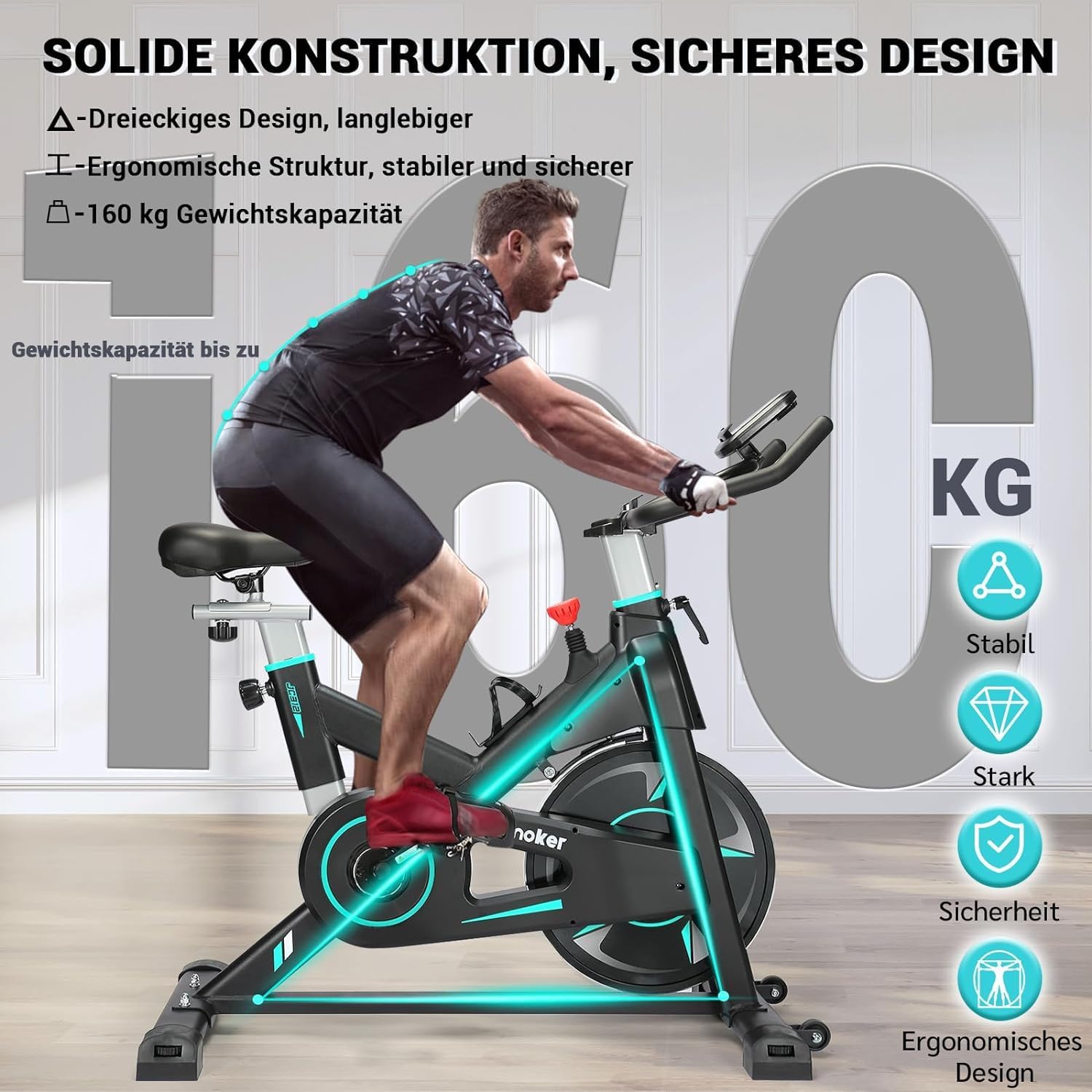
Ensure the stabilizers are firmly attached for optimal stability.
Step 2: Install Pedals
Identify the Left (L) and Right (R) pedals. The left pedal typically tightens counter-clockwise, and the right pedal tightens clockwise. Thread them carefully into the crank arms and tighten securely with a wrench.
Step 3: Assemble Seat Post and Seat
Insert the seat post into the main frame. Adjust the height to your preference and secure it with the locking knob. Attach the seat to the seat post, ensuring it is level and tightened.

The seat and handlebars are adjustable to fit various user heights and preferences.
Step 4: Attach Handlebar Post and Handlebars
Insert the handlebar post into the main frame. Adjust the height and secure it. Attach the handlebars to the handlebar post, ensuring all bolts are tightened.
Step 5: Connect LCD Monitor
Connect the sensor wires from the main frame to the back of the LCD monitor. Mount the LCD monitor onto the handlebar assembly. Insert batteries (if required, typically 2 AAA batteries, not included) into the monitor.
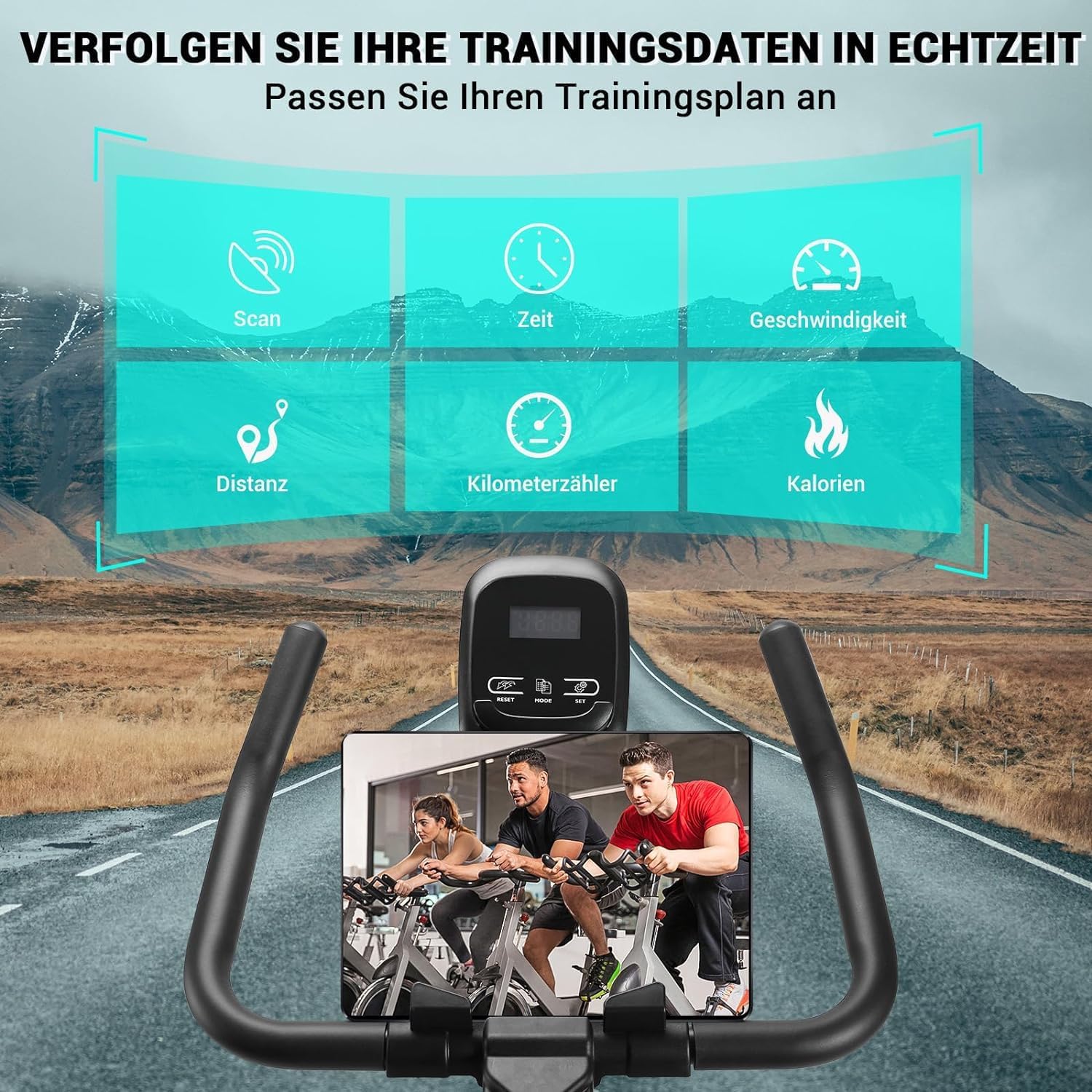
The LCD monitor displays workout data, and the integrated holder supports your tablet or phone.
5. Operating Instructions
5.1 Adjusting Seat and Handlebars
- Seat Height: Loosen the locking knob on the seat post, adjust the seat to a comfortable height where your leg is slightly bent at the bottom of the pedal stroke, then re-tighten.
- Seat Forward/Backward: Loosen the knob under the seat, slide the seat to your desired position, and re-tighten.
- Handlebar Height: Loosen the locking knob on the handlebar post, adjust to a comfortable height that allows for a slight forward lean without straining your back, then re-tighten.
5.2 Adjusting Resistance
The bike uses a magnetic resistance system. The resistance level is controlled by the red knob located on the main frame.
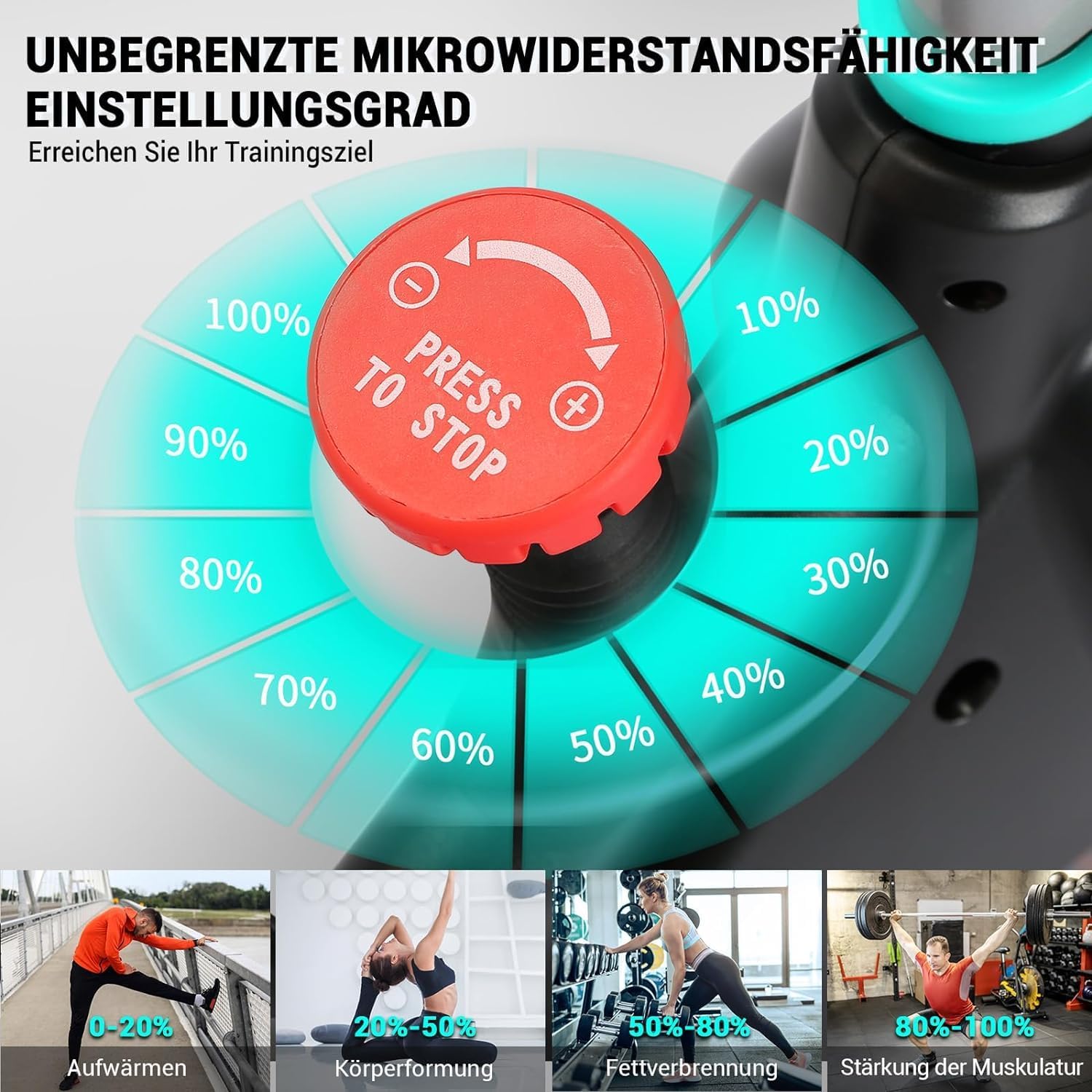
Turn the red knob clockwise to increase resistance and counter-clockwise to decrease resistance.
- Turn the knob clockwise (+) to increase the resistance for a more challenging workout.
- Turn the knob counter-clockwise (-) to decrease the resistance for an easier workout.
5.3 Using the Emergency Brake
To stop the flywheel quickly in an emergency or to dismount safely, press down firmly on the red resistance knob. This will engage the emergency brake and bring the flywheel to an immediate stop.
5.4 LCD Monitor Functions
The LCD monitor displays your workout data. It typically operates with a single button or a few buttons for mode selection and reset.
- SCAN: Automatically cycles through all functions (Time, Speed, Distance, Calories, Odometer) every few seconds.
- TIME: Displays the duration of your current workout.
- SPEED: Shows your current cycling speed.
- DISTANCE: Displays the distance covered during your current workout.
- ODOMETER: Shows the total accumulated distance since the monitor was last reset (or from first use).
- CALORIES: Estimates the calories burned during your workout.
- RESET: Press and hold the button (usually "MODE" or "RESET") to clear all current workout data.
The monitor will automatically turn on when you start pedaling and turn off after a few minutes of inactivity to save battery.
6. Maintenance
Regular maintenance ensures the longevity and safe operation of your Wenoker Exercise Bike.
- Cleaning: Wipe down the bike with a damp cloth after each use to remove sweat and dust. Avoid abrasive cleaners.
- Check Bolts and Connections: Periodically check all bolts, nuts, and connections to ensure they are tight. Re-tighten if necessary.
- Lubrication: The magnetic resistance system and belt drive are generally maintenance-free and do not require lubrication.
- Storage: Store the bike in a dry, cool place away from direct sunlight and extreme temperatures.
7. Troubleshooting
| Problem | Possible Cause | Solution |
|---|---|---|
| LCD Monitor Not Displaying Data |
|
|
| Bike is Unstable or Wobbles |
|
|
| Unusual Noise During Operation |
|
|
| Resistance Not Changing |
|
|
8. Specifications
| Feature | Detail |
|---|---|
| Model Number | 312BDE |
| Brand | Wenoker |
| Resistance Mechanism | Magnetic |
| Drive System | Belt |
| Material | Aluminum |
| Maximum User Weight | 160 kg (352 lbs) |
| Recommended User Height | 1.43 m - 1.92 m (4 ft 8 in - 6 ft 3 in) |
| Product Dimensions (L x W x H) | 105 x 19 x 76 cm (41.3 x 7.5 x 29.9 inches) |
| Item Weight | 30.5 kg (67.2 lbs) |
| Power Source (Monitor) | Battery (2x AAA, not included) |
| Special Features | Adjustable Resistance Level, LCD Display, Tablet Holder, Transport Wheels |
9. Warranty Information
Wenoker products are manufactured to high-quality standards. For specific warranty details, please refer to the warranty card included with your product or contact Wenoker customer support. Keep your proof of purchase for warranty claims.
10. Customer Support
If you have any questions, require assistance with assembly, operation, or maintenance, or need to report a problem, please contact Wenoker customer support. Refer to the contact information provided in your product packaging or on the official Wenoker website.
For online resources and FAQs, visit: www.wenoker.com (Note: This is a placeholder URL, please refer to actual product documentation for correct support links.)


