
Freego X60 Plus
Freego Smart Self-Balancing Scooter X60 Plus User Manual
Model: X60 Plus
1. Introduction
Welcome to the Freego Smart Self-Balancing Scooter X60 Plus user manual. This guide provides essential information for the safe operation, maintenance, and troubleshooting of your new self-balancing scooter. Please read this manual thoroughly before your first ride to ensure optimal performance and safety.
Product Overview
The Freego Smart Self-Balancing Scooter X60 Plus is designed for adults, featuring robust dual 3000W (peak) motors for powerful performance on various terrains. It is equipped with a 57.6V 15.6Ah battery, offering an approximate range of 50 miles. The scooter includes 19-inch all-terrain tires for superior traction and stability. Key features include Bluetooth connectivity with an app for control, a dual surround sound system, an adjustable handrail, and integrated safety lighting such as LED headlights, ambient lights, and front/rear turn signals. It also functions as a power bank for charging mobile devices and incorporates GPS and an anti-theft system.
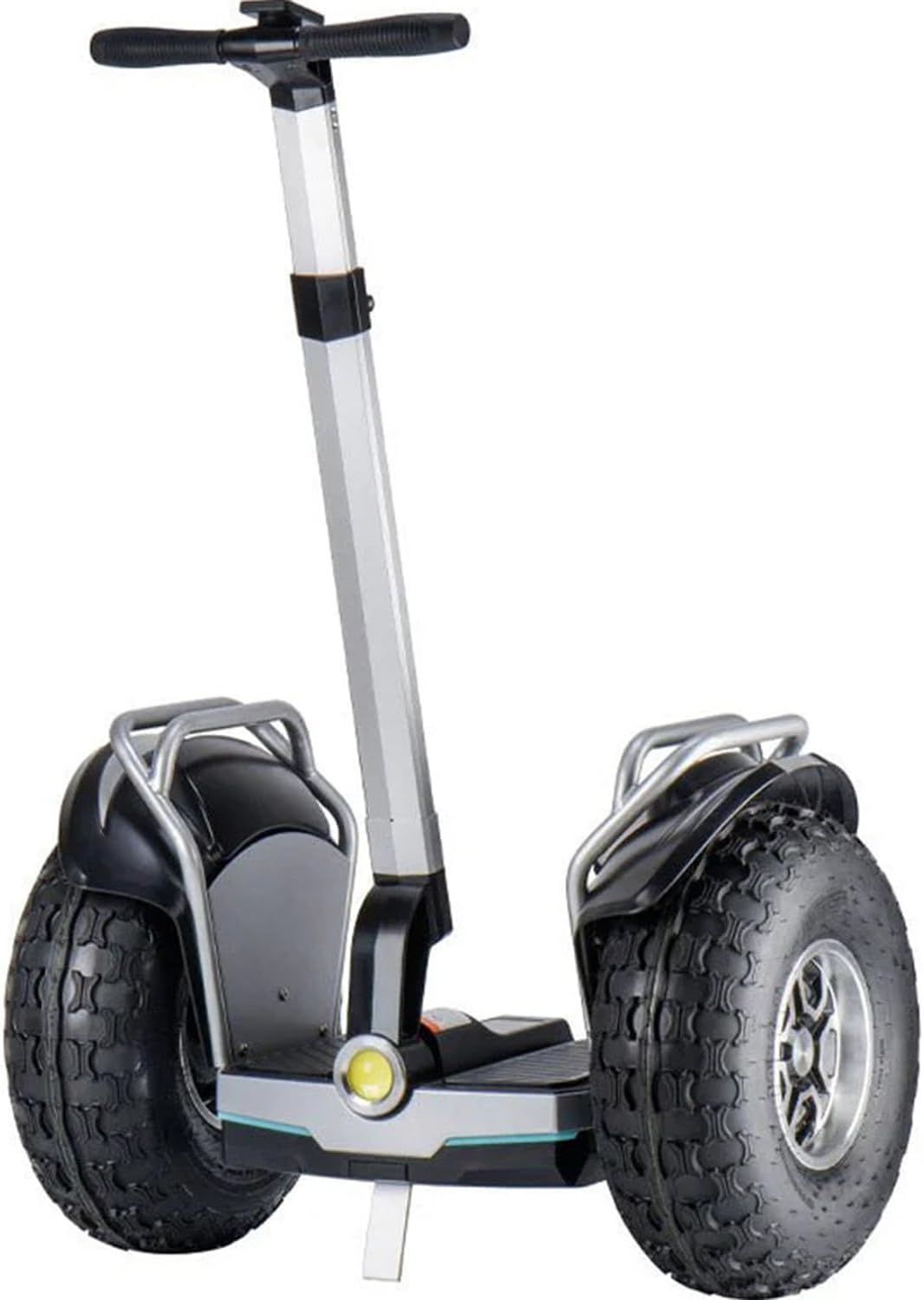
Figure 1: Freego Smart Self-Balancing Scooter X60 Plus, showcasing its robust design and all-terrain tires.
2. Safety Guidelines
Your safety is paramount. Adhere to the following guidelines to prevent injury or damage to the scooter.
- Always wear a helmet and appropriate protective gear (knee pads, elbow pads, wrist guards) when riding.
- Ensure the battery is adequately charged before each use.
- Do not operate the scooter under the influence of alcohol or drugs.
- Observe all local traffic laws and regulations.
- Avoid riding on wet, slippery, or uneven surfaces.
- Maintain a safe distance from other vehicles and pedestrians.
- Do not perform stunts or sudden maneuvers.
- The scooter is designed for adult use. Ensure the rider meets the recommended age and weight requirements.
- Regularly inspect the scooter for any signs of damage or wear before each ride.
3. Components and Features
Familiarize yourself with the main components and advanced features of your Freego X60 Plus scooter.
Powerful Dual Motors
The scooter is equipped with dual 3000W (peak) pure copper brushless hub motors, providing powerful and waterproof performance, capable of handling inclines up to 35 degrees.

Figure 2: Illustration of the powerful 3000W (peak) pure copper brushless hub motor, designed for robust performance and climbing.
Integrated Power Bank Functionality
The scooter features a convenient USB charging port, allowing you to charge your mobile phone or other devices directly from the scooter's battery.

Figure 3: The scooter's ability to charge external devices like smartphones and tablets.
Advanced Lighting System
For enhanced visibility and safety, the X60 Plus is equipped with LED headlights, ambient lights, and distinct front and rear turn signals.
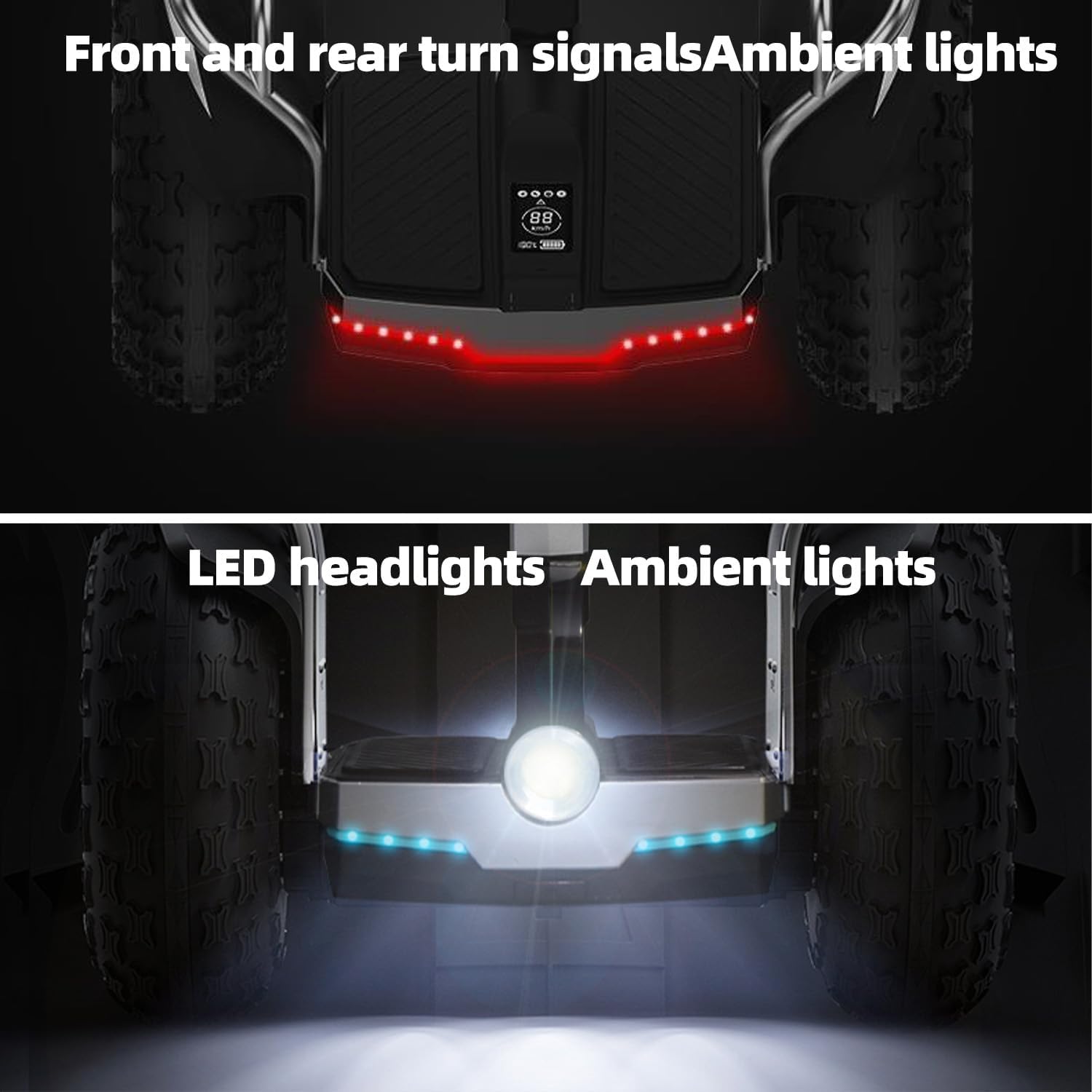
Figure 4: Front and rear lighting systems, including LED headlights, ambient lights, and turn signals.
Bluetooth Connectivity and App Control
Connect your scooter to your smartphone via Bluetooth to access the dedicated app for easy control, monitoring riding status, and debugging parameters. The integrated dual surround sound system allows for music enjoyment during your ride.

Figure 5: Bluetooth connectivity for music playback and app control.

Figure 6: The Freego app interface for monitoring riding status and adjusting parameters.
Adjustable Handrail
The scooter features an adjustable handrail, allowing riders of different heights to comfortably operate the device.

Figure 7: The adjustable handrail mechanism for customized rider comfort.
4. Setup and Assembly
Follow these steps to prepare your Freego X60 Plus for its first use.
- Unboxing: Carefully remove all components from the packaging. Verify that all parts listed in the packing list are present.
- Handlebar Assembly: Attach the handlebar to the main shaft, ensuring it clicks securely into place. Refer to the diagram in the quick start guide for detailed instructions.
- Initial Charge: Before first use, fully charge the scooter's battery. Connect the charger to the charging port and then to a power outlet. The indicator light on the charger will change when charging is complete. This typically takes several hours.
- Tire Pressure Check: Ensure the tires are inflated to the recommended pressure. Refer to the tire sidewall for the correct PSI.
5. Operating Instructions
Learn how to safely operate your Freego X60 Plus scooter.
Turning On/Off
- To Turn On: Press and hold the power button located on the main body of the scooter until the display illuminates.
- To Turn Off: Press and hold the power button again until the display turns off.
Riding Basics
- Mounting: Place one foot firmly on the footpad. Use the handlebar for balance. Once stable, gently push off with your other foot and place it on the footpad.
- Balancing: The scooter uses self-balancing technology. Lean slightly forward to move forward and slightly backward to slow down or reverse.
- Steering: Gently lean your body in the direction you wish to turn. The handlebar provides additional control and stability.
- Braking: To slow down or stop, lean back gently. The scooter will gradually come to a halt.
Riding Tips
- Practice in an open, flat area away from obstacles and traffic until you are comfortable with the controls.
- Always maintain a comfortable and balanced posture.
- Avoid sudden movements or sharp turns, especially at high speeds.
- Be aware of your surroundings and anticipate potential hazards.

Figure 8: A rider demonstrating the Freego X60 Plus in an outdoor, off-road setting.
6. Maintenance and Care
Regular maintenance ensures the longevity and safe operation of your scooter.
- Cleaning: Use a soft, damp cloth to wipe down the scooter. Do not use harsh chemicals or abrasive cleaners. Avoid direct water spray to prevent damage to electronic components.
- Tire Maintenance: Regularly check tire pressure and inflate to the recommended PSI (found on the tire sidewall). Inspect tires for wear, punctures, or damage.
- Battery Care: Charge the battery fully after each use. If storing for an extended period, charge the battery to about 50-70% every 2-3 months to prevent deep discharge. Store in a cool, dry place.
- General Inspection: Periodically check all screws and fasteners to ensure they are tight. Inspect the frame, handlebar, and footpads for any cracks or damage.
- Storage: Store the scooter indoors in a dry environment, away from direct sunlight and extreme temperatures.
7. Troubleshooting
This section addresses common issues you might encounter with your Freego X60 Plus.
| Problem | Possible Cause | Solution |
|---|---|---|
| Scooter does not turn on | Low battery; Power button not pressed correctly; Internal fault. | Charge the battery fully. Press and hold the power button firmly. If issue persists, contact customer support. |
| Reduced range or power | Under-inflated tires; Low battery charge; Overload; Battery degradation. | Check and inflate tires to correct pressure. Ensure battery is fully charged. Reduce load. Contact support if battery performance significantly declines. |
| Unusual noises during operation | Loose components; Debris in wheels/motor; Worn bearings. | Inspect for loose parts and tighten. Check for and remove any debris. If noise persists, seek professional inspection. |
| Bluetooth connection issues | Bluetooth not enabled on device; Scooter not in pairing mode; Interference. | Ensure Bluetooth is on and scooter is discoverable. Restart both scooter and device. Move away from other electronic devices. |
8. Technical Specifications
Detailed specifications for the Freego Smart Self-Balancing Scooter X60 Plus.
| Specification | Value |
|---|---|
| Product Name | Self-Balancing Scooter |
| Model | X60 Plus |
| Motor Power | Dual 3000W (peak) |
| Battery | 57.6V / 15.6Ah (936Wh) |
| Max Speed | 20 Kilometers per Hour (12.4 mph) |
| Max Range | Up to 50 miles |
| Tire Size | 19 Inch Fat Tire |
| Product Dimensions | 84.1L x 49.3W x 101.9H centimetres |
| Item Weight | 52.16 kg (115 Pounds) |
| Manufacturer | Freego (SHENZHEN ODEWAY TECHNOLOGY CO., LTD) |
| Recommended Use | Outdoor |
| Special Features | Bluetooth App Control, Dual Surround Sound, Adjustable Handrail, Power Bank Function, GPS, Anti-theft System, LED Headlights, Ambient Lights, Turn Signals. |

Figure 9: Product label detailing key specifications and manufacturer information.
9. Warranty and Customer Support
Freego products are manufactured to high-quality standards. For warranty information, please refer to the warranty card included with your product or visit the official Freego website. Keep your purchase receipt as proof of purchase.
Customer Support
If you have any questions, require technical assistance, or need to report an issue, please contact Freego customer support through the contact information provided on our official website or your purchase platform. When contacting support, please have your model number (X60 Plus) and purchase details ready.
Related documentsX60 Plus


Ask a question about this manual
Ask about setup, troubleshooting, compatibility, parts, safety, or missing instructions. Manuals+ will review the question and use this page’s manual context to help answer it.