
Redragon K556
Redragon K556 PRO Gaming Keyboard and M724 Mouse User Manual
Introduction
This manual provides detailed instructions for the Redragon K556 PRO Gaming Keyboard and M724 Mouse. Please read this manual thoroughly before using the products to ensure proper operation and to maximize your gaming experience. Keep this manual for future reference.
Package Contents
- Redragon K556 PRO Gaming Keyboard
- Redragon M724 Gaming Mouse
- USB-C Cable (for keyboard)
- User Manual

Image: The Redragon K556 PRO Gaming Keyboard and M724 Mouse, showing both devices included in the package.
Setup Guide
Keyboard Connection (K556 PRO)
The Redragon K556 PRO keyboard supports three connection modes: USB-C wired, Bluetooth (BT 3.0/5.0), and 2.4Ghz wireless.
- USB-C Wired Connection:
Connect the provided USB-C cable to the keyboard's USB-C port and the other end to an available USB port on your computer. The keyboard will be automatically recognized.
- 2.4Ghz Wireless Connection:
Locate the 2.4Ghz USB dongle (usually stored in a compartment on the keyboard). Plug the dongle into an available USB port on your computer. Switch the keyboard's connection mode to 2.4Ghz. The keyboard should connect automatically.
- Bluetooth Connection (BT 3.0/5.0):
Ensure your computer's Bluetooth is enabled. Switch the keyboard's connection mode to Bluetooth. On your computer, search for new Bluetooth devices and select "Redragon K556 PRO" to pair. Follow any on-screen prompts.

Image: The Redragon K556 PRO keyboard highlighting its 3-mode connection capabilities: 2.4Ghz, Bluetooth, and USB-C wired.
Mouse Connection (M724)
The Redragon M724 mouse connects via a wired USB connection.
- Connect the USB cable of the M724 mouse to an available USB port on your computer. The mouse will be automatically recognized and ready for use.
Operating Instructions
Keyboard Features (K556 PRO)
- Hot-Swappable Switches: The K556 PRO features hot-swappable sockets compatible with 3-pin and 5-pin mechanical switches. This allows users to easily change switches without soldering. To replace a switch, gently pull the existing switch out using a switch puller tool (not included) and push the new switch into place until it clicks.

Image: Close-up view of the Redragon K556 PRO keyboard's hot-swappable sockets, showing switches being inserted and removed.
- Dynamic RGB Backlight: The keyboard features customizable RGB backlighting. Various lighting modes and colors can be adjusted directly on the keyboard using function key combinations or through the Redragon software. Refer to the software manual for advanced customization.

Image: The Redragon K556 PRO keyboard displaying its dynamic RGB backlighting in a gaming setup.
- Aluminum Frame: The keyboard is constructed with a durable aluminum frame for enhanced stability and longevity.

Image: A side view of the Redragon K556 PRO keyboard, showcasing its robust aluminum frame construction.
Mouse Features (M724)
- Adjustable DPI Levels: The M724 mouse features 5 redefinable DPI levels: 1200 (Red), 2400 (Blue), 3500 (Green), 5500 (Purple), and 12400 (Yellow). Use the dedicated DPI button on the mouse to cycle through these settings. Fine-tuning of DPI from 200-12,400 is available via the Redragon software.
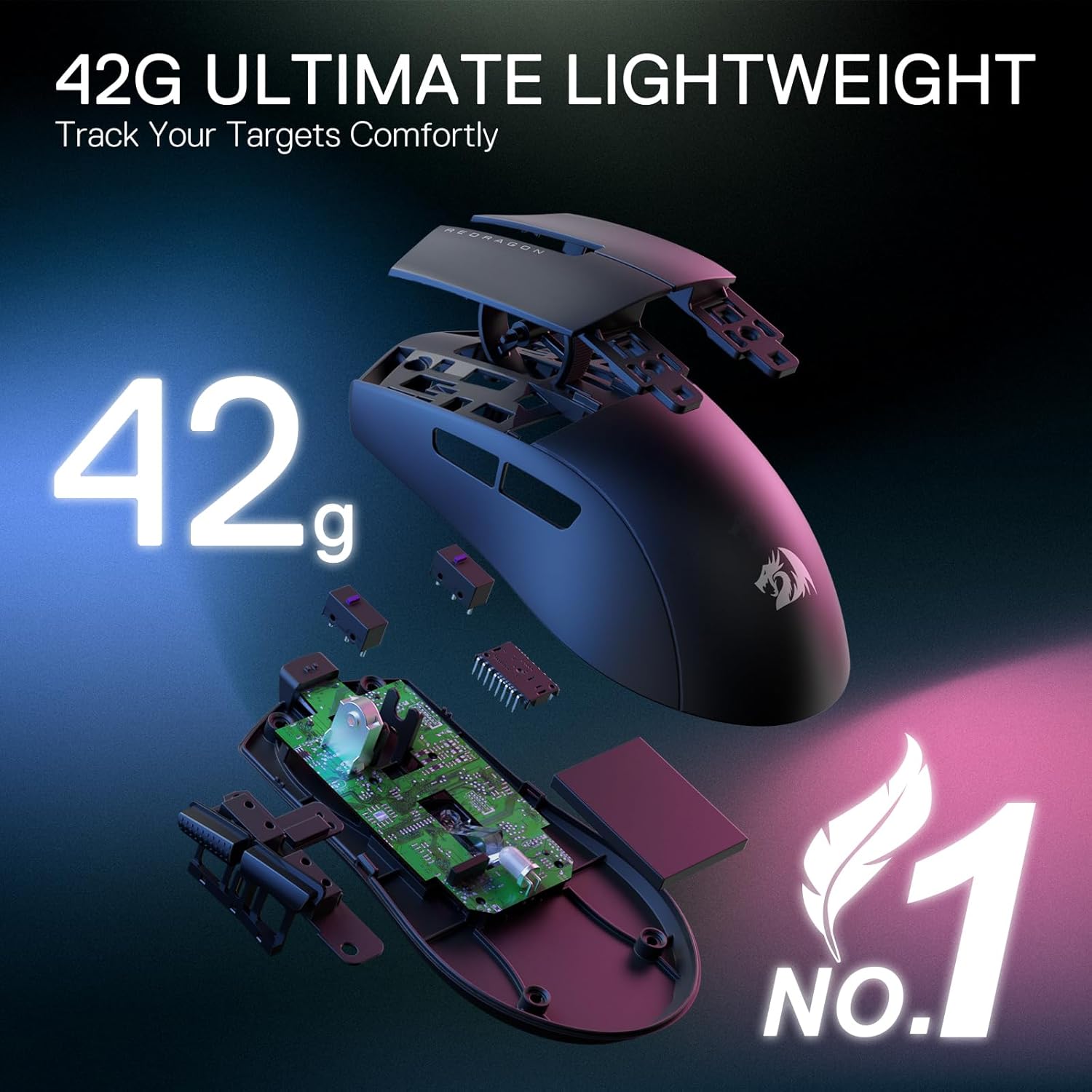
Image: The Redragon M724 mouse with an illustration of its five distinct DPI levels, each indicated by a different LED color.
- Lightweight Design: Weighing only 42 grams, the M724 mouse is designed for fast and precise movements with minimal effort.

Image: The Redragon M724 mouse disassembled, showing its internal components and highlighting its ultra-lightweight design of 42 grams.
- Durable Keystroke Switches: The mouse features switches rated for 50 million clicks, ensuring long-term durability.

Image: A transparent view of the Redragon M724 mouse, showcasing its internal switch mechanism designed for high durability.
- Additional Features: The M724 mouse includes a PAW3327 sensor, 5 macro buttons, 1000Hz response rate, ergonomic design, and PRO software support for customization.

Image: An overview of the Redragon M724 mouse, listing its key features such as 42g lightweight, PAW3327 sensor, 5 macro buttons, 1000Hz response, ergonomic design, 12400 MAX DPI, 20M click switch, and PRO software.
Maintenance
- Cleaning: Use a soft, dry cloth to clean the surface of the keyboard and mouse. For deeper cleaning, a slightly damp cloth with mild soap can be used, ensuring no liquid enters the devices.
- Storage: Store the devices in a cool, dry place away from direct sunlight and extreme temperatures.
- Cable Care: Avoid sharp bends or kinks in the USB cables to prevent damage.
Troubleshooting
- Keyboard/Mouse Not Responding:
- Check all cable connections.
- For wireless connections, ensure the dongle is properly inserted and the keyboard is in the correct mode (2.4Ghz or Bluetooth).
- Try connecting to a different USB port.
- Restart your computer.
- RGB Lighting Not Working:
- Ensure the keyboard is properly powered.
- Check keyboard function key combinations for lighting control.
- Install or update the Redragon software to manage lighting settings.
- DPI Adjustment Not Working (Mouse):
- Ensure the mouse is properly connected.
- Press the DPI button firmly.
- Use the Redragon software to verify or reconfigure DPI settings.
Specifications
| Feature | Description |
|---|---|
| Brand | Redragon |
| Model Number (Keyboard) | K556 PRO |
| Model Number (Mouse) | M724 |
| Connectivity Technology | Keyboard: USB-C, BT 3.0/5.0, 2.4Ghz Wireless; Mouse: Wired USB |
| Keyboard Type | Gaming, Mechanical |
| Special Keyboard Feature | Hot-Swappable (99.8%+ compatible, 3/5-pin switches) |
| Number of Keyboard Keys | 104 |
| Keyboard Backlighting | RGB |
| Mouse DPI Levels | 1200/2400/3500/5500/12400 (software adjustable 200-12400) |
| Mouse Weight | 42 Grams |
| Mouse Switch Durability | 50 Million Clicks |
| Power Source | USB power |
Warranty and Support
Redragon products are designed for durability and performance. For warranty information, technical support, or service inquiries, please visit the official Redragon website or contact their customer support directly. Keep your purchase receipt as proof of purchase.
Redragon Official Website: www.redragonusa.com
Ask a question about this manual
Ask about setup, troubleshooting, compatibility, parts, safety, or missing instructions. Manuals+ will review the question and use this page’s manual context to help answer it.