
1. Introduction
Thank you for choosing the LITFAD Modern Office Desk. This manual provides essential information for the safe assembly, operation, and maintenance of your new desk. Please read these instructions thoroughly before beginning assembly and retain them for future reference.
This desk is designed to provide a functional and stylish workspace for home or office environments. It features a spacious desktop, integrated storage drawers, and a sturdy pedestal base.
2. Package Contents
Before assembly, verify that all components listed below are present and undamaged. If any parts are missing or damaged, please contact customer support.
- Desk Tabletop
- Pedestal Base with 3 Drawers
- Support Leg
- Assembly Tools (Allen wrench, screws, etc.)
- Instruction Manual (this document)
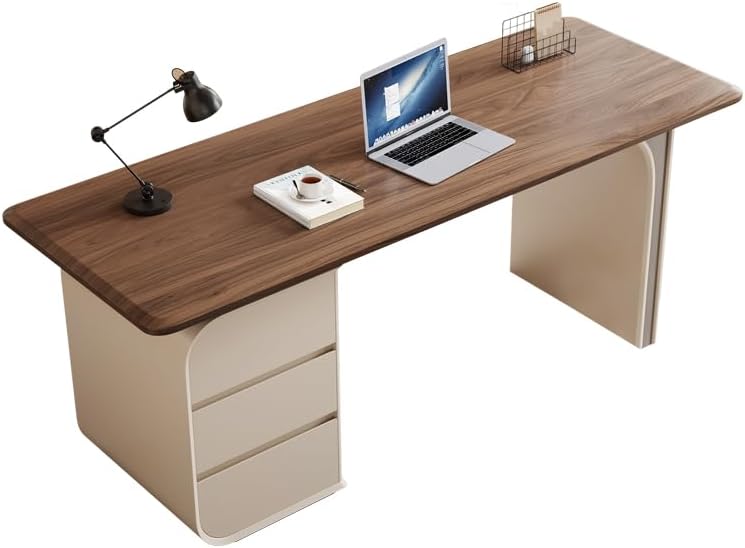
Figure 2.1: Overview of the LITFAD Modern Office Desk.
3. Safety Information
Please observe the following safety guidelines to prevent injury or damage to the product:
- Assembly: Assemble the desk on a soft, clean surface to prevent scratches. Ensure all screws and fasteners are tightened securely before use. Do not overtighten.
- Weight Capacity: Do not exceed the recommended weight capacity for the desktop or drawers. Distribute weight evenly.
- Stability: Place the desk on a level surface. Avoid placing heavy items on the edges of the desk that could cause it to tip.
- Children: Keep small parts and assembly tools out of reach of children. Do not allow children to climb on or play with the desk.
- Sharp Edges: While the desk features rounded corners, exercise caution during assembly and use to avoid injury.
4. Setup and Assembly Instructions
Follow these steps carefully to assemble your LITFAD Modern Office Desk. It is recommended that two people assemble this product.
- Unpack Components: Carefully remove all parts from the packaging. Lay them out on a clean, soft surface (e.g., a blanket or carpet) to prevent scratches.
- Identify Parts: Refer to the included parts diagram (if provided separately) to identify each component.
- Attach Pedestal Base: Secure the pedestal base (with drawers) to the underside of the desktop using the provided screws and assembly tools. Ensure proper alignment.
- Attach Support Leg: Fasten the single support leg to the opposite side of the desktop, aligning it with the pre-drilled holes.
- Tighten All Fasteners: Once all components are in place, carefully tighten all screws and bolts. Do not overtighten to avoid damaging the wood.
- Position Desk: With assistance, carefully lift and place the assembled desk in its desired location. Ensure it is stable and level.
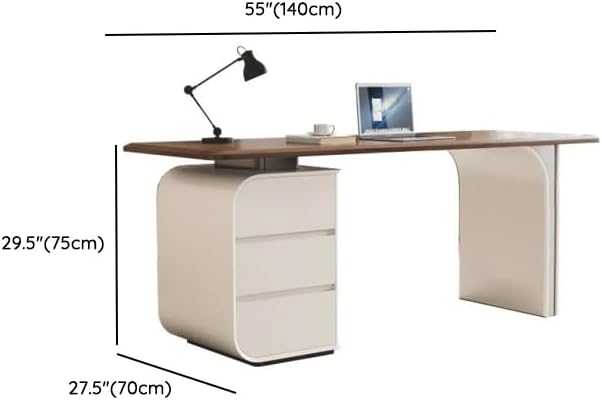
Figure 4.1: Desk dimensions for placement planning.
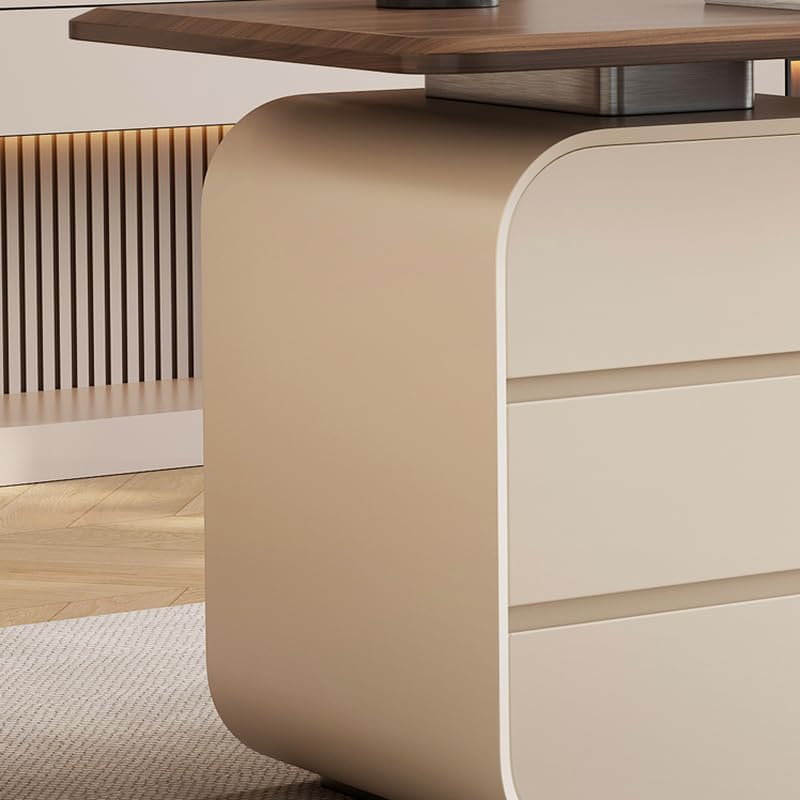
Figure 4.2: Detail of the desk's sturdy pedestal base and support leg.
5. Operating Instructions
The LITFAD Modern Office Desk is designed for straightforward use.
- Desktop Use: The spacious desktop provides ample room for computers, monitors, documents, and other office essentials. Avoid placing excessively hot items directly on the surface without protection.
- Drawer Use: The three integrated drawers are designed for storing files, stationery, and personal items. Pull drawers open smoothly and close them gently to ensure longevity of the drawer slides.

Figure 5.1: The three spacious drawers provide convenient storage.

Figure 5.2: Detail of the drawer construction and smooth operation.
6. Maintenance
Proper care will extend the life and appearance of your desk.
- Cleaning: Wipe surfaces with a soft, damp cloth. Avoid harsh chemicals, abrasive cleaners, or excessive moisture, which can damage the finish.
- Spills: Clean spills immediately to prevent staining or damage to the wood.
- Sunlight: Avoid prolonged exposure to direct sunlight, which can cause fading or discoloration over time.
- Fasteners: Periodically check and retighten all screws and bolts to ensure the desk remains stable.
7. Troubleshooting
If you encounter any issues with your desk, refer to the following common problems and solutions:
- Desk is Wobbly:
Solution: Ensure the desk is on a level surface. Check all assembly screws and bolts and tighten them securely. - Drawers Do Not Slide Smoothly:
Solution: Check for any obstructions in the drawer slides. Ensure the drawers are correctly aligned within their tracks. - Surface Scratches:
Solution: While the desk is scratch-resistant, minor scratches can occur. Use furniture polish or a wood repair kit for minor imperfections. Always use coasters or protective pads under items that might scratch the surface.
If problems persist, please contact customer support for further assistance.
8. Specifications
| Feature | Detail |
|---|---|
| Brand | LITFAD |
| Model Number | LT1341763 |
| Dimensions (L x W x H) | 55.1" x 27.6" x 29.5" (140cm x 70cm x 75cm) |
| Material | Wood + Metal |
| Color | Walnut + White |
| Style | Modern |
| Drawers Included | 3 |
| Scratch Resistant | Yes |
9. Warranty and Support
LITFAD products are manufactured with quality and customer satisfaction in mind. For information regarding warranty coverage, please refer to the purchase documentation or contact our customer service.
If you have any questions, require assistance with assembly, or need troubleshooting support, our customer service team is available 24/7 to guide you. Please have your model number (LT1341763) and purchase details ready when contacting support.
Contact information can typically be found on the retailer's website or your purchase invoice.