
1. Introduction
Thank you for choosing the DUMOS 40-Inch Computer Desk. This manual provides essential information for the safe assembly, operation, and maintenance of your new desk. Designed for versatility, this desk is suitable for various uses including writing, gaming, studying, or as a home office workstation.
Key features include a scratch-resistant, water-resistant tabletop, a sturdy steel frame with X-shaped reinforcement for stability, and thick square tube support capable of holding up to 265 lbs. The desk is designed for easy installation, with all necessary tools and parts included.
2. Safety Information
- Do not exceed the maximum weight recommendation of 265 pounds on the tabletop.
- Ensure all screws and connections are tightened securely before use to prevent instability.
- Keep small parts and assembly tools out of reach of children.
- Avoid placing corrosive liquids directly on the desk surface.
- Do not place excessively hot or cold items directly on the tabletop without protective coasters.
3. Package Contents
Before beginning assembly, please verify that all components are present and undamaged. The package should include:
- Desktop Panel (1)
- Support Legs (2 sets)
- Crossbars (various, for stability)
- Assembly Screws and Fasteners
- Wrench/Hex Key
- Instruction Manual
If any parts are missing or damaged, please contact DUMOS customer support.
4. Setup and Assembly
Assembly of the DUMOS 40-Inch Computer Desk is designed to be straightforward and can typically be completed in minutes. All necessary tools are provided.
- Unpack Components: Carefully remove all parts from the packaging and lay them out on a clean, soft surface to prevent scratches.
- Attach Support Legs: Connect the support legs to the desktop panel using the provided screws. Ensure the orientation is correct as per the included diagram.
- Install Crossbars: Secure the crossbars between the support legs. The X-shaped reinforcement structure enhances stability. Tighten all screws to about 50% initially.
- Final Tightening: Once all components are in place, fully tighten all screws to ensure the desk is stable and secure.
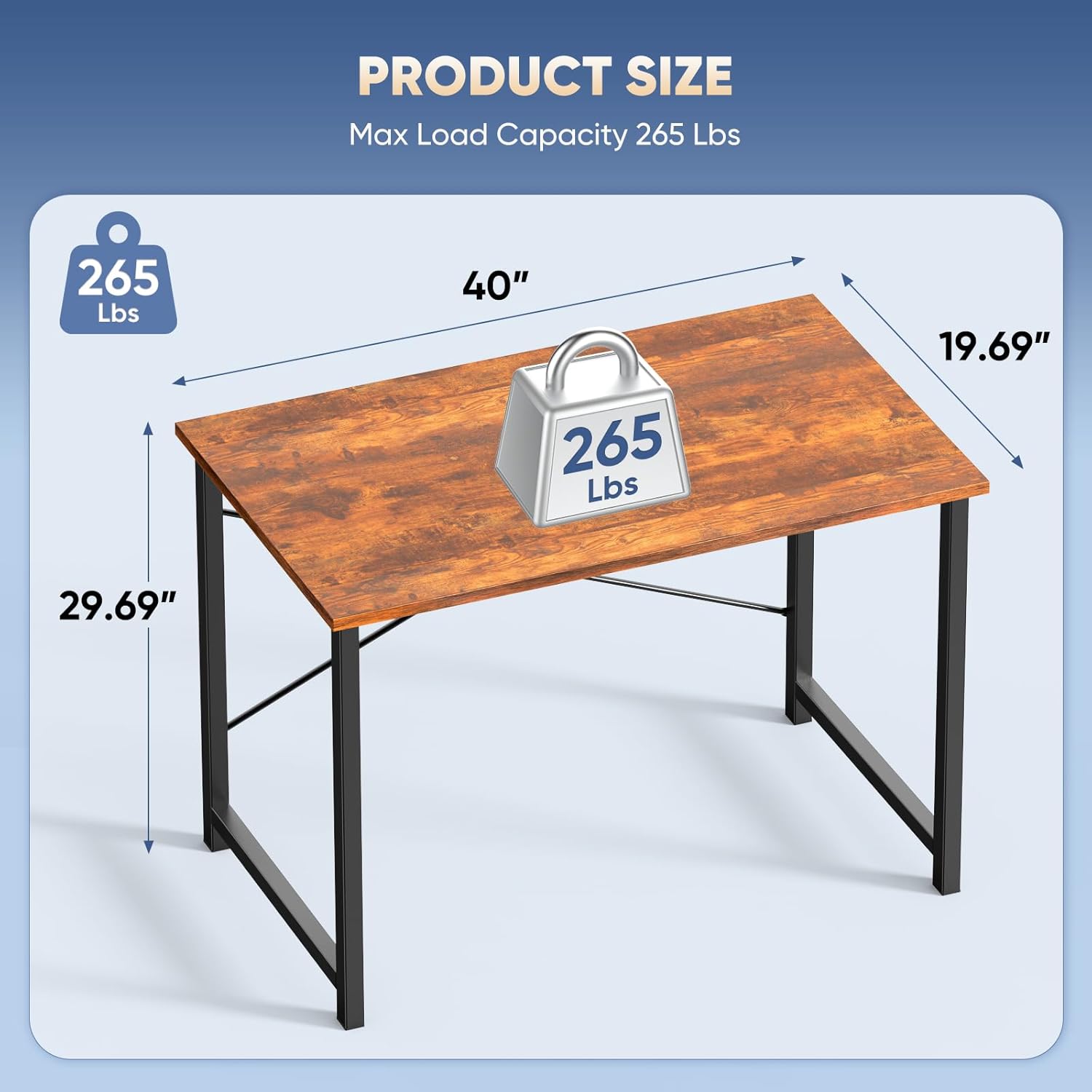
Figure 4.1: Product dimensions and maximum load capacity.

Figure 4.2: Detail of the X-shaped reinforcement structure for enhanced stability.
Video 4.1: A seller demonstrates the easy assembly process of the DUMOS desk, highlighting its suitability for a simple workspace.
5. Operating Instructions
The DUMOS 40-Inch Computer Desk is designed for versatile use in various settings. Its robust construction makes it suitable for:
- Home Office: Ideal for laptops, monitors, and office supplies.
- Study Area: Provides ample space for books, notebooks, and study materials.
- Gaming Setup: Accommodates gaming equipment and accessories.
- General Use: Can be used for various household tasks or as an additional surface.
Always distribute weight evenly across the tabletop and avoid placing heavy items near the edges to maintain stability.

Figure 5.1: The multi-functional design of the DUMOS desk, suitable for study or gaming.
6. Maintenance
To ensure the longevity and appearance of your DUMOS Computer Desk, follow these simple maintenance guidelines:
- Cleaning: Wipe the desk surface with a damp cloth. The tabletop is scratch-resistant and water-resistant, making it easy to clean spills. Avoid abrasive cleaners.
- Inspection: Periodically check all screws and connections to ensure they remain tight. Re-tighten if necessary.
- Protection: Use coasters for beverages and protective pads for hot items to prevent potential damage to the surface finish.

Figure 6.1: The desk's waterproof and dirt-repellent surface for easy cleaning.
7. Troubleshooting
If you encounter any issues with your DUMOS Computer Desk, please refer to the following common solutions:
- Wobbling: Check that all screws are fully tightened. Ensure the desk is placed on a flat, even surface. Adjust the leveling feet if present.
- Missing Parts: Refer to the 'Package Contents' section. If parts are missing, contact customer support for replacements.
- Difficulty Assembling: Review the 'Setup and Assembly' section and diagrams carefully. Ensure components are oriented correctly. Do not force parts together.
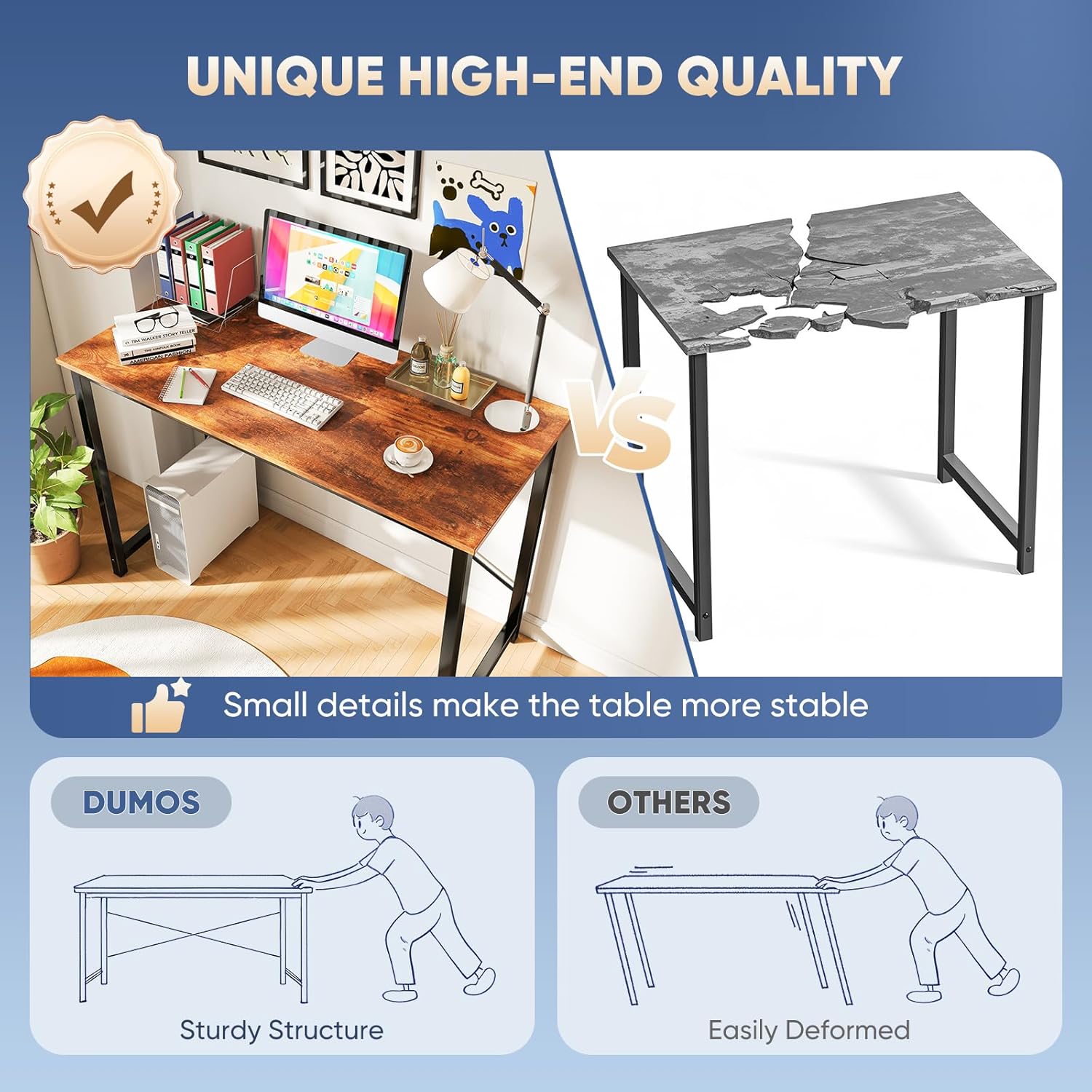
Figure 7.1: DUMOS desk's sturdy structure compared to easily deformed alternatives.
8. Specifications
| Feature | Detail |
|---|---|
| Brand | DUMOS |
| Model Number | DMND-40RT |
| Product Dimensions | 40"D x 19.7"W x 29.8"H |
| Color | Modern Rustic Brown |
| Top Material Type | Wood (Premium MDF Board) |
| Base Material | Metal |
| Maximum Weight Recommendation | 265 Pounds |
| Special Feature | X-Shaped Reinforcement Structure |
| Assembly Required | Yes (Tools and manual included) |
9. Warranty and Support
The DUMOS 40-Inch Computer Desk comes with a limited warranty from the manufacturer, DUMOS. For specific details regarding warranty coverage, duration, and terms, please refer to the warranty card included in your product packaging or visit the official DUMOS website.
For technical support, missing parts, or any other inquiries, please contact DUMOS customer service:
- Manufacturer: DUMOS
- Contact Information: Please refer to the contact details provided in your product packaging or on the official DUMOS website.