
cellularline BTSPIRITL
cellularline SPIRIT Open-Ear Bluetooth Sport Earphones User Manual
Model: BTSPIRITL | Brand: cellularline
Introduction
The cellularline SPIRIT Open-Ear Bluetooth Sport Earphones are engineered for active individuals who prioritize both audio enjoyment and situational awareness. Featuring an open-ear design and Air Conduction technology, these earphones allow you to listen to music and take calls while remaining conscious of your surroundings. With IPX4 certification, they are resistant to sweat and splashes, making them suitable for various sports activities. The ergonomic design ensures a comfortable and secure fit during intense workouts.
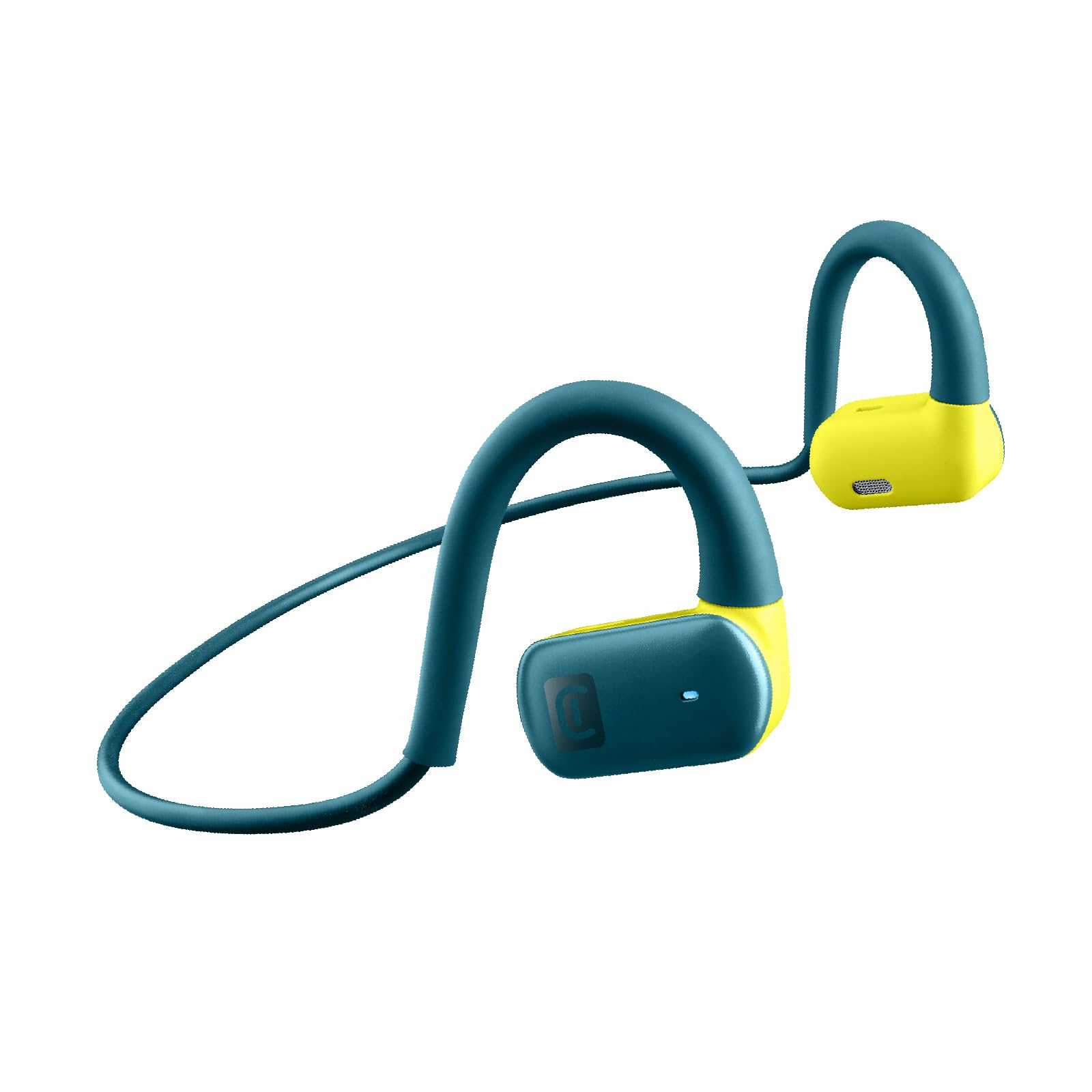
Image: The cellularline SPIRIT Open-Ear Bluetooth Sport Earphones, showcasing their design and color.

Image: A detailed view of the cellularline SPIRIT earphones, emphasizing the open-ear design for environmental awareness.

Image: A person wearing the cellularline SPIRIT earphones while running, demonstrating the ability to listen to music and remain aware of their surroundings.

Image: A cyclist wearing the cellularline SPIRIT earphones, illustrating how the open-ear design allows for safety and connectivity during activities.
What's in the Box
- cellularline SPIRIT Bluetooth Earphones
- Charging Cable
- User Manual
Setup
1. Charging the Earphones
Before first use, fully charge your SPIRIT earphones. Connect the provided charging cable to the charging port on the earphones and to a USB power source. The charging indicator light will show the charging status. A full charge takes approximately 1.5 hours and provides up to 7 hours of playback time.

Image: The cellularline SPIRIT earphones highlighting their 7-hour total play time on a light background.
2. Pairing with a Bluetooth Device
- Ensure the earphones are turned off.
- Press and hold the multi-function button on the earphones until the LED indicator flashes blue and red, indicating pairing mode.
- On your device (smartphone, tablet, etc.), enable Bluetooth and search for available devices.
- Select "SPIRIT" from the list of found devices.
- Once connected, the LED indicator on the earphones will flash blue slowly.
The earphones will automatically attempt to reconnect to the last paired device when powered on.
Operating Instructions
Power On/Off
- Power On: Press and hold the multi-function button for approximately 3 seconds until the LED indicator flashes blue.
- Power Off: Press and hold the multi-function button for approximately 5 seconds until the LED indicator flashes red and then turns off.
Music Playback
- Play/Pause: Press the multi-function button once.
- Next Track: Double-press the multi-function button.
- Previous Track: Triple-press the multi-function button.
Call Management
- Answer/End Call: Press the multi-function button once.
- Reject Call: Press and hold the multi-function button for 2 seconds.
Voice Assistant
To activate your device's voice assistant (e.g., Siri, Google Assistant), press the multi-function button for 2 seconds until you hear a prompt.
Maintenance
Cleaning
Wipe the earphones with a soft, dry, or slightly damp cloth. Do not use harsh chemicals or abrasive materials. Ensure the charging port is dry before charging.
Storage
Store the earphones in a cool, dry place away from direct sunlight and extreme temperatures. Avoid storing them with sharp objects that could cause damage.

Image: The cellularline SPIRIT earphones showing their flexible and stable design, indicating comfort during wear.
Troubleshooting
| Problem | Solution |
|---|---|
| Earphones do not turn on. | Ensure the earphones are fully charged. Connect them to a power source using the charging cable. |
| Cannot pair with a device. |
|
| No sound or low volume. |
|
| Intermittent connection. |
|
Specifications
- Model Name: BTSPIRITL
- Connectivity: Wireless (Bluetooth 4.0)
- Bluetooth Range: Up to 10 meters
- Earphone Type: Open-ear, On-ear
- Audio Driver Type: Air Conduction Technology
- Frequency Response: 20 Hz - 20,000 Hz
- Play Time: Up to 7 hours
- Charging Time: Approximately 1.5 hours
- Water Resistance: IPX4 (Sweat and splash resistant)
- Material: Silicone Rubber
- Features: Built-in microphone, Voice Assistant support

Image: The cellularline SPIRIT earphones with water droplets on the surface, illustrating their sweat and rain-proof design (IPX4).
Warranty and Support
This product comes with a 2-year warranty from the date of purchase. For warranty claims or technical support, please contact cellularline customer service through their official website or the retailer where the product was purchased. Please retain your proof of purchase for warranty validation.
For more information, visit the official cellularline website: www.cellularline.com
Related documentsBTSPIRITL


Ask a question about this manual
Ask about setup, troubleshooting, compatibility, parts, safety, or missing instructions. Manuals+ will review the question and use this page’s manual context to help answer it.