
1. Product Overview
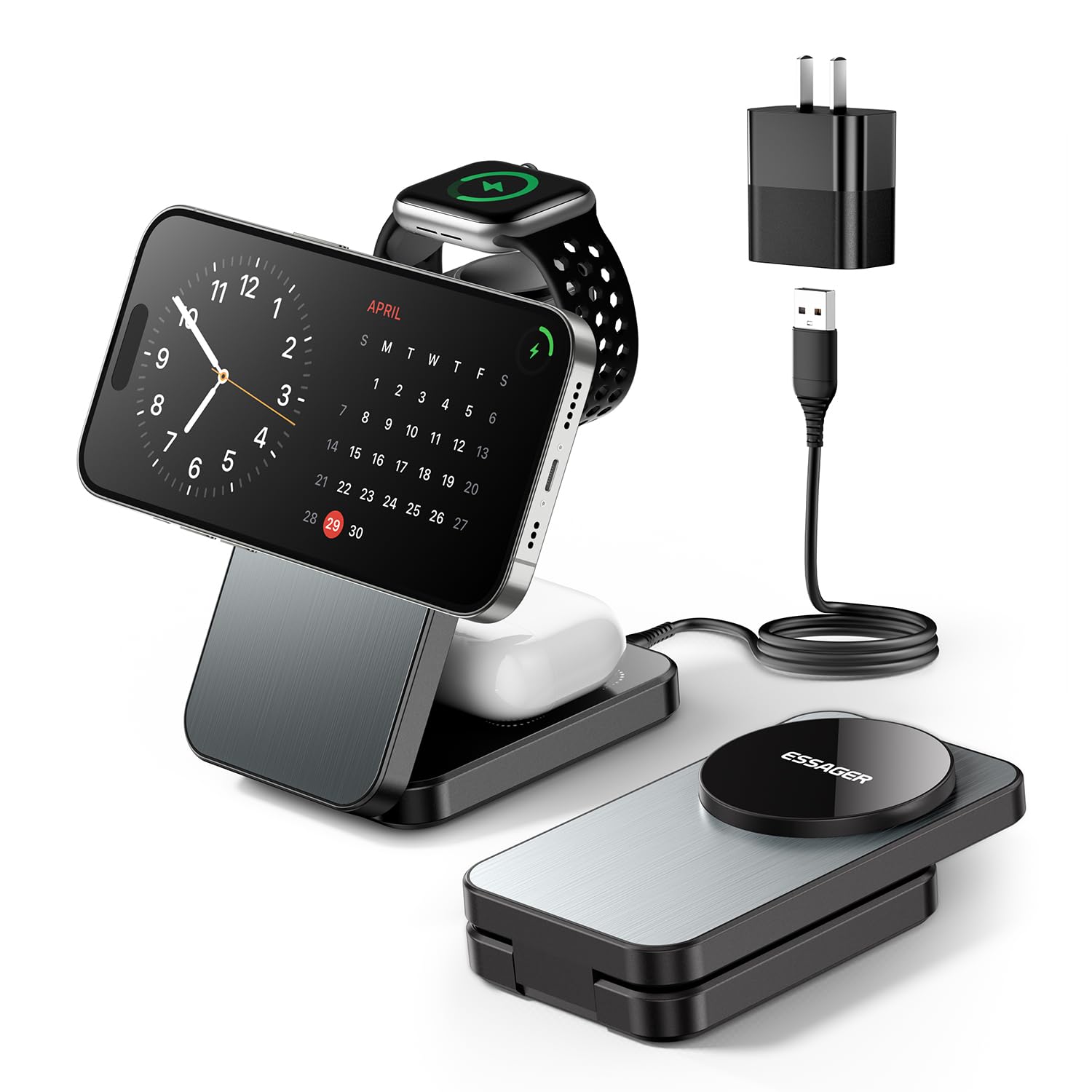
The ESSAGER 3-in-1 Foldable Travel Wireless Charger is a versatile charging solution designed for convenience and efficiency. It allows simultaneous wireless charging for your iPhone, Apple Watch, and AirPods. Its compact, foldable design makes it ideal for both home and travel use.
- 3-in-1 Charging: Simultaneously charges iPhone, Apple Watch, and AirPods.
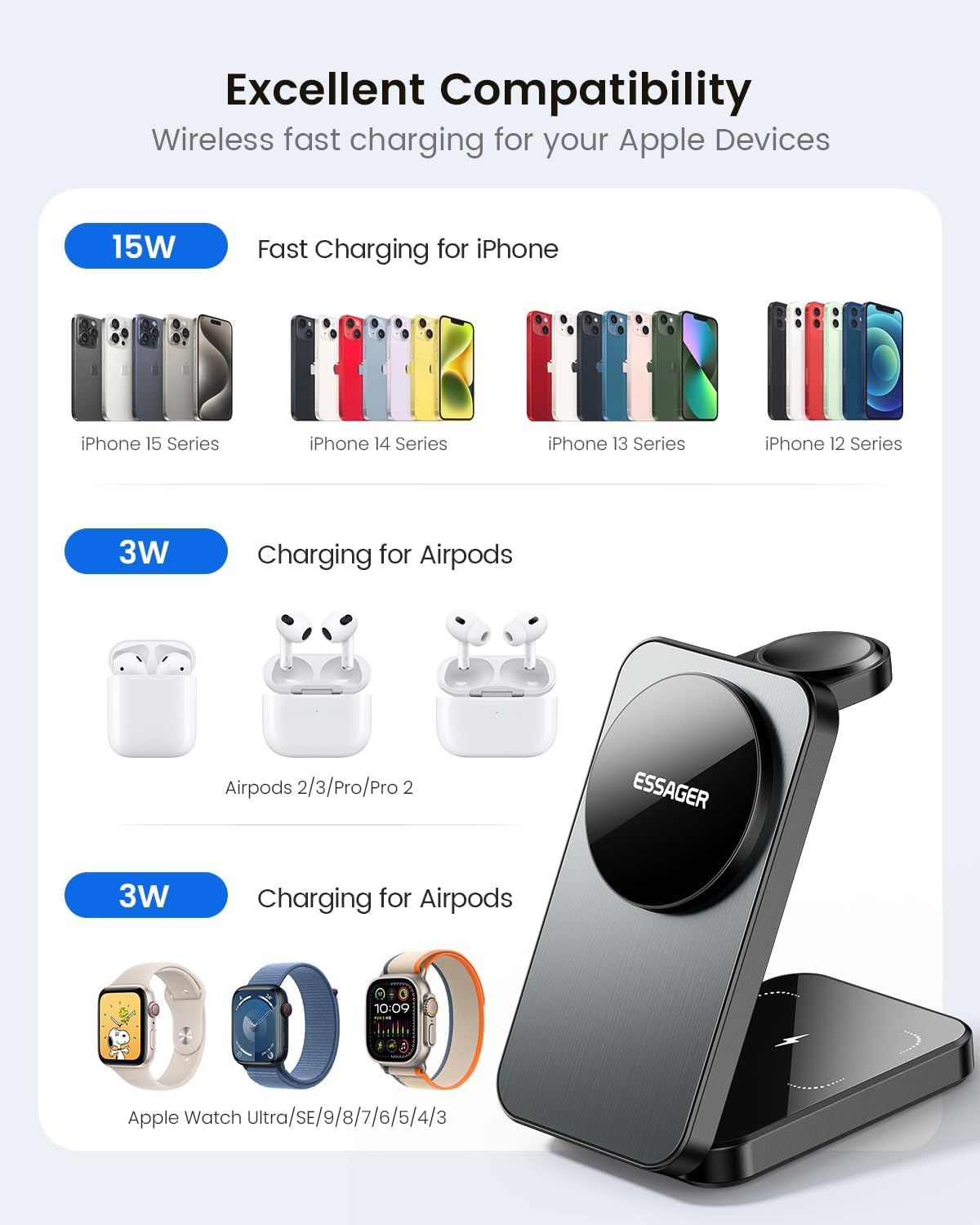
- 15W Fast Charging: Provides up to 15W for compatible iPhones.
- Magnetic Alignment: Ensures secure and efficient charging for MagSafe-compatible devices.
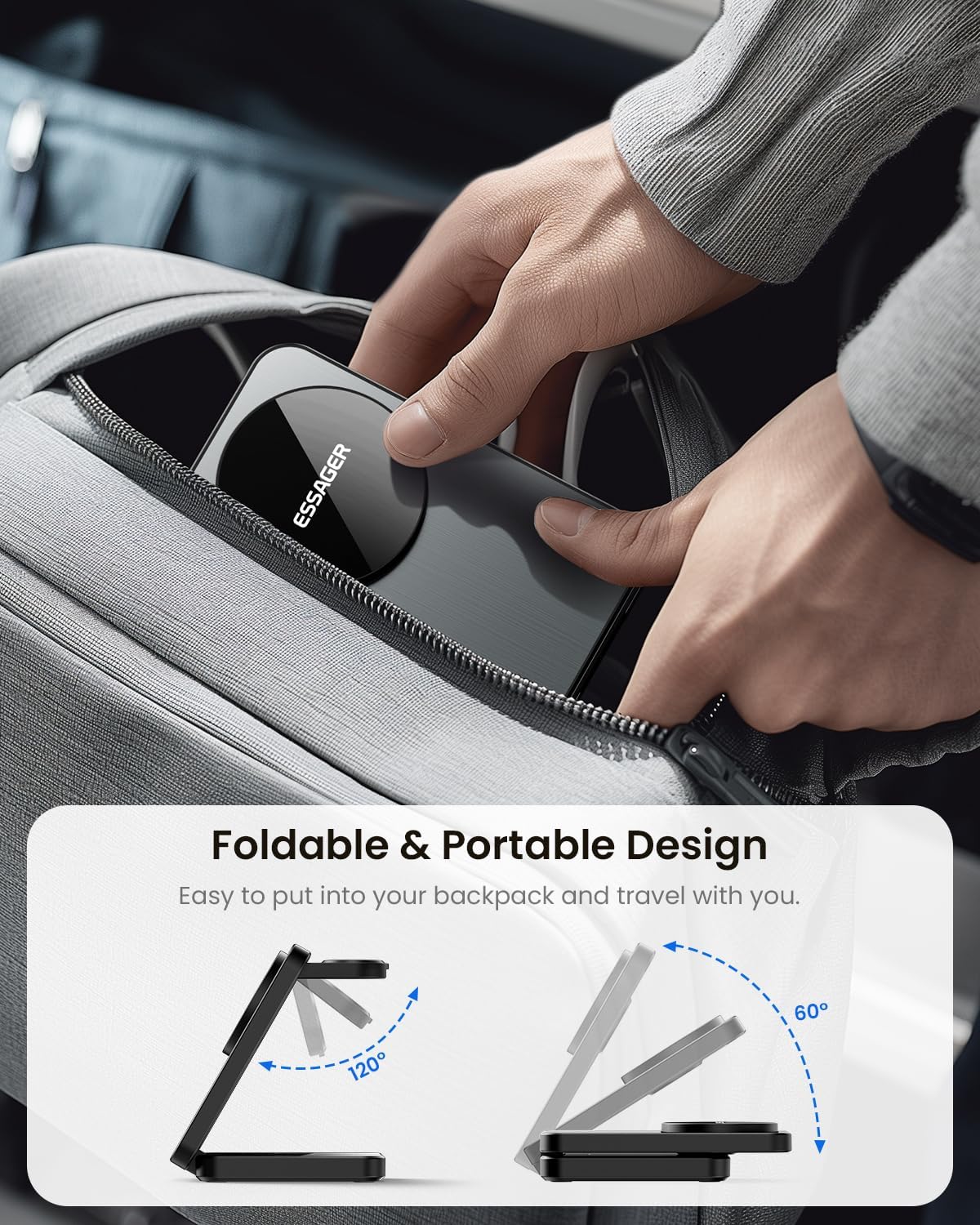
- Foldable Design: Easy to store and transport, saving space.
- Multi-Protection: Built-in safeguards against overcurrent, overvoltage, and overheating.
2. Package Contents
Please check the package for the following items:
- ESSAGER 3-in-1 Foldable Wireless Charger
- USB Type-C Charging Cable
- 20W Power Adapter
- User Manual
3. Setup Instructions
- Connect Power: Plug the USB Type-C cable into the charging port on the back of the wireless charger. Connect the other end of the cable to the included 20W power adapter, then plug the adapter into a wall outlet.
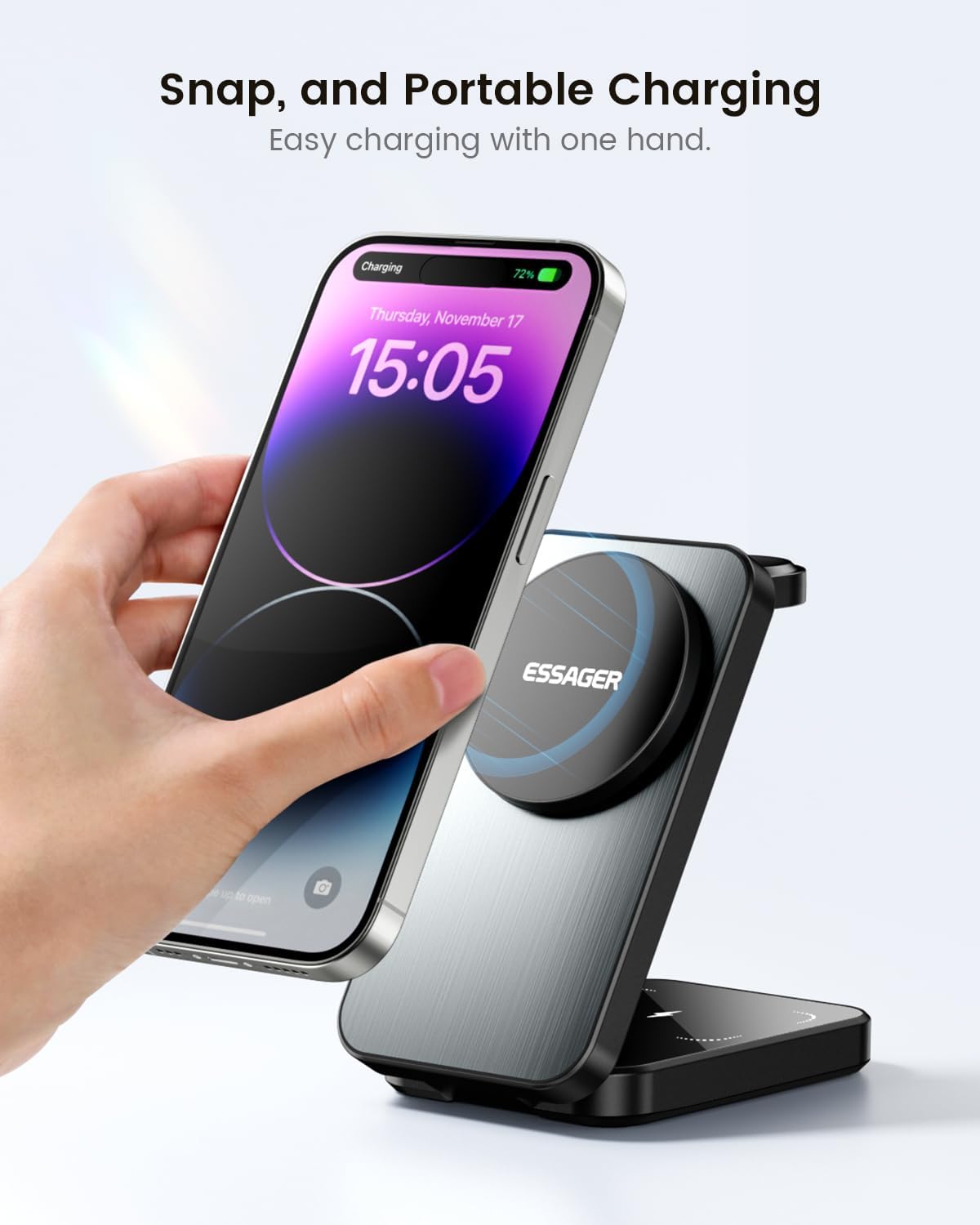
- Unfold the Charger: Gently unfold the charging station to its desired upright position. The magnetic phone charging pad will stand vertically, and the Apple Watch charging arm will extend.
- Placement: Place the charger on a flat, stable surface.
4. Operating Instructions
This charger supports simultaneous charging for up to three devices:
- For iPhone (15W): Place your MagSafe-compatible iPhone (iPhone 12 series and above) onto the vertical magnetic charging pad. The phone can be charged in both horizontal and vertical orientations. Ensure proper magnetic alignment for optimal charging.
- For Apple Watch (3W): Place your Apple Watch onto the dedicated charging arm. The watch will magnetically attach and begin charging. Note: If your Apple Watch has a heavy strap or metal strap, it may affect charging. Please remove the strap if necessary.
- For AirPods (3W): Place your AirPods charging case (AirPods 2, 3, 4, Pro, Pro 2) onto the flat charging pad at the base of the station.
LED Indicators:
- Green: Standby mode.
- Blue: Device is charging.
- Blue-Green Flashing: Foreign object detected. Remove any foreign objects from the charging area.


5. Compatibility
The ESSAGER 3-in-1 Wireless Charger is compatible with the following devices:
- iPhones: iPhone 16, 15, 14, 13, 12 series and above (MagSafe compatible).
- Apple Watch: Series Ultra, 9, 8, 7, 6, 5, 4, 3, 2, SE.
- AirPods: AirPods 2, 3, 4, Pro, Pro 2.
- Also compatible with other Qi-enabled phones when using a magnetic phone case.
6. Safety Features
Your safety is paramount. The ESSAGER 3-in-1 Wireless Charger incorporates multiple protection mechanisms:
- Overcurrent Protection
- Overvoltage Protection
- Overheat Protection
- Foreign Object Detection (FOD)
- Short Circuit Protection
- Power Protection
- Electromagnetic Field Protection
These features prevent overcharging and safeguard your device's battery health, ensuring a safe charging experience.

7. Maintenance
To ensure the longevity and optimal performance of your wireless charger, follow these maintenance guidelines:
- Cleaning: Disconnect the charger from power before cleaning. Use a soft, dry cloth to wipe the surface. Avoid using harsh chemicals or abrasive materials.
- Storage: When not in use or for travel, fold the charger into its compact form. Store it in a cool, dry place away from direct sunlight and extreme temperatures.
- Handling: Avoid dropping the charger or subjecting it to strong impacts. Do not disassemble or attempt to repair the device yourself.
8. Troubleshooting
If you encounter issues with your ESSAGER 3-in-1 Wireless Charger, please refer to the following common solutions:
- Device Not Charging:
- Ensure the charger is properly connected to the 20W power adapter and a working wall outlet.
- Check if your device is correctly aligned on the charging pad. For iPhones, ensure magnetic alignment.
- Remove any thick or non-magnetic phone cases that might interfere with wireless charging.
- Verify that no foreign objects are on the charging surface (LED will flash blue-green).
- Restart your device and try again.
- Slow Charging:
- Ensure you are using the included 20W power adapter and USB Type-C cable. Lower wattage adapters may result in slower charging.
- Avoid charging multiple devices simultaneously if you require maximum speed for a single device.
- Ensure proper alignment of your device on the charging pad.
- LED Indicator Flashing Blue-Green:
- This indicates Foreign Object Detection (FOD). Remove any metal objects, cards, or other foreign materials from the charging surface.
- Overheating:
- It is normal for the charger and device to become slightly warm during charging. If it becomes excessively hot, disconnect the power immediately and contact support.
9. Specifications
| Feature | Specification |
|---|---|
| Model | QJD-112 |
| Brand | ESSAGER |
| Input Voltage | 240 Volts |
| Phone Output | Up to 15W |
| Earbuds Output | Up to 3W |
| Watch Output | Up to 3W |
| Total USB Ports | 1 (USB Type C) |
| Output Current | 3 Amps |
| Item Weight | 8.8 ounces |
| Package Dimensions | 5.31 x 5.24 x 1.26 inches |
| Special Feature | Foldable, MagSafe Compatible, Travel |
| Manufacturer | Shenzhen Huachuangzhibo Technology Co., LTD |
10. Warranty and Support
For warranty information or technical support, please refer to the product packaging or contact ESSAGER customer service through the retailer where the product was purchased. Keep your purchase receipt as proof of purchase.