
1. Introduction
Thank you for choosing the Greluma PIR Motion Sensor Light Switch. This device is designed to automatically control lighting based on motion detection, offering convenience and energy efficiency. It features a slim profile, 360-degree detection, and adjustable settings for light sensitivity and time delay. Please read this manual thoroughly before installation and operation to ensure proper use and safety.

Image 1: Greluma PIR Motion Sensor Light Switch with key features highlighted. This image shows the front view of the sensor, its adjustment knobs for time and LUX, and connection terminals. Icons around it indicate 360-degree detection, 6m max range, 220-240VAC dual voltages, 10s-7min time delay, 3-2000 lux ambient light, and 2.5-3.5m installation height.
2. Safety Information
- Electrical Hazard: Installation must be performed by a qualified electrician or competent person. Ensure power is disconnected at the circuit breaker before installation or maintenance.
- Voltage: This device operates on AC 220-240V. Do not connect to other voltage sources.
- Load Capacity: Do not exceed the maximum load of 2000W.
- Indoor Use Only: This product is designed for indoor use in dry environments. Avoid installation in areas with high humidity or direct water exposure.
- Mounting: Ensure the mounting surface is stable and can support the device.
3. Product Features
- Ultra-Thin Design: Features an incredibly thin profile of only 24mm, maintaining a clean ceiling line.
- Comprehensive Detection: Offers 360-degree surround and 160-degree downward detection. Maximum detection range of 6 meters (with clear line of sight) at 24°C operating temperature.
- Adjustable Light Sensor: Light sensor value from 3 to 2000 Lux. 'Sun' position (max LUX) allows operation day and night. 'Moon' position (min LUX) activates only when ambient light is below 3 Lux.
- Adjustable Time Delay: Delay time adjustable from 10 seconds (±3s) to 7 minutes (±2min). The delay recalculates if new motion is detected during the active period.
- Versatile Application: Suitable for laundry rooms, hallways, garages, or dressing rooms. Can also integrate with alarm systems. Provides discreet 24/7 protection.
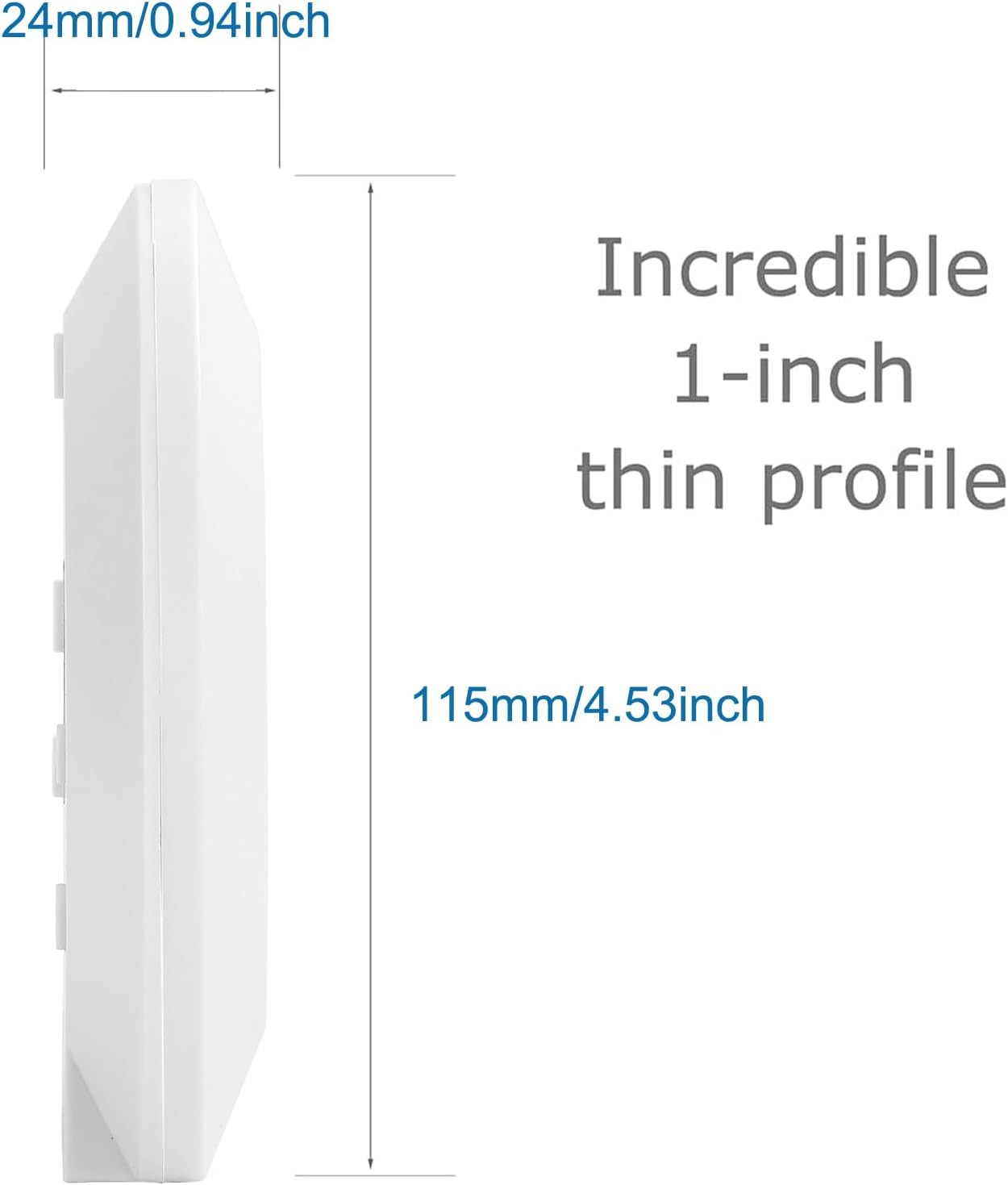
Image 2: Side view of the Greluma PIR Motion Sensor, illustrating its ultra-thin profile of 24mm (0.94 inches) and a diameter of 115mm (4.53 inches).
4. Specifications
| Brand | Greluma |
| Model Number | ZL970LUM |
| Power Source | AC 220-240V |
| Max Load | 2000W |
| Detection Range | Max 6 meters (at 24°C) |
| Detection Angle | 360° surround, 160° downward |
| Light Sensor (LUX) | 3 - 2000 Lux (adjustable) |
| Time Delay | 10s ± 3s to 7min ± 2min (adjustable) |
| Mounting Type | Ceiling Mount |
| Recommended Installation Height | 2.5 - 3.5 meters |
| Product Dimensions (L x W x H) | 12 x 12 x 3.8 cm |
| Item Weight | 121 Grams |
| Color | White |
| Compatible Devices | Alarm systems, lighting controls |
| Box Contents | PIR Ceiling Sensor Switch |
5. Installation Guide
Important: Ensure power is OFF at the main circuit breaker before beginning installation.
- Choose Location: Select a suitable ceiling location, ideally between 2.5 to 3.5 meters high, where the sensor has an unobstructed view of the area to be monitored. Avoid placing near heat sources, air conditioning vents, or direct sunlight, which can cause false triggers.
- Prepare Wiring: Route the AC 220-240V power supply cables and the load cables (to your light fixture) to the chosen installation point.
- Connect Wires: Open the sensor housing carefully. Connect the wires according to the wiring diagram below. Ensure all connections are secure.
- N (Input Neutral): Connect the neutral wire from your power supply.
- L (Input Live): Connect the live wire from your power supply.
- N (Output Neutral): Connect the neutral wire to your light fixture.
- L (Output Live): Connect the live wire to your light fixture.
- Mount the Sensor: Secure the sensor base to the ceiling using appropriate screws and anchors. Ensure it is firmly attached.
- Close Housing: Reattach the sensor cover, ensuring it is properly sealed.
- Restore Power: Turn the power back ON at the circuit breaker.

Image 3: Wiring Guide for the Greluma PIR Motion Sensor. The diagram shows connections for Input (N~IN, L~IN) and Load (N, L) terminals. It also indicates the 'TIME' and 'LUX' adjustment knobs.
6. Operation and Adjustment
The sensor has two adjustable knobs: TIME and LUX.
- TIME Adjustment: This knob controls how long the light stays on after motion is detected and then stops. Rotate clockwise to increase the delay time (up to 7 minutes ± 2 minutes) and counter-clockwise to decrease it (down to 10 seconds ± 3 seconds).
- LUX Adjustment (Ambient Light Sensitivity): This knob determines the ambient light level at which the sensor will activate.
- Rotate towards the "☀" (Sun) symbol for maximum LUX sensitivity. In this position, the sensor will operate day and night, regardless of ambient light.
- Rotate towards the "🌙" (Moon) symbol for minimum LUX sensitivity. In this position, the sensor will only activate when the ambient light is below approximately 3 Lux (i.e., in dark conditions).
7. Optimal Performance Considerations
For the best performance of your motion sensor, consider the following:
- Distance from Light Fixtures: The sensor has a built-in photocell. To prevent the light from staying on unnecessarily or flickering, install the sensor at least 50cm (20 inches) away from any light fixture it controls. This minimizes interference with the sensor's ambient light detection.
- Obstructions: Ensure there are no large obstructions (e.g., tall furniture, partitions) that could block the sensor's field of view.
- Temperature: The detection range is specified at 24°C. Extreme temperatures can affect performance.

Image 4: Diagram illustrating the recommended minimum distance of 50cm between the motion sensor and a light fixture for optimal performance, to prevent interference with the built-in photocell.
8. Maintenance
The Greluma PIR Motion Sensor Light Switch requires minimal maintenance.
- Cleaning: Periodically wipe the sensor lens with a soft, dry cloth to remove dust or dirt that might obstruct detection. Do not use abrasive cleaners or solvents.
- Inspection: Occasionally check the wiring connections to ensure they remain secure.
9. Troubleshooting
| Problem | Possible Cause | Solution |
|---|---|---|
| Light does not turn on when motion is detected. |
|
|
| Light stays on continuously or turns on without motion. |
|
|
| Light turns off too quickly or too slowly. | TIME setting is incorrect. | Adjust the TIME knob to your desired delay. |
10. Warranty and Support
Greluma products are designed for reliability and performance. For specific warranty information, please refer to the documentation provided with your purchase or contact your retailer. If you encounter any issues or require technical assistance, please contact Greluma customer support through the retailer's platform or the official Greluma website.