
Introduction
Thank you for choosing the ANTELA Smart Mini Plug. This device allows you to control your electronic appliances remotely, monitor energy consumption, and integrate with smart home assistants like Amazon Alexa and Google Home. Its compact design ensures it does not obstruct adjacent outlets.

Image: The ANTELA Smart Mini Plug showcasing its compact size and key features including Wi-Fi connection, voice control, remote control, timer setting, app control, and energy monitoring.
Setup
- Download the App: Search for "Smart Life" or "Tuya Smart" in your smartphone's app store (compatible with Android 4.4 / iOS 8.0 and later) and install it.
- Register/Log In: Open the app and register a new account or log in if you already have one.
- Plug In the Device: Insert the ANTELA Smart Mini Plug into a standard wall outlet. The indicator light on the plug should start blinking rapidly. If it does not, press and hold the power button on the plug for 5-10 seconds until it blinks rapidly.
- Add Device in App: Open the app, tap the "+" icon (usually in the top right corner) to add a device. Select "Electrical Outlet" or "Smart Plug" from the device list.
- Connect to Wi-Fi: Confirm the indicator light is blinking rapidly. Enter your 2.4 GHz Wi-Fi network name and password. Note: The plug only supports 2.4 GHz Wi-Fi networks. 5 GHz networks are not supported.
- Pairing: The app will begin pairing with the smart plug. Once connected, you can rename the device for easier identification.
- Integrate with Voice Assistants (Optional): Follow the instructions within the Smart Life/Tuya Smart app to link your account with Amazon Alexa or Google Assistant for voice control.

Image: A smartphone displaying the Smart Life app interface for remote control of the ANTELA Smart Mini Plug, indicating 2.4GHz Wi-Fi compatibility.
Operating Instructions
Remote Control via App
Once the smart plug is successfully paired, you can control connected devices from anywhere using the Smart Life/Tuya Smart app on your smartphone. Tap the device icon to turn it on or off.
Voice Control
The ANTELA Smart Mini Plug is compatible with Amazon Alexa and Google Assistant. After linking your account, you can use voice commands to control your devices. For example:
- "Alexa, turn on the living room light."
- "Hey Google, turn off the fan."
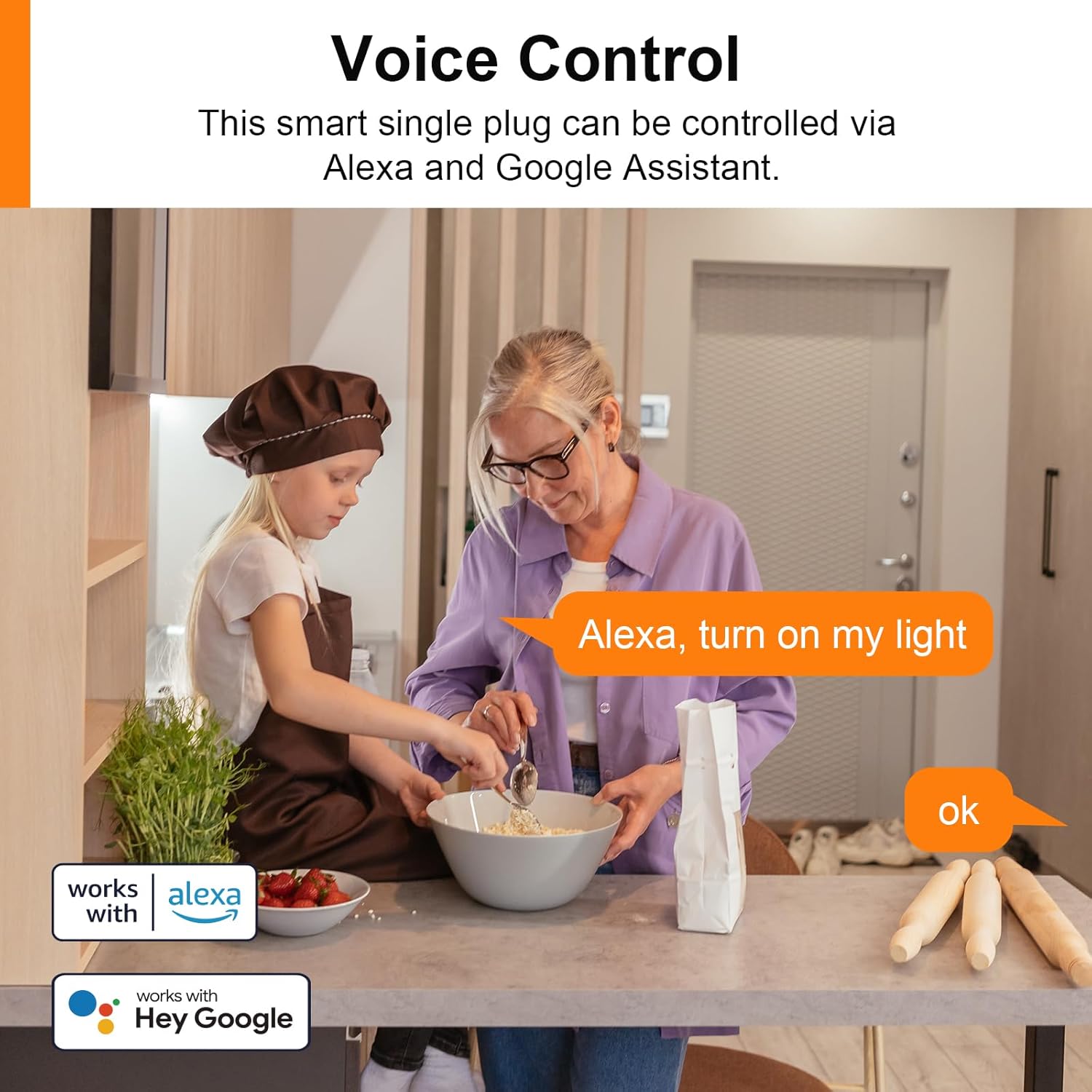
Image: A family interacting with voice assistants to control a smart plug, demonstrating compatibility with Alexa and Google Assistant.
Scheduling and Timer Functions
Set schedules or timers within the app to automatically turn devices on or off at specific times. This feature is useful for automating lights, coffee makers, or other appliances.

Image: A smartphone screen showing the scheduling interface within the app, allowing users to set specific on/off times for the smart plug.
Energy Monitoring
The built-in energy monitoring feature allows you to track the power consumption of devices connected to the smart plug. View real-time data and historical usage within the app to identify energy-saving opportunities.

Image: A smartphone displaying energy consumption statistics and a graph, illustrating the energy monitoring capability of the smart plug.
Family Sharing
Share control of your smart plug with family members through the app, allowing multiple users to manage connected devices.

Image: A group of people holding smartphones, with one phone displaying the 'Add Sharing' option in the app, indicating the family sharing feature.
Maintenance
- Cleaning: Ensure the smart plug is unplugged before cleaning. Wipe the exterior with a soft, dry cloth. Do not use liquid cleaners or abrasive materials.
- Firmware Updates: Periodically check the Smart Life/Tuya Smart app for available firmware updates to ensure optimal performance and security.
- Storage: If storing the plug for an extended period, keep it in a cool, dry place away from direct sunlight and moisture.
Troubleshooting
- Device Not Connecting to Wi-Fi:
- Ensure your Wi-Fi network is 2.4 GHz. The plug does not support 5 GHz Wi-Fi.
- Check that your Wi-Fi password is entered correctly.
- Move the smart plug closer to your Wi-Fi router.
- Reset the smart plug by holding the power button for 5-10 seconds until the indicator light blinks rapidly, then try pairing again.
- Voice Control Not Working:
- Verify that your Smart Life/Tuya Smart account is correctly linked to Amazon Alexa or Google Assistant.
- Ensure the device name in the app is recognized by your voice assistant. Try simple names.
- Check your internet connection.
- Plug Unresponsive/Power Issues:
- Ensure the plug is securely inserted into the wall outlet.
- Check if the connected appliance is working correctly when plugged directly into a wall outlet.
- If the plug becomes too hot, its built-in overheat protection may have activated, cutting power. Allow it to cool down.
- Reset the plug and re-pair it with the app.
- Socket Compatibility:
- This plug is designed for specific socket types. Ensure your wall outlet or power strip is compatible with the plug's design, particularly regarding the earth pin configuration.
Specifications
| Brand | ANTELA |
| Model Number | F1s206-EU |
| Manufacturer | ANTELA |
| Product Dimensions | 4.3 x 7.6 x 4.3 cm; 260 g |
| Maximum Current | 10 A |
| Rated Power | 2500 W |
| Input Voltage | AC 50/60 Hz (Operating Voltage: 240 V) |
| Wireless Type | Wi-Fi 2.4 GHz 802.11b/g/n |
| Third-Party Support | Alexa, Google Home |
| App OS Support | Android 4.4 / iOS 8.0 and later |
| Operating Mode | Automatic |
| Current Rating | 9.98 Ampere |
| Contact Type | Normally Open |
| Connection Type | Plug-in |
| Switch Type | Push Button |
| Terminal | Screw |
| Material | Plastic |
| Guaranteed Software Updates Until | Not specified |

Image: The ANTELA Smart Mini Plug highlighting its safety features including flame-retardant PC shell, child safety shrapnel, short circuit protection, overcurrent protection, overload protection (12A), overvoltage protection (280V AC), undervoltage protection (90V AC), and surge protection (L-N 1KV).
Warranty and Support
Warranty Information
This product comes with a standard manufacturer's warranty. Please refer to the packaging or the official ANTELA website for specific warranty terms and conditions.
Customer Support
For technical assistance, troubleshooting, or warranty claims, please contact ANTELA customer support through their official website or the contact information provided with your purchase. When contacting support, please have your model number (F1s206-EU) and purchase details ready.


