
1. Introduction
This manual provides detailed instructions for the installation, operation, and maintenance of your ANNFUZ Mechanical Keyless Entry Door Lock. This double-sided keypad lock offers a secure and convenient entry solution without the need for batteries or complex wiring, making it ideal for various applications including home doors, gates, and fences.
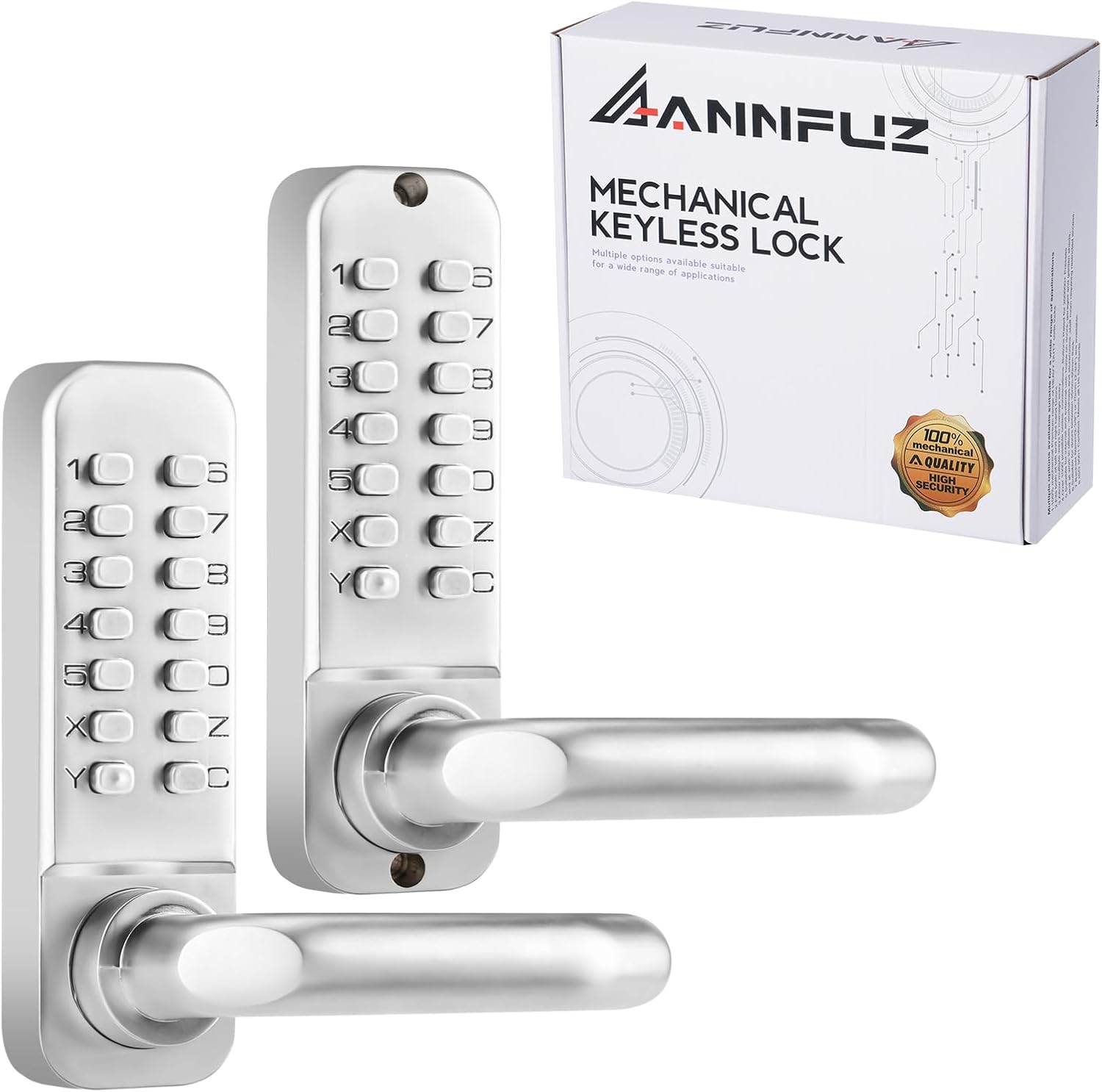
Image 1.1: ANNFUZ Mechanical Keyless Entry Door Lock (Pearl Chrome)
The ANNFUZ Mechanical Keyless Entry Door Lock is designed for durability and ease of use, featuring a solid zinc alloy construction and a purely mechanical operation. It is suitable for both left and right-handed doors and offers adjustable backset options.
2. Product Features
- Double-Sided Keypads: Allows setting two independent and different codes for entry from both inside and outside.
- Full Mechanical Operation: No batteries, power, or wiring required, ensuring reliability and eliminating concerns about power failure.
- Auto-Lock Function: Automatically locks the door after closing, providing peace of mind.
- Passage Mode: Converts the lock into an ordinary door handle, allowing free entry and exit without a password when activated.
- Easy Code Setup: Passwords can be 4-7 digits, composed of numbers or letters (no repeats), excluding button 'C'. Always press 'C' before entering the code.
- Durable Construction: Made from solid zinc alloy with long-lasting plating, suitable for outdoor use.
- Adjustable Handle: Works with both left and right-handed doors.
- Applicable Door Thickness: Suitable for doors with 30mm-55mm (1.2in-2.17in) thickness.
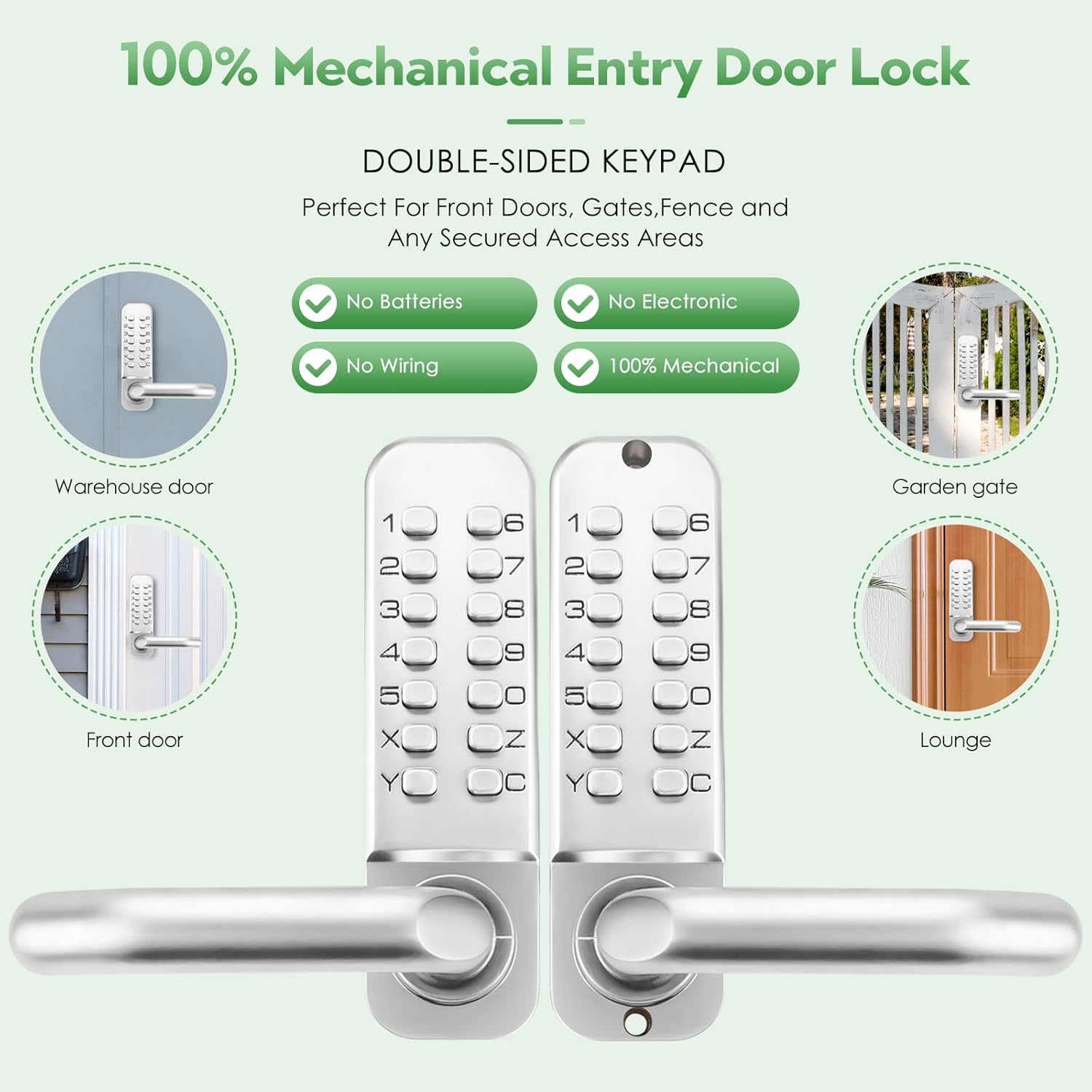
Image 2.1: Key Features of the Mechanical Keyless Entry Door Lock
3. Package Contents
Verify that all components are present before beginning installation:

Image 3.1: Included Components
- Interior Keypad Panel (with screw hole)
- 2x Thick Rubber Bracket, 2x Thin Rubber Bracket
- Exterior Keypad Panel
- 1x Spindle with Spring 50mm (1.97"), 1x Spindle with Spring 57mm (2.24"), 1x Spindle with Spring 63mm (2.48"), 1x Spindle with Spring 69mm (2.72")
- 1x Adjustable 60mm/70mm Backset Latch
- Strike Plate
- 7x Wood Screws
- 3x Screw bolts M4*M5*35mm, 3x Screw bolts M4*M5*42mm, 3x Screws M4*35mm, 3x Screws M4*50mm
- Strike Box
- Phillips Screwdriver (Shank diameter 5mm)
4. Specifications
| Feature | Detail |
|---|---|
| Brand | ANNFUZ |
| Model Name | Double-Sided Mechanical Keyless Entry Door Lock with Keypad 7208B |
| Item Model Number | 7208A |
| Color | Pearl Chrome |
| Material | Zinc |
| Lock Type | Keypad |
| Special Feature | Auto-Lock, Passcode Unlock, Resettable |
| Item Dimensions (L x W x H) | 3.3 x 5.5 x 1.9 inches |
| Item Weight | 2.8 Pounds |
| Door Thickness Compatibility | 30mm-55mm (1.2in-2.17in) |
| Backset Compatibility | 60mm (2.36") and 70mm (2.75") |
| Batteries Required | No |
| UPC | 717326266323 |
5. Installation Guide
Follow these steps carefully for proper installation. A Phillips screwdriver with a shank diameter of 5mm and a shank length of at least 50mm is recommended.
5.1. Adjusting Handle Direction
The lock handles can be adjusted for left or right-handed door configurations. The original mode has handles facing upwards. To change the direction:
- Locate the cross hole on the back of the lock panel.
- Use a small screwdriver to loosen the internal mechanism.
- Adjust the handle to the desired left or right direction.
- Tighten the screws to secure the handle direction.

Image 5.1: Door Dimensions and Backset
5.2. Setting the Passcode
The lock is initially set to 'no password' mode. To set a password:
- On the back of the lock panel, observe the 'fish eyes' indicators. If all 'fish eyes' face inwards, it is in 'no code set' status.
- To set a password, press down with a screwdriver on the desired number/letter and rotate it 180 degrees so the 'fish eye' faces outwards (towards the number).
- Repeat for all digits of your desired password (4-7 digits). The combination code can be used in any order.
- Always press button 'C' before entering the code.
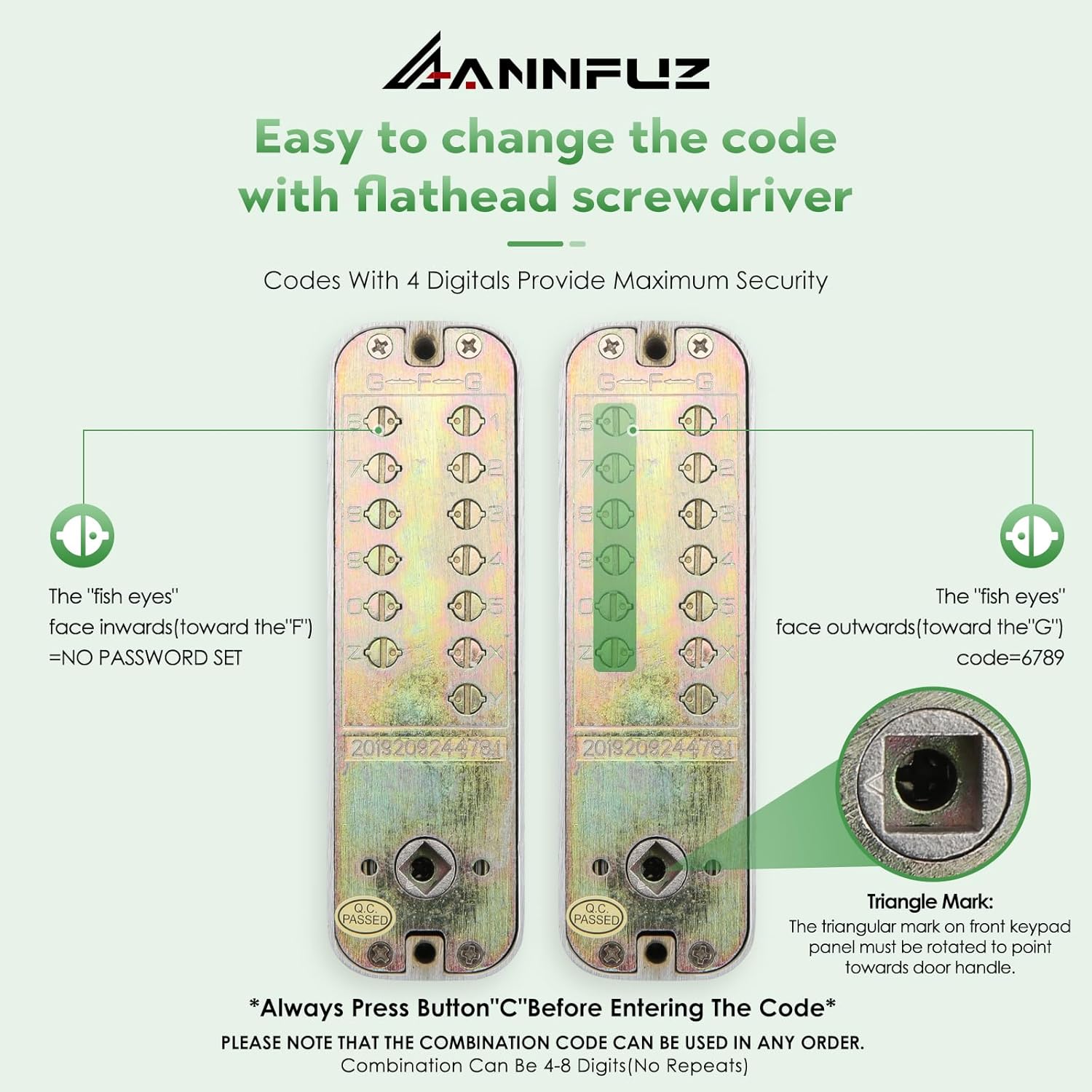
Image 5.2: Code Setting Mechanism
5.3. General Installation Steps
Refer to the video below for a visual guide on the complete installation process.
Video 5.1: How to Install the ANNFUZ Double-Sided Mechanical Lock
This video demonstrates the step-by-step installation of the ANNFUZ double-sided mechanical lock, including handle adjustment, passcode setting, latch installation, and panel assembly.
- Confirm Installation Position: Ensure the door is prepared with the correct holes and backset.
- Install the Latch: Insert the adjustable backset latch into the door edge and secure it with screws.
- Adjust the Handle: As described in Section 5.1, adjust the handle direction on both the interior and exterior panels.
- Set a Passcode: As described in Section 5.2, set your desired passcode on both the interior and exterior panels.
- Install Front and Back Panels: Carefully align and install the exterior and interior keypad panels, ensuring the spindle is correctly inserted and the triangular mark on the front keypad panel points towards the door handle. Secure with the provided screws.
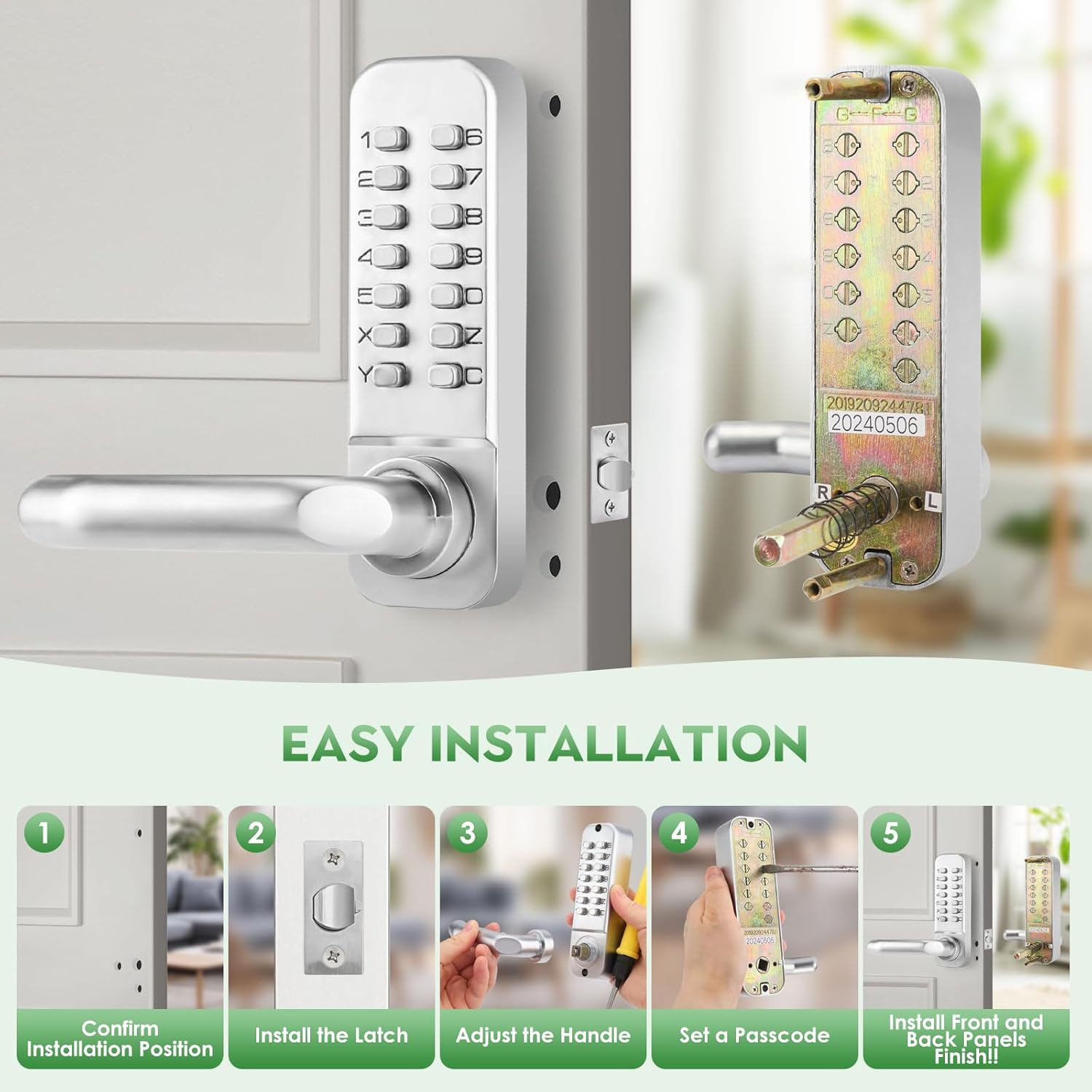
Image 5.3: Easy Installation Steps Overview
6. Operating Instructions
6.1. Entering a Code
To unlock the door using a passcode:
- Press the 'C' button to clear any previous entries.
- Enter your 4-7 digit passcode. The digits can be pressed in any order.
- Turn the handle to open the door.
6.2. Auto-Lock Function
The lock is designed to automatically engage after the door is closed. This feature ensures security without manual locking after each entry or exit.
6.3. Passage Mode
To activate Passage Mode (no password required):
- Locate the Passage Mode switch (refer to product diagrams if unsure).
- Engage the switch to activate Passage Mode. The lock will now function as a standard door handle.
- To resume automatic locking and passcode entry, disengage the Passage Mode switch.

Image 6.1: Mechanical Code Entry Lock Features
7. Maintenance
To ensure the longevity and optimal performance of your ANNFUZ Mechanical Keyless Entry Door Lock, follow these maintenance guidelines:
- Cleaning: Wipe the lock surface regularly with a soft, damp cloth. Avoid abrasive cleaners, solvents, or harsh chemicals, as these can damage the finish.
- Lubrication: Periodically apply a small amount of silicone-based lubricant to the internal moving parts, such as the latch mechanism, to ensure smooth operation. Avoid oil-based lubricants as they can attract dust and debris.
- Inspection: Routinely check all screws and fasteners to ensure they are tight. Loose components can affect the lock's functionality and security.
- Environmental Protection: While the lock is designed for outdoor use, extreme weather conditions can impact its lifespan. Consider adding a protective cover if exposed to severe elements.
8. Troubleshooting
If you encounter issues with your lock, refer to the following common problems and solutions:
- Handle is loose or not engaging: Ensure all mounting screws are tightened securely. Recheck the handle direction adjustment (Section 5.1) and ensure the spindle is correctly seated.
- Passcode not working:
- Ensure you are pressing the 'C' button before entering the code.
- Verify that the correct passcode has been set on both the interior and exterior panels (Section 5.2).
- Check if Passage Mode is accidentally activated.
- Latch not retracting or extending smoothly:
- Inspect the latch for any obstructions in the door frame or strike plate.
- Apply a silicone-based lubricant to the latch mechanism.
- Ensure the latch is installed correctly and not binding (refer to installation video).
- Difficulty turning the handle after entering the code: This may indicate an issue with the internal mechanism or spindle alignment. Re-check the installation steps, particularly the spindle insertion and panel alignment.
If problems persist after attempting these troubleshooting steps, please contact ANNFUZ customer support for further assistance.
9. Warranty and Support
ANNFUZ products are manufactured with quality and durability in mind. For warranty information or technical support, please refer to the contact details provided with your purchase or visit the official ANNFUZ website. Please have your model number (7208A) and purchase details ready when contacting support.
