1. Introduction
Thank you for choosing the UCOCARE Mini 4G Camera. This portable surveillance camera is designed to provide reliable security monitoring in various environments, especially where Wi-Fi is unavailable. Featuring 4G LTE connectivity, a long-lasting 5200mAh battery, 1080P HD video, and advanced motion detection, it ensures you stay connected and informed. This manual will guide you through the setup, operation, and maintenance of your new camera.
2. Package Contents
Please verify that all items are present in your package:
- UCOCARE Surveillance Camera
- 4G SIM Card (pre-installed or included separately)
- Mounting Bracket
- Charging Cable
- Screw Pack
- User Manual (this document)
3. Setup Guide
Follow these steps to set up your UCOCARE Mini 4G Camera:
- Download the App: Search for and download the "UBox" app from your smartphone's app store (iOS or Android).
Image: A smartphone screen showing the UBox app icon and a download button.

- Insert 4G SIM Card: Open the SIM card slot on the camera and insert the provided 4G SIM card. Ensure it is correctly oriented.
Image: A hand inserting a 4G SIM card into the side slot of the mini camera.

- Power On and Wait for Indicator: Power on the camera. Wait for the blue indicator light to become solid, indicating a stable 4G connection.
Image: The mini camera with a solid blue indicator light.

- Scan QR Code: Open the UBox app, add a new device, and scan the QR code displayed on the camera or in the manual to pair it with your smartphone.
Image: A smartphone scanning a QR code on the camera for pairing.

4. Operating Instructions
4.1. 4G LTE Connectivity
The UCOCARE Mini 4G Camera operates on the 4G LTE network, making it ideal for locations without Wi-Fi access. It comes with a prepaid 4G SIM card with 300MB of free data to get you started. You can easily renew your data plan through the app or use SIM cards from other compatible carriers such as SFR, Bouygues, Orange, Telefónica, Móviles, Wind Tre, Vodafone, Iliad, and O2.
Image: Diagram showing 4G LTE connectivity and compatible SIM card providers.

4.2. Power and Battery Life
Equipped with a 5200mAh battery and advanced low-power technology, the camera offers extended usage time, lasting significantly longer than other mini cameras. This ensures continuous monitoring with fewer recharges.
Image: Illustration of the 5200mAh battery and low-power technology.

4.3. Portability and Versatile Usage
The compact and wireless design of the UCOCARE Mini 4G Camera makes it highly portable and easy to install in various locations. It's perfect for monitoring in vehicles, remote cabins, motorhomes, and during camping trips, providing security wherever you need it without relying on Wi-Fi.
Image: The mini camera being carried in a pocket, and examples of its use in vehicles, remote cabins, motorhomes, and camping.

4.4. Video Quality and Field of View
The camera records in 1080P HD, providing clear and detailed images. Its 160° wide-angle lens and 10x digital zoom ensure broad coverage, capturing more of the scene. Enhanced image processing technology adjusts brightness for optimal quality even in low light. For night surveillance, reinforced IR LEDs provide clear visibility up to 10 meters.
Image: Day and night vision capabilities, showing clarity up to 40m during the day and 10m at night.

4.5. Motion Detection and Alerts
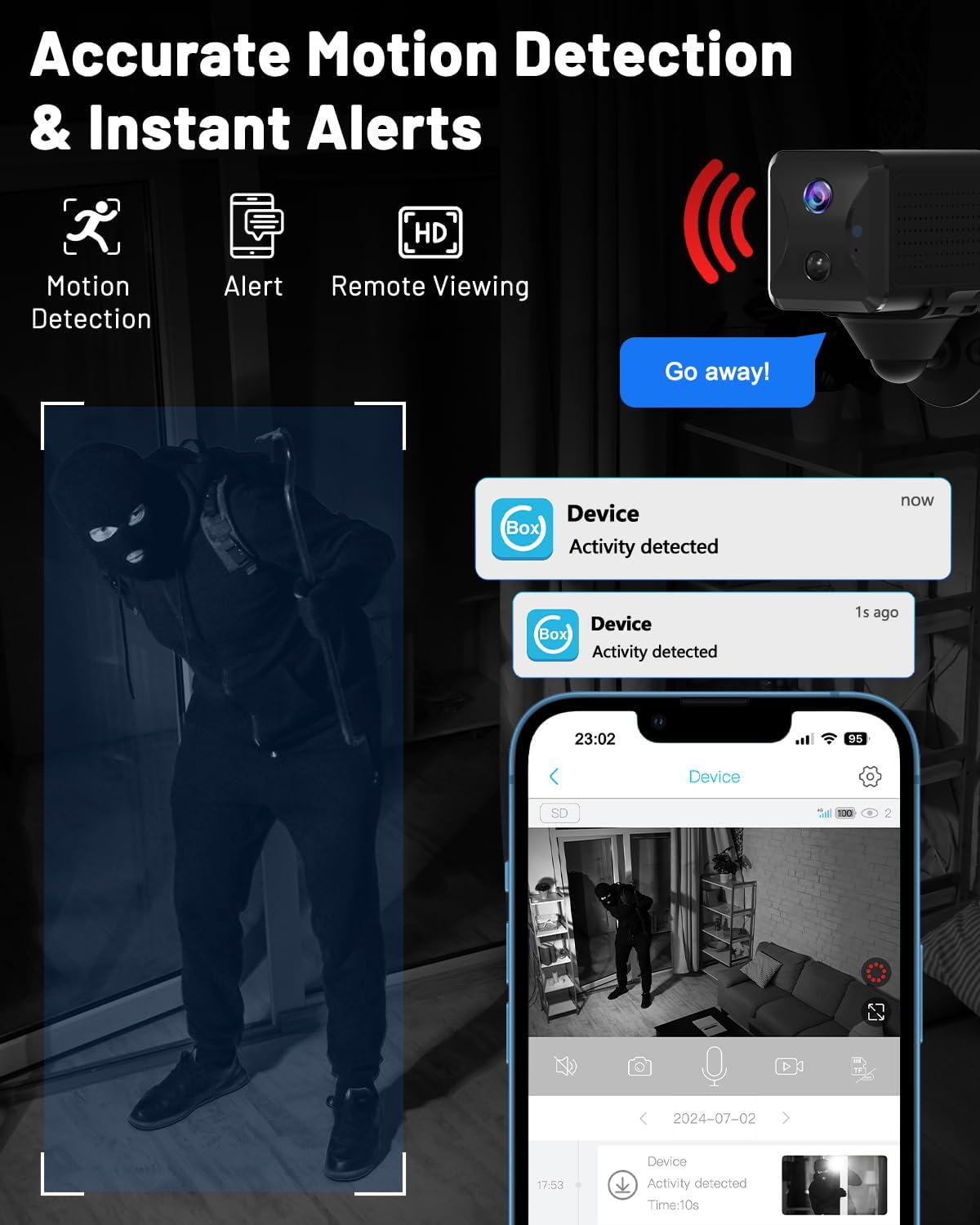
Utilizing AI, the camera accurately detects people, cars, and animals, minimizing false alarms. Upon detection, it sends instant alerts to your smartphone. You can customize alert sensitivity and scheduling via the app to suit your needs.
Image: Visual representation of motion detection and instant alerts on a smartphone.

4.6. Two-Way Audio and Remote Viewing
Through the UBox app, you can access a live view of the camera's feed from anywhere. The built-in microphone and speaker enable two-way audio communication, allowing you to speak with individuals near the camera in real-time.
Image: A person viewing live camera feed and communicating via smartphone app.
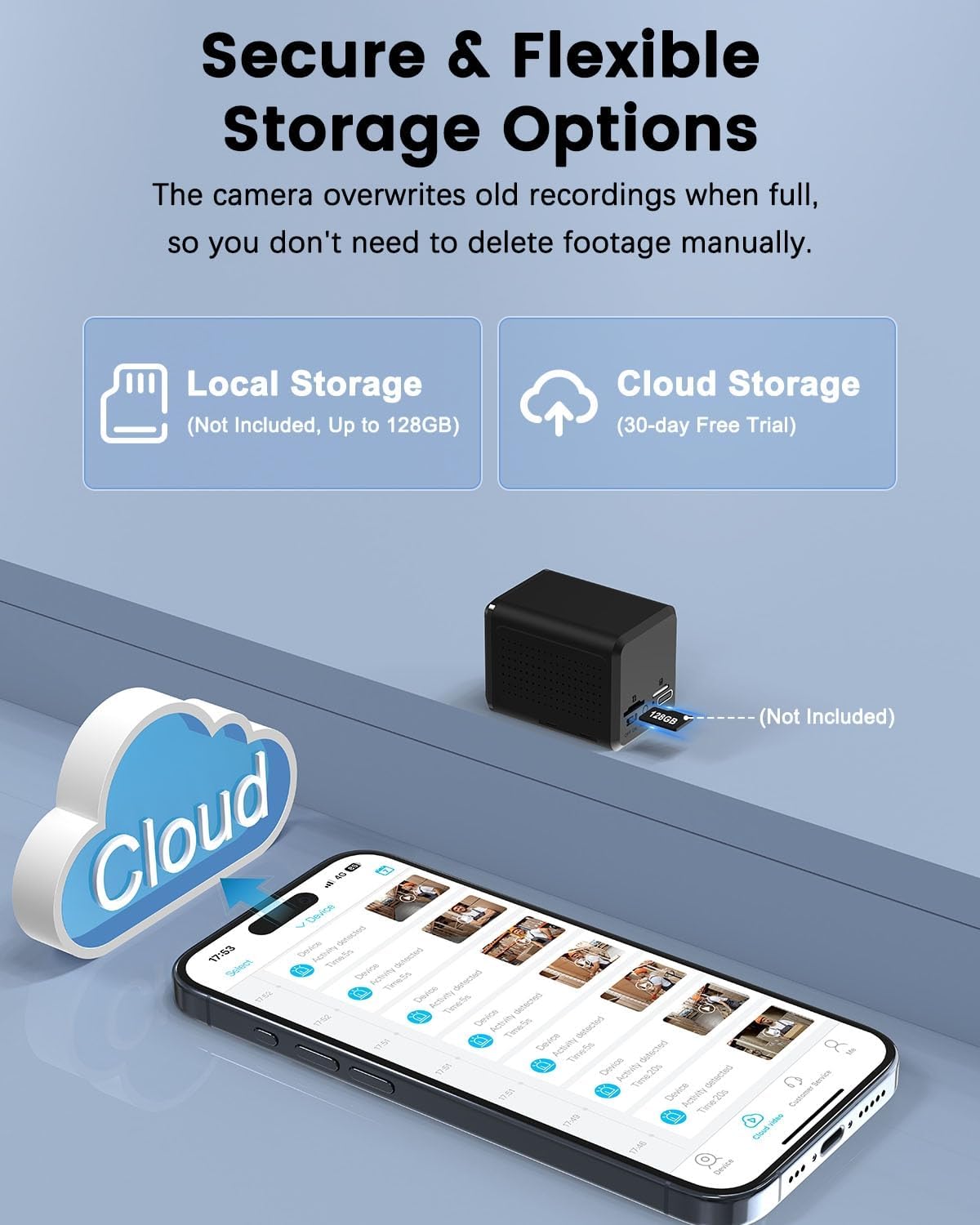
4.7. Storage Options
The camera supports both local and cloud storage. You can insert a TF card (up to 128GB, not included) for local recording. A 30-day free trial for cloud storage is also available. When storage is full, the camera automatically overwrites older recordings.
Image: Depiction of local storage (TF card) and cloud storage options.

5. Maintenance
- Charging: Recharge the camera using the provided charging cable when the battery level is low. A full charge ensures optimal performance and battery longevity.
- Cleaning: Gently wipe the camera lens and body with a soft, dry cloth to remove dust or smudges. Avoid using harsh chemicals or abrasive materials.
- Firmware Updates: Periodically check the UBox app for available firmware updates. Keeping your camera's firmware updated ensures access to the latest features and security enhancements.
- Storage Management: While the camera overwrites old recordings, regularly review your stored footage and back up important clips to prevent accidental deletion.
6. Troubleshooting
If you encounter any issues with your UCOCARE Mini 4G Camera, please refer to the following common solutions:
- Camera Not Connecting:
- Ensure the 4G SIM card is correctly inserted and has an active data plan.
- Check if the blue indicator light is solid, indicating a stable 4G connection.
- Restart the camera and your smartphone.
- Verify that the UBox app is updated to the latest version.
- Poor Video Quality:
- Clean the camera lens.
- Ensure sufficient 4G signal strength in the camera's location.
- Check the app settings for video resolution options.
- Motion Detection Not Working:
- Verify that motion detection is enabled in the UBox app settings.
- Adjust the sensitivity settings.
- Ensure there are no obstructions in the camera's field of view.
- Battery Draining Quickly:
- Reduce the frequency of live viewing.
- Lower the motion detection sensitivity if it's triggering too often.
- Ensure the camera is fully charged before deployment.
If the problem persists, please contact UCOCARE customer support for assistance.
7. Specifications
| Feature | Specification |
|---|---|
| Model Number | CA-5100C-R |
| Connectivity Technology | 4G LTE (Cellular) |
| Video Resolution | 1080P HD (Effective 1440) |
| Viewing Angle | 160 Degrees |
| Night Vision Range | Up to 10 meters (IR LEDs) |
| Battery Capacity | 5200mAh Lithium-ion |
| Storage Options | TF Card (up to 128GB, not included), Cloud Storage |
| Power Source | Battery Powered (5 Volts) |
| Dimensions (L x W x H) | 5.5 x 4.2 x 3.8 cm |
| Weight | 206 grams |
| Material | Plastic |
| Mounting Type | Ceiling Mount, Wall Mount, Table Mount |
| Compatible Devices | Smartphone (Android, iOS) |
| Special Features | HD Resolution, 40m Visual Range, 160° Wide Angle, 10x Digital Zoom, Image Sensor, Motion Detection, Humanoid Detection, Event Recording, Instant Alert, Manual Recording, 10m Night Vision, Wireless Portable |
8. Warranty and Support
Your UCOCARE Mini 4G Camera comes with a 3-Year Manufacturer's Warranty. UCOCARE is committed to customer satisfaction, and each camera undergoes strict testing and verification before shipment. Our professional technical team is always ready to assist you with any issues to ensure your complete satisfaction.
For technical support or warranty claims, please contact UCOCARE customer service through the UBox app or visit the official UCOCARE website.
Image: UCOCARE customer support team.
