
Introduction
This manual provides essential information for setting up, operating, and maintaining your VIZIO 40-inch Full HD 1080p Smart TV. Please read these instructions carefully before using your television to ensure proper function and safety. This television offers superior Full HD picture quality with lifelike color, enhanced audio, and smart connectivity features for an immersive entertainment experience.
What's in the Box
Verify that all components are present before proceeding with setup:
- VIZIO 40-inch Full HD 1080p Smart TV
- Remote Control
- Power Cable
- TV Stand (2 pieces)

Figure 1: Included components and TV dimensions.
Setup
1. Attaching the Stand
- Carefully place the TV screen-down on a soft, clean surface to prevent damage.
- Align the stand legs with the screw holes on the bottom of the TV.
- Secure the stand legs using the provided screws.
2. Wall Mounting (Optional)
If wall mounting, ensure you use a VESA-compliant mount (200 x 100 mm) and follow the mount manufacturer's instructions. Disconnect the power cable before mounting.
3. Connecting Power
Plug the power cable into the TV's power input and then into a wall outlet.
4. Initial Power On and First-Time Setup
- Press the power button on the remote or TV.
- Follow the on-screen prompts to select your language, connect to Wi-Fi, and complete the initial setup of the SmartCast OS.
- You may be prompted to install app updates. Allow the TV to complete this process.

Figure 2: VIZIO Account setup for Smart TV functionality and product updates.
Operating the TV
Remote Control
The included remote control allows you to navigate the SmartCast OS, adjust settings, and control connected devices. Ensure AAA batteries are installed correctly.
SmartCast OS
Your VIZIO Smart TV runs on the SmartCast OS, providing instant access to a wide selection of streaming services and apps. New apps are automatically added and updated.
- Home Screen: Access your favorite apps, inputs, and trending content.
- WatchFree+: Stream over 275 free channels and 15,000+ movies and shows on demand.
- App Catalog: Browse and launch pre-installed applications like Disney Plus, Max, Netflix, Prime Video, and YouTube.
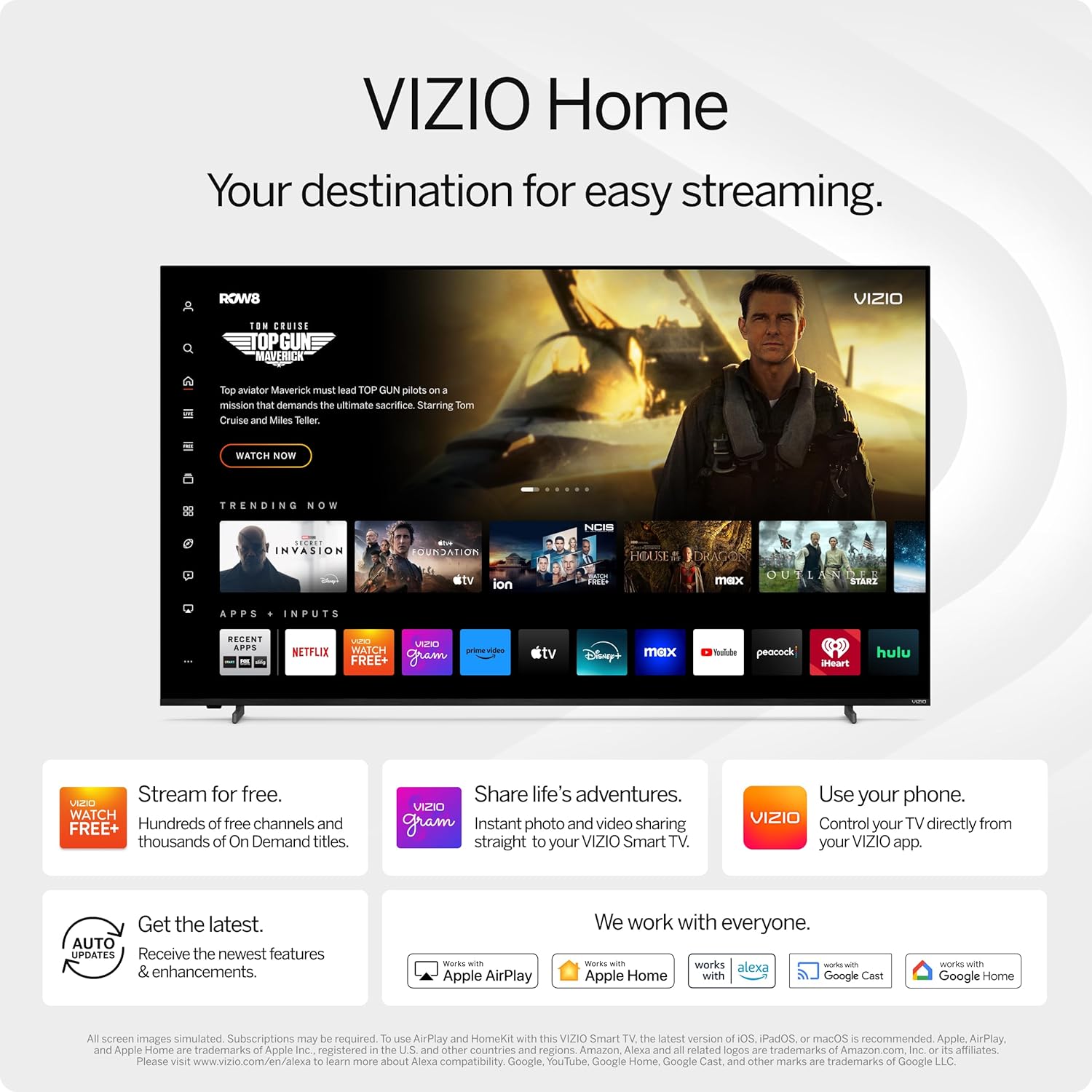
Figure 3: VIZIO Home screen for easy streaming and content access.

Figure 4: Accessing free content via WatchFree+.
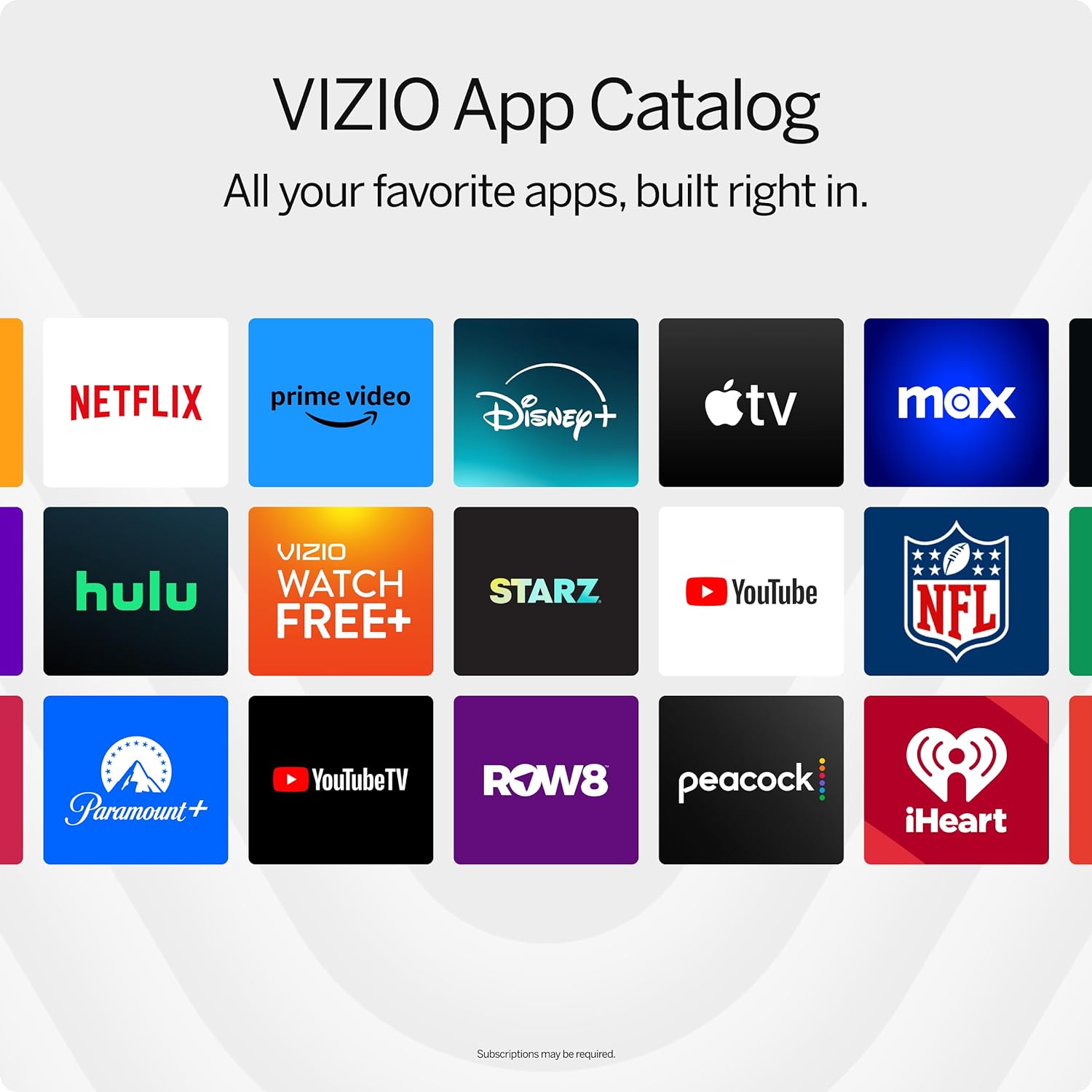
Figure 5: The VIZIO App Catalog with popular streaming services.
Connectivity
- Wi-Fi: Connect to your home network for internet access and streaming.
- Bluetooth: Pair Bluetooth headphones for private listening.
- Chromecast Built-in & Apple AirPlay 2: Stream content directly from your Apple or Android devices to the TV.
- HDMI & USB: Connect external devices such as gaming consoles, Blu-ray players, or USB drives.
- Smart Home Integration: Compatible with Alexa-enabled devices, Google Assistant, and Apple Home for voice control and smart home management.
Key Features
Picture Quality
Experience superior Full HD (1080p) picture with lifelike color and clarity. Features like Full Array LED Backlight and Active Pixel Tuning enhance contrast and brightness for a sharp, detailed image.

Figure 6: Overview of Full HD benefits including picture quality, smart platform, and Bluetooth audio.
Audio Experience
The TV features integrated DTS Virtual:X for an enhanced, cinema-inspired audio experience, creating the illusion of sound all around you. Bluetooth headphone capability allows for private listening without disturbing others.

Figure 7: DTS Virtual:X for immersive audio.
Gaming Features
This TV is game-ready with HDR10 support on HDMI, unlocking striking in-game details. When a console or PC is detected, FHD models automatically enable Auto Low Latency Mode and an integrated gaming menu for optimal performance.

Figure 8: HDR10 support enhances gaming visuals.
Specifications
| Feature | Detail |
|---|---|
| Screen Size | 39.5 Inches (40-inch class) |
| Resolution | 1080p Full HD |
| Display Technology | LED (Full Array LED Backlight) |
| Refresh Rate | 60 Hz |
| HDR Format Supported | HDR10/HLG |
| Audio Output Mode | Surround (DTS Virtual:X compatible) |
| Operating System | SmartCast OS |
| Connectivity Technology | Bluetooth 5.0, Wi-Fi |
| Screen Mirroring | AirPlay 2, Google Cast |
| Total HDMI Ports | 2 |
| Total USB Ports | 2 |
| Product Dimensions (D x W x H) | 8.81"D x 35.13"W x 22.26"H |
| Item Weight | 12.26 Pounds |
| VESA Mount Standard | 200 x 100 mm |
| Power Consumption | 54 Watts |
| Model Number | VFD40M-0810 |
Troubleshooting
No Power / TV Not Turning On
- Ensure the power cable is securely connected to both the TV and a working electrical outlet.
- Test the outlet with another device to confirm it has power.
- Try pressing the power button directly on the TV, not just the remote.
No Picture / Black Screen
- Verify the correct input source is selected (e.g., HDMI 1, HDMI 2).
- Check all cable connections between the TV and external devices.
- Restart the TV and any connected devices.
No Sound
- Increase the volume on both the TV and any connected audio devices.
- Check the TV's audio settings to ensure the correct audio output is selected.
- If using external speakers, ensure they are properly connected and powered on.
Wi-Fi Connectivity Issues
- Ensure your Wi-Fi router is powered on and functioning.
- Restart your router and modem.
- Go to the TV's network settings and try reconnecting to your Wi-Fi network.
- Move the TV closer to the router or consider a Wi-Fi extender if the signal is weak.
Maintenance
Cleaning the Screen
- Always turn off the TV and unplug the power cord before cleaning.
- Use a soft, lint-free cloth (microfiber is recommended) to gently wipe the screen.
- For stubborn marks, lightly dampen the cloth with water or a specialized screen cleaner. Never spray cleaner directly onto the screen.
- Avoid using harsh chemicals, abrasive pads, or paper towels, as these can damage the screen.
Cleaning the TV Body
- Wipe the TV's frame and stand with a soft, dry cloth.
- Do not use liquid cleaners on the TV body.
Software Updates
Your VIZIO Smart TV automatically receives software updates. Ensure your TV is connected to the internet to receive the latest features and enhancements.
Warranty and Support
Warranty Information
This VIZIO Smart TV comes with a 90 days limited warranty. Please refer to the warranty card included with your product for full terms and conditions, or visit the official VIZIO support website for more details.
Customer Support
For technical assistance, troubleshooting, or warranty claims, please contact VIZIO Customer Support. You can find contact information and additional resources on the official VIZIO website.
Online resources are available at www.vizio.com/support.


