1. What's in the Box
Your Xiaomi OpenWear Stereo Earbuds package includes the following items:
- Xiaomi OpenWear Stereo Earbuds (Left and Right)
- Charging Case
- USB Charging Cable
- User Manual

Image: Xiaomi OpenWear Stereo Earbuds and Charging Case, showcasing the product and its charging case.
2. Setup Guide
2.1 Initial Charging
Before first use, ensure the earbuds and charging case are fully charged. Connect the charging case to a power source using the provided USB cable. The indicator light on the case will show charging status.
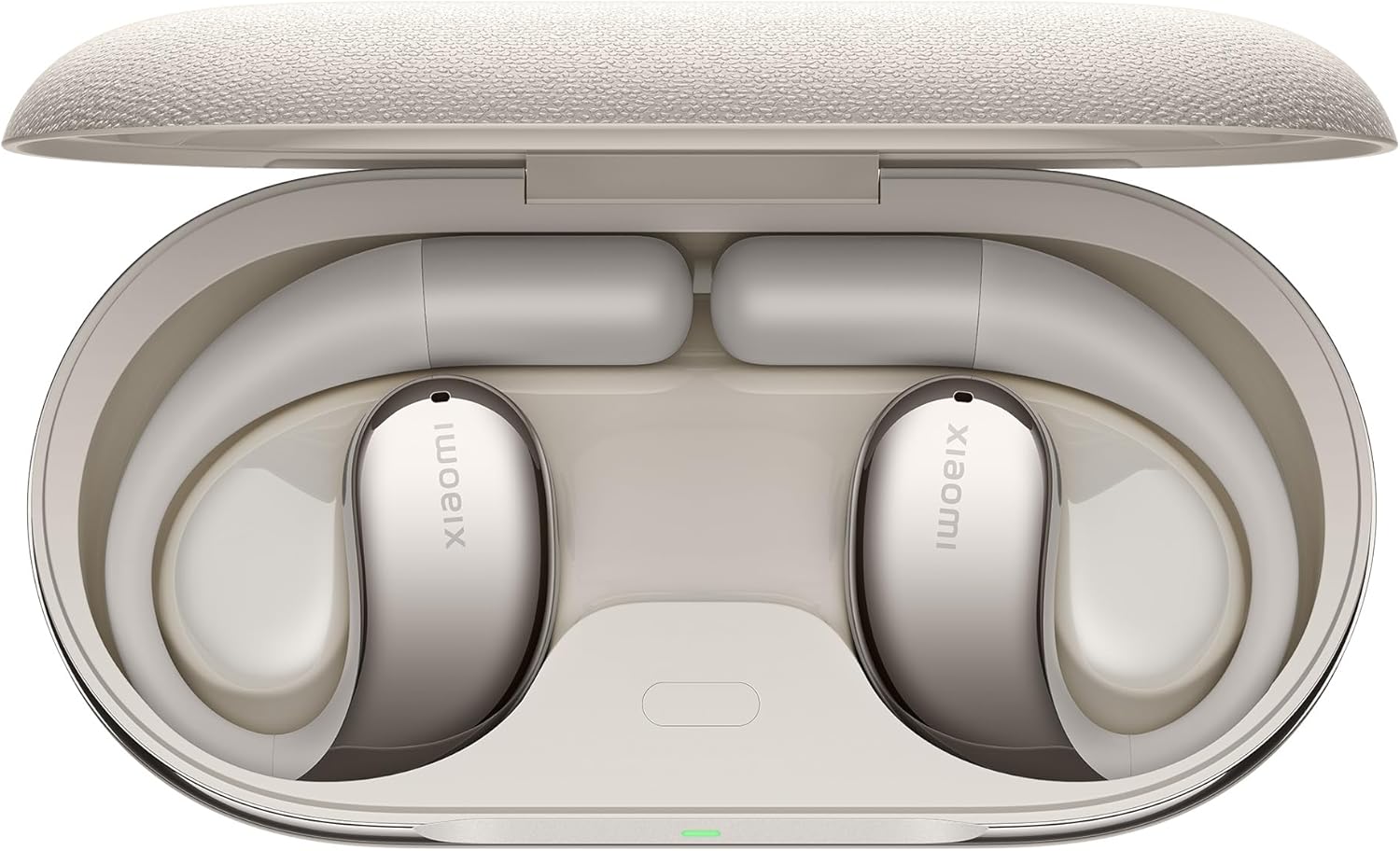
Image: Earbuds placed inside their charging case, indicating readiness for charging or storage.
2.2 Bluetooth Pairing
- Open the charging case. The earbuds will automatically enter pairing mode.
- On your device (smartphone, tablet, etc.), enable Bluetooth.
- Search for "Xiaomi OpenWear Stereo" in the list of available Bluetooth devices.
- Select it to connect. A voice prompt will confirm successful pairing.
2.3 Wearing the Earbuds
Gently twist the end of the ear hook downward along the outside of your ear to adjust for the best fit. The open-ear design ensures comfort during extended use.

Image: A man wearing the Xiaomi OpenWear Stereo Earbuds, demonstrating the comfortable and secure fit of the open-ear design.
3. Operating Your Earbuds
3.1 Touch Controls
The earbuds support quick and intuitive touch control. Custom settings are supported via the Xiaomi HyperOS interface on compatible devices.
- Single Tap: Adjust volume (specific action may vary based on customization).
- Double Tap: Play/Pause music, Answer/End call.
- Press and Hold: Activate voice assistant, Reject call.
3.2 Audio Features
Experience superior sound quality with 17x12mm dynamic drivers and Hi-Res Audio certified sound, enhanced by LHDC technology for an immersive listening experience.

Image: Detailed internal view of a Xiaomi OpenWear Stereo Earbud, highlighting the 17x12mm dynamic driver and optimized bass technology with LHDC.
3.3 Call Quality
The dual microphone array structure, combined with a beamforming algorithm and AI noise reduction, accurately picks up speech content and reduces environmental noise, ensuring clearer call quality even in noisy environments.

Image: Internal view of a Xiaomi OpenWear Stereo Earbud, illustrating the dual microphone setup for AI noise reduction during calls.
3.4 Battery Life
Enjoy up to 7.5 hours of music playback on a single charge. With the charging case, the total battery life extends up to 38.5 hours, providing ample power for extended listening sessions.
Image: Xiaomi OpenWear Stereo Earbuds resting in their charging case, visually representing the extended battery life of up to 38.5 hours with the case.
4. Maintenance and Care
- Cleaning: Regularly wipe the earbuds and charging case with a soft, dry cloth. Avoid using abrasive materials or harsh chemicals.
- Storage: When not in use, store the earbuds in their charging case to protect them from dust and damage.
- Water Resistance: The earbuds are water resistant. Avoid submerging them in water or exposing them to excessive moisture. Dry them thoroughly if they get wet.
- Temperature: Do not expose the earbuds to extreme temperatures (hot or cold) as this can affect battery life and performance.
5. Troubleshooting
5.1 Pairing Issues
If the earbuds fail to pair with your device:
- Ensure the earbuds are charged and the charging case lid is open.
- Turn off and on Bluetooth on your device.
- Forget the device in your Bluetooth settings and attempt to re-pair.
- Restart your device.
5.2 Low Volume
If the volume seems low:
- Increase the volume on both your connected device and via the earbud touch controls.
- Ensure the earbuds are properly seated in your ears for optimal sound delivery.
- Check for any obstructions or debris in the earbud speakers.
5.3 Gesture Control Unresponsiveness
If touch controls are not responding as expected:
- Ensure your fingers are clean and dry when touching the control area.
- Try resetting the earbuds by placing them in the charging case and closing the lid for a few seconds, then reopening.
- For Xiaomi HyperOS users, verify custom settings in the headphone options menu. For other Android users, consider if a dedicated app (if available for your region) is needed for full functionality.
5.4 Active Noise Cancellation (ANC) Effectiveness
The Xiaomi OpenWear Stereo Earbuds feature AI noise reduction primarily for call clarity. While they offer sound isolation, they are not designed with active noise cancellation for immersive listening environments. Performance may vary based on environmental noise and device compatibility.
6. Specifications
| Feature | Specification |
|---|---|
| Model Name | Xiaomi OpenWear Stereo |
| Connectivity Technology | Wireless (Bluetooth 5.3) |
| Audio Driver Type | Dynamic Driver |
| Audio Driver Size | 17x12mm |
| Battery Life (Earbuds) | Up to 7.5 hours |
| Total Battery Life (with Case) | Up to 38.5 hours |
| Charging Case Battery Capacity | 788 Milliamp Hours |
| Control Method | Touch |
| Noise Control | Sound Isolation (AI Noise Reduction for calls) |
| Water Resistance Level | Water Resistant |
| Item Weight | 88.4 Grams (3.12 ounces) |
| Color | Sandstone Beige |
| Ear Placement | Open Ear |
| Form Factor | In Ear |
| Impedance | 16 Ohm |
7. Warranty and Support
For warranty information, please refer to the warranty card included in your product packaging or visit the official Xiaomi website. Keep your proof of purchase for any warranty claims.
For further assistance or technical support, please contact Xiaomi customer service through their official channels. Details can typically be found on the Xiaomi website or in the product documentation.


