
Tapo Tapo C425 KIT
TP-Link Tapo C425 KIT Wireless Battery Security Camera Kit
User Manual
1. Introduction
This manual provides detailed instructions for the installation, operation, and maintenance of your TP-Link Tapo C425 KIT 2K 4MP QHD Wireless Battery Security Camera Kit. The Tapo C425 is designed to deliver high-quality surveillance with features such as 2K QHD resolution, color night vision, AI detection, and robust weatherproofing, powered by a rechargeable battery and a solar panel for continuous operation.
Please read this manual thoroughly before using the product to ensure proper setup and optimal performance.
2. What's in the Box
Verify that all components are present in your package:
- Tapo C425 Camera
- Tapo A201 Solar Panel
- Extension Cable
- Mounting Kit
- User Manual

The retail packaging for the Tapo Smart Wire-Free Security Camera Kit (Tapo C425 KIT), showing the camera and solar panel on the box.
3. Product Overview and Features
The Tapo C425 KIT offers advanced surveillance capabilities:
- Uninterrupted Power Supply: Powered by a rechargeable battery and a solar panel for continuous operation.
- Colorful Night Vision with Star Sensor: Delivers full-color images even in low-light conditions.
- 2K QHD Live View: Provides clear, detailed video footage.
- Free AI Detection: Smart AI identifies people, pets, and vehicles, reducing false alerts.
- IP66 Weatherproof: Designed to withstand various outdoor weather conditions.

Image of the Tapo C425 camera and the Tapo A201 solar panel, showcasing the complete kit.
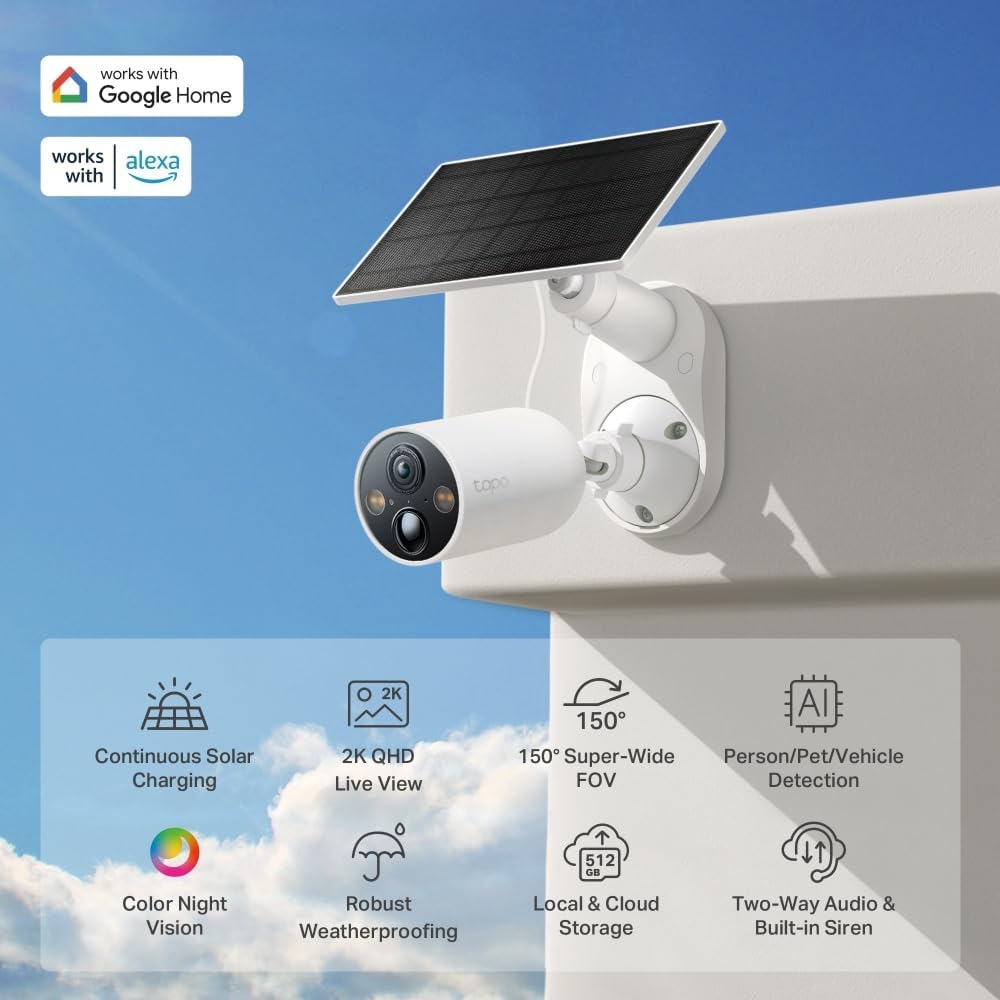
The Tapo C425 camera mounted with its solar panel, highlighting compatibility with Google Home and Alexa, along with key features like continuous solar charging, 2K QHD live view, 150° super-wide FOV, AI detection, color night vision, robust weatherproofing, local/cloud storage, and two-way audio with built-in siren.

The Tapo C425 camera and solar panel mounted on the exterior of a house, illustrating its wireless capability and flexible placement.
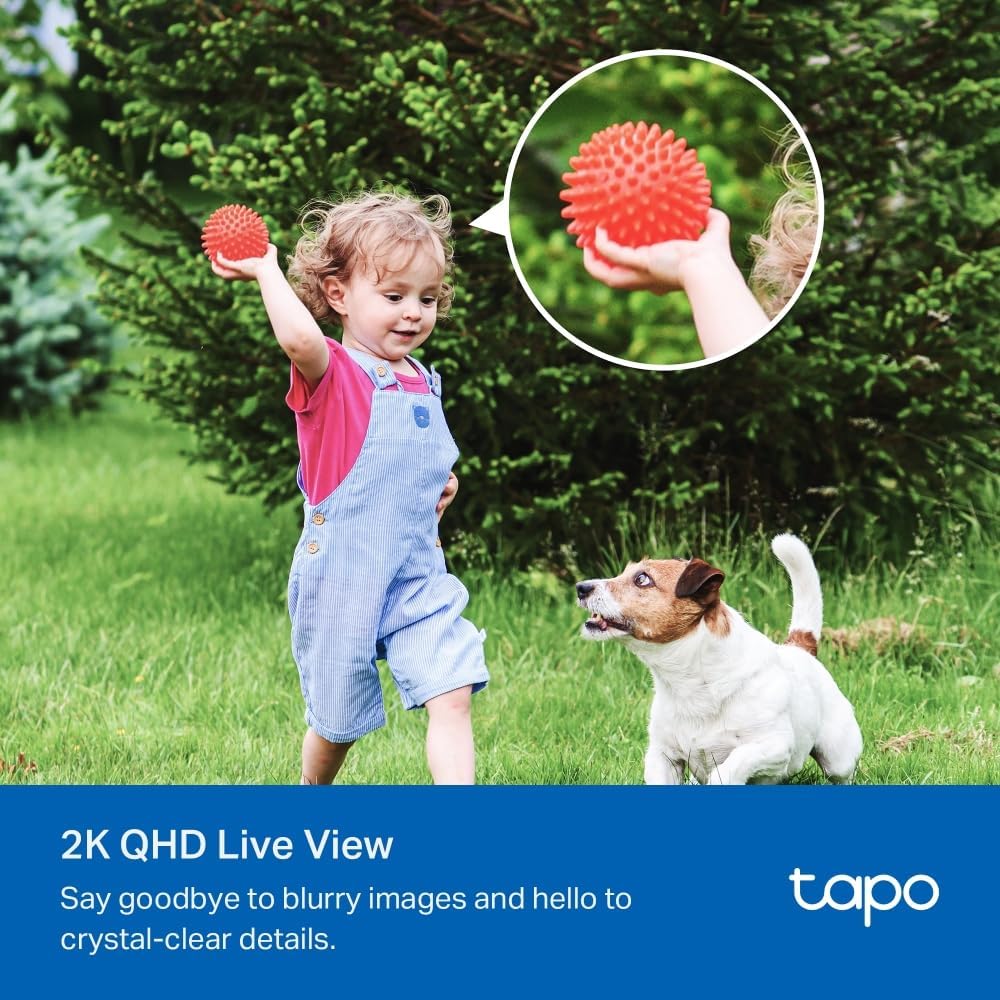
A child playing with a dog in a grassy yard, with an inset circle showing a close-up of a red spiky ball, demonstrating the 2K QHD live view clarity.

Three separate images demonstrating AI detection: a child (person), a dog jumping into a pool (pet), and a car in a driveway (vehicle), with bounding boxes indicating detection.

An image showing a swimming pool and backyard, with an overlay comparing the Tapo 150° Wide FOV to a narrower 120° FOV, illustrating the expanded visual coverage.

A black car parked in a driveway at night, illuminated by the camera's spotlights, demonstrating the color night vision capability.

A collage of images showing the Tapo C425 camera in various weather conditions: rain, snow, and bright sunlight, emphasizing its IP66 weatherproof rating.

A close-up of the Tapo C425 camera with a microSD card being inserted into its slot, illustrating the local storage option.
4. Setup
- Charge the Camera: Before initial use, fully charge the Tapo C425 camera using a standard USB charger (not included) or by connecting it to the solar panel in direct sunlight.
- Download the Tapo App: Search for "Tapo" in the App Store or Google Play and download the official Tapo app.
- Create a Tapo Account: Open the app and follow the on-screen instructions to create a new Tapo account or log in if you already have one.
- Add Your Device: In the Tapo app, tap the "+" icon to add a new device. Select the Tapo C425 and follow the in-app instructions to connect it to your Wi-Fi network.
- Mount the Camera and Solar Panel: Choose an optimal location for your camera and solar panel. Ensure the solar panel receives ample direct sunlight throughout the day. Use the provided mounting kit to securely attach both the camera and the solar panel. Connect the solar panel to the camera using the extension cable if needed.
- Adjust Camera Angle: Adjust the camera's angle to cover your desired surveillance area.
5. Operating Instructions
Once set up, operate your Tapo C425 camera using the Tapo app:
- Live View: Open the Tapo app and select your C425 camera to view the live feed.
- Recording and Playback: Access recorded videos from the app's playback section. You can record continuously to a microSD card (up to 512GB, not included) or subscribe to Tapo Care cloud service for cloud storage.
- Two-Way Audio: Use the microphone and speaker icons in the live view to communicate with visitors or deter intruders.
- AI Detection Settings: Customize detection zones, sensitivity, and notification preferences for person, pet, and vehicle detection in the app's settings.
- Siren and Light: Manually activate the built-in siren and spotlights from the app for immediate deterrence.
- Privacy Zone: Set up privacy zones within the app to exclude certain areas from recording.
6. Maintenance
- Cleaning: Regularly wipe the camera lens and solar panel surface with a soft, damp cloth to ensure clear vision and efficient solar charging. Avoid abrasive cleaners.
- Battery Care: While the solar panel provides continuous charging, ensure the camera's battery level remains adequate, especially during prolonged periods of low sunlight.
- Firmware Updates: Keep your camera's firmware updated through the Tapo app to ensure optimal performance, security, and access to new features.
- Environmental Considerations: Although weatherproof, avoid prolonged exposure to extreme temperatures outside its operating range.
7. Troubleshooting
- Camera Not Powering On: Ensure the battery is charged. If using the solar panel, verify it's receiving direct sunlight and the cable connection is secure.
- No Wi-Fi Connection: Check your Wi-Fi router's status. Ensure the camera is within range of your Wi-Fi signal. Try restarting both the camera and your router.
- Poor Image Quality: Clean the camera lens. Ensure there are no obstructions in the camera's field of view. Check your Wi-Fi signal strength, as a weak signal can affect video quality.
- Motion Detection Not Working: Verify that motion detection is enabled in the Tapo app settings. Adjust sensitivity and detection zones.
- Solar Panel Not Charging: Ensure the solar panel is positioned to receive maximum direct sunlight. Clean the panel surface. Check the connection cable for damage.
For more detailed troubleshooting or technical support, please refer to the support section within the Tapo app or visit the official TP-Link Tapo website.
8. Specifications
| Feature | Specification |
|---|---|
| Model Name | Tapo C425 KIT |
| Mounting Type | Wall Mount |
| Video Capture Resolution | 1920p (2K QHD) |
| Color | white |
| Number of Items | 1 |
| Included Components | Extension Cable, Mounting Kit, Tapo A201 Solar Panel, Tapo C425, User Manual |
| Wireless Communication Technology | Wi-Fi |
| Item dimensions L x W x H | 2.36 x 2.36 x 3.54 inches |
| Batteries Required? | No (1 12V batteries included) |
| Item Weight | 4.4 pounds (2 Kilograms) |
| Low light technology | Night Color |
| Video Capture Format | MP4 |
| Unit Count | 1.0 Count |
| Maximum Webcam Image Resolution | 50 MP |
| Manufacturer | TP-Link |
| Brand | Tapo |
| Indoor/Outdoor Usage | Outdoor |
| Compatible Devices | Smartphone, Tablet |
| Connectivity Protocol | Wi-Fi |
9. Warranty and Support
This product comes with a manufacturer's warranty. Please refer to the warranty card included in your package or visit the official TP-Link Tapo website for detailed warranty information and terms.
For technical support, product registration, or further assistance, please visit the TP-Link support website or contact their customer service directly. The Tapo app also provides a comprehensive help section and FAQs.
Related documentsTapo C425 KIT


Ask a question about this manual
Ask about setup, troubleshooting, compatibility, parts, safety, or missing instructions. Manuals+ will review the question and use this page’s manual context to help answer it.