
Important Safety Information
Please read all instructions carefully before using this appliance. Basic safety precautions should always be followed to reduce the risk of fire, electric shock, and/or injury to persons.
- Do not touch hot surfaces. Use handles or knobs.
- To protect against electrical shock, do not immerse cord, plug, or toaster in water or other liquid.
- Close supervision is necessary when any appliance is used by or near children.
- Unplug from outlet when not in use and before cleaning. Allow to cool before putting on or taking off parts.
- Do not operate any appliance with a damaged cord or plug, or after the appliance malfunctions or has been damaged in any manner.
- Do not use outdoors.
- Do not let cord hang over edge of table or counter, or touch hot surfaces.
- Do not place on or near a hot gas or electric burner, or in a heated oven.
- Do not use appliance for other than intended use.
- Oversize foods, metal foil packages, or utensils must not be inserted in a toaster as they may create a risk of fire or electric shock.
- A fire may occur if toasters are covered or touching flammable material, including curtains, draperies, walls, and the like, when in operation.
- Do not attempt to dislodge food when toaster is plugged in.
- Do not operate unattended.
Product Overview
The Proctor Silex 2-Slice Toaster, Model 22660, is designed for efficient and consistent toasting of various bread types. It features wide slots, self-centering bread guides, and multiple functions for optimal results.

Image: Proctor Silex 2-Slice Toaster in Oat White, showing its compact design and control panel.
Setup
- Unpacking: Carefully remove the toaster from its packaging. Retain packaging for future storage or transport.
- Placement: Place the toaster on a stable, heat-resistant surface, away from flammable materials. Ensure adequate ventilation around the appliance.
- First Use: Before first use, operate the toaster without bread on the highest setting (7) to burn off any manufacturing residues. A slight odor or smoke may be present; this is normal.
- Cord Management: Unwind the power cord and plug it into a standard electrical outlet. The toaster features a cord wrap on the bottom for convenient storage when not in use.
Operating Instructions
1. Toasting Bread
The toaster features wide slots and self-centering bread guides to accommodate various bread types, from standard slices to thicker artisan breads.
- Insert up to two slices of bread into the toaster slots. The bread guides will automatically center the bread for even toasting.
- Select your desired browning level using the shade selector dial (1 for lightest, 7 for darkest).
- Press the toast lever down until it locks into place. The toaster will begin toasting.
- Once toasting is complete, the toast will automatically pop up.

Image: Top-down view of the toaster with two slices of bread in the wide slots, illustrating the self-centering bread guides.
2. Bagel Function
The bagel function adjusts the toasting time to perfectly toast bagels, ensuring they are warm and golden.
- Insert bagel halves into the toaster slots.
- Select your desired browning level.
- Press the toast lever down, then press the BAGEL button. The indicator light on the button will illuminate.
- The toaster will complete the bagel cycle and the bagels will pop up.
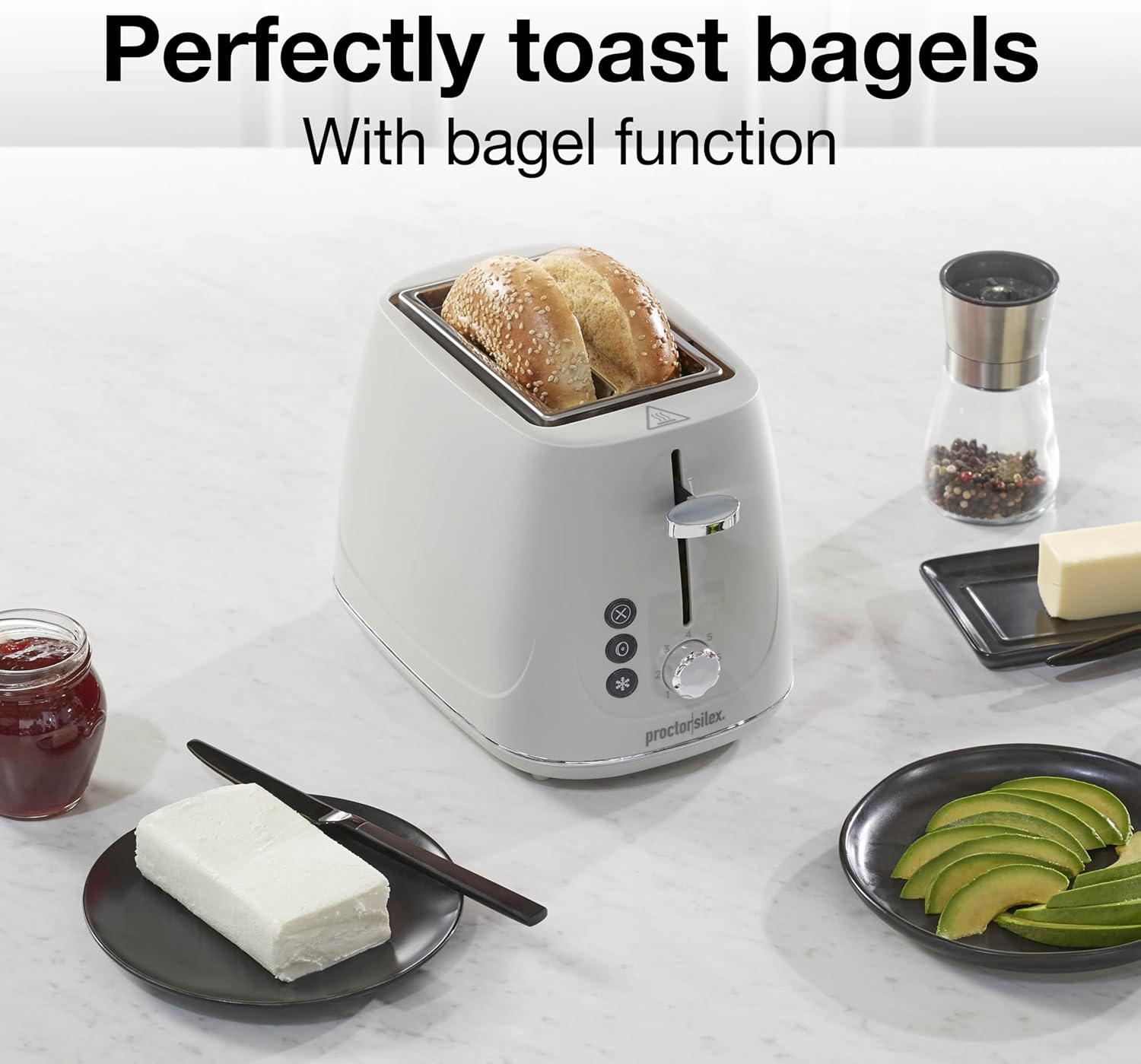
Image: The toaster with two bagel halves inserted into the wide slots, ready for the bagel function.
3. Defrost Function
Use the defrost function for optimal toasting of frozen breads and waffles, providing the correct timing for great flavor and texture.
- Insert frozen bread or waffles into the toaster slots.
- Select your desired browning level.
- Press the toast lever down, then press the DEFROST button. The indicator light on the button will illuminate.
- The toaster will complete the defrost and toast cycle, and the food will pop up.

Image: The toaster with two frozen waffles in the slots, demonstrating the defrost function.
4. Browning Control (7 Shades)
The shade selector dial allows you to customize your toast from lightly golden to dark brown, with 7 distinct settings.
- Setting 1-2: Light toast
- Setting 3-4: Medium toast
- Setting 5-7: Dark toast

Image: A visual representation of the browning control dial, showing 7 different toast shades from light to dark.
5. Toast Boost Feature
The Toast Boost feature lifts smaller items, such as English muffins, higher out of the toaster slots for easier and safer retrieval.
- After toasting is complete and the lever has popped up, gently lift the toast lever further upwards to raise smaller items.

Image: A hand demonstrating the Toast Boost feature by lifting the toast lever to raise English muffins from the slots.
6. Cancel Button
The CANCEL button allows you to stop the toasting cycle at any time.
- Press the CANCEL button to immediately stop the toasting process and eject the food.
7. Automatic Shutoff
For safety and convenience, the toaster is equipped with an automatic shutoff feature that turns off the heating elements once the toasting cycle is complete.
Maintenance
1. Cleaning the Crumb Tray
Regular cleaning of the crumb tray prevents crumb buildup and reduces the risk of fire.
- Ensure the toaster is unplugged and completely cool.
- Pull out the slide-out crumb tray located at the bottom of the toaster.
- Discard accumulated crumbs.
- Wipe the tray clean with a damp cloth. Dry thoroughly before reinserting.
- Push the crumb tray back into place until it locks securely.

Image: A hand removing the slide-out crumb tray from the bottom of the toaster for cleaning.
2. Exterior Cleaning
Wipe the exterior of the toaster with a damp cloth. Do not use abrasive cleaners or scouring pads, as they may damage the finish. Ensure the toaster is completely dry before plugging it in.
Troubleshooting
- Toaster does not turn on: Ensure the power cord is securely plugged into a working electrical outlet. Check your household circuit breaker.
- Bread is not toasting evenly: Ensure bread slices are centered in the slots. The self-centering guides should adjust automatically. If using very thin or irregular bread, manual adjustment may be needed.
- Smoke or burning smell: Unplug the toaster immediately. Check the crumb tray for excessive crumbs and clean it. Ensure no food items are lodged inside the toaster slots.
- Toast is too light/dark: Adjust the browning control dial to a higher number for darker toast or a lower number for lighter toast.
If you experience issues not covered here, please refer to the warranty and support section for assistance.
Specifications
| Brand | Proctor Silex |
| Model Number | 22660 |
| Color | Oat White |
| Material | Plastic |
| Product Dimensions | 10.4"D x 6.7"W x 7"H |
| Wattage | 700 watts |
| Number of Slices | 2 |
| Browning Settings | 7 |
| Special Features | Automatic Shut-Off, Cancel Function, High Lift Carriage (Toast Boost), Removable Crumb Tray, Variable Browning Control |
| Item Weight | 2.5 Pounds |
| Voltage | 120.0 V |
| UPC | 022333226605 |
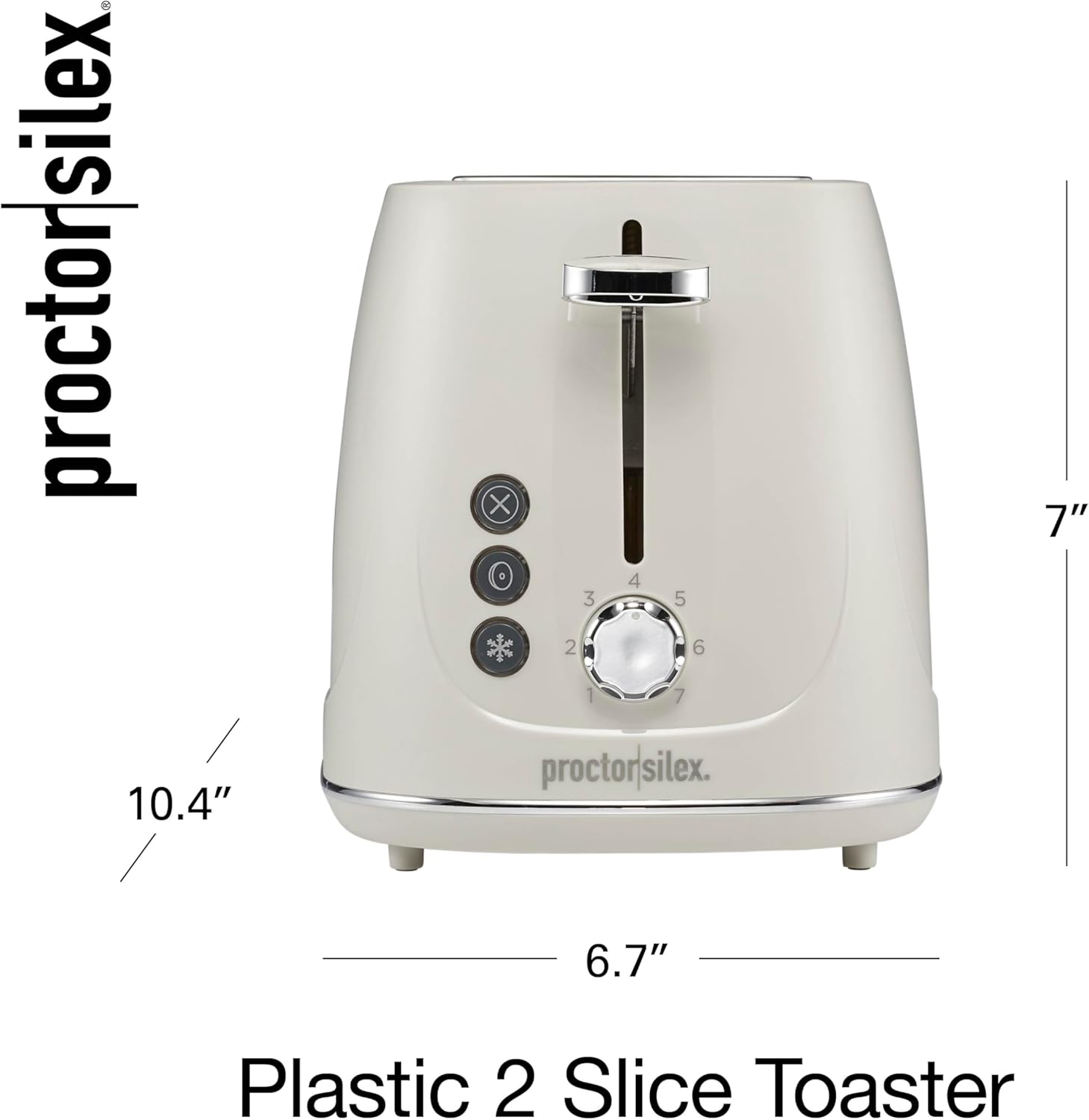
Image: The Proctor Silex 2-Slice Toaster with its dimensions (10.4"D x 6.7"W x 7"H) clearly indicated.
Official Product Video
Video: An official product video from Hamilton Beach/Proctor Silex showcasing the features and operation of the Proctor Silex 2-Slice Toaster.
Warranty
This Proctor Silex toaster comes with a Limited Three Year Warranty. For specific terms and conditions, please refer to the warranty card included with your product or contact customer support.
Support
For further assistance, product registration, or to inquire about replacement parts, please visit the official Proctor Silex website or contact their customer service department. Contact information can typically be found in the product packaging or on the manufacturer's website.
