
JBL JBLVFLEXBLK-Pouch
JBL Vibe Flex Wireless In-Ear Earbuds User Manual
Model: JBLVFLEXBLK-Pouch | Brand: JBL
Product Overview
The JBL Vibe Flex Wireless In-Ear Earbuds are designed to provide a superior audio experience with deep bass and clear highs. These Bluetooth earbuds are designed for comfort and convenience, featuring an ergonomic in-ear design and a built-in microphone for hands-free calls. With an extended battery life, they are suitable for daily use, whether for music listening or communication.
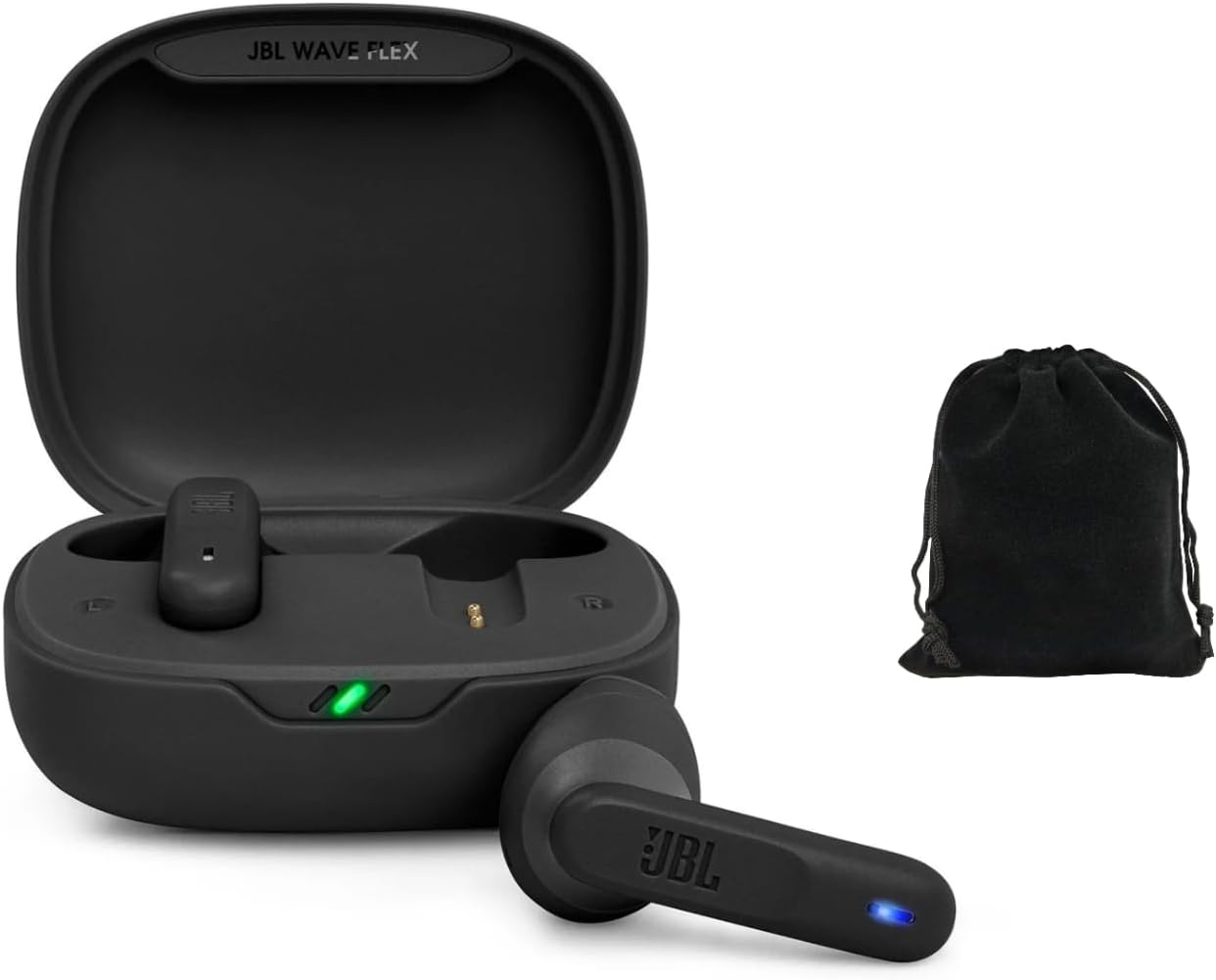
Figure 1: JBL Vibe Flex Earbuds in their charging case, accompanied by a protective pouch. The earbuds are black, and the case is open, showing the charging contacts and indicator lights.
What's in the Box
- JBL Vibe Flex Wireless In-Ear Earbuds (Left and Right)
- Charging Case
- USB Charging Cable
- Multiple Sizes of Eartips
- Protective Pouch
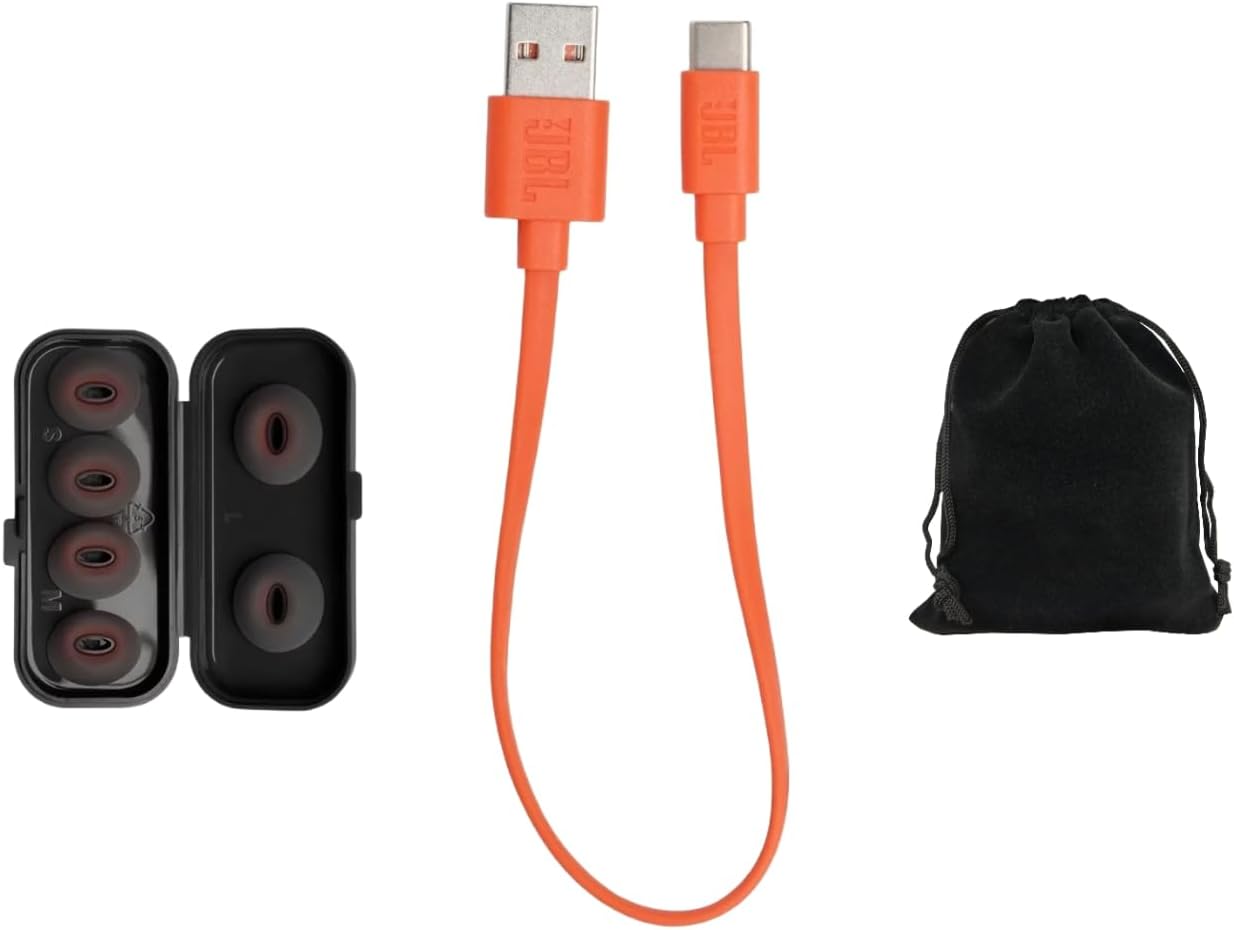
Figure 2: Included accessories: an orange USB-C charging cable, a case containing various sizes of black eartips, and a black protective pouch.
Setup Guide
1. Charging the Earbuds and Case
Before first use, fully charge the earbuds and the charging case. Place the earbuds into the charging case. Connect the provided USB charging cable to the charging case and a power source. The indicator lights on the case will show the charging status.
- A full charge provides up to 32 hours of combined playback (earbuds + charging case).
- Ensure the charging contacts on the earbuds and in the case are clean and dry.
2. Bluetooth Pairing
- Initial Pairing: Open the charging case. The earbuds will automatically enter pairing mode. The LED indicator on the earbuds will flash.
- Enable Bluetooth: On your device (smartphone, tablet, etc.), go to the Bluetooth settings and ensure Bluetooth is enabled.
- Select Device: Look for "JBL Vibe Flex" in the list of available devices and select it to connect.
- Confirmation: Once connected, the earbuds will provide an audible confirmation, and the LED indicator will stop flashing.
If the earbuds do not appear, ensure they are charged and try placing them back in the case and opening it again. You can also manually initiate pairing by pressing and holding the touch control area on one earbud for a few seconds until the LED flashes.
Operating Instructions
Touch Controls
The JBL Vibe Flex earbuds feature intuitive touch controls on each earbud. The functions can be customized via the JBL Headphones App (if applicable, otherwise state standard functions).
| Action | Left Earbud | Right Earbud |
|---|---|---|
| Play/Pause Music | Single tap | Single tap |
| Next Track | Double tap | Double tap |
| Previous Track | Triple tap | Triple tap |
| Answer/End Call | Single tap | Single tap |
| Reject Call | Press and hold (2s) | Press and hold (2s) |
| Activate Voice Assistant | Press and hold (2s) | Press and hold (2s) |
Note: Volume control may be managed directly from your connected device or through the JBL Headphones App if available.

Figure 3: Front view of the JBL Vibe Flex earbuds, showing the touch control area and the JBL logo. A black protective pouch is also visible.
Maintenance and Care
- Cleaning: Regularly clean the earbuds, especially the eartips and charging contacts, with a soft, dry, lint-free cloth. Do not use harsh chemicals or abrasive materials.
- Storage: When not in use, store the earbuds in their charging case to protect them from dust, dirt, and physical damage. Keep the case closed.
- Temperature: Avoid exposing the earbuds to extreme temperatures (hot or cold) or high humidity, as this can affect battery life and overall performance.
- Water Resistance: These earbuds are not water resistant. Avoid contact with water or other liquids.
Troubleshooting
| Problem | Possible Solution |
|---|---|
| Earbuds not pairing |
|
| No sound or low volume |
|
| Earbuds not charging |
|
| Intermittent connection |
|
Specifications
| Feature | Detail |
|---|---|
| Model Name | JBLVFLEXBLK-Pouch |
| Connectivity Technology | Wireless (Bluetooth) |
| Bluetooth Version | 5.0 |
| Frequency Range | 20 Hz - 20,000 Hz |
| Battery Life | Up to 32 Hours (with charging case) |
| Control Method | Touch |
| Microphone | Built-in |
| Water Resistance Level | Not Water Resistant |
| Item Weight | 4.2 ounces |
| Color | Black |
Warranty and Support
For warranty information and technical support, please refer to the official JBL website or contact their customer service. Keep your proof of purchase for warranty claims.
JBL Official Website: www.jbl.com
Related Documents - JBLVFLEXBLK-Pouch
 |
How to Factory Reset JBL True Wireless Stereo Earbuds A step-by-step guide on how to perform a factory reset on JBL True Wireless Stereo earbuds. Includes instructions for general reset and specific steps for JBL Tune Flex, along with a list of compatible models. |
 |
JBL VIBE FLEX 2 Quick Start Guide and Features Get started with your JBL VIBE FLEX 2 wireless earbuds. This guide covers setup, pairing, controls, app features, charging, and technical specifications. |
 |
JBL Vibe Flex 2 Quick Start Guide: Setup, Features, and Specs Get started with your JBL Vibe Flex 2 wireless earbuds. This guide covers unboxing, wearing, pairing, controls, app features, charging, LED indicators, and technical specifications for a seamless audio experience. |
 |
JBL TUNE 520BT Wireless On-Ear Headphones - Features, Specs, and Overview Discover the JBL TUNE 520BT wireless on-ear headphones, featuring powerful JBL Pure Bass Sound, Bluetooth 5.3, up to 57 hours of battery life, and convenient hands-free calls. Learn about its lightweight, foldable design and technical specifications. |
 |
How to Factory Reset and Clean JBL True Wireless Stereo Earbuds Learn how to perform a factory reset on your JBL True Wireless Stereo earbuds and troubleshoot charging issues by cleaning the contact points. Includes instructions for various JBL models. |
 |
JBL Vibe Beam 2 True Wireless Noise Cancelling Earbuds - Features & Specifications Explore the JBL Vibe Beam 2, true wireless noise-cancelling earbuds offering JBL Pure Bass Sound, Active Noise Cancelling, Smart Ambient, 4-mic call clarity, IP54 water resistance, and up to 40 hours of total playback time. Includes detailed features, technical specifications, and box contents. |