
1. Product Overview
The ANRAN 4K PoE Surveillance Camera Kit provides a robust and intelligent security solution for your property. This comprehensive system includes an 8-channel Network Video Recorder (NVR) with a pre-installed 2TB Hard Disk Drive (HDD), and four 8-megapixel (8MP) Power over Ethernet (PoE) IP cameras. Designed for outdoor use, the cameras offer stunning 4K resolution, ensuring clear and detailed video footage.
Key features include advanced AI intelligent detection for distinguishing between people and vehicles, 24/7 continuous recording, automatic motion tracking, versatile night vision modes (intelligent, color, and infrared), two-way audio communication, and smart alerts with floodlights and sirens. The PoE technology simplifies installation by providing both power and data transmission through a single Ethernet cable, making it a true plug-and-play security system.

Figure 1: ANRAN 4K PoE Surveillance Camera Kit with NVR and four cameras.
2. Package Contents
Please verify that all items listed below are included in your package:
- 1 x 8-Channel NVR with 2TB HDD
- 4 x 8MP PoE IP Surveillance Cameras
- 1 x Power Adapter for NVR
- 1 x USB Mouse
- 4 x Ethernet Cables (for cameras)
- Mounting Screws and Wall Plugs (for cameras)
- 1 x 24-Hour Surveillance Sticker

Figure 2: Contents of the ANRAN 4K PoE Surveillance Camera Kit box.
3. Setup Guide
3.1. Unpacking and Initial Placement
Carefully remove all components from the packaging. Plan the placement of your NVR and cameras. Ensure the NVR is in a secure, well-ventilated area near your router and a power outlet. Position cameras to cover desired surveillance areas, keeping in mind the length of the Ethernet cables.
3.2. NVR and Camera Connection (PoE)
The ANRAN system utilizes Power over Ethernet (PoE) technology, simplifying installation. Each camera connects directly to the NVR via a single Ethernet cable, which provides both power and video data. No separate power adapters are needed for the cameras.
- Connect the included USB mouse to a USB port on the NVR.
- Connect the NVR to your monitor or TV using an HDMI or VGA cable.
- Connect the NVR to your internet router using an Ethernet cable for remote access and app functionality.
- Connect each PoE camera to an available PoE port on the NVR using the provided Ethernet cables. The cameras will power on automatically.
- Plug the NVR's power adapter into a power outlet and connect it to the NVR.

Figure 3: Simple Plug & Play installation diagram.
3.3. Initial Configuration
Once powered on, the NVR will display the live feeds from the connected cameras on your monitor. Follow the on-screen prompts to complete the initial setup, including setting a password and configuring basic network settings.
3.4. Mobile App Setup
For remote viewing and advanced features, download the official ANRAN app on your smartphone or tablet (available on Google Play Store and Apple App Store). Follow the in-app instructions to add your NVR system by scanning the QR code or manually entering the device ID. This will enable you to view live feeds, playback recordings, and receive alerts from anywhere.

Figure 4: Remote access and two-way audio via the ANRAN app.
4. Operating Instructions
4.1. 24/7 Recording and Storage
The NVR supports continuous 24/7 recording from all connected cameras. It comes with a pre-installed 2TB HDD, providing ample storage for extended periods of footage. The storage capacity can be expanded up to 10TB if needed, ensuring you never miss an important moment.
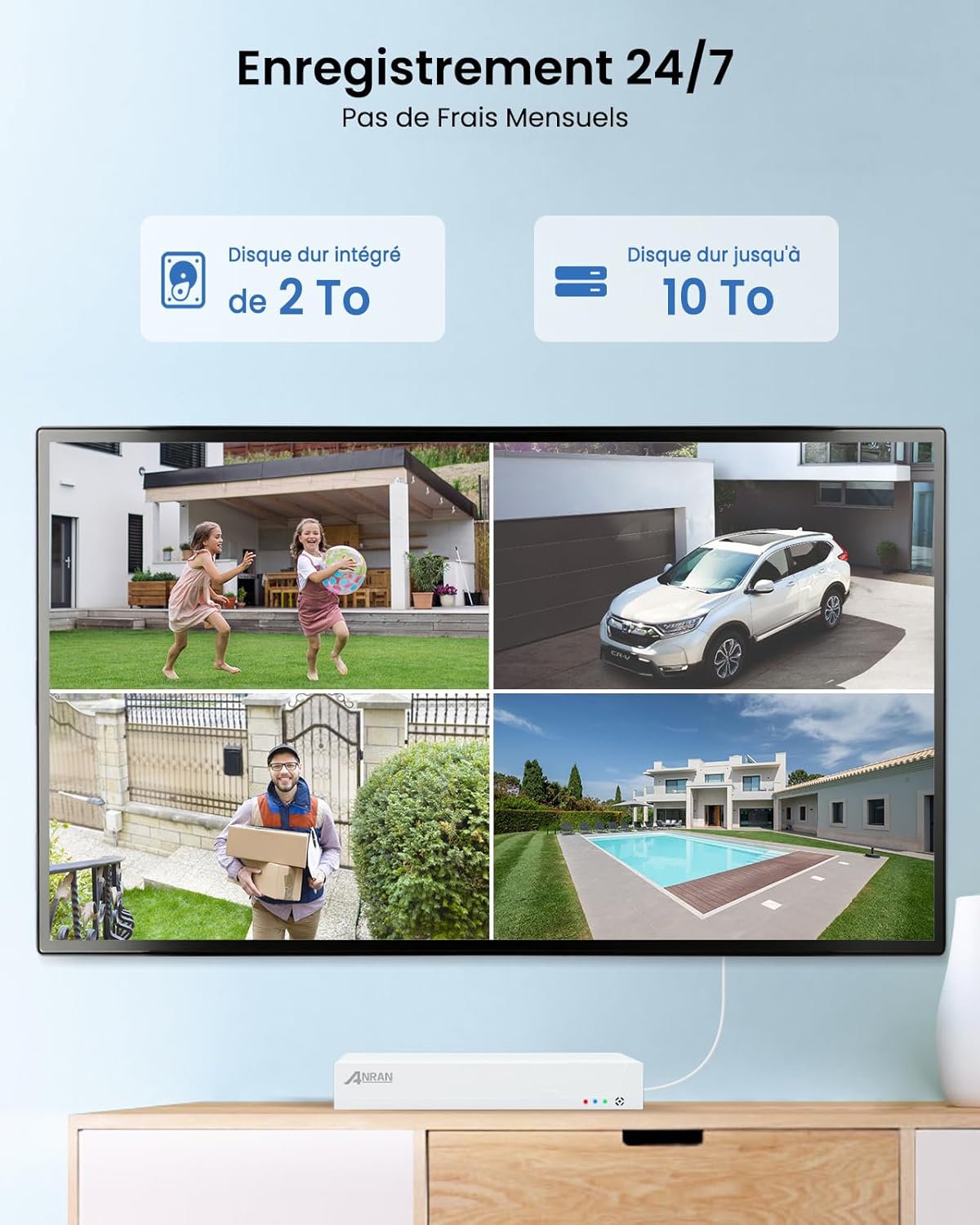
Figure 5: 24/7 recording and expandable storage.
4.2. AI Smart Detection and Auto-Tracking
The cameras feature advanced AI detection capabilities, allowing them to accurately identify and differentiate between people and vehicles. This significantly reduces false alarms caused by animals or environmental factors. When motion is detected, the PTZ cameras can automatically track the moving object within their field of view (355° horizontal, 90° vertical), ensuring comprehensive coverage.

Figure 6: AI intelligent detection for people and vehicles.

Figure 7: 360-degree camera with automatic tracking.
4.3. Night Vision Modes
The cameras offer multiple night vision modes to suit your needs:
- Intelligent Mode: Automatically switches between infrared and color night vision based on detected motion.
- Color Mode: Utilizes built-in floodlights to provide full-color video even in complete darkness, up to 30 meters.
- Infrared Mode: Provides clear black-and-white video using infrared LEDs, ideal for discreet surveillance.
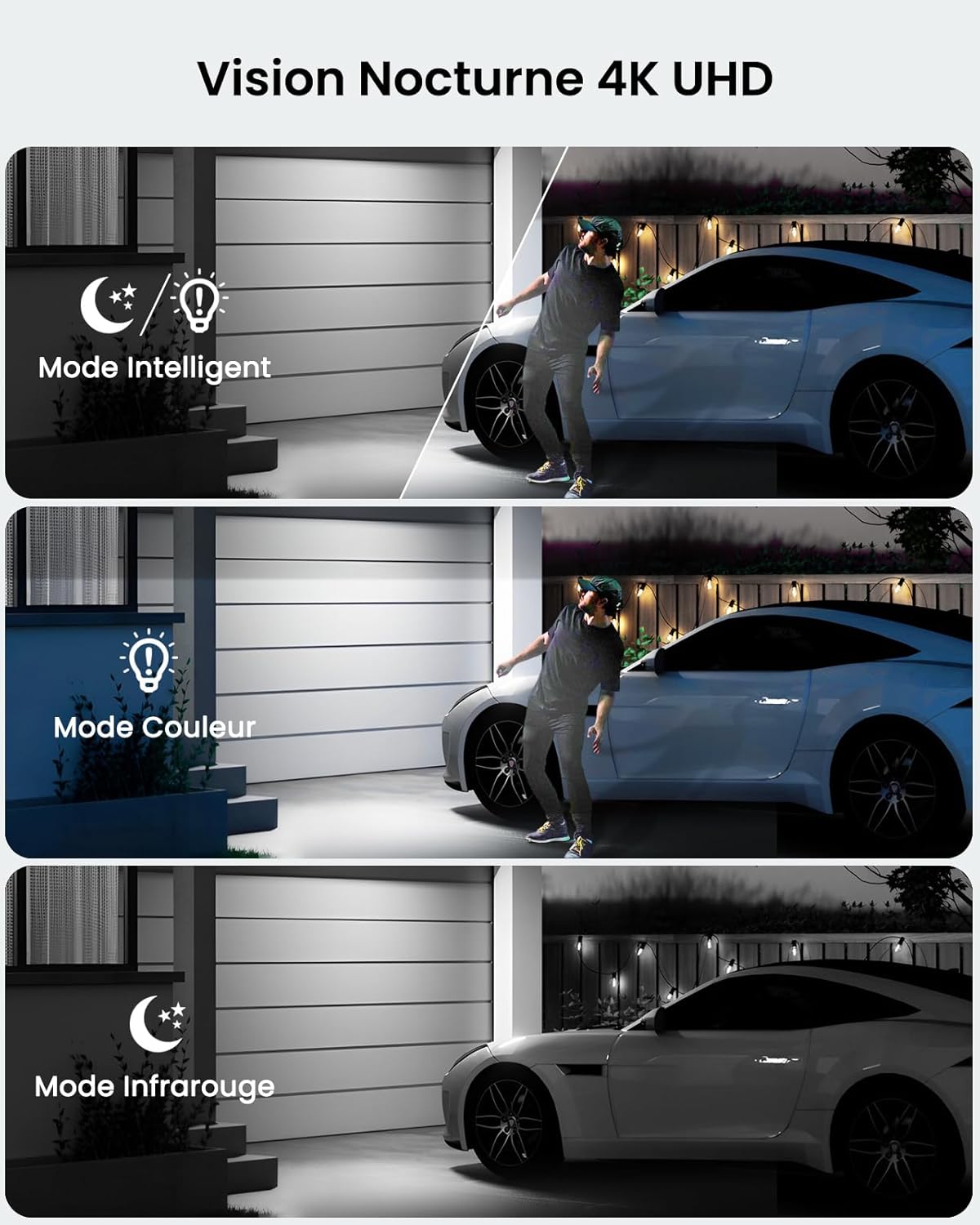
Figure 8: 4K UHD Night Vision modes.
4.4. Two-Way Audio
Each camera is equipped with a built-in microphone and speaker, enabling two-way audio communication. You can listen to what's happening around the camera and speak through the camera using the ANRAN app, allowing you to greet visitors or deter intruders.
4.5. Smart Alerts
Upon detecting motion, the system can activate integrated floodlights and a siren to deter unwanted visitors. You will also receive instant notifications on your smartphone, keeping you informed of any activity in real-time. These alert features can be customized or disabled via the app.

Figure 9: Smart alarm features.
4.6. Remote Access and Multi-User Sharing
Access your surveillance system from anywhere using the ANRAN app on your smartphone, tablet, or computer. The system also supports multi-user sharing, allowing you to grant access to family members or trusted individuals, so they can also view live feeds and recordings.
5. Maintenance
Regular maintenance ensures optimal performance and longevity of your ANRAN surveillance system:
- Clean Camera Lenses: Periodically wipe camera lenses with a soft, damp cloth to remove dust, dirt, or water spots that may affect image clarity.
- Check Cable Connections: Ensure all Ethernet cables are securely connected to the cameras and NVR to prevent signal loss or power interruptions.
- Firmware Updates: Check the ANRAN app or official website for available firmware updates for your NVR and cameras. Keeping firmware updated ensures the latest features and security patches.
- HDD Health Check: Monitor the health of the NVR's hard drive through the system settings to ensure continuous recording.
- Weather Protection: While the cameras are IP67 weatherproof, ensure they are installed in locations that minimize direct exposure to extreme weather conditions for extended periods.

Figure 10: IP67 weatherproof camera for all-weather security.
6. Troubleshooting Common Issues
If you encounter any issues with your ANRAN surveillance system, please refer to the following troubleshooting tips:
- No Video Signal from Camera:
- Ensure the Ethernet cable is securely connected to both the camera and the NVR's PoE port.
- Verify that the NVR is powered on and functioning correctly.
- Try connecting the camera to a different PoE port on the NVR.
- Check the Ethernet cable for any damage.
- Poor Image Quality:
- Clean the camera lens with a soft cloth.
- Ensure the camera's resolution settings are set to 4K/8MP in the NVR or app.
- Check for obstructions in the camera's field of view.
- Adjust the camera's position to avoid glare or strong backlighting.
- Frequent False Alarms:
- Adjust the AI detection sensitivity settings in the NVR or app.
- Define specific motion detection zones to exclude areas with irrelevant movement (e.g., public roads, swaying trees).
- Ensure the camera is not pointing directly at reflective surfaces or areas with constant light changes.
- Remote Access Issues (App Connectivity):
- Verify that the NVR is connected to your internet router and has an active internet connection.
- Check your router's internet connection.
- Ensure your smartphone or tablet has a stable internet connection (Wi-Fi or mobile data).
- Restart the NVR and your router.
- Ensure the ANRAN app is updated to the latest version.
If the issue persists after trying these steps, please contact ANRAN customer support for further assistance.
7. Technical Specifications
| Feature | Specification |
|---|---|
| Video Recording Resolution | 4K (3840x2160p) / 8MP |
| NVR Channels | 8 Channels |
| Pre-installed HDD Capacity | 2TB (expandable up to 10TB) |
| Camera PTZ Control | Horizontal 355°, Vertical 90° |
| Night Vision Range | Up to 30 meters (Color Night Vision) |
| Connectivity Technology | Wired (PoE) |
| Weatherproof Rating | IP67 |
| Two-Way Audio | Yes (Built-in Mic & Speaker) |
| AI Detection | Person/Vehicle Detection |
| Power Supply | 48 Volts, 5 Watts (per camera) |
| Product Dimensions (L x W x H) | 38.5 x 18 x 42.5 cm |
| Model Number | 4K POE Set |
8. Warranty and Customer Support
ANRAN is committed to providing high-quality products and excellent customer service. Your ANRAN 4K PoE Surveillance Camera Kit comes with a 2-year warranty from the date of purchase, covering manufacturing defects and malfunctions under normal use.
For technical assistance, troubleshooting, or any inquiries regarding your product, please utilize the following resources:
- Online Support: Visit the official ANRAN website for FAQs, user guides, and software downloads.
- Lifetime Technical Support: ANRAN offers lifetime technical support for its products.
- 24/7 Online Service: Contact ANRAN customer service for assistance around the clock.
You can also visit the ANRAN Brand Store on Amazon for more information and support: ANRAN Brand Store

Figure 11: ANRAN Customer Support and Warranty Information.


