
Comfytemp K9059
Comfytemp Far Infrared Weighted Heating Pad User Manual
Model: K9059 | Brand: Comfytemp
1. Product Overview
The Comfytemp Far Infrared Weighted Heating Pad is designed to provide effective pain relief for various body areas, including the back, neck, shoulders, and legs. Its unique weighted design, incorporating ceramic beads, ensures deep, penetrating far-infrared heat and comfortable body conformity. This extra-large heating pad (17"x33") offers comprehensive coverage and features adjustable heat settings and an automatic shut-off for safe and efficient use.

Image: A woman lying on her stomach, using the large grey Comfytemp weighted heating pad on her lower back. The pad's controller is visible next to her.
2. Safety Information and Important Safeguards
Please read all instructions and warnings before using this heating pad to ensure safe operation and prevent injury or damage.
- Do Not Use While Lying On It: Avoid lying directly on the heating pad as this can trap heat and lead to overheating or burns.
- Do Not Fold During Use: Folding the heating pad during operation can cause heat to concentrate, potentially leading to overheating and damage to the product or user.
- Unplug When Not In Use: Always unplug the heating pad from the electrical outlet when it is not in use or before cleaning.
- Avoid Sharp Objects: Do not use pins or other metallic objects with this heating pad as they may damage the electrical wiring.
- Not for Infants or Incapacitated Persons: This product should not be used by infants, incapacitated persons, or anyone insensitive to heat.
- Supervision Required: Close supervision is necessary when this product is used by, on, or near children or invalids.
- Inspect Before Use: Always inspect the heating pad, cord, and controller for any signs of wear or damage before each use. Do not use if damaged.
- Moist Heat Application: For moist heat therapy, lightly spray water on the surface of the pad. Do not immerse the pad or controller in water.
- Auto-Off Function: The heating pad features a 2-hour auto-off function for safety and energy efficiency.

Image: A visual guide illustrating proper usage (not lying on it, not folding it, laying it flat to cool) and improper usage of the heating pad.
3. Setup and Initial Use
- Unpack: Carefully remove the heating pad and controller from its packaging.
- Inspect: Check the heating pad and power cord for any visible damage. Do not use if damaged.
- Connect: Ensure the controller is securely connected to the heating pad.
- Placement: Place the heating pad on the desired body area. Ensure it is laid flat and not folded or bunched up.
- Power Connection: Plug the power cord into a standard electrical outlet.
4. Operating Instructions
The Comfytemp heating pad features an easy-to-use controller with adjustable heat settings and an automatic shut-off function.

Image: A detailed view of the heating pad's controller, showing the power button, heat level indicators (Low, Med, High), and the 2-hour auto-off indicator.
4.1 Powering On/Off
- To turn on the heating pad, press the power button (⏻) on the controller. The pad will typically start on the lowest heat setting.
- To turn off the heating pad, press and hold the power button until all indicator lights turn off.
4.2 Adjusting Heat Settings
- The heating pad offers 3 adjustable heat levels: Low, Medium, and High.
- Press the power button (⏻) repeatedly to cycle through the heat settings. An indicator light (Low, Med, High) will illuminate to show the current setting.
- Select the heat level that provides the most comfortable and effective relief.
4.3 Automatic Shut-Off
- For safety and energy conservation, the heating pad is equipped with a 2-hour automatic shut-off function.
- After approximately 2 hours of continuous use, the heating pad will automatically turn off.
- To resume use, simply press the power button again to restart the pad.
5. Maintenance and Care
5.1 Cleaning Instructions
The Comfytemp heating pad is machine washable for easy cleaning.
- Disconnect: Always ensure the heating pad is unplugged from the electrical outlet and the controller is detached from the pad before cleaning.
- Machine Wash: Machine wash on a gentle cycle with cold water.
- Drying: Line dry or lay flat to dry. Do not tumble dry, iron, or dry clean. Ensure the pad is completely dry before reconnecting the controller and using it again.
5.2 Storage
- Cool Down: Allow the heating pad to cool down completely before storing.
- Store Flat: Store the heating pad flat or loosely rolled in a cool, dry place. Avoid folding tightly or placing heavy objects on it, which could damage the internal wiring.
6. Troubleshooting
| Problem | Possible Cause | Solution |
|---|---|---|
| Heating pad does not turn on. | Not plugged in; loose connection; power outage; damaged cord/controller. | Ensure power cord is securely plugged into outlet and controller. Check household circuit breaker. If still not working, contact customer support. |
| Heating pad feels too cool or not hot enough. | Low heat setting selected; ceramic beads absorb heat initially; pad is folded. | Increase heat setting. Allow a few minutes for the pad to reach full temperature. Ensure the pad is laid flat and not folded. |
| Heating pad turns off unexpectedly. | 2-hour auto-off function activated; overheating protection activated. | This is normal operation for the 2-hour auto-off. Press power button to restart. If it turns off frequently before 2 hours, ensure it's not folded or covered excessively, which could trigger overheating protection. |
7. Specifications
- Model: K9059
- Dimensions: 17" x 33" (approx. 43 x 84 cm)
- Weight: 3.8 lbs (approx. 1.72 kg)
- Heat Settings: 3 (Low, Medium, High)
- Auto-Off Timer: 2 hours
- Power Cord Length: 8.85 ft (approx. 2.7 m)
- Material: Soft Flannel with Ceramic Beads
- Color: Grey
- Manufacturer: Shenzhen Yicai Health Technology Co. , Ltd
- UPC: 676351283692

Image: An overhead view of the heating pad with an overlay indicating its 17"x33" dimensions and 3.8lb weight, along with a visual representation of the internal heating elements.
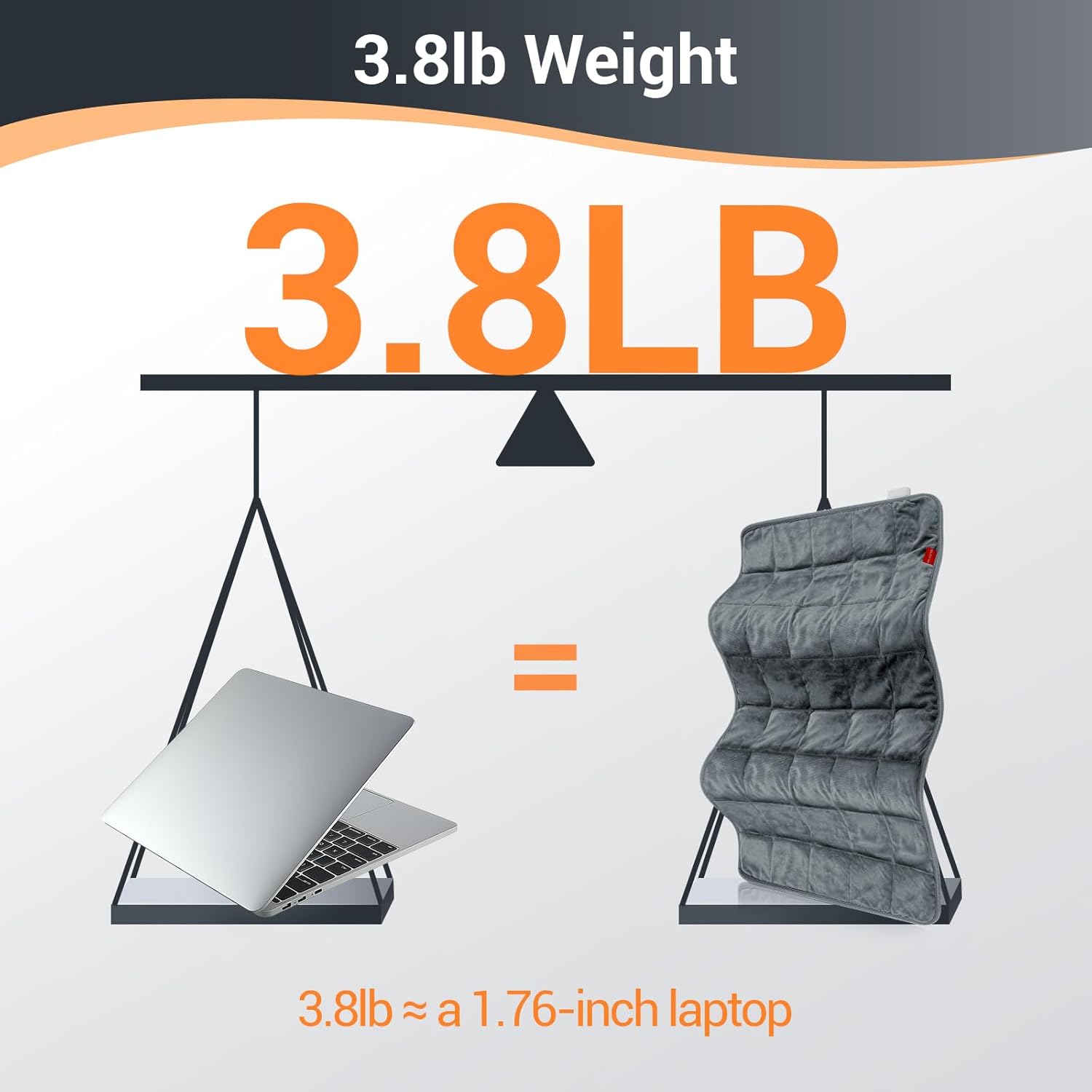
Image: A graphic illustrating the 3.8lb weight of the heating pad, comparing it to the weight of a 1.76-inch laptop.
8. Warranty and Support
For warranty information or technical support, please refer to the contact details provided with your product packaging or visit the official Comfytemp website. Please have your model number (K9059) and purchase date available when contacting support.
For general inquiries or to learn more about Comfytemp products, you may visit their brand page or contact their customer service department.
Related documentsK9059


Ask a question about this manual
Ask about setup, troubleshooting, compatibility, parts, safety, or missing instructions. Manuals+ will review the question and use this page’s manual context to help answer it.