1. Product Overview
This UPGENT rearview parking assist camera is designed to enhance driving safety by providing a clear and wide view of the area behind your vehicle. It assists drivers in accurately assessing distances and obstacle positions during reversing and parking maneuvers, helping to prevent accidents and collisions.
The camera features high-definition night vision capabilities and a wide viewing angle, coupled with good waterproof performance, to protect your car from unseen obstacles.
1.1 Compatibility
This camera is compatible with the following Jaguar models. Please verify your car's model and year before purchase:
- Jaguar E-Pace X540 [2017-2020] SUV
- Jaguar F-Pace X761 [2015-2020] SUV
- Jaguar F-Type X152 [2012-2020] Coupé
- Jaguar F-Type X152 [2012-2020] Convertible
- Jaguar F-Type QQ6_ [2012-2020] Coupé
- Jaguar F-Type QQ6_ [2012-2020] Convertible
- Jaguar XE X760 [2015-2020] Sedan
- Jaguar XE JA_ [2015-2020] Sedan
- Jaguar XF X260 [2015-2020] Sedan
- Jaguar XJ X35_ _J12_ _J24_ [2009-2016] Sedan
2. Setup and Installation
Installation of the rearview camera typically involves replacing the existing camera unit or integrating it into the vehicle's rear. Professional installation is recommended to ensure correct wiring and functionality.
2.1 Package Contents
- 1 x Rearview Parking Assist Camera (Model: FW93-19H422-AB)
2.2 Installation Steps (General Guidelines)
- Preparation: Ensure the vehicle's ignition is off and the battery is disconnected before starting any electrical work.
- Locate Mounting Position: Identify the designated mounting location for the rearview camera, typically near the license plate or within the trunk lid handle assembly.
- Remove Existing Components: Carefully remove any trim panels or existing camera units as required to access the wiring and mounting points.
- Connect Wiring: Connect the new camera's wiring harness to the vehicle's existing camera wiring. Ensure all connections are secure and properly insulated. The camera features a 6-pin connector.
- Mount the Camera: Securely mount the new camera in its designated position. Ensure it is oriented correctly for optimal viewing.
- Test Functionality: Reconnect the vehicle's battery. Engage reverse gear (with the parking brake applied and foot on the brake pedal) to test if the camera image appears on the vehicle's display.
- Reassemble: Once functionality is confirmed, reassemble any removed trim panels.

Image 1: Rearview camera showing the 6-pin connector and part number label. This view highlights the electrical connection point for installation.

Image 2: Side view of the rearview camera, displaying the lens and a 'QC Pass' sticker, indicating quality control approval.
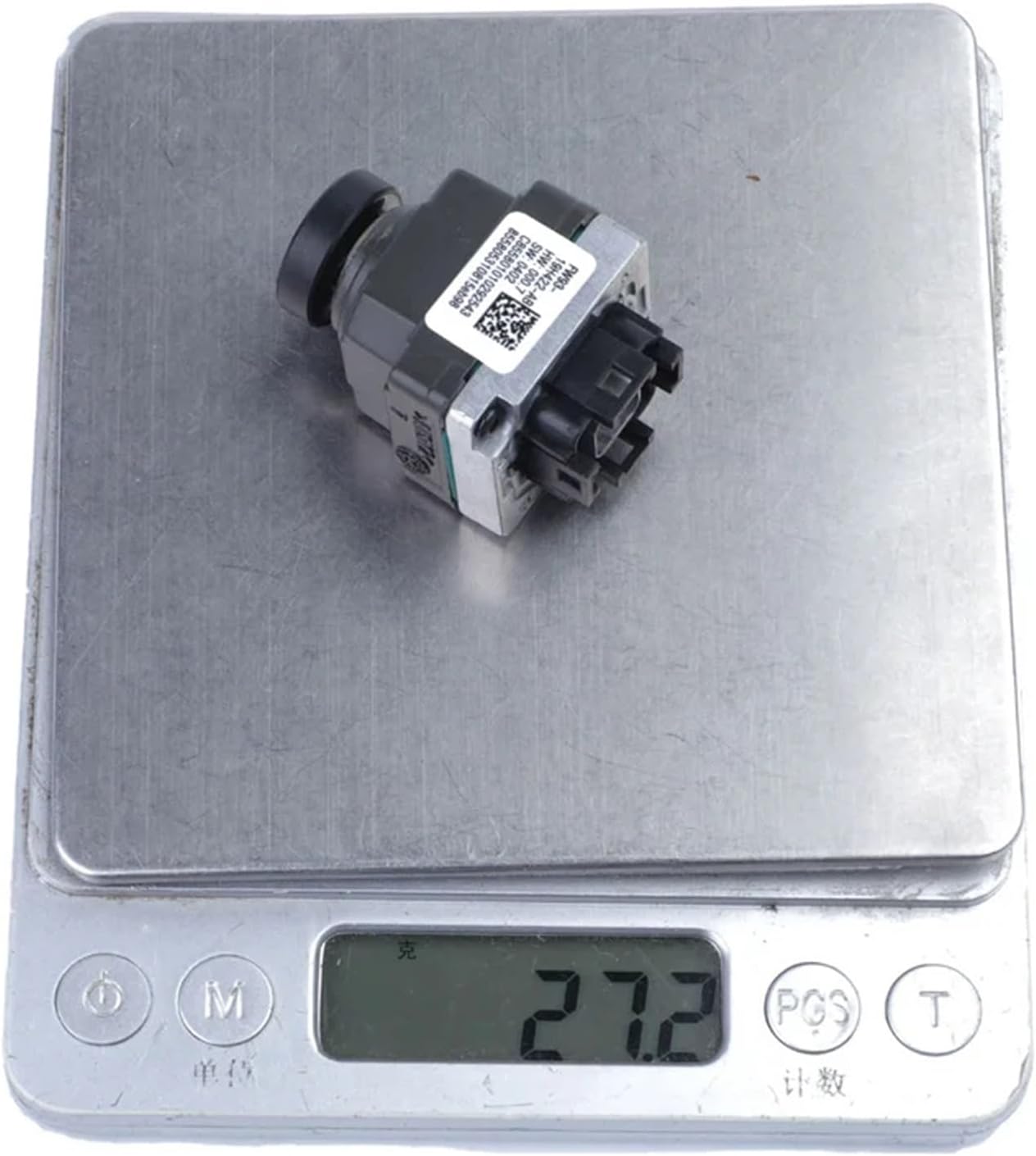
Image 3: Detailed close-up of the 6-pin connector on the camera, showing the pin configuration for electrical connection.
3. Operating Instructions
The UPGENT rearview parking assist camera operates automatically in conjunction with your vehicle's reverse gear system.
3.1 Automatic Activation
- When the vehicle is shifted into reverse gear, the camera will automatically activate.
- The video feed from the camera will be displayed on your vehicle's compatible infotainment screen or rearview mirror display.
- Parking guidelines (if supported by your vehicle's system) may appear on the screen to assist with parking maneuvers.
3.2 Viewing the Display
Observe the display carefully while reversing. The wide-angle view provides a comprehensive perspective of the area behind your vehicle, including blind spots. Use this visual information in conjunction with your mirrors and direct observation to safely maneuver your vehicle.

Image 4: Front view of the camera, showing the lens. This is the primary component responsible for capturing the rear view.
4. Maintenance
Proper maintenance ensures the longevity and optimal performance of your rearview camera.
- Cleaning the Lens: Regularly clean the camera lens with a soft, damp cloth to remove dirt, dust, and water spots. Avoid abrasive cleaners or materials that could scratch the lens.
- Inspect Wiring: Periodically check the wiring and connections for any signs of wear, damage, or corrosion. Ensure all connections remain secure.
- Environmental Protection: While the camera is designed to be waterproof, avoid directing high-pressure water jets directly at the camera during car washes, as this could potentially compromise seals over time.
5. Troubleshooting
If you encounter issues with your rearview camera, refer to the following troubleshooting steps:
- No Image on Display:
- Ensure the vehicle is in reverse gear.
- Check all wiring connections to ensure they are secure and not damaged.
- Verify that the vehicle's display system is functioning correctly.
- Check the fuse related to the rearview camera system (refer to your vehicle's owner's manual).
- Distorted or Unclear Image:
- Clean the camera lens thoroughly.
- Check for any obstructions blocking the camera's view.
- Ensure the camera is securely mounted and not vibrating.
- Inspect wiring for any signs of damage or interference.
- Intermittent Operation:
- This often indicates a loose or corroded connection. Re-check all wiring.
- Ensure the camera's power supply is stable.
If these steps do not resolve the issue, it is recommended to consult a qualified automotive technician or contact UPGENT customer support.
6. Specifications
| Feature | Detail |
|---|---|
| Item Type | Parking Assist Camera |
| Color | As shown (typically black/grey) |
| Material | Plastic + Glass |
| Shell Material | Aluminum Alloy |
| Alarm Type | Alarm Systems (integration with vehicle's existing system) |
| Connection Type | Wired |
| OEM Part Number | FW93-19H422-AB |
| Other Part Numbers | T4N3099, LR060915 |
| Package Dimensions | 3 x 2 x 1 cm |
| Item Weight | 800 grams |
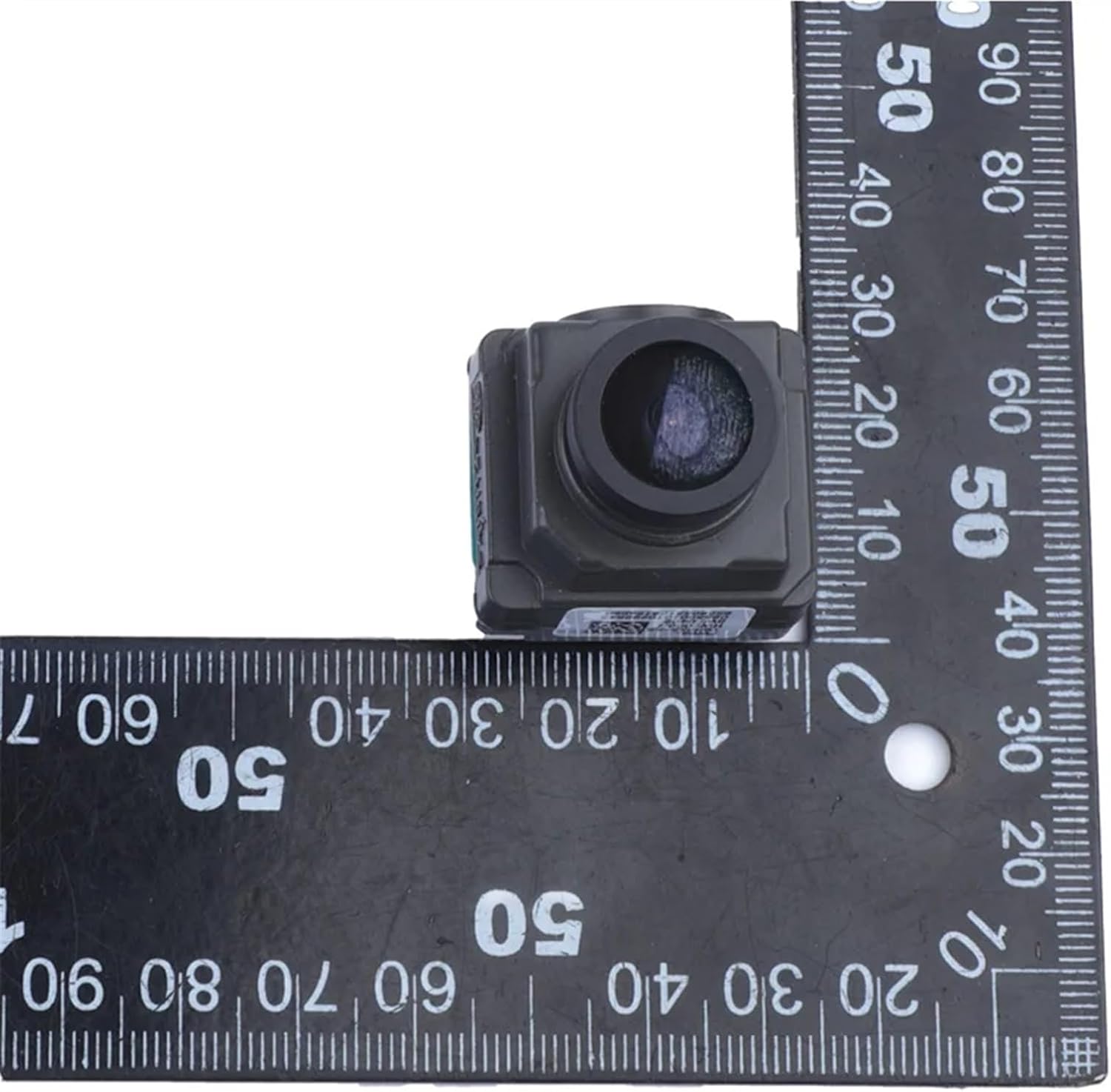
Image 5: The rearview camera placed on a digital scale, indicating a weight of 27.2 grams. Note: The product specifications list 800 grams for the item weight, which may include packaging or be a general shipping weight. The image shows the camera's actual weight.
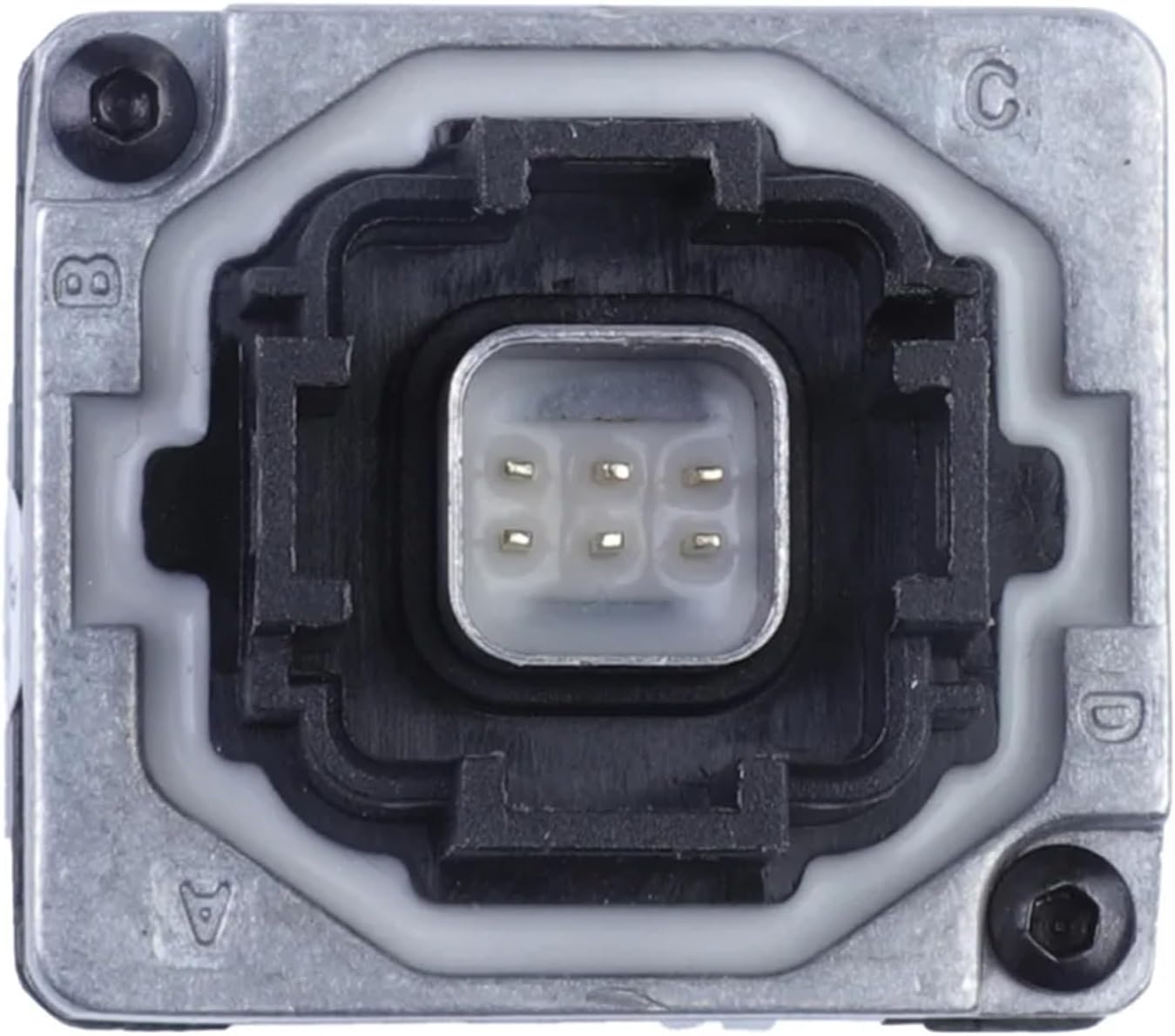
Image 6: The rearview camera positioned next to a ruler, illustrating its compact dimensions for installation reference.
7. Warranty and Support
For specific warranty information regarding your UPGENT rearview parking assist camera, please refer to the documentation provided at the time of purchase or contact the seller directly. Warranty terms and conditions may vary.
If you require technical assistance or have questions not covered in this manual, please reach out to the UPGENT customer support or your authorized dealer.


