
Midea MDRT723MTN46D
Midea MDRT723MTN46D Refrigerator User Manual
Model: MDRT723MTN46D | Capacity: 535 Liters
1. Introduction
This manual provides essential information for the safe and efficient operation, installation, and maintenance of your Midea MDRT723MTN46D Refrigerator. Please read it thoroughly before using your appliance and retain it for future reference.
2. Safety Information
Always follow basic safety precautions to reduce the risk of fire, electric shock, or injury when using your refrigerator.
- Ensure the appliance is properly grounded.
- Do not damage the refrigerant circuit.
- Keep ventilation openings clear of obstruction.
- Do not use mechanical devices or other means to accelerate the defrosting process, other than those recommended by the manufacturer.
- Unplug the refrigerator before cleaning or performing maintenance.
- This appliance is not intended for use by persons (including children) with reduced physical, sensory or mental capabilities, or lack of experience and knowledge, unless they have been given supervision or instruction concerning use of the appliance by a person responsible for their safety.
3. Setup and Installation
3.1 Unpacking
Remove all packaging materials, including foam and adhesive tape. Inspect the refrigerator for any shipping damage. Report any damage immediately to your retailer.
3.2 Placement
Place the refrigerator on a firm, level floor. Ensure adequate ventilation around the appliance. Allow at least 10 cm (4 inches) of space at the back and sides for proper air circulation. Avoid placing the refrigerator in direct sunlight or near heat sources like stoves or heaters. The dimensions of the unit are approximately 75 cm (D) x 74 cm (W) x 182 cm (H).
3.3 Leveling
Adjust the leveling feet at the bottom of the refrigerator to ensure it is stable and level. This prevents vibrations and ensures proper door sealing.
3.4 Power Connection
Connect the refrigerator to a dedicated, properly grounded electrical outlet. Do not use extension cords or multiple outlet adapters. Allow the refrigerator to stand upright for at least 2-4 hours before plugging it in to allow refrigerants to settle.

Figure 1: Front view of the Midea MDRT723MTN46D refrigerator, highlighting its sleek Bru Steel finish and the integrated digital temperature control panel on the freezer door.
4. Operating Instructions
4.1 Control Panel
Your Midea MDRT723MTN46D refrigerator features a digital temperature control panel located on the freezer door. This panel allows you to adjust the temperature settings for both the refrigerator and freezer compartments.
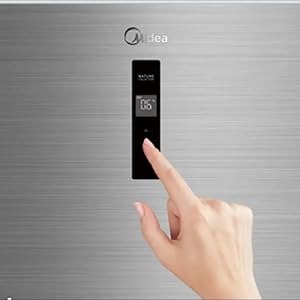
Figure 2: A close-up image of a hand interacting with the digital temperature control panel, demonstrating the ease of adjusting settings for the refrigerator.
4.2 Temperature Adjustment
Refer to the control panel interface for specific instructions on adjusting the temperature. Typically, buttons allow you to select the compartment (refrigerator or freezer) and then increase or decrease the temperature setting. Recommended refrigerator temperature is 2-4°C (35-40°F) and freezer temperature is -18°C (0°F).
4.3 Special Features
- Active C Fresh Filter: This advanced filtration system is designed to maintain optimal humidity levels for fruits and vegetables, preventing bacterial growth and ensuring longer-lasting freshness.
- Quattro Inverter: The Quattro Inverter motor provides stable temperature control, reduces energy consumption compared to traditional compressors, and contributes to a longer appliance lifespan.
- Multi Air Flow: This system improves air circulation throughout the refrigerator, minimizing odors and ensuring consistent cooling to keep food fresh in all areas.
- Humidity Control: The crisper drawer features a humidity control slider, allowing you to adjust the moisture level to suit different types of produce, thereby extending their freshness.
- Cooling Zone/Box: Dedicated areas or compartments designed for rapid cooling or maintaining specific temperatures for certain items, such as beverages or deli meats.
- Voltage Stability: The refrigerator is equipped with features to handle voltage fluctuations, protecting the appliance from potential damage due to unstable power supply.

Figure 3: An illustration showing the multi-layered Active C Fresh Filter, demonstrating how it purifies air and maintains optimal humidity for food freshness.
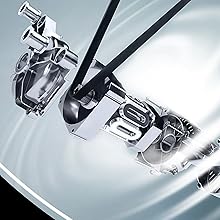
Figure 4: A technical diagram depicting the internal components and operation of the Quattro Inverter motor, emphasizing its role in energy efficiency and stable temperature control.

Figure 5: This graphic shows the Multi Air Flow system, indicating how cool air is circulated evenly throughout the refrigerator compartments to maintain consistent temperatures and reduce odors.

Figure 6: This image focuses on the humidity-controlled crisper drawer, filled with fresh fruits and vegetables, illustrating its design for optimal produce preservation.
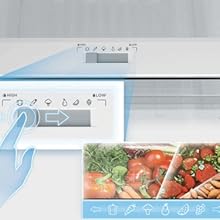
Figure 7: A detailed view of the adjustable humidity control slider located within the crisper drawer, allowing users to customize moisture levels for different types of produce.
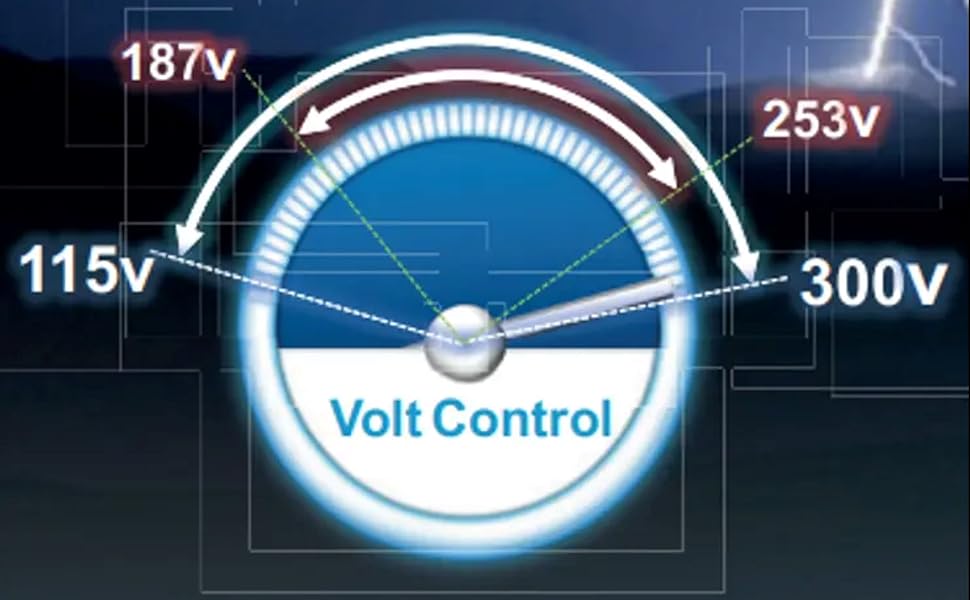
Figure 8: A visual representation of the Volt Control system, showing its ability to manage voltage fluctuations and protect the refrigerator from power inconsistencies.
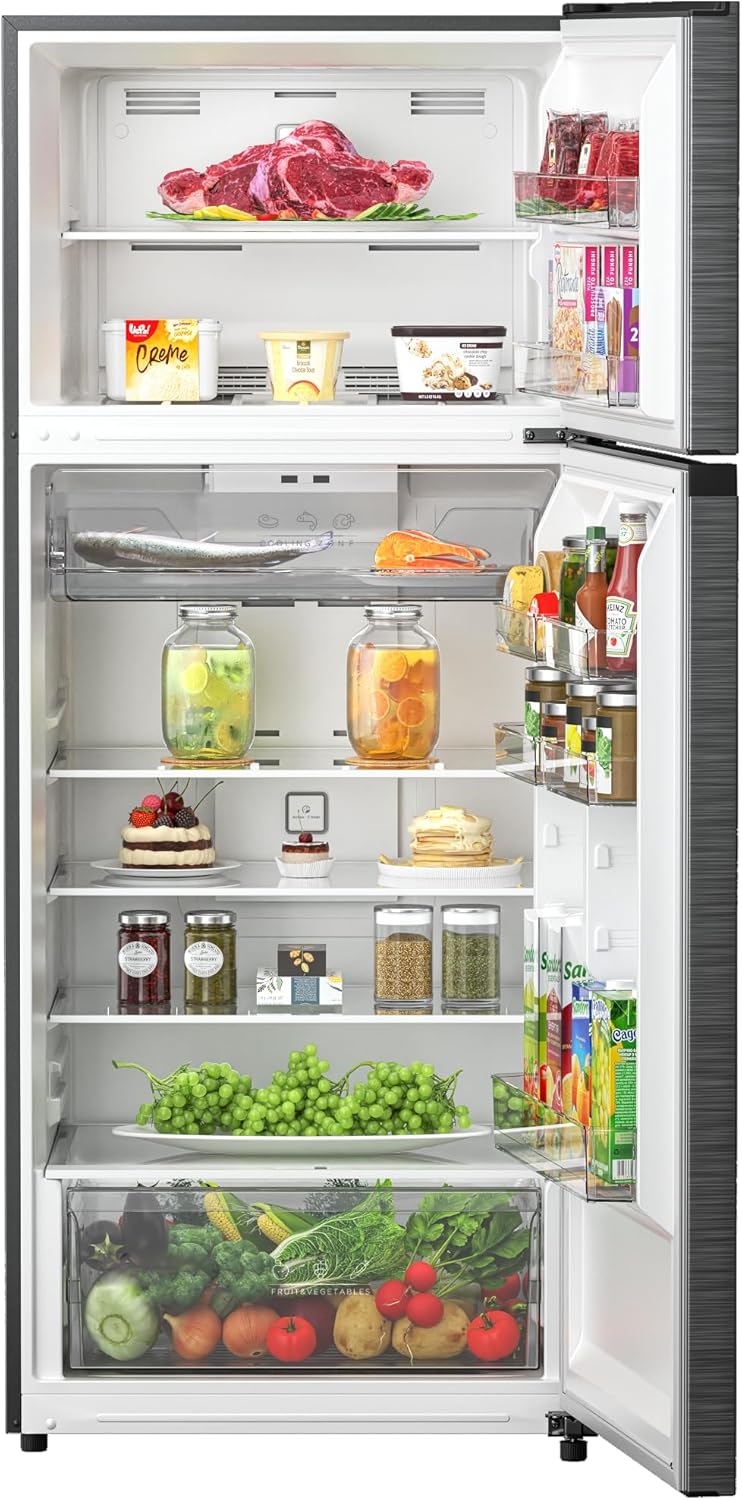
Figure 9: An open view of the refrigerator's interior, showcasing multiple shelves, door bins, and the spacious crisper drawer filled with various food items, demonstrating its storage capacity.
5. Maintenance
5.1 Cleaning
Regular cleaning helps maintain the efficiency and appearance of your refrigerator. Unplug the appliance before cleaning.
- Interior: Clean with a solution of mild soap and warm water. Rinse thoroughly and dry. Remove shelves and drawers for easier cleaning.
- Exterior: Wipe surfaces with a soft cloth and mild detergent. For stainless steel finishes, use a specialized stainless steel cleaner.
- Door Gaskets: Clean door gaskets regularly with warm soapy water to ensure a tight seal.
5.2 Defrosting
Your Midea MDRT723MTN46D refrigerator features a Frost Free defrost system, which automatically prevents ice buildup in the freezer compartment. Manual defrosting is generally not required. If excessive frost accumulates, ensure the door is sealing properly and that the appliance is not overfilled.
5.3 Active C Fresh Filter Maintenance
Periodically check the Active C Fresh Filter. Depending on usage, it may require cleaning or replacement to maintain optimal performance. Refer to the filter's specific instructions for maintenance details.
6. Troubleshooting
Before contacting service, review the following common issues and solutions:
| Problem | Possible Cause | Solution |
|---|---|---|
| Refrigerator not cooling | Power outage, unplugged, temperature set too high, door left open, poor ventilation. | Check power, lower temperature setting, ensure door is closed, clear ventilation. |
| Unusual noises | Appliance not level, items vibrating inside, normal compressor/fan sounds. | Level the refrigerator, rearrange items, normal sounds are expected. |
| Water on floor | Drain tube clogged, door not sealing properly. | Clear drain tube, check door gasket for obstructions. |
| Door not closing completely | Door gasket dirty/damaged, refrigerator not level, items obstructing closure. | Clean/replace gasket, level appliance, remove obstructions. |
7. Specifications
| Feature | Detail |
|---|---|
| Brand | Midea |
| Model Info | MDRT723MTN46D |
| Capacity | 535 Liters |
| Product Dimensions (D x W x H) | 75 cm x 74 cm x 182 cm |
| Item Weight | 79 Kilograms |
| Installation Type | Freestanding |
| Form Factor | Freezer Top |
| Defrost System | Frost Free |
| Special Features | Digital Temperature Control, Humidity Control, Quattro Inverter, Tropical Compressor, Voltage Stability |
| Color | Silver |
| Energy Rating | 5 Star (BEE Star Rating) |
| Door Material Type | Stainless Steel |
8. Warranty and Support
Your Midea MDRT723MTN46D Refrigerator comes with an impressive Full 10-Year Warranty. For warranty claims, technical support, or service inquiries, please contact Midea customer service or your authorized retailer. Ensure you have your purchase receipt and model number available when contacting support.
Related documentsMDRT723MTN46D


Ask a question about this manual
Ask about setup, troubleshooting, compatibility, parts, safety, or missing instructions. Manuals+ will review the question and use this page’s manual context to help answer it.