Introduction
Thank you for choosing the Haino Teko Air-1 Mini Wireless Earbuds. These earbuds are designed to provide a high-quality audio experience with the convenience of wireless connectivity and intuitive touch controls. This manual will guide you through the setup, operation, maintenance, and troubleshooting of your new earbuds to ensure optimal performance and longevity.
Product Overview
The Haino Teko Air-1 Mini earbuds offer a lightweight and comfortable design, making them suitable for various activities. The package includes the earbuds, a portable charging case, and a protective cover.
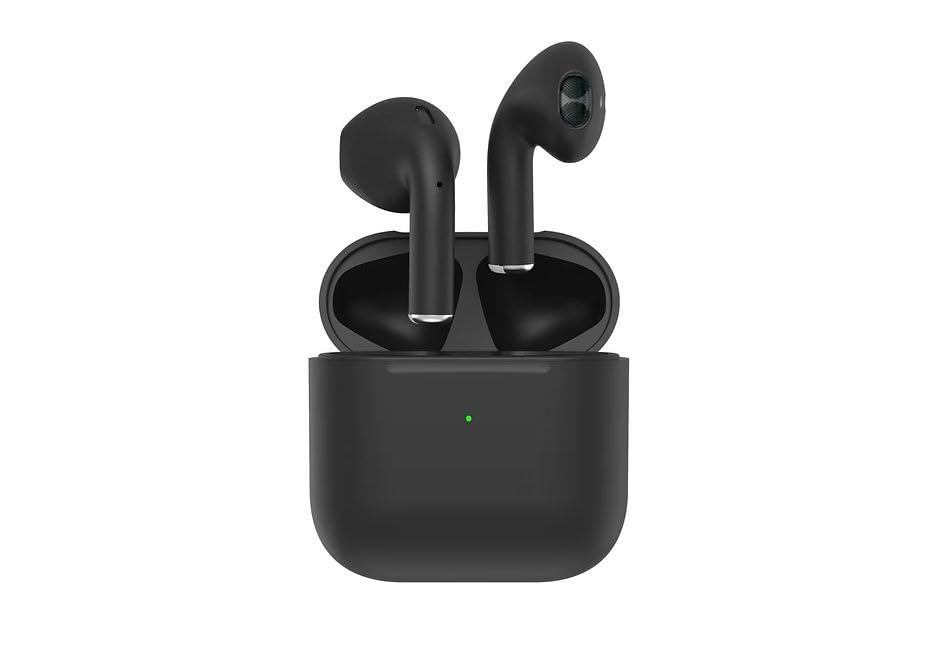
Image: Haino Teko Air-1 Mini Wireless Earbuds and Charging Case. The image displays the black earbuds securely placed within their matching black charging case, with the Haino Teko logo visible.
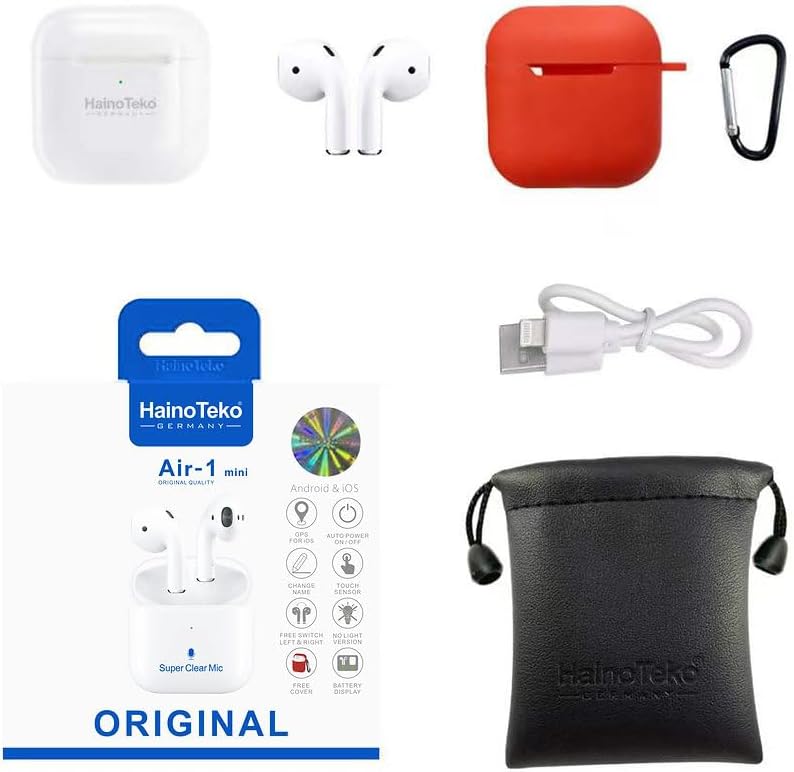
Image: Haino Teko Air-1 Mini Accessories. This image shows the product packaging, a white pair of earbuds, a red silicone protective case with a carabiner, a USB charging cable, and a black drawstring pouch, illustrating the complete set of items included with the earbuds.
Included Components:
- Haino Teko Air-1 Mini Wireless Earbuds (Left and Right)
- Wireless Charging Case
- Protective Case
- USB Charging Cable
Setup
1. Charging the Earbuds and Case
Before first use, fully charge the earbuds and the charging case.
- Place the earbuds into the charging case. Ensure they are correctly seated; the indicator lights on the earbuds should illuminate.
- Connect the charging case to a power source using the provided USB cable. The indicator light on the charging case will show charging status.
- Allow approximately 1-2 hours for a full charge. The indicator lights will change or turn off once charging is complete.
2. Pairing with Your Device
The earbuds use Bluetooth 5.0 for a stable wireless connection.
- Open the charging case. The earbuds will automatically power on and enter pairing mode. The indicator light on one earbud will flash, indicating it is ready to pair.
- On your smartphone or other Bluetooth-enabled device, go to the Bluetooth settings.
- Search for available devices and select "Haino Teko Air-1 Mini" from the list.
- Once connected, a voice prompt will confirm successful pairing, and the earbud indicator lights will turn off or flash slowly.
- After initial pairing, the earbuds will automatically connect to the last paired device when removed from the case, provided Bluetooth is enabled on your device.
Operating Instructions
Power On/Off
- Power On: Open the charging case, or long-press the touch area on both earbuds for 3 seconds.
- Power Off: Place the earbuds back into the charging case and close the lid, or long-press the touch area on both earbuds for 5 seconds.
Touch Controls
The Haino Teko Air-1 Mini features intuitive touch controls on each earbud.
| Action | Left Earbud | Right Earbud |
|---|---|---|
| Play/Pause | Single tap | Single tap |
| Next Track | Double tap | Double tap |
| Previous Track | Triple tap | Triple tap |
| Answer/End Call | Single tap | Single tap |
| Reject Call | Long press (2s) | Long press (2s) |
| Activate Voice Assistant | Long press (3s) | Long press (3s) |
| Toggle ANC/Transparency Mode | Long press (2s) | Long press (2s) |
Note: Volume control may need to be adjusted directly on your connected device.
Wearing the Earbuds
For optimal sound quality and comfort, ensure the earbuds are properly seated in your ears. Gently insert each earbud into your ear canal and rotate slightly until it feels secure and comfortable. The lightweight design and secure fit are ideal for active use.
Maintenance
Proper maintenance ensures the longevity and performance of your earbuds.
- Cleaning: Regularly clean the earbuds and charging case with a soft, dry, lint-free cloth. Do not use harsh chemicals or abrasive materials. For earwax buildup, gently clean the ear tips and speaker mesh with a small, soft brush or cotton swab.
- Storage: When not in use, store the earbuds in their charging case to protect them from dust, dirt, and damage. Keep the case in a cool, dry place away from direct sunlight and extreme temperatures.
- Battery Care: To preserve battery life, avoid fully discharging the earbuds and charging case frequently. Charge them regularly, even if not used for extended periods.
- Water Resistance: The earbuds are sweat and water-resistant, but they are not waterproof. Avoid submerging them in water or exposing them to heavy rain. Dry them thoroughly before placing them back in the charging case if they get wet.
Troubleshooting
If you encounter issues with your Haino Teko Air-1 Mini earbuds, try the following solutions:
| Problem | Solution |
|---|---|
| Earbuds not pairing with device |
|
| Only one earbud working |
|
| No sound or low volume |
|
| Charging case not charging |
|
If these steps do not resolve the issue, please contact customer support.
Specifications
Key technical specifications for the Haino Teko Air-1 Mini Wireless Earbuds:
| Feature | Detail |
|---|---|
| Brand | Haino Teko |
| Model Name | Air-1 Mini |
| Model Number | Haino Teko Air-1 Mini |
| Connectivity Technology | Wireless (Bluetooth 5.0) |
| Headphones Form Factor | In Ear |
| Control Method | Touch |
| Special Features | Wireless Charging, Microphone Included, Active Noise Cancellation |
| Included Components | Wireless Charging Case, Protective Case |
| Material | Plastic |
| Age Range Description | Adult |
Warranty and Support
For warranty information and customer support, please refer to the documentation included with your purchase or visit the official Haino Teko website. Keep your proof of purchase for any warranty claims.


