
HelloBaby B0D56XVL3Z
HelloBaby 6-inch IPS Screen Baby Monitor User Manual
Model: B0D56XVL3Z
Product Overview
The HelloBaby 6-inch IPS Screen Baby Monitor provides a clear and comprehensive view of your baby with its large display and flexible mounting options. Designed for ease of use and peace of mind, this monitor operates without Wi-Fi, ensuring a secure and private connection.

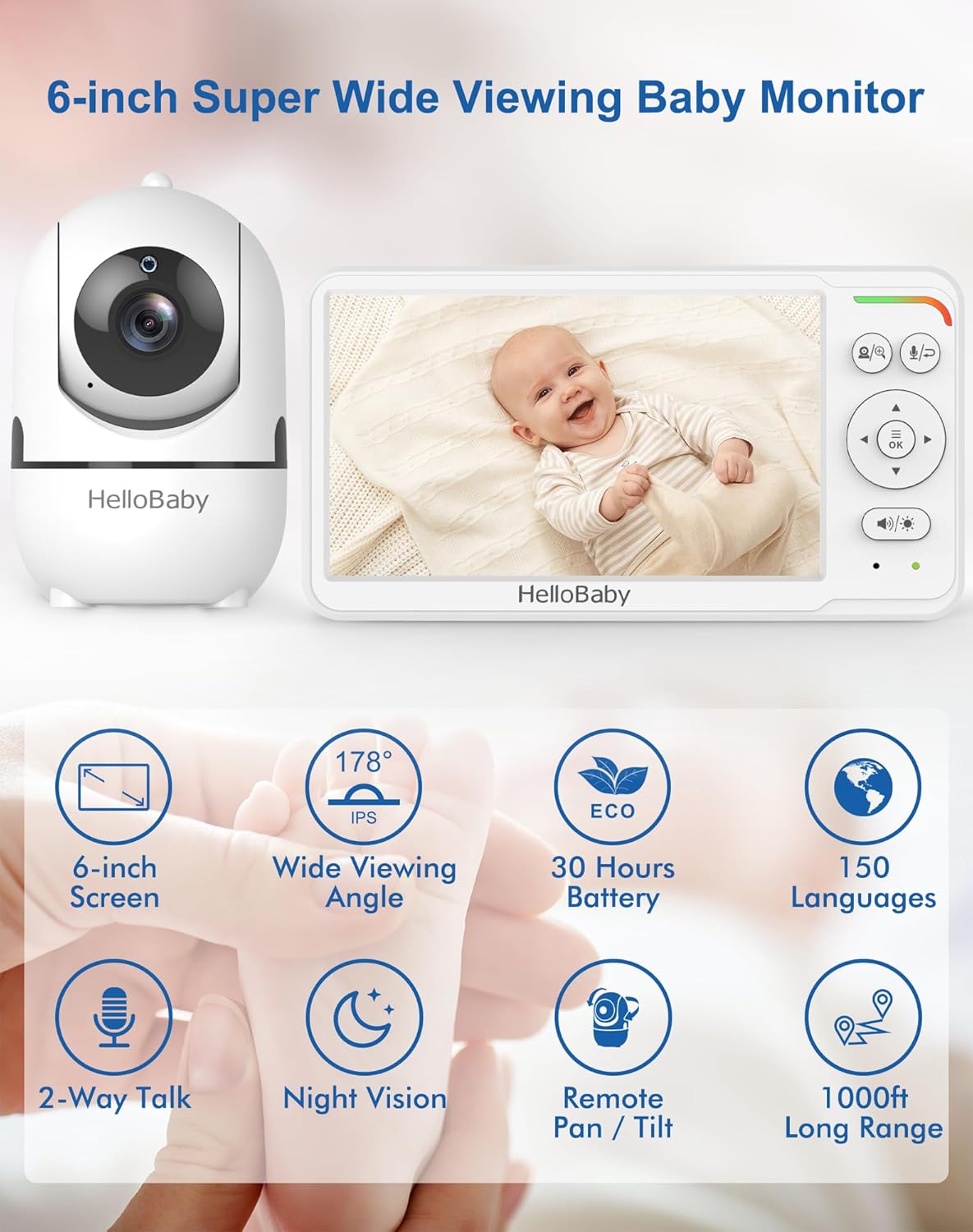
Key Features:
- 6-inch IPS Screen: Provides a large, clear display with wide viewing angles, reducing eye fatigue.
- Long Battery Life: Up to 30 hours in VOX (Voice Operated Exchange) mode, ensuring all-night monitoring.
- Flexible Mount: Mountable design allows for easy, tool-free attachment to cribs or other surfaces without wall damage.
- Remote Pan-Tilt Camera: Offers 355° horizontal pan and 120° vertical tilt for comprehensive room coverage.
- Infrared Night Vision: Advanced auto infrared LEDs provide clear visibility in total darkness without disturbing the baby.
- Two-Way Audio: Allows for clear communication between the parent unit and the camera.
- Secure & Private Connection: Utilizes 2.4 GHz FHSS & digital encryption for a stable, WiFi-free connection, eliminating hacking risks.
Setup Guide
Follow these steps to set up your HelloBaby monitor system.
1. Unboxing and Charging
- Carefully remove all components from the packaging: the monitor unit, camera unit, flexible mount, and power adapters.
- Connect the power adapter to the monitor unit and plug it into a power outlet. Charge the monitor fully before first use (approximately 3-4 hours).
- Connect the other power adapter to the camera unit and plug it into a power outlet. The camera requires continuous power to operate.
2. Mounting the Camera
The flexible mount allows for versatile placement without tools or wall damage.


- Attach the camera to the flexible mount by screwing it onto the threaded connector.
- Secure the flexible mount to a stable surface, such as a crib railing, shelf, or table edge, by wrapping the flexible arm and using the clamp. Ensure it is firmly attached and out of reach of children.
- Position the camera to get the desired viewing angle of your baby.
3. Initial Pairing (Pre-paired)
The camera and monitor units are pre-paired at the factory. Simply power on both units, and they should automatically connect. If connection issues occur, refer to the Troubleshooting section for re-pairing instructions.
Operating Instructions
Understand the functions and controls of your HelloBaby monitor.
1. Powering On/Off
- To power on the monitor, press and hold the Power button until the screen illuminates.
- To power off the monitor, press and hold the Power button until the screen turns off.
- The camera unit powers on automatically when connected to power.
2. Pan and Tilt Functionality
Control the camera's view remotely from the monitor unit.
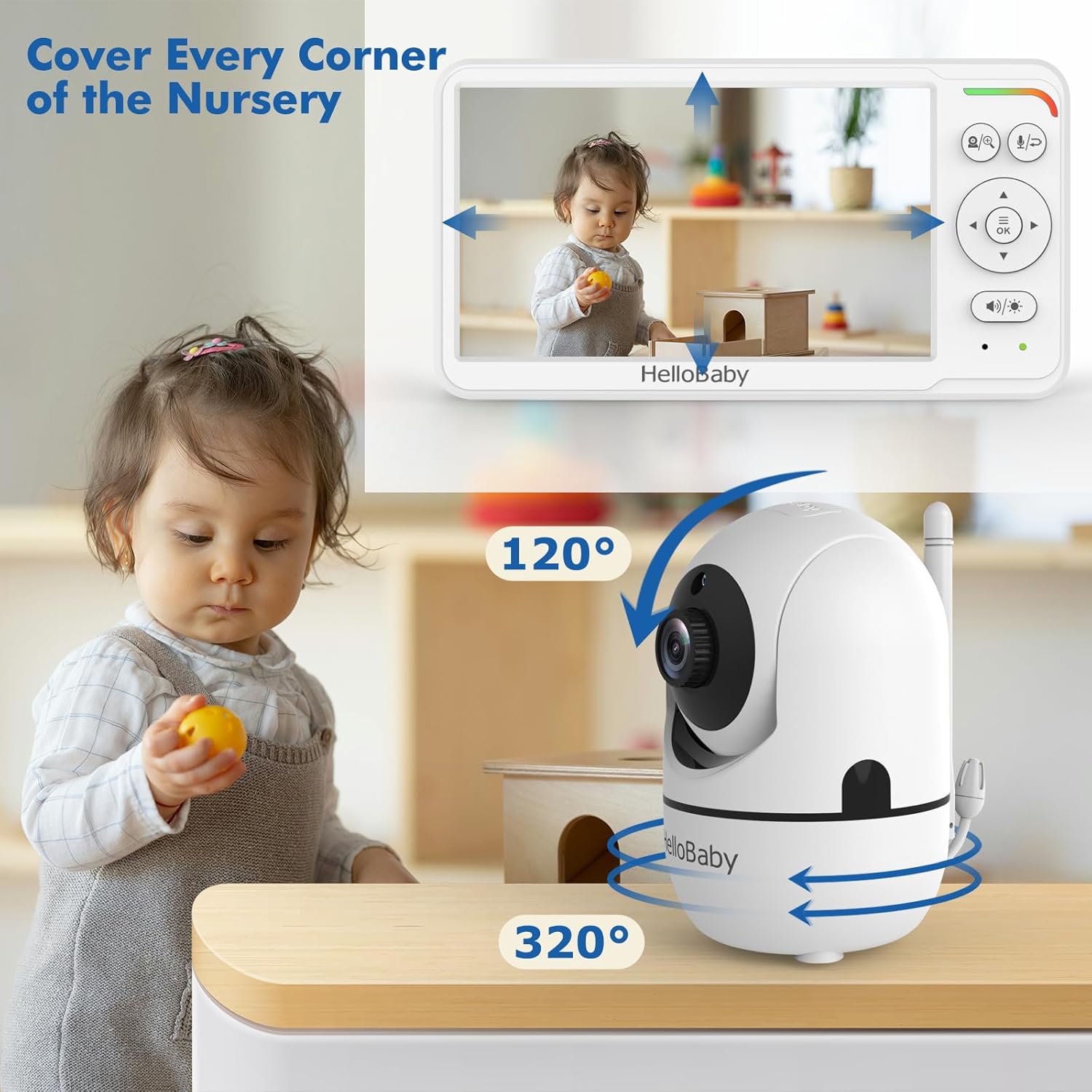
- On the monitor unit, use the directional arrow buttons (Up, Down, Left, Right) to remotely adjust the camera's viewing angle.
- The camera can pan 355° horizontally and tilt 120° vertically.
3. Two-Way Audio
Communicate with your baby or caregiver through the monitor.

- Press and hold the Talk button on the monitor unit to speak. Release the button to listen.
- Ensure the volume on both units is adjusted appropriately.
4. Night Vision
The monitor automatically switches to night vision in low-light conditions.
- The camera uses invisible infrared LEDs to provide a clear black-and-white image in the dark.
- No manual adjustment is needed for night vision activation.
5. VOX Mode (Voice Operated Exchange) / ECO Mode
Conserve battery life by activating VOX mode.

- In VOX mode, the monitor screen turns off to save power and activates automatically when sound is detected from the baby's room.
- Refer to the monitor's on-screen menu for instructions on how to enable and adjust VOX sensitivity.
Maintenance
Proper care ensures the longevity and optimal performance of your baby monitor.
1. Cleaning
- Wipe the monitor and camera units with a soft, dry, lint-free cloth.
- Do not use cleaning sprays or liquid cleaners directly on the units.
- Ensure the camera lens is clean for clear image quality.
2. Battery Care
- To maximize battery life, fully charge the monitor before each use.
- Avoid extreme temperatures, which can affect battery performance.
- If storing the monitor for an extended period, charge it periodically to prevent deep discharge.
Troubleshooting
Refer to this section for solutions to common issues.
| Problem | Possible Cause | Solution |
|---|---|---|
| No image/sound on monitor | Camera or monitor not powered on; Out of range; Units not paired. | Ensure both units are powered and charged. Move monitor closer to camera. Re-pair units (refer to manual for specific pairing steps if needed). |
| Poor image quality | Camera lens dirty; Insufficient lighting (day mode); Obstructions. | Clean camera lens. Ensure adequate lighting or allow night vision to activate. Remove any obstructions between camera and monitor. |
| Static or interference | Other electronic devices nearby; Out of range. | Move monitor and camera away from other electronic devices (e.g., Wi-Fi routers, microwaves). Move closer to the camera. |
| Monitor battery drains quickly | Screen constantly on; Old battery. | Activate VOX/ECO mode to conserve battery. Ensure monitor is fully charged before use. If battery life significantly degrades, consider battery replacement if available. |
| Two-way audio not working | Volume too low; Talk button not pressed/held. | Increase volume on both units. Ensure the Talk button is pressed and held during speaking, and released to listen. |
Specifications
- Model: B0D56XVL3Z
- Brand: HelloBaby
- Color: White
- Screen Size: 6 inches (16 cm visible diagonal)
- Wireless Communication Technology: 2.4 GHz FHSS (No Wi-Fi)
- Form Factor: Dome (Camera)
- Focus Type: Auto Focus
- Recommended Use: Baby Monitoring
- Mounting Type: Wall Mount (via flexible mount)
- Video Capture Format: MPEG-4
- Date First Available: March 18, 2024
Warranty and Support
For warranty information and customer support, please refer to the documentation included with your product or visit the official HelloBaby website. Warranty terms and conditions may vary by region and purchase date.
Ask a question about this manual
Ask about setup, troubleshooting, compatibility, parts, safety, or missing instructions. Manuals+ will review the question and use this page’s manual context to help answer it.