
Acekool TAC-12CHPB/DM7
Acekool Mobile Air Conditioner 12000 BTUs User Manual
Model: TAC-12CHPB/DM7
1. Introduction
Thank you for choosing the Acekool Mobile Air Conditioner. This 3-in-1 unit provides cooling, dehumidifying, and fan functions, designed for optimal comfort in your home or office. With a powerful 12000 BTUs cooling capacity, it is suitable for rooms up to 550 square feet (approximately 52 square meters). This manual provides essential information for safe operation, installation, maintenance, and troubleshooting to ensure long-lasting performance of your appliance.
Please read this manual thoroughly before operating the unit and keep it for future reference.
2. Safety Instructions
To prevent injury to the user or other people and property damage, the following instructions must be followed. Incorrect operation due to ignoring instructions may cause harm or damage.
General Safety Precautions:
- Always use the unit on a flat, stable surface to prevent tipping.
- Do not block air inlets or outlets. Maintain at least 20 cm clearance from walls or other objects.
- Do not insert fingers or foreign objects into the air inlets/outlets.
- Keep the unit away from flammable gases or combustible materials.
- Ensure the power cord is not damaged or pinched.
- Do not operate the unit with wet hands.
- Unplug the unit before cleaning or performing any maintenance.
- This appliance is not intended for use by persons (including children) with reduced physical, sensory or mental capabilities, or lack of experience and knowledge, unless they have been given supervision or instruction concerning use of the appliance by a person responsible for their safety.
- Children should be supervised to ensure that they do not play with the appliance.
Electrical Safety:
- Connect the unit to a properly grounded electrical outlet with the correct voltage (220V).
- Do not use extension cords or multi-sockets with this appliance.
- If the power cord is damaged, it must be replaced by the manufacturer, its service agent, or similarly qualified persons to avoid a hazard.
3. Product Overview
Familiarize yourself with the components and controls of your Acekool Mobile Air Conditioner.
Package Contents:
- Mobile Air Conditioner Unit
- Remote Control
- Exhaust Hose
- Slide Bar (Window Kit)
- Slide Bar Connector
- Exhaust Pipe Joint (2 pieces)

Figure 3.1: Package Contents and Dimensions. This image shows the main unit with its dimensions (36cm depth, 42cm width, 70cm height) and all accessories included in the box, such as the remote control, exhaust hose, slide bar, slide bar connector, and two exhaust pipe joints.

Figure 3.2: Overview of the Acekool Portable Air Conditioner and its accessories, including the main unit, remote control, and various components for window installation.
Control Panel and Remote Control:
The unit can be operated via the intelligent touch panel on top of the unit or the included remote control.
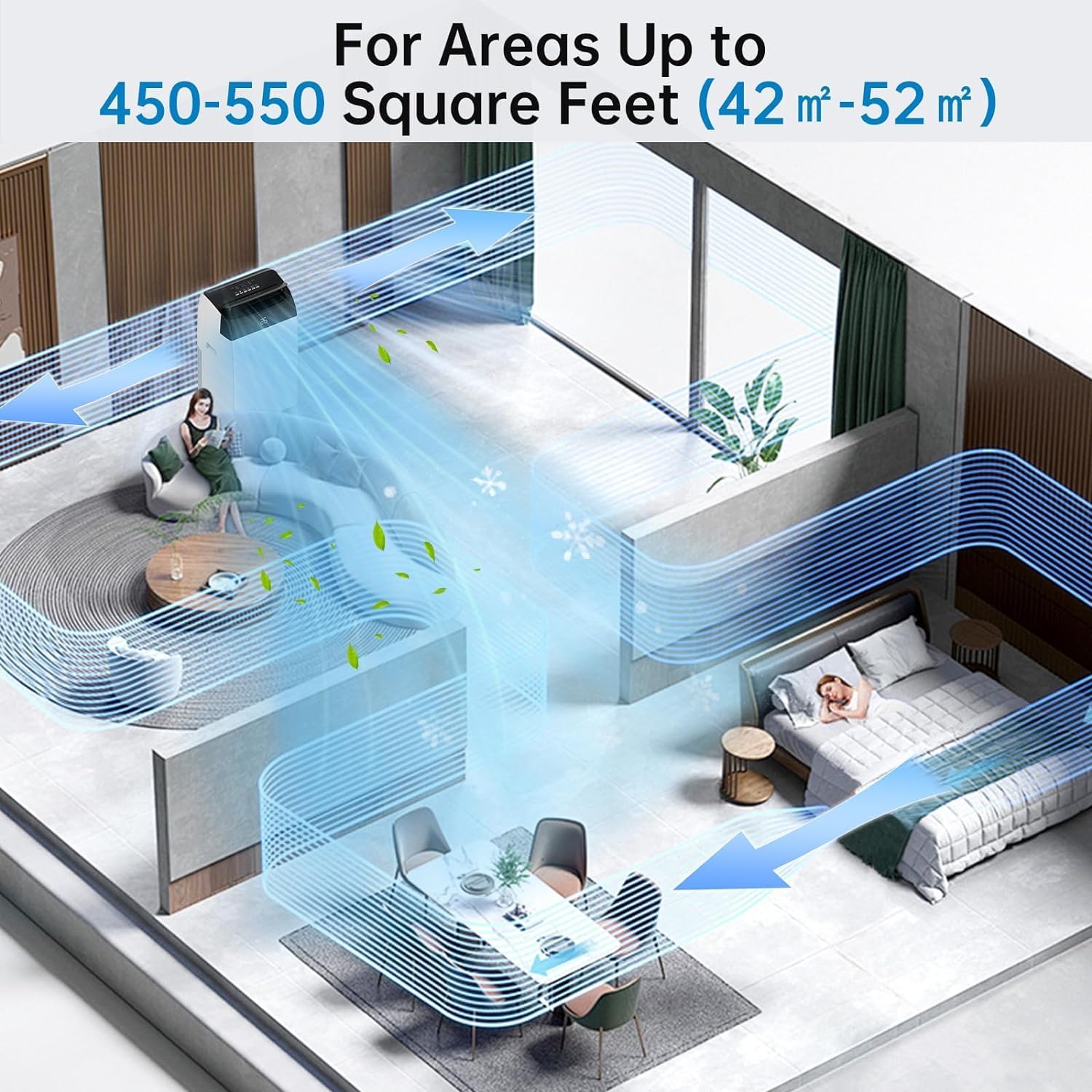
Figure 3.3: Control Panel and Remote Control. This image highlights the digital display showing "26" and various touch buttons for Timer, Fan Speed, Mode, and Power. Below, a hand holds the remote control, demonstrating its use with the air conditioner in a living room setting.
- Digital Display: Shows current temperature or timer settings.
- Power Button: Turns the unit On/Off.
- Mode Button: Cycles through Cool, Fan, and Dehumidify modes.
- Temperature Up/Down Buttons: Adjusts the desired temperature in Cool mode.
- Fan Speed Button: Selects fan speed (Low, Medium, High).
- Timer Button: Sets the 24-hour timer for automatic operation.
- Sleep Mode Button: Activates quiet operation for nighttime use.
4. Setup
Proper installation of the exhaust hose is crucial for efficient cooling. This unit is designed for window installation.
Exhaust Hose Installation:
- Attach the exhaust pipe joint to one end of the exhaust hose by twisting it clockwise until secure.
- Attach the slide bar connector to the other end of the exhaust hose.
- Connect the assembled exhaust hose to the exhaust outlet on the back of the air conditioner unit.
- Adjust the slide bar (window kit) to fit your window opening. Secure it in place.
- Insert the slide bar connector into the opening of the adjusted window kit, ensuring a tight seal to prevent air leakage.

Figure 4.1: Easy Installation Steps. This image illustrates the process of connecting the exhaust hose to the unit and the window kit, ensuring proper ventilation for the air conditioner.
Important: Ensure the exhaust hose is as straight and short as possible to maximize cooling efficiency. Avoid kinks or sharp bends.
5. Operating Instructions
Your Acekool Mobile Air Conditioner offers three primary functions: Cooling, Fan, and Dehumidifying.
Operating Modes:
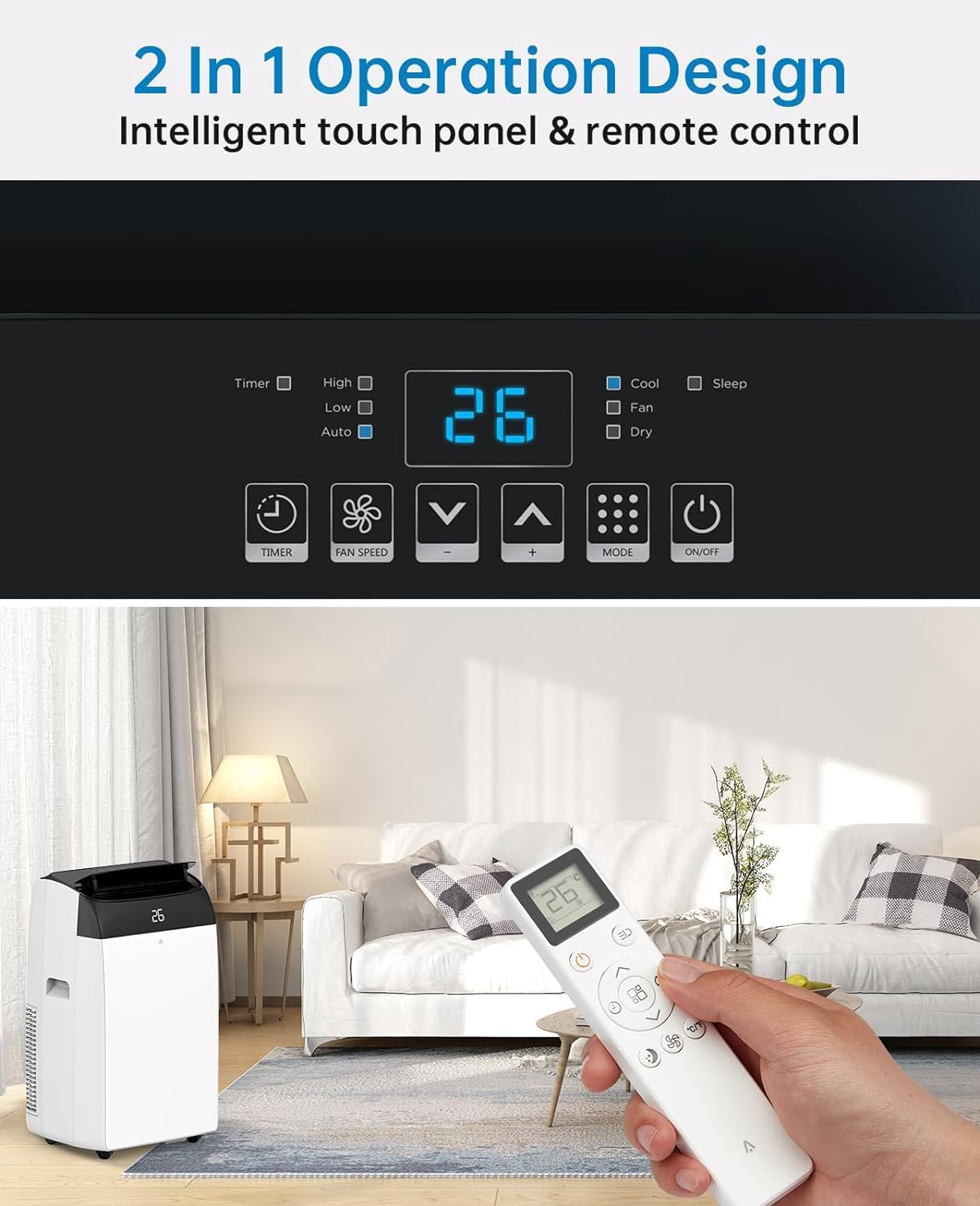
Figure 5.1: Multipurpose 3-in-1 Function. This graphic illustrates the three main operating modes: Cool Mode (18°C-32°C), Dry Mode (45L/Days dehumidification), and Fan Mode (3 Speeds).
- Cool Mode:
Cools your room by expelling hot air outside. Set your desired temperature between 18°C and 32°C using the Up/Down buttons. The unit will cycle on and off to maintain the set temperature.
- Fan Mode:
Circulates air without cooling. Ideal for improving air circulation. Select from three fan speeds (Low, Medium, High) using the Fan Speed button.
- Dehumidify Mode (Dry Mode):
Removes excess moisture from the air, with a capacity of up to 45 liters per day. This mode helps maintain indoor humidity between 40% and 60%. The fan speed is typically fixed in this mode.
Timer Function:
The 24-hour timer allows you to set a specific time for the unit to turn on or off automatically. Press the Timer button and use the Up/Down buttons to set the desired duration.
Sleep Mode:
Activate Sleep Mode for quieter operation during nighttime. In this mode, the fan speed is reduced, and the temperature may gradually increase to save energy and ensure comfortable sleep. The noise level can be as low as 48dB.

Figure 5.2: Sleep Mode & Quiet Operation. This image shows the air conditioner in a bedroom setting, highlighting its quiet operation at 48dB, along with features like 24h Smart Timer, Sleep Mode, Auto Shut Off, and Ultra Quiet.
6. Maintenance
Regular maintenance ensures optimal performance and extends the lifespan of your air conditioner.
Cleaning the Air Filter:
The air filter should be cleaned every two weeks or more frequently depending on usage and air quality. A clean filter improves air quality and unit efficiency.
- Unplug the air conditioner from the power outlet.
- Locate the air filter panel, usually on the back or side of the unit.
- Remove the filter by gently pulling it out.
- Wash the filter under running water (warm, soapy water can be used for heavy dirt).
- Rinse thoroughly and allow the filter to air dry completely before reinserting it. Do not expose to direct sunlight.
- Once dry, reinsert the filter into its slot.

Figure 6.1: Washable Filter. This image demonstrates how to remove the air filter from the back of the unit and wash it under a faucet, emphasizing its reusability and ease of cleaning.
Draining Condensed Water:
This air conditioner features an advanced self-evaporation technology, which automatically evaporates most of the condensed water and expels it with the exhaust air. This significantly reduces the need for manual drainage.

Figure 6.2: Self-Evaporation System and Efficient Condensing System. This diagram illustrates the internal workings of the air conditioner, showing how condensed water is evaporated and how the efficient condensing system operates.
However, in high humidity conditions or during prolonged dehumidification mode, the internal water tank may fill up. When this happens, the unit will stop operating and display an error code (refer to troubleshooting section). You will need to manually drain the water:
- Unplug the unit.
- Place a shallow pan or tray under the drainage port at the bottom rear of the unit.
- Remove the drain plug.
- Allow all water to drain completely.
- Replace the drain plug firmly.
7. Troubleshooting
Before contacting customer service, please refer to the following table for common issues and their solutions.
| Problem | Possible Cause | Solution |
|---|---|---|
| Unit does not turn on. | No power; Power cord damaged; Water tank full. | Check power connection; Inspect power cord; Drain water tank. |
| Unit does not cool effectively. | Air filter dirty; Exhaust hose blocked/kinked; Room too large; Doors/windows open. | Clean air filter; Check exhaust hose for obstructions; Ensure room size is within capacity; Close all doors and windows. |
| Unit is noisy. | Unit not on a level surface; Fan speed too high; Obstruction in fan. | Place on a flat surface; Reduce fan speed; Check for foreign objects. |
| Water leakage. | Drain plug not secured; Unit tilted. | Ensure drain plug is firmly in place; Place unit on a level surface. |
| Remote control not working. | Batteries dead/incorrectly inserted; Obstruction between remote and unit. | Replace batteries; Ensure clear line of sight to unit's receiver. |
8. Specifications
Detailed technical specifications for the Acekool Mobile Air Conditioner.
| Feature | Specification |
|---|---|
| Brand | Acekool |
| Model Number | TAC-12CHPB/DM7 |
| Cooling Capacity | 12000 BTUs |
| Dehumidification Capacity | 45 Liters/Day |
| Product Dimensions (L x W x H) | 35.8 x 41.9 x 68.8 cm |
| Weight | 30.8 Kilograms |
| Voltage | 220 Volts |
| Wattage | 1780 Watts |
| Noise Level | 65 dB (Operating), as low as 48dB (Sleep Mode) |
| Energy Efficiency Class | A |
| Installation Type | Window |
| Special Features | Dehumidifier, 24H Timer, Digital Display, Remote Control, Self-Evaporation System |
9. Warranty and Support
For warranty information and customer support, please refer to the warranty card included with your product packaging or visit the official Acekool website. Ensure you have your model number (TAC-12CHPB/DM7) and purchase details ready when contacting support.
For further assistance, please contact Acekool customer service through their official channels.
Related documentsTAC-12CHPB/DM7


Ask a question about this manual
Ask about setup, troubleshooting, compatibility, parts, safety, or missing instructions. Manuals+ will review the question and use this page’s manual context to help answer it.