
LIGE BW1846M-SP
LIGE Men's Smart Watch User Manual
Model: BW1846M-SP
Introduction
This user manual provides detailed instructions for the LIGE Men's Smart Watch, Model BW1846M-SP. Please read this manual carefully before using the device to ensure proper operation and to maximize its features. This smartwatch is designed to enhance your daily life with its advanced health monitoring, extensive sports modes, and convenient communication features.

Image: The LIGE Men's Smart Watch, showcasing its robust design, various digital watch faces, and water resistance capabilities.
Package Contents
Upon opening the package, please verify that all the following items are included:
- 1 x LIGE Smart Watch
- 1 x Stainless Steel Band
- 1 x Silicone Strap
- 1 x Leather Strap
- 1 x Magnetic USB Charging Cable
- 1 x Watch Regulator (for adjusting metal band)
- 1 x User Manual (this document)

Image: The front of the LIGE Smart Watch packaging, indicating "SPORT | Healthy" and "SMART Make Life Better".
Product Features
The LIGE Smart Watch is equipped with a range of features designed for convenience, health monitoring, and fitness tracking:
Bluetooth Calls and SMS Notifications
Stay connected by answering calls and receiving SMS notifications directly on your wrist. The watch vibrates to alert you of incoming calls and messages, minimizing distractions from your phone.

Image: The smartwatch showing a phone call interface and notification icons, illustrating its communication capabilities.
Ultra-High Resolution, Personalized Style
Features a 1.39-inch HD screen with a 360 x 360 resolution for optimal visibility. Customize your watch face with over 200 options via the FitCloudPro app, or use your own photos to create a unique display.

Image: The smartwatch showcasing different vibrant and customizable watch faces, highlighting its display quality and personalization options.
Perfect Training Companion: 110+ Sports Modes
Offers over 110 sports modes, including badminton, basketball, hiking, cycling, fishing, and yoga. Monitor workout data such as steps, calories burned, and distance through the FitCloudPro app to track progress and set goals.

Image: A dynamic image depicting a person skiing, with the smartwatch displaying a sports tracking screen and icons for various activities like walking, running, and cycling.
Intelligent Full Health Tracking
Equipped with improved sensors to monitor blood oxygen level (SpO2), heart rate, and blood pressure in real-time. It also records sleep phases (REM, light, and deep sleep) to provide insights into your overall health. (Note: This device is not intended for medical use.)
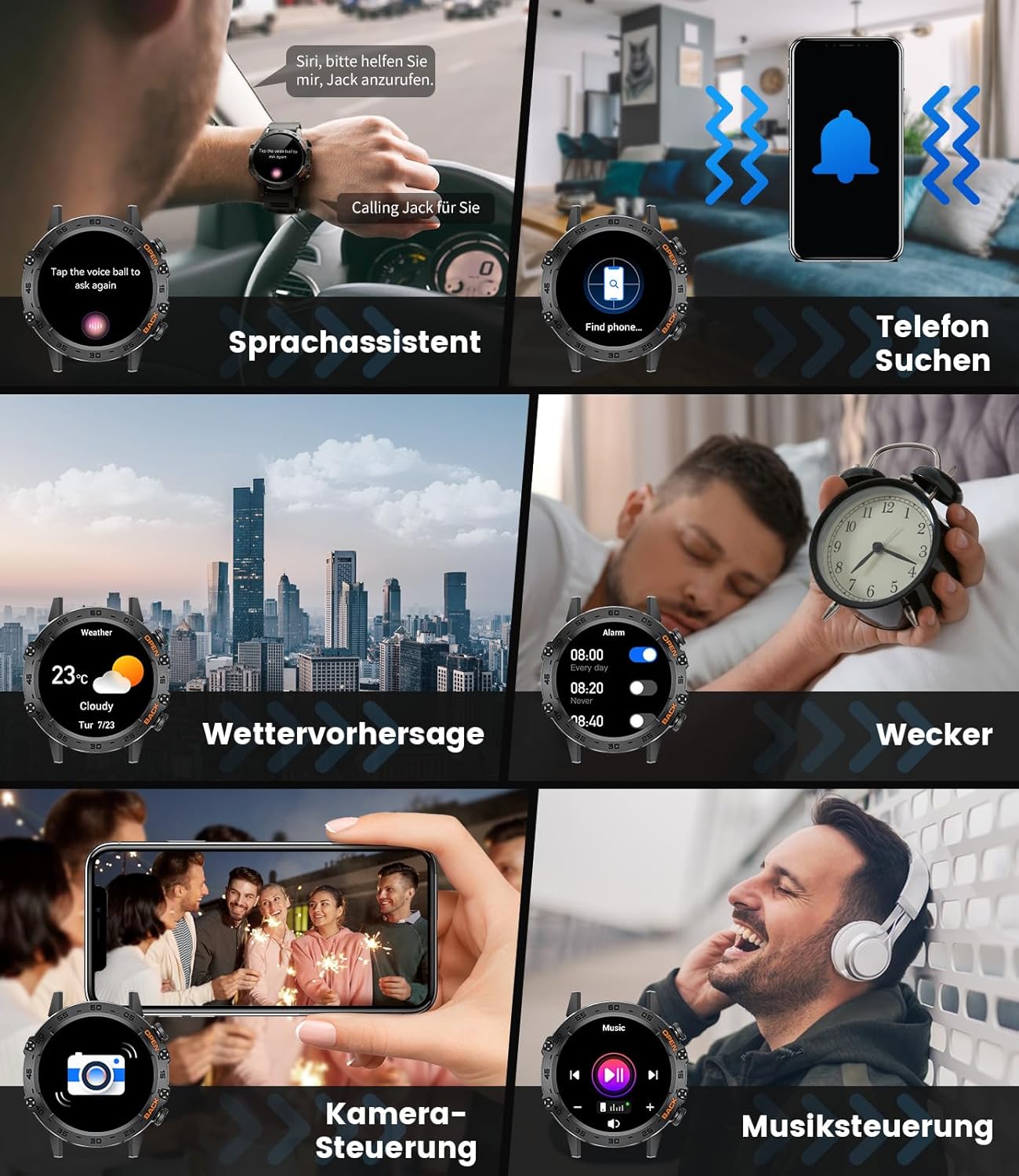
Image: A person exercising, with the smartwatch displaying real-time health data including heart rate, blood pressure, blood oxygen saturation, and sleep duration.
Military Grade Resistance & IP67 Waterproof
The watch boasts IP67 waterproof rating, allowing it to withstand immersion in water up to 1 meter for 30 minutes. Its shock and dust-resistant construction, along with MIL-STD certification, ensures military-grade robustness for challenging environments.

Image: The smartwatch depicted in various challenging scenarios, including extreme temperatures, impact, and water submersion, highlighting its military-grade durability.
Long Battery Life
Equipped with a 400 mAh battery, providing 5-10 days of typical use and up to 15-30 days of standby time on a single charge. Charging takes approximately two hours.

Image: The smartwatch with a prominent "400 mAh" display, illustrating its long battery life and charging capabilities.
Other Smart Functions
Includes a voice assistant, "Find Phone" feature, weather forecasts, alarm clock, remote camera control, and music playback control.
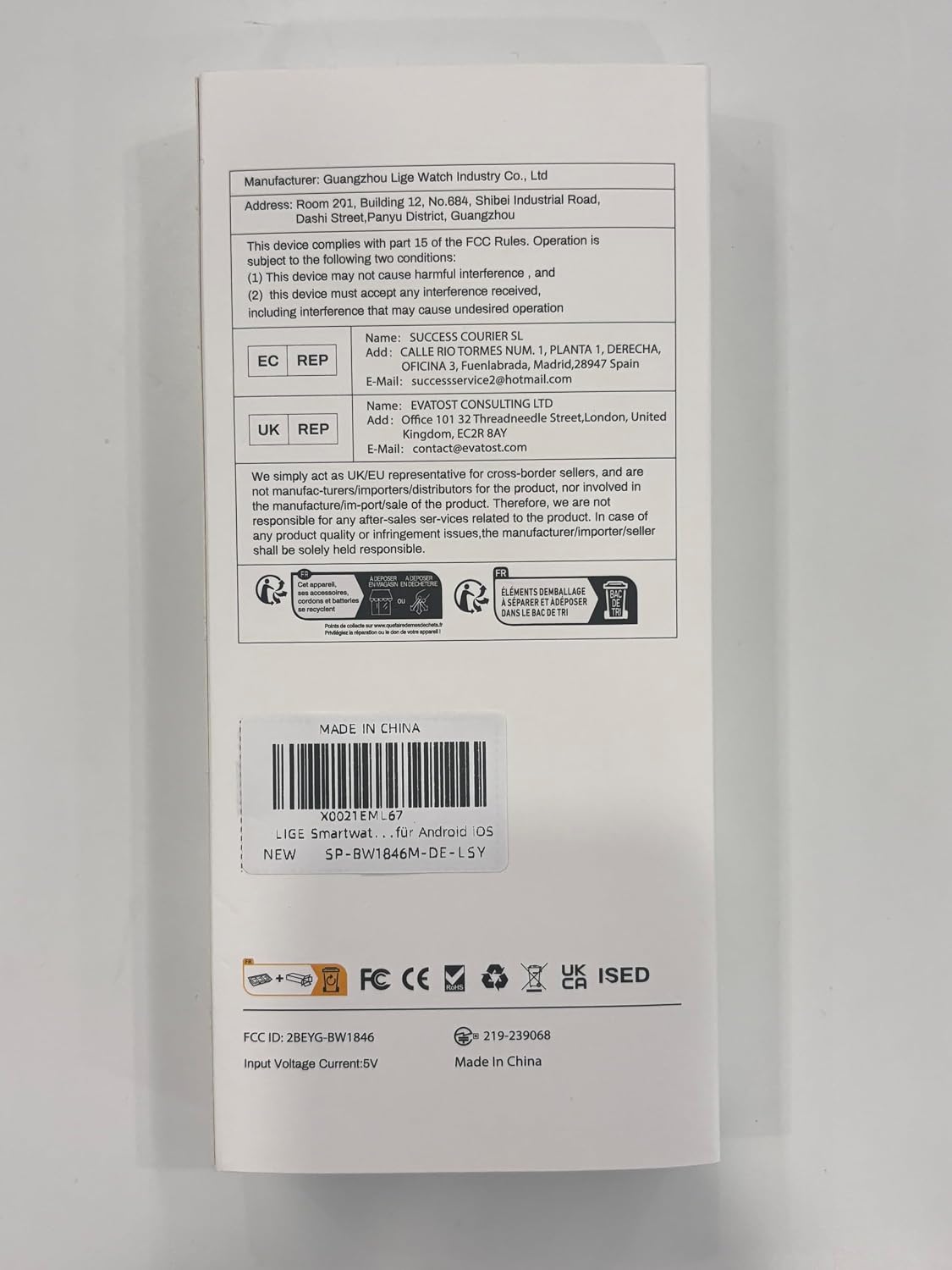
Image: A collage of images demonstrating the smartwatch's additional smart features, including voice assistant, phone finder, weather display, alarm, remote camera shutter, and music control.
Setup Guide
1. Charging the Smart Watch
Before first use, fully charge your LIGE Smart Watch. Use the provided magnetic USB charging cable. Align the magnetic pins of the charger with the charging contacts on the back of the watch. The watch will vibrate and display a charging indicator. A full charge typically takes about 2 hours.
2. App Installation (FitCloudPro)
To unlock the full potential of your smartwatch, download and install the "FitCloudPro" app on your smartphone. The app is available for both Android and iOS devices.
- Scan the QR code provided in the quick start guide (or on the watch screen if available) or search for "FitCloudPro" in your phone's app store (Google Play Store for Android, Apple App Store for iOS).
- Install the app and grant necessary permissions for Bluetooth, notifications, and location services.
3. Pairing with Your Smartphone
After installing the app, follow these steps to pair your watch:
- Ensure Bluetooth is enabled on your smartphone.
- Open the FitCloudPro app.
- Navigate to the "Device" or "Add Device" section within the app.
- The app will search for available devices. Select "BW1846M-SP" or the corresponding LIGE Smart Watch from the list.
- Confirm the pairing request on both your phone and the watch if prompted.
- Once paired, the watch's time and date will synchronize with your phone, and you can begin customizing settings and tracking data.
Operating Instructions
Basic Navigation
- Touchscreen: Swipe left/right to navigate through main functions (e.g., heart rate, sports modes). Swipe up/down for quick settings or notifications. Tap to select.
- Side Buttons: The watch typically has one or more physical buttons.
- Press the top button (often labeled "OPEN") to wake the screen, return to the home screen, or access the main menu.
- Press the bottom button (often labeled "BACK") to go back to the previous screen or exit a function.
Bluetooth Calling and Notifications
- Making Calls: Once paired, access the dial pad or contact list on the watch to initiate calls. Ensure the Bluetooth call function is enabled in the FitCloudPro app.
- Receiving Calls: When a call comes in, the watch will display the caller ID. Tap the green icon to answer or the red icon to reject.
- Notifications: Ensure notification permissions are granted in the FitCloudPro app for desired applications (e.g., SMS, WhatsApp, social media). Notifications will appear on the watch screen.
Sports Modes
- From the main screen, swipe to find the "Sports" or "Workout" icon.
- Tap to enter and select your desired activity from the 110+ available modes.
- Tap to start the activity. The watch will begin tracking relevant data (duration, calories, distance, heart rate).
- Swipe right or press the back button to pause or end the workout. Data will be synced to the FitCloudPro app.
Health Monitoring
- Heart Rate: Swipe to the heart rate interface or select it from the menu. The watch will automatically measure your heart rate.
- Blood Oxygen (SpO2) / Blood Pressure: Similar to heart rate, navigate to these functions to initiate a measurement. Ensure the watch is worn snugly on your wrist.
- Sleep Tracking: Wear the watch to bed. It will automatically monitor your sleep patterns (deep sleep, light sleep, REM sleep) and provide a detailed report in the FitCloudPro app the next morning.
- All health data is synchronized with the FitCloudPro app for historical tracking and analysis.
Other Functions
- Voice Assistant: Activate the voice assistant feature on your watch to control your phone or get information hands-free.
- Find Phone: If your phone is misplaced, use this feature on your watch to make your phone ring (if within Bluetooth range).
- Weather: View current weather conditions and forecasts after syncing with the app.
- Alarm: Set alarms through the FitCloudPro app, and the watch will vibrate at the set time.
- Camera Control: Use your watch as a remote shutter for your phone's camera.
- Music Control: Control music playback on your phone (play, pause, skip tracks) directly from your watch.
Maintenance
Cleaning Your Smart Watch
- Regularly clean the watch screen and body with a soft, lint-free cloth.
- For stubborn smudges, slightly dampen the cloth with water. Avoid using harsh chemicals or abrasive materials.
- Clean the charging contacts on the back of the watch periodically to ensure efficient charging.
- Clean the watch straps regularly, especially after workouts, to prevent skin irritation. Use mild soap and water for silicone straps, and follow specific care instructions for metal or leather bands.
Water Resistance (IP67)
The LIGE Smart Watch is IP67 waterproof, meaning it can withstand immersion in water up to 1 meter for 30 minutes. It is also rated for 5ATM, making it suitable for:
- Swimming (shallow water)
- Rain and splashes
- Hand washing
Important Considerations:
- Do not use the watch in hot water, saunas, or steam rooms, as steam can penetrate the seals.
- Avoid pressing buttons underwater.
- After exposure to saltwater, rinse the watch with fresh water and dry it thoroughly.
- Water resistance is not a permanent condition and may diminish over time with normal wear and tear.

Image: A person swimming with the smartwatch, demonstrating its 5ATM water resistance suitable for various water activities.
Troubleshooting
If you encounter issues with your LIGE Smart Watch, please refer to the following common solutions:
| Problem | Possible Solution |
|---|---|
| Watch does not turn on or respond. | Ensure the watch is fully charged. Connect it to the magnetic charger and leave it for at least 30 minutes. If unresponsive, try a soft reset by pressing and holding the power button for 10-15 seconds. |
| Cannot pair with smartphone. |
|
| Notifications are not received. |
|
| Inaccurate health data readings. |
|
| Short battery life. |
|
Specifications
| Feature | Detail |
|---|---|
| Model Number | BW1846M-SP |
| Brand | LIGE |
| Screen Size | 1.39 inches HD (360 x 360 resolution) |
| Battery Capacity | 400 mAh Lithium Polymer |
| Battery Life | 5-10 days (typical use), 15-30 days (standby) |
| Charging Time | Approx. 2 hours |
| Water Resistance | IP67, 5ATM (up to 50m) |
| Connectivity | Bluetooth |
| Compatibility | Android, iOS (via FitCloudPro app) |
| Package Dimensions | 15 x 8 x 2 cm |
| Weight | 200 g (package weight) |
| First Available Date | 15 June 2024 |
| Manufacturer | LIGE |
| FCC ID | 2BEYG-BW1846 |

Image: The back of the LIGE Smart Watch packaging, showing manufacturer information, FCC ID, and other regulatory marks.
Warranty and Support
LIGE is committed to providing quality products. For any product-related inquiries, technical support, or warranty claims, please contact the seller or LIGE customer service through the official channels provided at the point of purchase or on the LIGE brand website. Please retain your proof of purchase for warranty purposes.
For general information about LIGE products, you may visit the official LIGE Store on Amazon: LIGE Store.
Related documentsBW1846M-SP


Ask a question about this manual
Ask about setup, troubleshooting, compatibility, parts, safety, or missing instructions. Manuals+ will review the question and use this page’s manual context to help answer it.