
1. Introduction
This manual provides essential information for setting up, operating, maintaining, and troubleshooting your Blackview Color 8 Android smartphone. Please read this manual thoroughly to ensure proper use and to maximize the device's capabilities.
2. What's in the Box
Verify that all items are present in your product packaging:
- Blackview Color 8 Smartphone
- Phone Case
- Power Adapter
- SIM Tray Ejector
- Screen Protector (pre-applied or included)

Image: Blackview Color 8 smartphone shown with its standard accessories, including a clear phone case and a gift box representing other items.
3. Device Overview
Familiarize yourself with the physical components of your Blackview Color 8 smartphone.

Image: Detailed view of the Blackview Color 8's side, highlighting the 3-card slot for SIM and MicroSD, the 3.5mm audio jack, and the Smart-K box speaker. Icons also indicate GPS, Face ID, and Fingerprint ID features.
4. Setup
4.1 SIM Card & MicroSD Installation
The Blackview Color 8 supports dual Nano SIM cards and one MicroSD/TF card for expanded storage. Use the provided SIM tray ejector tool to open the tray.
- Locate the SIM tray slot on the side of your phone.
- Insert the SIM tray ejector tool into the small hole next to the tray and press gently until the tray pops out.
- Place your Nano SIM cards and/or MicroSD card into the designated slots on the tray, ensuring correct orientation.
- Carefully reinsert the tray into the phone until it clicks into place.

Image: Illustration of the three-card slot, demonstrating how to insert two SIM cards and one TF (MicroSD) card into the Blackview Color 8.
4.2 Initial Power On & Charging
Before first use, it is recommended to fully charge your device.
- Connect the provided power adapter to your phone's USB Type-C port.
- Plug the adapter into a power outlet. The charging indicator will appear on the screen.
- To power on, press and hold the Power button (located on the side) until the Blackview logo appears.
- Follow the on-screen prompts to complete the initial setup, including language selection, Wi-Fi connection, and Google account setup.

Image: Internal view of the Blackview Color 8, emphasizing the large 6000mAh battery and the 18W fast charging feature. Also shows the phone's slim profile and OTG support.
5. Operating Your Device
5.1 Basic Navigation
The Blackview Color 8 operates on Android 13 with Doke OS 4.0, offering intuitive navigation through gestures or on-screen buttons.
- Home Screen: Swipe left or right to access different pages of apps and widgets.
- App Drawer: Swipe up from the bottom of the screen to view all installed applications.
- Notifications & Quick Settings: Swipe down from the top of the screen to access notifications and quick settings toggles.
5.2 Display Features
The device features a large 6.75-inch HD+ display with a 90Hz refresh rate for a smooth visual experience.
- Screen Size: 6.75 inches
- Refresh Rate: 90Hz for fluid scrolling and animations.
- Brightness: Up to 450 nits for clear visibility in various lighting conditions.
- Colors: Supports 16.7 million colors for vibrant visuals.

Image: The Blackview Color 8's display, illustrating its 6.75-inch size, 90Hz refresh rate, 450 nits brightness, and 16.7 million color support.
5.3 Camera Functions
Capture high-quality photos and videos with the 50MP main camera and 8MP front camera.
- Main Camera: 50MP resolution with JN1 sensor and Smart ISO for optimal color reproduction and low-light performance.
- Front Camera: 8MP for clear selfies.
- Photo Modes: Includes 360° Panorama Capture, Beauty Mode, Night Mode, HDR, Portrait, and Pro Mode.
- Video Recording: Supports 1080P video recording.

Image: Visual representation of the Blackview Color 8's ArcSoft camera modes, including HDR for brilliance, Super Night for noise-less low-light shots, Portrait for subject focus, and Beauty for enhanced selfies.
5.4 Performance and Storage
The Blackview Color 8 is equipped with an Octa-core processor and ample memory for smooth operation.
- Processor: Octa-core processor for efficient multitasking and gaming.
- RAM: 8GB RAM, expandable to 16GB with virtual memory.
- Internal Storage: 256GB ROM.
- Expandable Storage: Supports Micro SD cards up to 2TB.

Image: A visual breakdown of the Blackview Color 8's processing power, showing the Octa-core CPU, 16GB RAM (expandable from 8GB), 256GB ROM, and up to 1TB expandable storage.
5.5 Operating System Features (Android 13 & Doke OS 4.0)
Experience enhanced privacy, improved UI, and additional functionalities with Android 13 and Doke OS 4.0.
- Privacy Protection: Enhanced features to prevent privacy leakage.
- Per-App Language Preferences: Customize language settings for individual applications.
- EasyShare App: Faster data transfer than wireless Bluetooth.
- Call Recording: Built-in functionality for recording calls.
- Exercise Index Tracking: Monitor your physical activity.
- Real-time Subtitles: Provides live captions for videos.
- Dynamic Live View: Quick access to alerts and ongoing activities.

Image: Overview of DokeOS 4.0 features on Android 13, showcasing the Health APP, real-time subtitle function, screen attention, and various privacy controls.

Image: The EasyShare App interface on the Blackview Color 8, demonstrating its capability for quick and easy file transfer between devices without relying on network connectivity.
5.6 Connectivity
The Color 8 offers robust connectivity options for communication and navigation.
- Network: Supports 4G FDD (B1/B2/B3/B4/B5/B7/B8/B12/B17/B20/B26/B28A/B28B/B66), 3G WCDMA (B1/B2/B4/B5/B8), and 2G GSM (850/900/1800/1900).
- Wi-Fi: For wireless internet access.
- Navigation: Integrated GPS, Beidou, GLONASS, and Galileo for precise location services.

Image: A map graphic illustrating the multi-system navigation support (GPS, Glonass, Galileo, Beidou) for accurate positioning on the Blackview Color 8.
5.7 Security Features
Unlock your phone securely and conveniently.
- Fingerprint ID: Integrated into the power button for quick and secure access.
- Face ID Unlock: Uses the front camera for facial recognition.

Image: A close-up of the Blackview Color 8's side, highlighting the power button which also functions as a fingerprint sensor for quick and secure unlocking.
6. Maintenance
6.1 Battery Management
The 6000mAh battery provides extended usage. To optimize battery life:
- Avoid extreme temperatures.
- Use the provided 18W fast charger for efficient charging.
- Enable battery saver modes when needed.
- Close unused background applications.
6.2 Software Updates
Regularly check for and install software updates to ensure optimal performance, security, and access to new features. Updates are typically found in the device's Settings menu under 'System' or 'About phone'.
6.3 Cleaning and Care
- Use a soft, lint-free cloth to clean the screen and body.
- Avoid using harsh chemicals or abrasive materials.
- Keep the device away from excessive dust and moisture.
7. Troubleshooting
This section addresses common issues you might encounter with your Blackview Color 8.
7.1 Device Not Powering On
- Ensure the battery is charged. Connect the phone to the charger for at least 15 minutes.
- Press and hold the Power button for 10-15 seconds to force a restart.
7.2 Poor Network Signal
- Check if your SIM card is correctly inserted.
- Move to an area with better network coverage.
- Restart the device.
- Verify that your carrier supports the phone's 4G bands (refer to specifications).
7.3 Apps Crashing or Freezing
- Clear the cache and data for the problematic app in Settings > Apps.
- Ensure the app is updated to its latest version.
- Free up storage space if your device is running low.
7.4 Fingerprint/Face ID Not Working
- Ensure your finger is clean and dry for fingerprint recognition.
- Ensure your face is well-lit and unobstructed for Face ID.
- Re-register your fingerprint or face in the Security settings.
8. Specifications
Key technical specifications for the Blackview Color 8 smartphone:
| Model Number | TB-2024 |
| Operating System | Android 13 (Doke OS 4.0) |
| Processor | Octa-core (Unisoc T616) |
| RAM | 8GB (expandable to 16GB virtual RAM) |
| Internal Storage | 256GB ROM |
| Expandable Storage | Up to 2TB MicroSD/TF card |
| Display | 6.75-inch HD+ (1600 x 720), 90Hz Refresh Rate, 450 nits brightness |
| Rear Camera | 50MP |
| Front Camera | 8MP |
| Battery | 6000mAh, 18W Fast Charging |
| SIM Card Slots | 3 (2 Nano SIM + 1 MicroSD) |
| Connectivity | 4G LTE, Wi-Fi, Bluetooth, GPS, GLONASS, Beidou, Galileo |
| Security | Fingerprint ID, Face ID |
| Audio Jack | 3.5 mm |
| Dimensions | 9.1mm Slim |
| Weight | 214g |
9. Warranty and Support
Blackview offers a comprehensive warranty for its products.
- Warranty Period: All Blackview cellphones are guaranteed for 2 years from the date of purchase.
- Service: This includes a 24-month free repair warranty and lifetime technician support.
- Contact: For any issues or support inquiries, please contact Blackview customer service or the official flagship store.
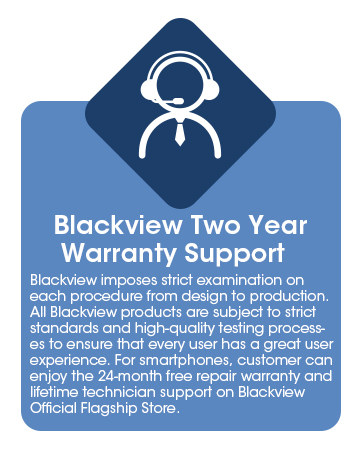
Image: Information graphic detailing Blackview's two-year warranty support, emphasizing strict quality examination and 24-month free repair service.


