
TMEZON MZ-IP-V728TW+MZ-VDP-NE160
TMEZON Wi-Fi Video Intercom System User Manual
Model: MZ-IP-V728TW+MZ-VDP-NE160
Brand: TMEZON
1. Introduction and Overview
Thank you for choosing the TMEZON Wi-Fi Video Intercom System. This system provides enhanced security and convenience for your home or office, allowing you to see, hear, and speak to visitors, and even unlock your door remotely. This manual will guide you through the installation, operation, and maintenance of your new intercom system.

Figure 1.1: TMEZON Wi-Fi Video Intercom System components, including the outdoor doorbell unit, two indoor monitors, and RFID key fobs for access.
2. Package Contents
Please verify that all items are present in your package. If any items are missing or damaged, contact customer support immediately.
- Outdoor Doorbell Unit (1080p camera, IP65 rated)
- 7-inch IP Touchscreen Indoor Monitor (x2 for 2-family model)
- Power Adapters for Indoor Monitors
- Mounting Brackets and Screws
- RFID Key Fobs (8 included)
- Wiring Cables (4-wire technology)
- User Manual (this document)
3. Setup and Installation
3.1 Wiring Diagram
The system uses 4-wire technology for connection between the outdoor unit and indoor monitors. Ensure all connections are secure and correctly aligned according to the provided wiring diagram (refer to the diagram in the separate installation guide for detailed instructions).

Figure 3.1: Example of a 2-family wiring setup, illustrating the connection between the outdoor doorbell and two indoor monitors.
3.2 Outdoor Unit Mounting
Mount the outdoor doorbell unit at an appropriate height, typically around 1.5 meters (5 feet) from the ground, ensuring a clear view of visitors. The unit is IP65 weatherproof, suitable for outdoor installation in various conditions.

Figure 3.2: The outdoor unit is designed to withstand various weather conditions, including rain, thanks to its IP65 waterproof rating.
3.3 Indoor Monitor Setup
Install the indoor monitors in a convenient location within your home. Connect them to power and the outdoor unit using the provided cables. Ensure the monitors are securely mounted to the wall.
3.4 Wi-Fi and App Configuration
To enable remote access features, connect your indoor monitor to your home's 2.4GHz Wi-Fi network. Download the "TuyaSmart" app on your smartphone and follow the in-app instructions to add your intercom system. This allows you to control the system from anywhere.
4. Operating Instructions
4.1 Answering Calls and 2-Way Audio
When a visitor presses the doorbell, the indoor monitor will ring and display the visitor's image. You can answer the call from the indoor monitor or via the TuyaSmart app on your phone. The system supports two-way audio, allowing clear communication with your visitor.

Figure 4.1: Engaging in two-way audio communication with a visitor through the indoor monitor.
4.2 Unlocking the Door
The TMEZON system offers three methods for unlocking your door:
- Indoor Monitor: Tap the unlock icon on the 7-inch touchscreen.
- RFID Card: Present an authorized RFID key fob to the outdoor doorbell unit.
- TuyaSmart App: Use the unlock function within the app on your smartphone, even when you are away from home.

Figure 4.2: Various methods for unlocking the door: via the mobile app, using an RFID card, or directly from the indoor monitor.
4.3 Motion Detection and Recording
The system features motion detection. When motion is detected near the outdoor unit, it can automatically record video and send a notification to your smartphone. The system supports up to 128GB TF card (not included) for local storage, and also offers cloud storage options.

Figure 4.3: Motion detection in action, triggering a notification to your smartphone.
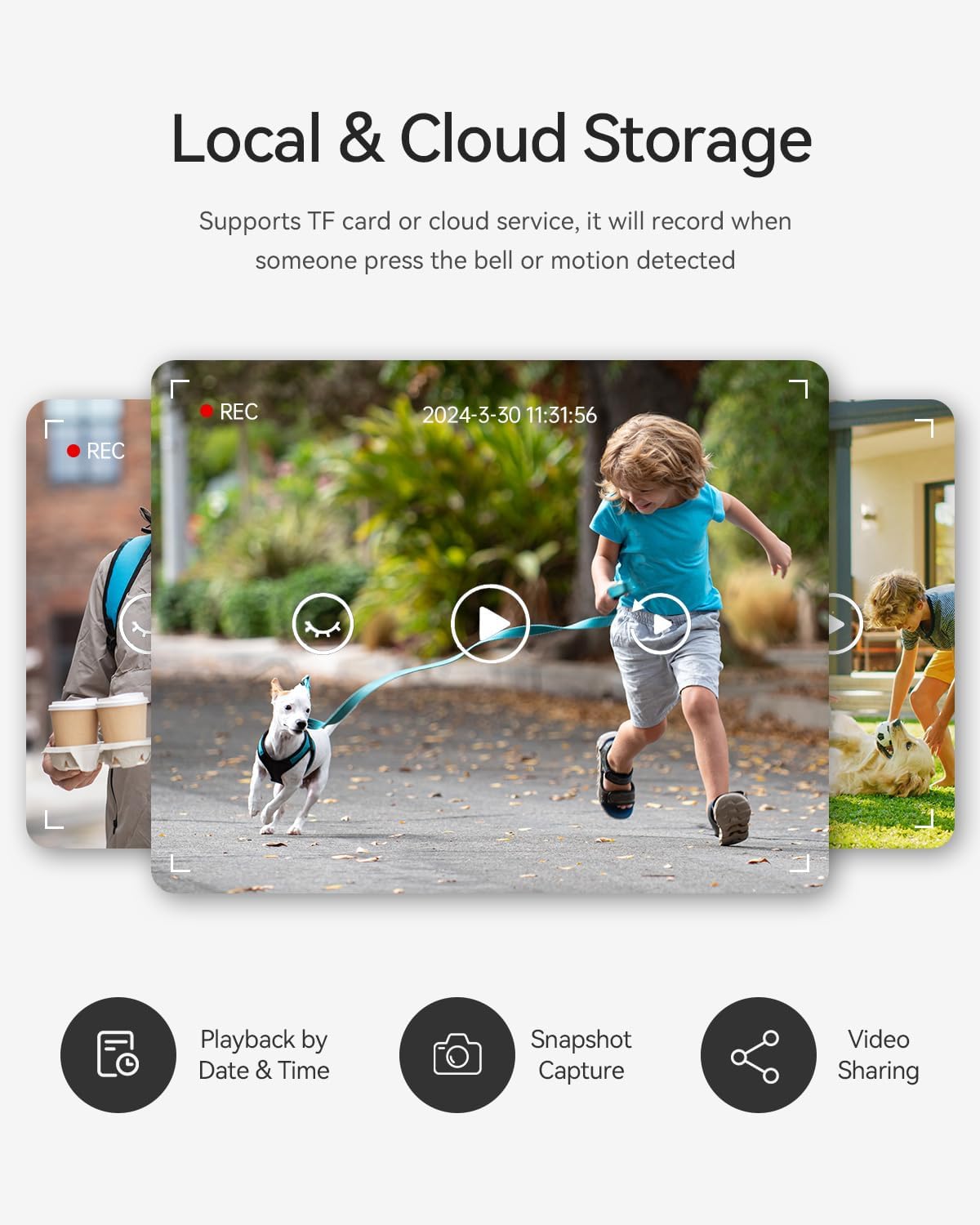
Figure 4.4: Accessing recorded footage and snapshots from the indoor monitor or app.
4.4 Day and Night Vision
The 1080p video doorbell provides clear vision both day and night. It automatically switches to infrared night vision in low-light conditions to ensure continuous monitoring.

Figure 4.5: Clear 1080p vision in both daytime color mode and nighttime infrared mode.
5. Maintenance
To ensure optimal performance and longevity of your TMEZON intercom system, follow these maintenance guidelines:
- Cleaning: Wipe the indoor monitor screen and outdoor unit lens with a soft, dry cloth. Avoid abrasive cleaners or solvents.
- Firmware Updates: Periodically check for firmware updates via the TuyaSmart app to ensure your system has the latest features and security enhancements.
- Power Supply: Ensure a stable power supply to the indoor monitors.
- Cable Integrity: Regularly inspect all wiring for any signs of wear or damage.
6. Troubleshooting
| Problem | Possible Cause | Solution |
|---|---|---|
| No image on indoor monitor. | Loose wiring, power issue, camera malfunction. | Check all wiring connections. Ensure power adapter is plugged in. Restart the system. |
| No audio or poor audio quality. | Loose audio wires, microphone/speaker issue, interference. | Verify audio wiring. Check monitor volume settings. Reduce external noise. |
| Cannot unlock door remotely. | Incorrect wiring to door lock, app connectivity issue, lock malfunction. | Confirm door lock wiring. Check Wi-Fi connection and app status. Test unlock from indoor monitor. |
| Motion detection not working. | Incorrect settings, obstruction, poor lighting. | Adjust motion detection sensitivity in app/monitor settings. Ensure clear view for camera. |
| App cannot connect to intercom. | Wi-Fi issues, incorrect app setup, network firewall. | Ensure monitor is connected to 2.4GHz Wi-Fi. Restart router and monitor. Re-add device in app if necessary. |
7. Specifications
- Model Number: MZ-IP-V728TW+MZ-VDP-NE160
- Brand: TMEZON
- Indoor Monitor: 7-inch IP Touchscreen
- Outdoor Unit Camera: 1080p HD, Day/Night Vision
- Connectivity: 4-wire system, 2.4GHz Wi-Fi
- Unlocking Methods: App, RFID Card, Indoor Monitor
- Storage: Supports up to 128GB TF card (not included), Cloud Storage option
- Weather Resistance: IP65 (Outdoor Unit)
- Dimensions (Outdoor Unit): Approximately 185mm (H) x 85mm (W) x 14mm (D)
- Dimensions (Indoor Monitor): Approximately 140mm (H) x 235mm (W)

Figure 7.1: Product dimensions for the outdoor unit and indoor monitor.
8. Warranty and Support
TMEZON products come with a standard manufacturer's warranty. Please refer to the warranty card included in your package or visit the official TMEZON website for detailed warranty terms and conditions.
For technical support, troubleshooting assistance, or warranty claims, please contact TMEZON customer service through the contact information provided on their official website or your purchase platform.
Website: www.tmezon.com (Example link, replace with actual if available)
Related documentsMZ-IP-V728TW+MZ-VDP-NE160


Ask a question about this manual
Ask about setup, troubleshooting, compatibility, parts, safety, or missing instructions. Manuals+ will review the question and use this page’s manual context to help answer it.