
Blackview Rugged Smartphone BV8100
Blackview BV8100 Rugged Smartphone User Manual
Model: Rugged Smartphone BV8100
Your guide to a smart and rugged life.
1. Introduction
The Blackview BV8100 is a robust and high-performance rugged smartphone designed for durability and advanced functionality. Featuring the latest Android 14 operating system and Doke OS 4.0 UI, it offers a seamless and intuitive user experience. Equipped with dual ultra-long-range LED flashlights, a 6.5-inch FHD+ 120Hz display, and a powerful Octa-core Helio G99 processor, this device is built to withstand challenging environments while delivering exceptional performance. Its 8800mAh battery ensures extended usage, and the 50MP main camera captures stunning photos and videos.
This manual provides essential information on setting up, operating, maintaining, and troubleshooting your Blackview BV8100 smartphone to ensure optimal performance and longevity.

Overview of the Blackview BV8100 Rugged Smartphone, showcasing its robust design and key specifications like 170LM flashlight, 8800mAh battery, 120Hz display, and 50MP camera.
2. Setup
2.1 Unboxing and Initial Inspection
Carefully remove all components from the packaging. Verify that all items are present and undamaged. The package should include the Blackview BV8100 smartphone, a charging cable, and a power adapter.
2.2 SIM Card and MicroSD Card Installation
The BV8100 supports dual nano SIM cards or one nano SIM card and one microSD/TF card for expanded storage up to 1TB. Locate the SIM card tray on the side of the device. Use the provided SIM ejector tool to open the tray. Insert your nano SIM card(s) and/or microSD card into the designated slots, ensuring correct orientation. Close the tray securely.
2.3 Initial Charging
Before first use, it is recommended to fully charge your device. Connect the charging cable to the phone's USB-C port and the power adapter. Plug the adapter into a wall outlet. The phone supports 45W fast charging, allowing for rapid power replenishment.

The Blackview BV8100 Rugged Smartphone, shown alongside its charging cable and optional earbuds, ready for initial setup and charging.
2.4 Powering On
Press and hold the power button (located on the side of the device) until the Blackview logo appears on the screen. Follow the on-screen prompts to complete the initial setup, including language selection, Wi-Fi connection, and Google account sign-in.
3. Operating Your Blackview BV8100
3.1 Android 14 System & Doke OS 4.0 UI
Your BV8100 runs on the latest Android 14, enhanced with Blackview's Doke OS 4.0. This combination provides a smooth, secure, and feature-rich experience. Key features include:
- Flash Notification: Customizable visual alerts for incoming notifications.
- Screenshot Awareness: Intelligent recognition for easier screenshot management.
- AI Wallpaper: Dynamic wallpapers that adapt to your usage.
- Apps Dual Open: Run two instances of the same app simultaneously.
- Health Connect: Integrates with health and fitness apps to monitor your well-being.
- Material You+: Enhanced personalization options for the user interface.
- EasyShare APP: Facilitates fast and network-free data transfer between devices.
- Underwater Camera: Specialized mode for capturing photos and videos underwater.
- Eye Protection Mode: Reduces blue light emission for comfortable viewing.
- Dark Theme: System-wide dark mode for reduced eye strain and battery saving.
- Call Recording: Built-in functionality to record phone calls.
- Sports Index Tracking: Monitor various sports activities and metrics.
- Real-time Subtitles: Provides live captions for videos and audio.

Visual representation of the Android 14 and Doke OS 4.0 user interface, highlighting security, privacy, and performance enhancements.

An infographic detailing seamless operations provided by DokeOS 4.0 based on Android 14, including Workspace App, EasyShare, Atomized Memory, F2FS App start-up, Smart Pre-Loading, Focus Mode, Focus Computing, Real-time Subtitle, and Health Connect.
3.2 Display Features
The BV8100 features a 6.5-inch FHD+ display with a 2400 x 1080 resolution, providing sharp and vibrant visuals. The 120Hz refresh rate ensures smooth scrolling and fluid interactions, making it ideal for gaming and media consumption. With 440 nits brightness, the screen remains clearly visible even in bright outdoor conditions.

The 6.49-inch FHD+ display of the Blackview BV8100, highlighting its 120Hz refresh rate for smoother visual flow and 2400x1080 resolution.
3.3 Performance and Storage
Powered by an Octa-core 6nm MediaTek Helio G99 processor, the BV8100 delivers robust performance for demanding tasks. It comes with 8GB of physical RAM, expandable by 16GB virtual memory for a total of 24GB RAM, ensuring smooth multitasking. The device offers 256GB of internal storage (ROM), which can be further expanded up to 1TB using a microSD card, providing ample space for apps, photos, and videos.

An illustration showing the Blackview BV8100's memory configuration with up to 36GB RAM (including virtual expansion) and 256GB ROM, powered by the Octa-core MT6789 processor.
3.4 Battery and Charging
The BV8100 is equipped with a large 8800mAh battery, providing extended usage times. It supports 45W fast charging, allowing the battery to reach 50% in approximately 35 minutes and a full charge in about 70 minutes. The intelligent battery management system optimizes performance and extends battery life, offering up to 883 hours of standby time and 12 hours of uninterrupted video playback. The phone also supports OTG reverse charging, enabling you to use it as a power bank for other devices.

Diagram illustrating the Blackview BV8100's 8800mAh battery and its estimated usage times for standby, calling, music, gaming, and HD video playback.
3.5 Camera System
Capture every moment with the BV8100's versatile camera system. It features a 50MP main rear camera with OIS (Optical Image Stabilization) and a 13MP wide-angle lens. The 32MP front-facing camera is perfect for high-quality selfies and video calls. Advanced imaging algorithms, including ArcSoft 9.0, enhance photo quality with features like Portrait Mode, Night Mode, HDR, and a dedicated Underwater Camera mode.

A visual breakdown of the Blackview BV8100's camera system, including the 32MP front camera, 50MP rear camera, and 13MP wide-angle camera, along with examples of photos taken with these lenses and the underwater camera feature.
3.6 Dual LED Flashlights
The BV8100 is equipped with dual ultra-long-range 170LM LED flashlights, providing powerful illumination up to 18 meters away. These flashlights are ideal for outdoor adventures, navigating in low-light conditions, or as a reliable light source in emergencies. Activate them with a dedicated button on the side of the phone.
Official video demonstrating the powerful dual LED flashlights of the Blackview BV8100, showcasing their brightness and utility in various dark environments.
4. Durability and Protection
The Blackview BV8100 is built to endure harsh conditions, featuring professional military-grade protection:
- IP68 Waterproof: Submersible in up to 1.5 meters of water for 30 minutes.
- IP69K Dustproof: Provides complete protection against dust ingress and high-pressure water jets.
- MIL-STD-810H Dropproof: Withstands drops from up to 1.5 meters onto concrete, preventing cracks and scratches.
- Corning Gorilla Glass 5: Enhances screen durability and scratch resistance.
- Rubberized Corners: Designed to absorb impact and provide additional shock protection.
- Tightly-Fit Cap: Protects the charging port from water and dust.
These features make the BV8100 suitable for outdoor enthusiasts, construction workers, and anyone needing a highly resilient smartphone.
4.1 Glove Mode
The BV8100 includes a Glove Mode feature, which can be enabled in the settings. This mode increases screen sensitivity, allowing you to operate the phone accurately even while wearing gloves, which is particularly useful in cold or industrial environments.

Certifications for the Blackview BV8100, including IP69K for high-pressure water and dust resistance, and anti-fall capabilities from 1M concrete depth.

An illustration of the Blackview BV8100's Glove Mode 2.0, demonstrating how it allows for swift and precise screen interactions even when wearing various types of gloves.
5. Connectivity and Other Features
- Dual 4G Network Compatibility: Supports 4G networks and is compatible with GSM carriers like T-Mobile, Movistar, Claro, Telcel, Bell Wireless, and Fido. (Note: Not compatible with AT&T, Cricket, Verizon, Sprint, Boost Mobile, Straight Talk).
- NFC (Near Field Communication): Enables fast payments via Google Pay and quick data exchange with compatible devices.
- Navigation Systems: Supports GPS, BeiDou, GLONASS, and Galileo for accurate positioning and navigation.
- Biometric Security: Unlocked via fingerprint recognition or Face ID for secure and convenient access.
- 1217 Smart-PA Box Speaker: Delivers immersive, high-quality audio for music, podcasts, and videos.

An overview of additional features on the Blackview BV8100, including NFC for Google Pay, Glove Mode, various navigation systems (GPS, Glonass, Beidou, Galileo), dual SIM support, Face ID, and fingerprint recognition.
6. Maintenance
To ensure the longevity and optimal performance of your Blackview BV8100, follow these maintenance guidelines:
- Cleaning: Regularly wipe the screen and body with a soft, lint-free cloth. For stubborn smudges, slightly dampen the cloth with water or a screen cleaner. Given its IP68/IP69K ratings, the phone can be rinsed under tap water if it gets dirty, but ensure all port covers are securely closed.
- Port Protection: Always ensure the rubber cap covering the USB-C charging port is tightly sealed when not in use, especially in dusty or wet environments, to maintain its waterproof and dustproof integrity.
- Avoid Extreme Temperatures: Do not expose the phone to extremely high or low temperatures for prolonged periods, as this can affect battery life and internal components.
- Software Updates: Keep your device's software updated to the latest version. Updates often include performance improvements, bug fixes, and security enhancements.
- Battery Care: While the BV8100 has a large battery, avoid consistently draining it to 0% or charging it to 100% if possible, as this can prolong overall battery health.
7. Troubleshooting
This section addresses common issues you might encounter with your Blackview BV8100 and provides potential solutions.
7.1 General Issues
- Device Unresponsive: If the phone freezes or becomes unresponsive, press and hold the power button for about 10-15 seconds to force a restart.
- Slow Performance: Close unused apps running in the background. Clear cache data from apps and the system settings. Consider uninstalling rarely used applications.
- Battery Draining Quickly: Reduce screen brightness, disable unnecessary background app refresh, turn off Wi-Fi/Bluetooth/GPS when not in use, and check battery usage in settings to identify power-hungry apps.
7.2 Camera Issues
- Camera Shake/Out of Focus: Ensure your hands are steady when taking photos. Clean the camera lens with a soft cloth. If the issue persists, try restarting the phone. If the problem is persistent and severe, it may indicate a hardware issue requiring professional service.
- Poor Photo Quality: Ensure good lighting conditions. Check camera settings for resolution and mode. Clean the lens.
7.3 Connectivity Issues
- Cannot Make/Receive Calls or Speaker/Bluetooth Issues: Restart the phone. Check if Airplane Mode is off. Verify SIM card is properly inserted. If speakerphone or Bluetooth functionality is intermittently unavailable, try toggling these features off and on. A factory reset (see below) might be necessary as a last resort, but back up your data first.
- Wi-Fi/Bluetooth Connection Problems: Toggle Wi-Fi/Bluetooth off and on. Restart your router/Bluetooth device. Forget the network/device and reconnect.
7.4 Software Issues
- App Crashes/Freezes: Clear the app's cache and data in settings. Reinstall the app. Ensure the app is updated to its latest version.
- System Glitches: Perform a soft reset (reboot). If issues persist, consider a factory data reset (Settings > System > Reset options > Erase all data (factory reset)). Warning: This will erase all data on your phone. Back up important information before proceeding.
8. Specifications
| Feature | Specification |
|---|---|
| Product Dimensions | 6.92 x 3.19 x 0.71 inches |
| Item Weight | 1.57 pounds |
| Item Model Number | Rugged Smartphone BV8100 |
| Batteries | 1 Lithium Polymer batteries required. (included) |
| Operating System | Android 14 |
| Wireless Communication Technologies | Cellular, Bluetooth, NFC |
| Connectivity Technologies | Wireless |
| GPS | True (GPS, BeiDou, GLONASS, Galileo) |
| Special Features | IP69K Waterproof+IP68 Dustproof+Dropproof+Glove Mode |
| Scanner Resolution | 2400 x 1080 |
| Other Camera Features | Rear, Front (50MP Rear, 32MP Front) |
| Form Factor | Smartphone |
| Color | Black |
| Battery Power Rating | 8800 Milliamp Hours |
| Manufacturer | Blackview |
| Memory Storage Capacity | 256 GB |
| Standing Screen Display Size | 6.5 Inches |
| RAM Memory Installed Size | 24 GB (8GB physical + 16GB virtual) |
| CPU Speed | 2.2E+3 MHz (Octa-core MediaTek Helio G99) |
| Refresh Rate | 120 hertz |
| Wireless Carrier | T-Mobile (Compatible with GSM carriers) |
9. Warranty and Support
Blackview provides a 2-year Quality Guarantee for all Blackview rugged phones. For smartphones, customers can enjoy a 24-month free repair warranty and lifetime technician support through the Blackview Official Flagship Store.
Upon receiving your product, please inspect it to ensure it functions normally and all accessories are complete. If you encounter any issues, please contact Blackview customer support for timely assistance.

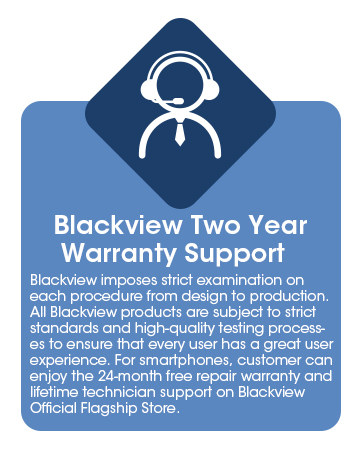
Information regarding Blackview's two-year warranty support and their five core principles, including focus on quality and after-sales service.
Ask a question about this manual
Ask about setup, troubleshooting, compatibility, parts, safety, or missing instructions. Manuals+ will review the question and use this page’s manual context to help answer it.