
1. Product Overview
The SJOYBRING Wireless Double Din Carplay & Android Auto Car Stereo is a 7-inch full HD capacitive touchscreen unit designed to enhance your in-car entertainment and connectivity. It features wireless Apple CarPlay and Android Auto, Bluetooth, 4-channel RCA output, high power output, subwoofer support, and includes a backup camera.
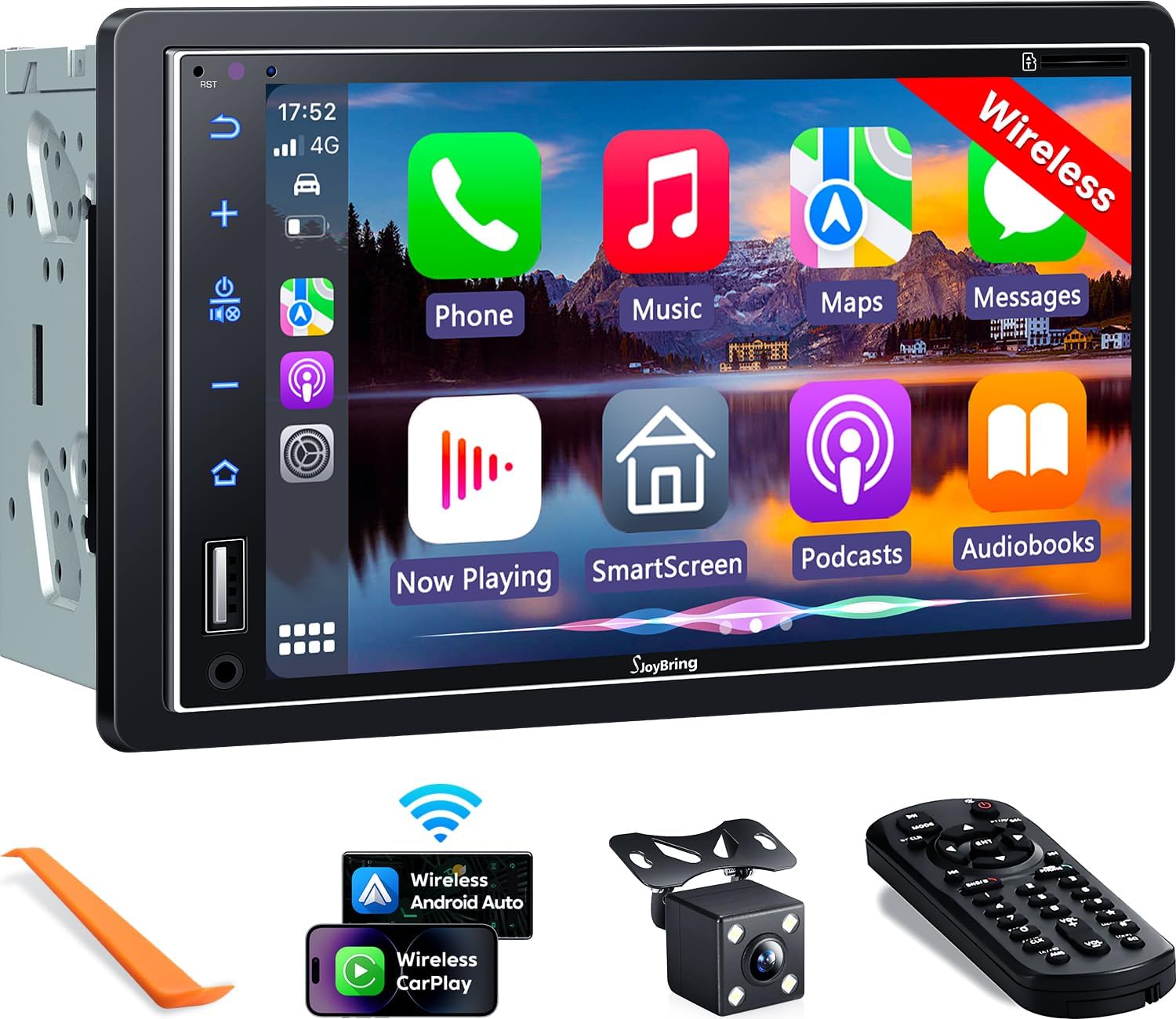
Image 1.1: Front view of the SJOYBRING car stereo displaying the CarPlay interface.
2. Package Contents
Verify that all items listed below are included in your package:
- Head Unit (Car Stereo)
- Frame
- Rear View Camera
- Backup Camera Cable
- Wiring Harness
- Remote Control
- User Manual (this document)
- Mounting Brackets
- Disassembly Tool
- Screws (various sizes)

Image 2.1: Visual representation of the SJOYBRING car stereo package contents.
3. Setup and Installation
3.1 Important Installation Tips
- The standard size of this unit is 170mm x 97mm. Ensure your vehicle's dashboard opening matches this size.
- If the stereo size does not fit your dash, an additional suitable dash kit may be required (not included).
- Read this instruction manual thoroughly before beginning installation.
- Some vehicles may require additional accessories for installation, such as a wire harness adapter and a radio antenna adapter specific to your car model (not included).
3.2 Wiring Diagram
Refer to the following diagram for proper wiring connections. Incorrect wiring can damage the unit or your vehicle's electrical system.

Image 3.1: ISO Standard Double DIN wiring and dimension diagram.
3.3 Rear View Camera Connection
The included HD night vision rear view camera provides a 170° ultra-wide viewing angle and is waterproof. Connect the camera as shown in the diagram below. The display will automatically switch to the rear view when the vehicle is in reverse gear.

Image 3.2: One-step wiring connection for the rear camera.
4. Operating Instructions
4.1 Wireless Apple CarPlay & Android Auto
Connect your smartphone to the car stereo via Bluetooth and Wi-Fi for wireless Apple CarPlay or Android Auto functionality. This allows access to navigation, music, messages, and other phone features directly on the stereo's screen. Voice control via Siri or Google Assistant is supported for safer operation.
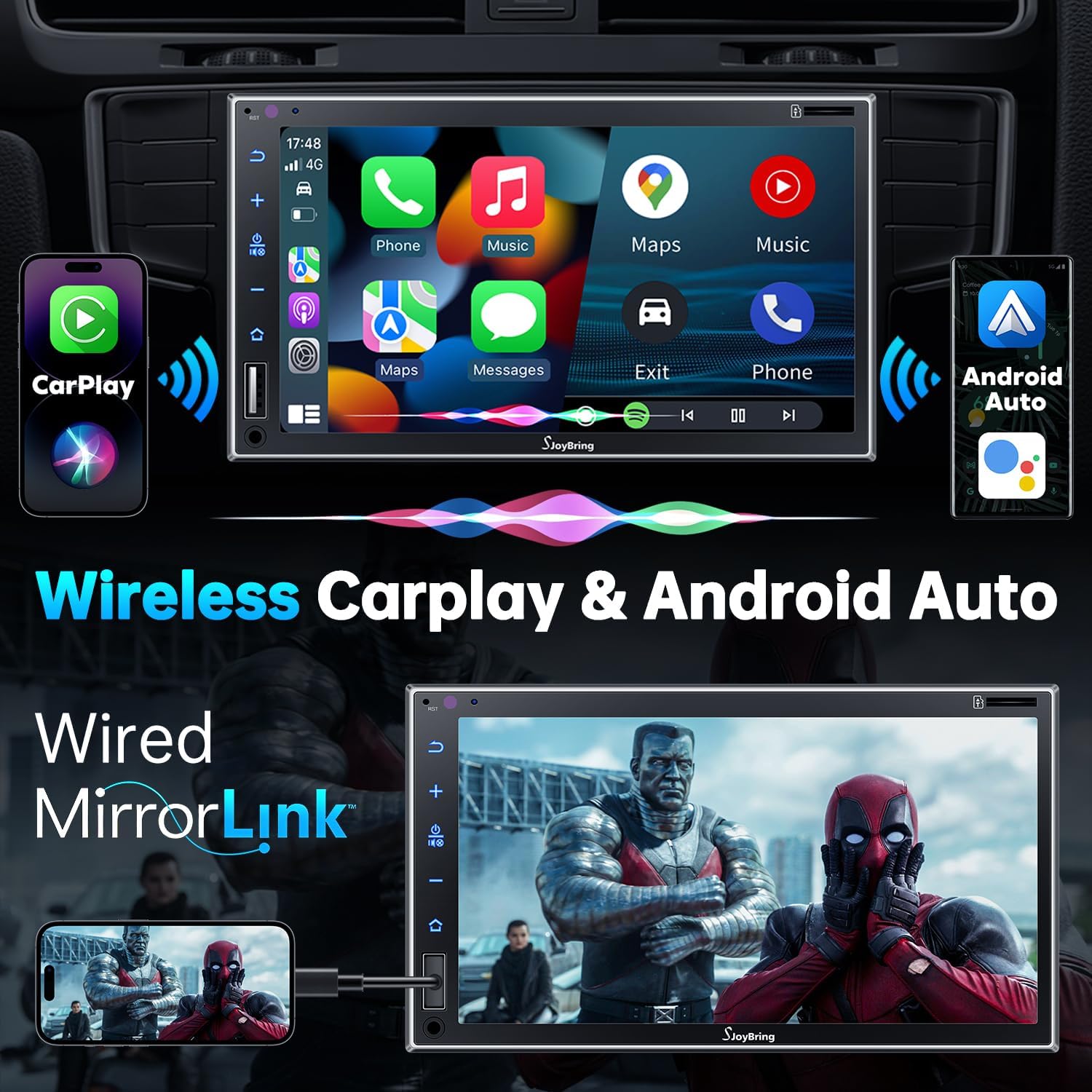
Image 4.1: Wireless Apple CarPlay and Android Auto in operation.
4.2 Wired Mirror Link
The unit supports wired mirror link for both iOS and Android phones (no version limit). Use a USB connection to mirror your smartphone's screen, displaying apps like Google Maps, Spotify, or YouTube on the 7-inch HD touchscreen.

Image 4.2: Wired Mirror Link functionality.
4.3 Audio Features
- 4.2-Channel Audio Output: Features 4 channels of pre-amplifier (RCA) for front right, front left, rear right, and rear left speakers, allowing for precise sound adjustment.
- Subwoofer Output: Includes two high RMS power subwoofer outputs for enhanced bass effects.
- 10-Band EQ: An integrated 10-band audio equalizer allows customization of the music effect.

Image 4.3: 4.2 Channel Audio Output diagram.

Image 4.4: 10-Band Equalizer interface.
4.4 Bluetooth Connectivity
Utilizes the latest Bluetooth technology with an independent Bluetooth module and antenna for a strong and stable connection, ensuring clear calls and uninterrupted music playback.

Image 4.5: Latest Bluetooth technology for stable connection.
4.5 Steering Wheel Control (SWC)
The unit supports steering wheel controls, allowing you to manage audio functions without taking your hands off the wheel. Refer to the wiring diagram for SWC connections and the unit's settings for programming.

Image 4.6: Steering Wheel Control setup interface.
4.6 FM & AM Radio
Access FM radio frequencies from 87.5 to 107.9 MHz and AM radio frequencies from 530 to 1710 KHz. The unit allows for station presets and scanning.

Image 4.7: FM & AM Radio interface.
5. Maintenance
To ensure the longevity and optimal performance of your SJOYBRING car stereo, follow these maintenance guidelines:
- Screen Cleaning: Use a soft, lint-free cloth to gently wipe the touchscreen. For stubborn smudges, slightly dampen the cloth with water or a screen-safe cleaner. Avoid harsh chemicals or abrasive materials.
- Dust Removal: Regularly clean dust from the unit's vents and buttons using a soft brush or compressed air.
- Temperature Control: Avoid exposing the unit to extreme temperatures for extended periods.
- Wiring Inspection: Periodically check all wiring connections to ensure they are secure and free from damage.
6. Troubleshooting
If you encounter issues with your SJOYBRING car stereo, refer to the following common troubleshooting steps:
- No Power: Check all power connections, including the ACC (accessory) and 12V constant power wires. Ensure the vehicle's fuse for the stereo is not blown.
- No Sound: Verify speaker connections are correct. Check the volume level and ensure the mute function is not activated. Confirm the audio source is properly selected.
- Bluetooth Connection Issues: Ensure Bluetooth is enabled on both the stereo and your smartphone. Delete previous pairings and attempt to re-pair. Move closer to the unit if interference is suspected.
- CarPlay/Android Auto Not Connecting: For wireless connection, ensure both Bluetooth and Wi-Fi are active on your phone and the stereo. For wired mirror link, try a different USB cable or port.
- Backup Camera Not Displaying: Check the camera's power and video signal connections. Ensure the reverse gear trigger wire is correctly connected to the vehicle's reversing light circuit.
- Touchscreen Unresponsive: Try restarting the unit. If the issue persists, contact customer support.
If these steps do not resolve the issue, please contact SJOYBRING customer support for further assistance.
7. Specifications
| Model Number | 7825d65e-cac9-443c-8d2b-17a564819d91 |
| Display | 7 Inch Full HD Capacitive Touchscreen (1024 x 600 resolution) |
| Connectivity | Wireless Apple CarPlay, Wireless Android Auto, Bluetooth, Wired Mirror Link (USB) |
| Audio Output Mode | Stereo |
| Surround Sound Channel Configuration | 4 Channel (RCA Pre-amp outputs) |
| Subwoofer Output | 2 High RMS Power Outputs |
| Equalizer | 10-Band EQ |
| Max Power Output | 60W x 4 |
| Working Voltage | DC 12V |
| Radio Frequencies | FM: 87.5~107.9MHz, AM: 530~1710KHz |
| Video Encoding | H.264, H.265/HEVC, MPEG-4 |
| Item Weight | 2.7 pounds |
| Package Dimensions | 9.25 x 6.3 x 5.94 inches |
| Manufacturer | SJOYBRING |
8. Warranty and Support
8.1 Warranty Information
For specific warranty details regarding your SJOYBRING car stereo, please refer to the warranty card included in your product packaging or contact SJOYBRING customer support directly. Warranty terms typically cover manufacturing defects for a specified period from the date of purchase.
8.2 Customer Support
If you have any questions, require technical assistance, or need to report an issue, please contact SJOYBRING customer support. Contact information can usually be found on the manufacturer's official website or on the product packaging.
Manufacturer: SJOYBRING
For the most up-to-date support information, visit the official SJOYBRING store on Amazon: SJOYBRING Store

