
ZIPRO Rave
Zipro Rave Hometrainer User Manual
Model: Rave (13112337)
Introduction
Welcome to the user manual for your new Zipro Rave Hometrainer. This manual provides essential information for the safe and effective assembly, operation, maintenance, and troubleshooting of your fitness equipment. Please read this manual thoroughly before first use and keep it for future reference.
The Zipro Rave Hometrainer is designed to provide a comprehensive and comfortable indoor cycling experience, featuring adjustable resistance, ergonomic design, and smart connectivity for an enhanced workout.

Image: The Zipro Rave Hometrainer, showcasing its sleek black design with vibrant green accents, viewed from a side angle.
Safety Information
Before using the Zipro Rave Hometrainer, please observe the following safety precautions:
- Consult a physician before starting any new exercise program.
- Ensure all parts are correctly assembled and tightened before each use.
- Place the hometrainer on a flat, stable surface.
- Keep children and pets away from the equipment during operation.
- Do not exceed the maximum user weight of 120 kg.
- Wear appropriate athletic footwear and clothing.
- Stop exercising immediately if you feel faint, dizzy, or experience pain.
Setup and Assembly
The Zipro Rave Hometrainer requires some assembly. Follow these steps carefully:
- Unpacking: Carefully remove all components from the packaging. Verify that all parts listed in the assembly diagram are present.
- Base Stabilization: Attach the front and rear stabilizer bars to the main frame. Ensure they are securely fastened.
- Pedal Installation: Attach the pedals to the crank arms. Note that the left pedal is reverse-threaded. Tighten securely.
- Seat Assembly: Insert the seat post into the main frame and secure it at the desired height. Attach the saddle to the seat post.
- Handlebar Assembly: Attach the handlebar post to the main frame and then secure the handlebars to the post.
- Console Connection: Connect the console cables to the main unit. Mount the console onto the handlebar post.
- Power Connection: Connect the wired power source to the hometrainer and a suitable power outlet.

Image: A user demonstrating the adjustment of the seat height on the Zipro Rave Hometrainer, highlighting its ergonomic design.
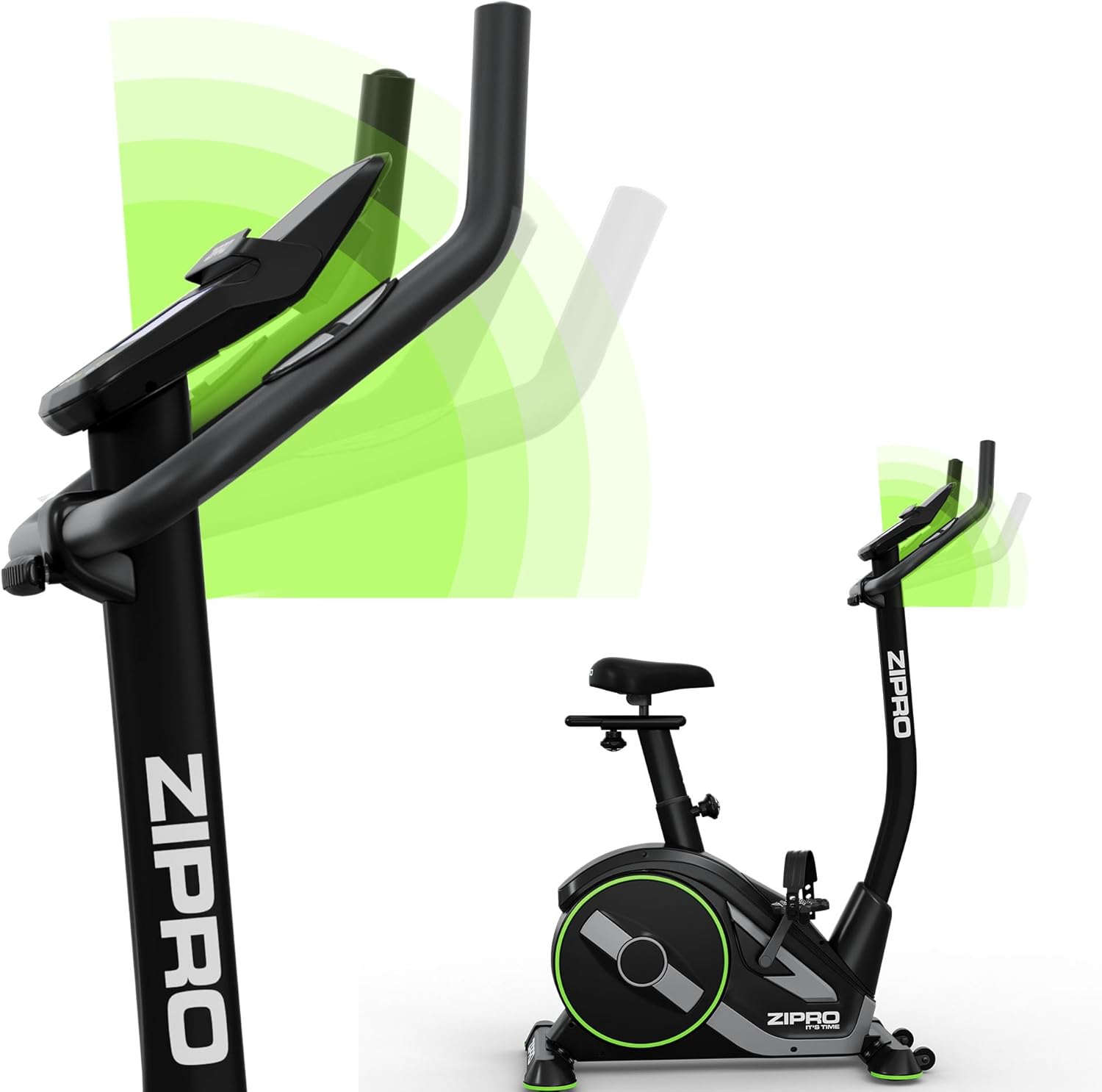
Image: A close-up view of the handlebar adjustment mechanism, illustrating how the handlebar angle can be customized for user comfort.
The hometrainer is equipped with transport wheels for easy relocation. To move the unit, tilt it forward and roll it on the front wheels.
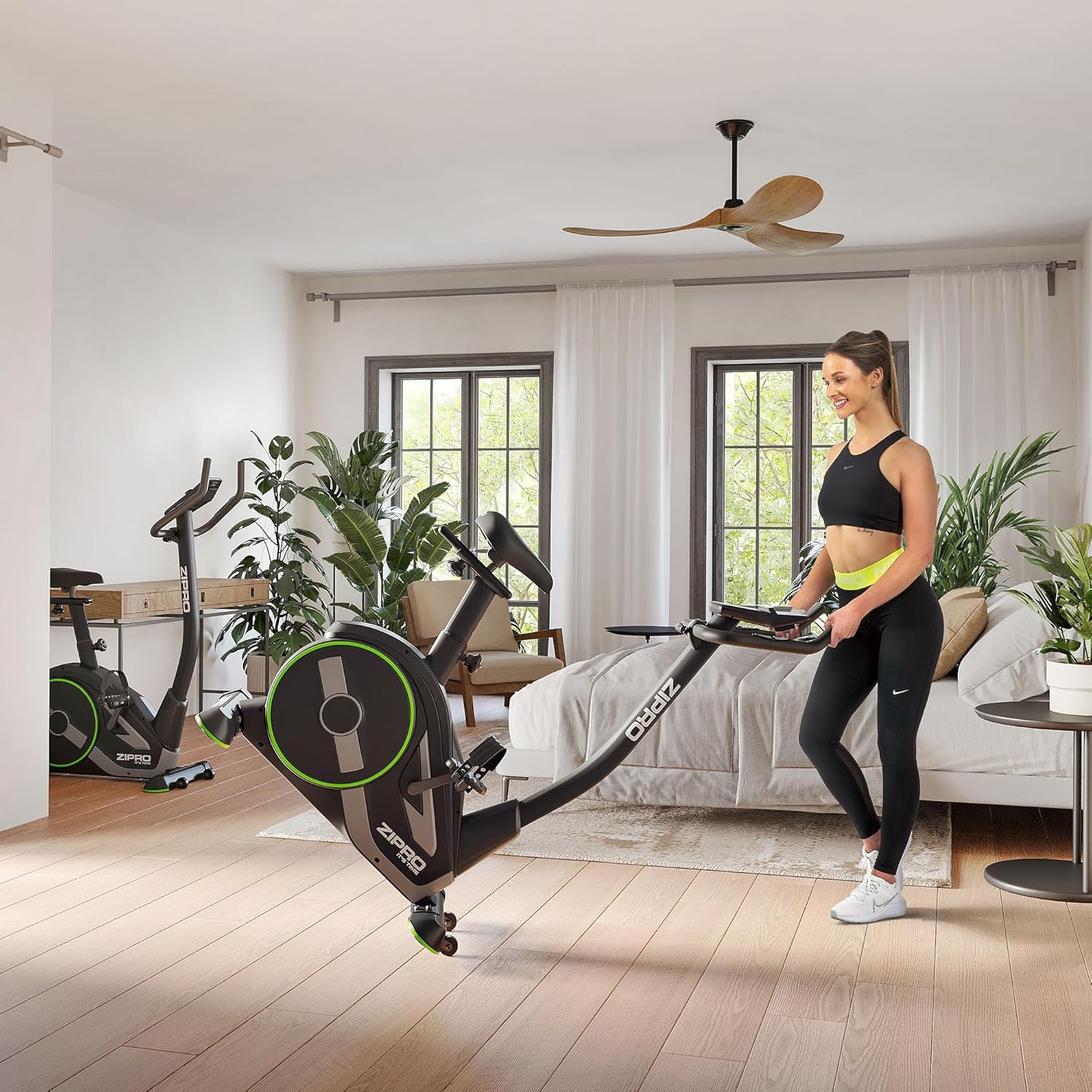
Image: A person demonstrating the ease of moving the Zipro Rave Hometrainer by tilting it onto its integrated transport wheels.
Operating Instructions
Console Overview
The console displays various workout parameters and allows you to select training programs. Key parameters include Time, Speed, Distance, Calories, RPM, and WATT.
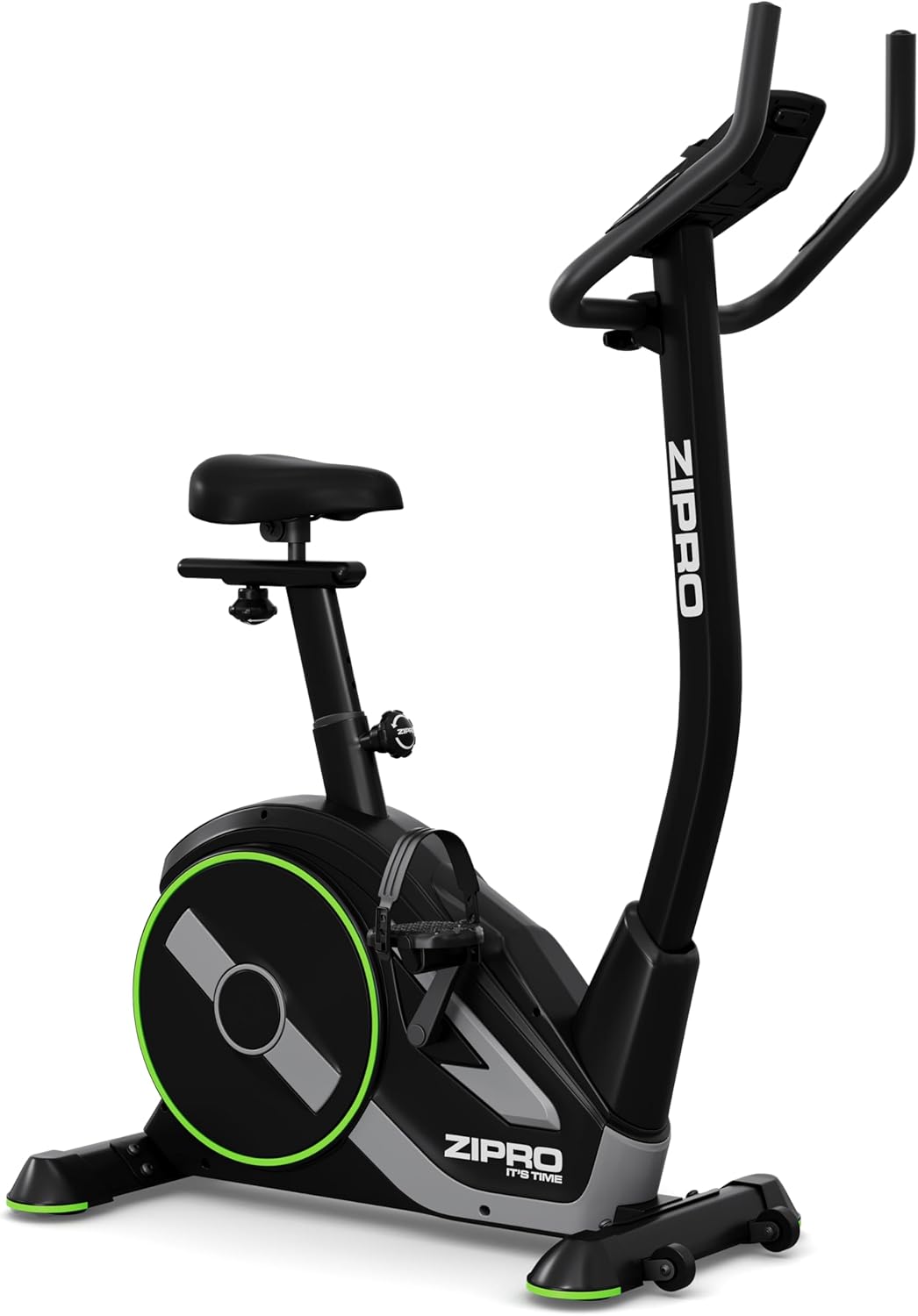
Image: A detailed view of the Zipro Rave Hometrainer's control console, showing the digital display and control buttons for various functions.
Adjusting Resistance
The Zipro Rave Hometrainer features 32 levels of electro-magnetic resistance. Use the '+' and '-' buttons on the console to increase or decrease the resistance level during your workout.
Training Programs
The hometrainer offers a variety of pre-programmed workouts to suit different fitness goals:
- 11 Sport Programs: Pre-designed routines with varying intensity profiles.
- Manual Program: Allows you to control resistance manually throughout your workout.
- HRC (Heart Rate Control) Programs (4 types): Adjusts resistance automatically to maintain your target heart rate zone.
- WATT Program: Maintains a constant power output (WATT) regardless of pedaling speed.
- 3 Custom Programs: Allows users to create and save their own personalized workout profiles.
To select a program, navigate through the options using the console buttons and press 'Enter' to confirm.
Bluetooth Connectivity
The integrated Bluetooth interface allows you to connect your hometrainer to popular fitness applications such as Zwift and Kinomap. This enhances your training experience with virtual routes, structured workouts, and performance tracking.
A dedicated holder for your smartphone or tablet is provided on the console for convenient viewing during your workout.
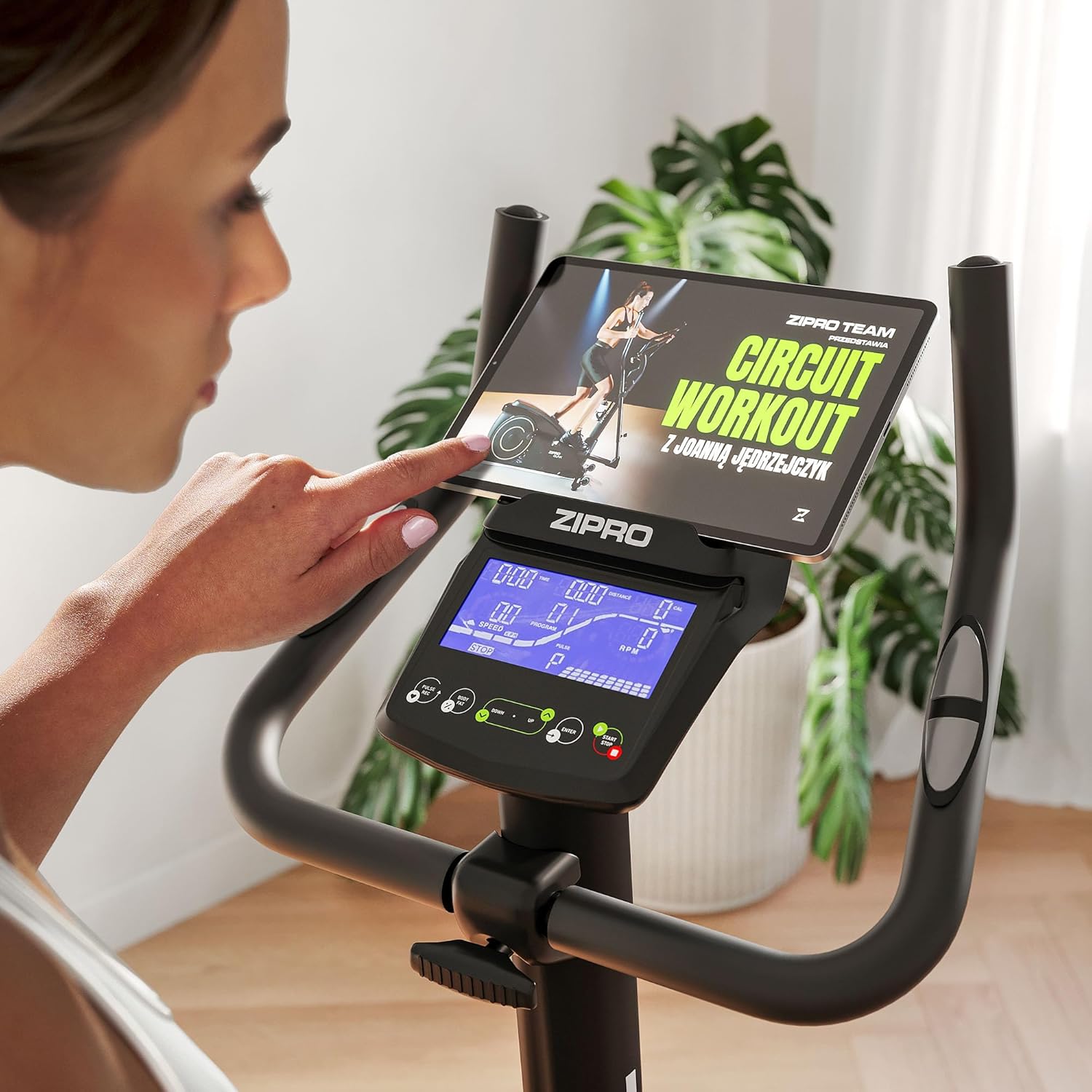
Image: A user engaging with a tablet securely placed on the hometrainer's console, demonstrating the Bluetooth connectivity with fitness apps.
Maintenance
Regular maintenance ensures the longevity and optimal performance of your Zipro Rave Hometrainer:
- Cleaning: Wipe down the hometrainer with a damp cloth after each use to remove sweat and dust. Avoid abrasive cleaners.
- Inspection: Periodically check all bolts, nuts, and moving parts for tightness. Tighten any loose fasteners.
- Lubrication: The internal magnetic resistance system is generally maintenance-free. However, if you notice any squeaking from moving parts like the pedals or seat post, apply a small amount of silicone-based lubricant.
- Storage: Store the hometrainer in a dry, cool place away from direct sunlight and extreme temperatures.
Troubleshooting
| Problem | Possible Cause | Solution |
|---|---|---|
| No display on console | Power cable disconnected; Batteries low (if applicable); Console cable loose. | Ensure power cable is securely connected. Check if batteries need replacement (if battery-powered). Reconnect console cable firmly. |
| Resistance not changing | Resistance cable disconnected or damaged; Console malfunction. | Check the resistance control cable connection. If problem persists, contact customer support. |
| Squeaking or grinding noise | Loose parts; Lack of lubrication; Internal component issue. | Inspect and tighten all visible bolts and nuts. Apply silicone lubricant to moving joints. If noise persists, contact customer support. |
| Inaccurate readings | Sensor issue; Loose connections. | Ensure all sensor connections are secure. Recalibrate if a calibration option is available (refer to console specific instructions). |
If you encounter an issue not listed here or if the suggested solutions do not resolve the problem, please contact Zipro customer support.
Specifications
| Feature | Detail |
|---|---|
| Model | Rave (13112337) |
| Brand | ZIPRO |
| Color | Black |
| Drive System | Belt |
| Resistance Mechanism | Magnetic |
| Resistance Levels | 32 (Electro-magnetic) |
| Max User Weight | 120 kg |
| Product Dimensions (L x W x H) | 104 x 53 x 133 cm |
| Product Weight | 30 kg |
| Power Source | Wired |
| Training Programs | 11 Sport, Manual, 4 HRC, 1 WATT, 3 Custom |
| Measured Parameters | Time, Speed, Distance, Calories, RPM, WATT |
| Connectivity | Bluetooth (Zwift, Kinomap compatible) |
| Adjustability | Adjustable saddle (vertical & horizontal), Adjustable handlebar angle |
Warranty Information
The Zipro Rave Hometrainer comes with a standard manufacturer's warranty. Please refer to the warranty card included with your product for specific terms, conditions, and duration. Keep your proof of purchase for any warranty claims.
The warranty typically covers defects in materials and workmanship under normal use. It does not cover damage resulting from misuse, neglect, unauthorized modifications, or normal wear and tear.
Customer Support
For technical assistance, parts replacement, or any questions regarding your Zipro Rave Hometrainer, please contact Zipro customer support.
Manufacturer: Morele.net Sp. z o.o.
Please have your model number (Rave, 13112337) and purchase date ready when contacting support.
Related documentsRave


Ask a question about this manual
Ask about setup, troubleshooting, compatibility, parts, safety, or missing instructions. Manuals+ will review the question and use this page’s manual context to help answer it.