
1. Product Overview
The HALO Bolt Air+ 1750 is a versatile portable power solution designed to address common roadside emergencies. It functions as a car battery jump starter, a 130 PSI air compressor for tire inflation, a 59.9Wh USB power bank for charging electronic devices, and an integrated emergency floodlight. This device is engineered for ease of use and safety, featuring spark-proof jumper cables and patented charging protection.

Figure 1: HALO Bolt Air+ 1750 main unit with accessories.
2. What's in the Box
Verify that all items are present in your HALO Bolt Air+ 1750 package:
- HALO Bolt Air+ 1750 Unit
- Jumper Cables
- 14V Wall Charging Adapter
- 24 Inch Extension Hose
- 2 Inflation Needles
- 1 Long Tapered Valve
- 1 Short Tapered Valve
- 1 Presta Valve Adapter
- Carry Pouch
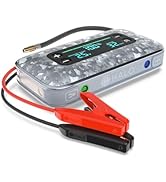
Figure 2: Contents of the HALO Bolt Air+ 1750 package.
3. Key Features
- One-Push Jump Start: Provides 600 cranking amps and 1750 peak amps, suitable for 12-volt cars, SUVs, trucks, and marine batteries, supporting up to 6L gas and 3L diesel engines. Features spark-proof jumper cables and patented charging protection for safety.
- 130 PSI Air Compressor: Inflates tires and other inflatables with adjustable pressure settings. Includes multiple nozzle adapters.
- Multi-Device Charging: Equipped with a bi-directional USB-C port for rapid recharging and a USB-A port to power USB-compatible devices.
- Integrated Floodlight: Features a 3-mode emergency floodlight for visibility during roadside emergencies or power outages.
- Large Digital Display: An enhanced extra-large color digital display shows voltage, charging status, percentage level, high-low temperature, and warning indicators.
- Integrated Voltmeter: Allows for easy monitoring of your vehicle's battery health.
4. Setup and Charging
4.1 Initial Charge
Before first use, fully charge your HALO Bolt Air+ 1750. Use the provided 14V Wall Charging Adapter to connect the unit to a standard wall outlet. The digital display will indicate the charging status and battery percentage. A full charge is recommended for optimal performance, especially before using the jump start function.
4.2 Understanding the Display
The large color digital display provides real-time information:
- Battery Percentage: Shows the remaining charge of the HALO Bolt Air+ 1750.
- Voltage: Displays the voltage when connected to a vehicle battery.
- PSI: Indicates the current and target pressure when using the air compressor.
- Warning Indicators: Alerts for potential issues such as incorrect connections during jump starting.
5. Operating Instructions
5.1 Jump Starting a Vehicle
- Ensure the HALO Bolt Air+ 1750 is fully charged.
- Plug the jumper cables into the dedicated port on the HALO Bolt Air+ 1750.
- Attach the red clamp to the positive (+) terminal of the vehicle battery.
- Attach the black clamp to the negative (-) terminal of the vehicle battery.
- Press the 'Jump Start' button on the HALO Bolt Air+ 1750 and wait for a solid green light. A pulsing green light indicates a safety check is in progress.
- Once the light is solid green, start your vehicle.
- After the vehicle starts, immediately disconnect the jumper cables from the vehicle battery, then from the HALO Bolt Air+ 1750.

Figure 3: Connecting jumper cables for a vehicle jump start.
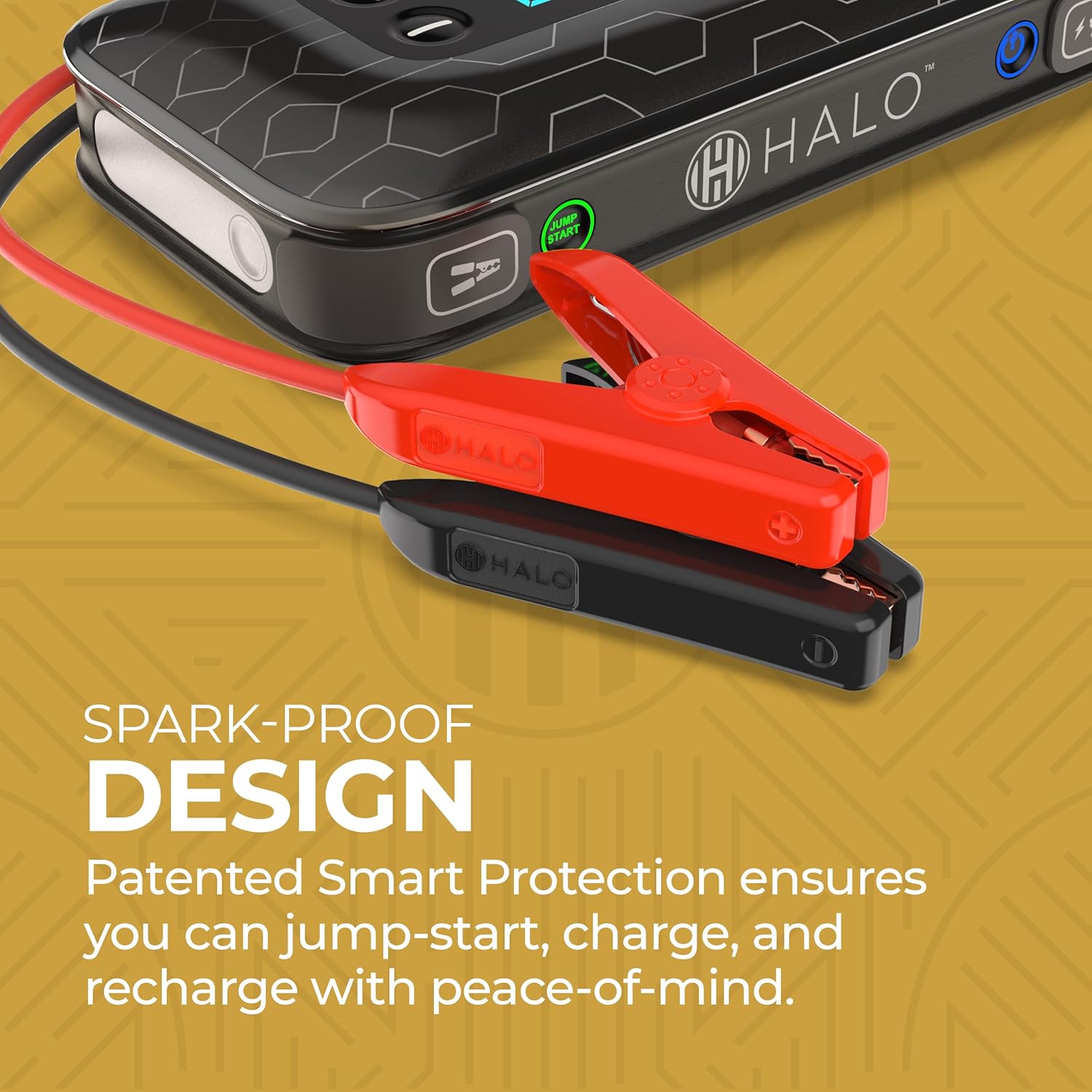
Figure 4: Spark-proof design of the jumper cables.
5.2 Inflating Tires with the Air Compressor
- Connect the 24-inch extension hose to the air compressor port on the HALO Bolt Air+ 1750.
- Attach the appropriate nozzle adapter (if needed) to the extension hose, then securely connect it to the tire valve or inflatable item.
- Use the '+' and '-' buttons on the unit to set the desired PSI.
- Press the 'AIR' button to begin inflation. The display will show the current pressure.
- The compressor will automatically shut off once the preset pressure is reached.
- Disconnect the hose from the tire valve and the HALO Bolt Air+ 1750.

Figure 5: Inflating a tire using the integrated air compressor.
5.3 Charging USB Devices
Connect your USB-powered device to either the USB-A or USB-C output ports on the HALO Bolt Air+ 1750 using your device's charging cable. The unit will automatically begin charging your device.
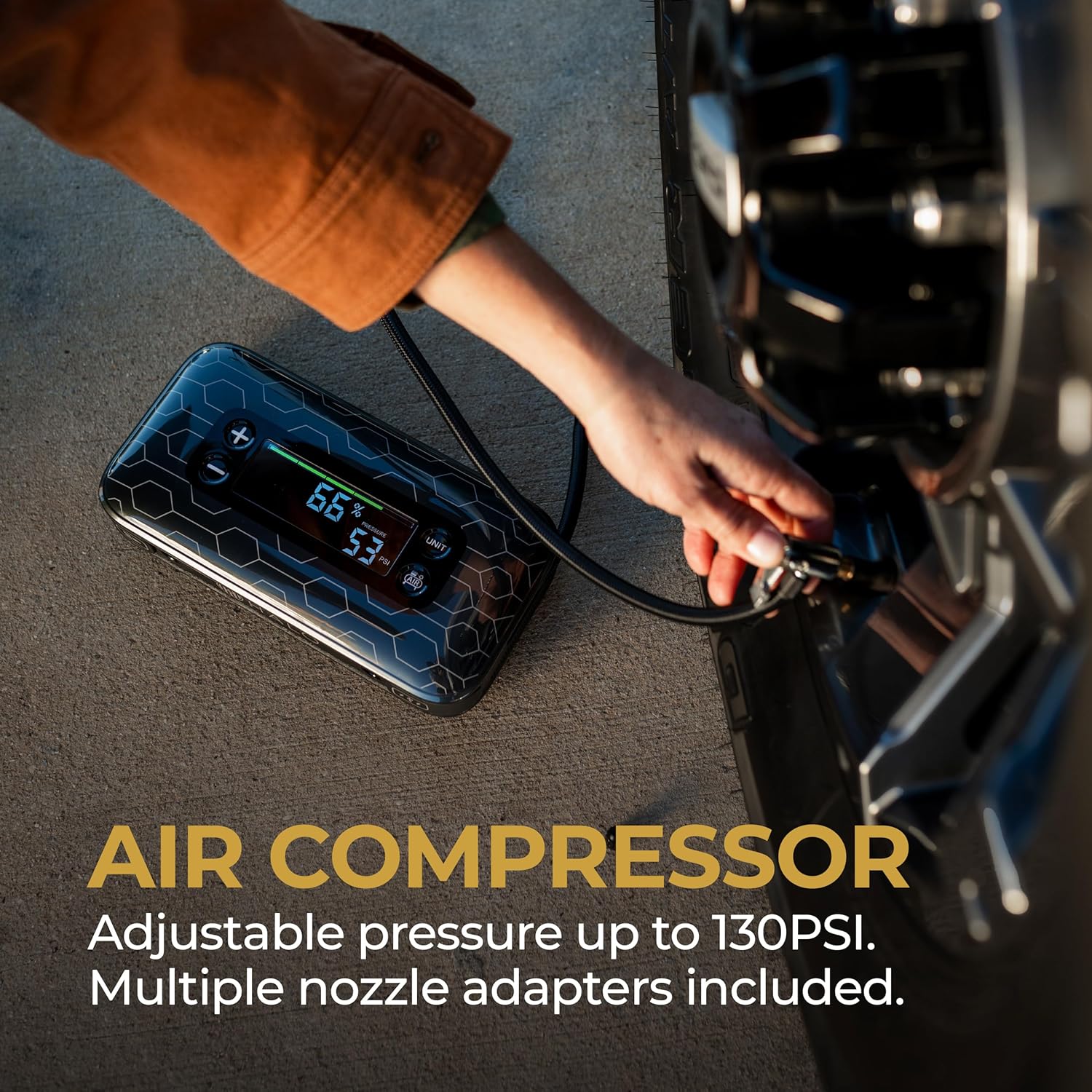
Figure 6: Multi-device charging capability of the HALO Bolt Air+ 1750.
5.4 Using the Emergency Floodlight
Press the dedicated floodlight button to cycle through the three light modes: bright white, flashing red, and SOS. This feature is useful for illuminating work areas or signaling for help during emergencies.

Figure 7: The 3-mode emergency floodlight in action.
5.5 Product Demonstration Video
Video 1: Official product overview demonstrating the HALO Bolt Air+ features including jump starting, air compression, and charging capabilities.
6. Maintenance
- Regular Charging: To maintain optimal battery health, fully charge the HALO Bolt Air+ 1750 every 3 months, even when not in use.
- Cleaning: Wipe the unit with a soft, damp cloth. Do not use harsh chemicals or abrasive materials.
- Storage: Store the unit in a cool, dry place, away from direct sunlight and extreme temperatures. Keep all accessories, including jumper cables and inflation adapters, in the provided carry pouch.
7. Troubleshooting
| Problem | Possible Cause | Solution |
|---|---|---|
| Unit does not turn on | Low battery or unit is off. | Charge the unit fully. Press and hold the power button. |
| Vehicle does not jump start | Incorrect cable connection, low unit charge, or vehicle battery is severely damaged. | Ensure correct polarity (+ to +, - to -). Fully charge the HALO Bolt Air+ 1750. Consult a mechanic if the battery is beyond jump-starting. |
| Air compressor not inflating | Hose not securely attached, incorrect PSI setting, or item is punctured. | Check all connections. Verify PSI setting. Inspect item for damage. |
| USB devices not charging | Low unit charge or incorrect cable. | Charge the HALO Bolt Air+ 1750. Use a functional USB cable. |
8. Specifications
| Feature | Detail |
|---|---|
| Model | HBA+59940 |
| Brand | HALO |
| Amperage | 1750 Amps (Peak Output) |
| Air Compressor Pressure | Up to 130 PSI |
| Battery Capacity | 59.9Wh (16200 mAh) Lithium Polymer |
| Voltage | 11.1 Volts |
| USB Output | USB-A, USB-C |
| Dimensions | 9.62 x 11.5 x 6.8 inches |
| Item Weight | 4.27 pounds |
| Special Features | Digital Display, LED Indicator Lights, Lightweight, Integrated Voltmeter |
| UPC | 645397942689 |
9. Warranty and Support
HALO is committed to ensuring customer satisfaction. For any questions, problems, or support needs regarding your HALO Bolt Air+ 1750, please contact the HALO Customer Support Team.
- Online Support: Visit www.HALOPOWER.com
- Phone Support: Call 1-800-255-6061
Information regarding specific warranty details may be found in the documentation included with your product or on the official HALO website.


