
1. Introduction
Thank you for choosing the Cecotec 4-Burner Ceramic Hob, Model 01968. This instruction manual provides essential information for the safe installation, operation, and maintenance of your new appliance. Please read this manual thoroughly before using the hob and keep it for future reference.
2. Safety Instructions
WARNING: Please read all safety warnings and instructions carefully before use to prevent electric shock, fire, or injury.
- Ensure the appliance is installed by a qualified technician in accordance with local regulations.
- Do not touch hot surfaces. Always use oven mitts or pot holders.
- Unattended cooking on a hob with fat or oil can be dangerous and may result in fire. NEVER try to extinguish a fire with water; instead, switch off the appliance and then cover the flame with a lid or fire blanket.
- This appliance is not intended for use by persons (including children) with reduced physical, sensory or mental capabilities, or lack of experience and knowledge, unless they have been given supervision or instruction concerning use of the appliance by a person responsible for their safety.
- Children should be supervised to ensure that they do not play with the appliance.
- The ceramic hob features a Residual Heat Indicator: A light indicator warns when cooking zones are still hot after use, even if they appear cool. Avoid touching these areas until the indicator turns off.
- The hob is equipped with a Child Safety Lock to prevent accidental activation or changes to settings.
- Do not place metallic objects such as knives, forks, spoons, and lids on the hob surface as they can get hot.
- Clean the hob regularly to prevent grease buildup, which can be a fire hazard.

Figure 1: The child safety lock feature helps prevent accidental operation by children.
3. Product Overview
The Cecotec 4-Burner Ceramic Hob, Model 01968, is a modern cooking appliance designed for efficiency and ease of use. It features a sleek glass-ceramic surface with four independent cooking zones and intuitive touch controls.
Key Features:
- 4 Cooking Zones: Two zones of 16 cm diameter (1200 W) and two zones of 20 cm diameter (2000 W).
- Maximum Power: 6000 W total.
- 9 Power Levels: Precise heat control for various cooking needs.
- Touch Control Panel: Easy and intuitive operation.
- Programmable Timer: Set cooking times for individual zones.
- Residual Heat Indicator: Visual warning for hot surfaces.
- Child Safety Lock: Prevents unintended use.
- Keep Warm System: Maintains food temperature without overcooking.
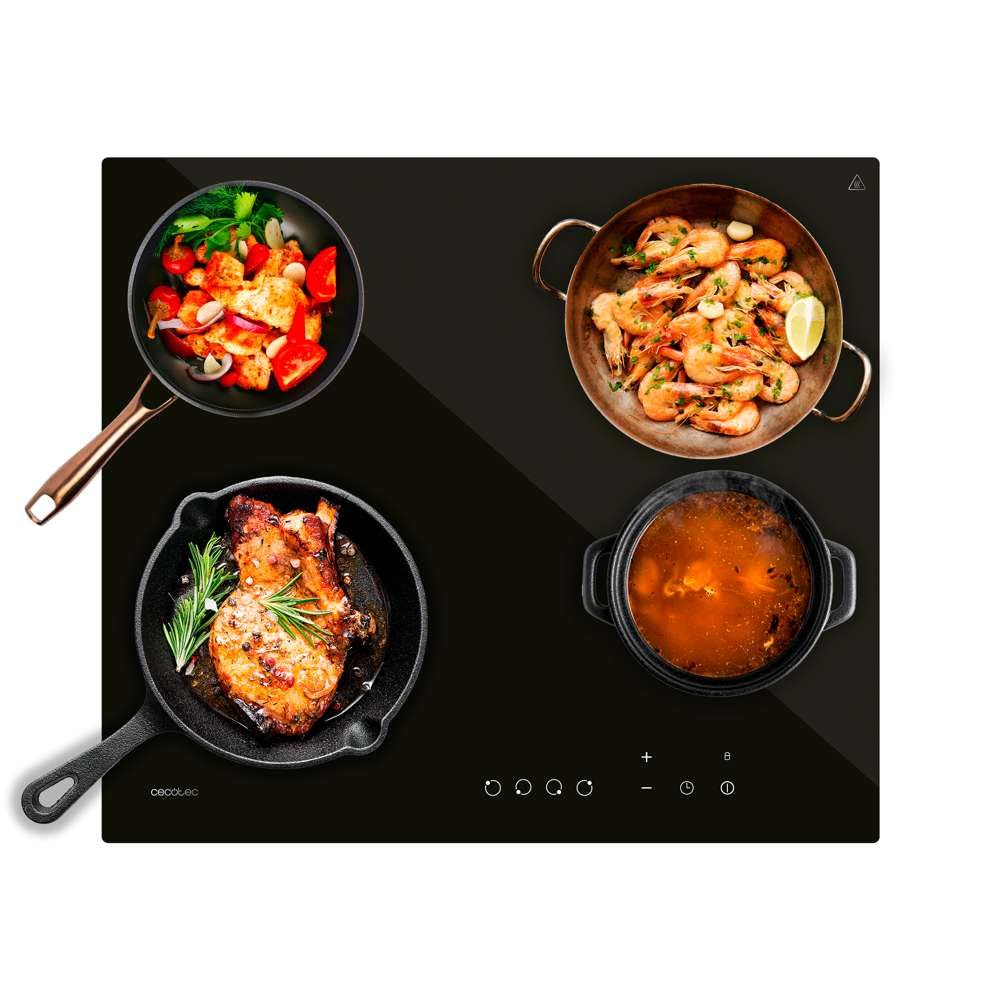
Figure 2: Cecotec 4-Burner Ceramic Hob, Model 01968.
4. Installation
Proper installation is crucial for the safe and efficient operation of your ceramic hob. It must be installed by a qualified electrician in compliance with all local electrical and building codes.
Dimensions:
Before installation, ensure adequate space and ventilation. The product dimensions are important for proper integration into your kitchen countertop.
- Length: 58 cm
- Width: 51 cm
- Height: 6 cm

Figure 3: Product dimensions for installation.
Electrical Connection:
The hob requires a dedicated electrical circuit. Refer to the technical specifications and consult a qualified electrician for correct wiring and connection to the main power supply. The maximum power consumption is 6000 W.
5. Operating Instructions
The ceramic hob features intuitive touch controls for easy operation. Familiarize yourself with the control panel before first use.
Control Panel Overview:
- Power On/Off Button: Activates or deactivates the hob.
- Zone Selection Buttons: Select the desired cooking zone.
- Power Level Adjustment (+/-): Increases or decreases the heat intensity (1 to 9 levels).
- Timer Button: Sets the cooking duration.
- Child Lock Button: Activates/deactivates the child safety lock.
- Keep Warm Button: Activates the keep warm function for a selected zone.
Basic Operation:
- Turn On: Press the Power On/Off button. The indicators will light up.
- Select Zone: Press the corresponding zone selection button for the burner you wish to use.
- Adjust Power: Use the '+' or '-' buttons to set the desired power level from 1 to 9.
- Turn Off Zone: Press the zone selection button again and then press '-' until the display shows '0', or press the Power On/Off button to turn off the entire hob.

Figure 4: Adjusting power levels using the touch control panel.
Using the Timer:
The integrated timer allows you to program the cooking duration for individual zones.
- Select the desired cooking zone.
- Press the Timer button. The timer indicator will flash.
- Use the '+' or '-' buttons to set the desired cooking time.
- The timer will count down, and the zone will automatically turn off when the time expires.

Figure 5: Setting the cooking timer.
Child Safety Lock:
To activate the child lock, press and hold the Child Lock button for a few seconds until the indicator lights up. This will disable all controls. To deactivate, press and hold the button again until the indicator turns off.
Keep Warm Function:
This system allows you to maintain the temperature of your food without overcooking. Select a cooking zone and press the Keep Warm button. The zone will operate at a low power setting.
Residual Heat Indicator:
After a cooking zone is turned off, if its surface is still hot, an 'H' will appear on the display. This indicates that the zone is still hot and should not be touched. The 'H' will disappear once the surface has cooled to a safe temperature.

Figure 6: Residual heat indicator ('H').
6. Maintenance and Cleaning
Regular cleaning and maintenance will ensure the longevity and optimal performance of your ceramic hob.
- Always ensure the hob is switched off and completely cool before cleaning.
- For daily cleaning, wipe the glass-ceramic surface with a damp cloth and a small amount of mild detergent.
- For stubborn stains or burnt-on food, use a specialized ceramic hob cleaner and a scraper designed for glass-ceramic surfaces. Follow the product instructions carefully.
- Avoid abrasive cleaners, scouring pads, or harsh chemicals, as these can scratch or damage the surface.
- Clean the control panel gently with a soft, damp cloth. Do not allow water to seep into the controls.
- Ensure the hob is completely dry before next use.
7. Troubleshooting
If you encounter any issues with your ceramic hob, refer to the following common problems and solutions before contacting customer service.
| Problem | Possible Cause | Solution |
|---|---|---|
| Hob does not turn on. | No power supply. Child lock activated. | Check the circuit breaker. Deactivate the child lock by pressing and holding the lock button. |
| Cooking zone not heating. | Incorrect power level selected. Zone not activated. | Ensure the zone is selected and a power level greater than '0' is set. |
| Controls are unresponsive. | Child lock activated. Spillage on control panel. | Deactivate child lock. Clean the control panel and ensure it is dry. |
| 'H' indicator remains on. | Residual heat. | This is normal. The surface is still hot. Wait for the indicator to turn off before touching. |
If the problem persists after attempting these solutions, please contact Cecotec customer support.
8. Specifications
Technical details for the Cecotec 4-Burner Ceramic Hob, Model 01968.

Figure 7: Cooking zone sizes and power.
| Feature | Detail |
|---|---|
| Model Number | 01968 |
| Brand | Cecotec |
| Product Dimensions (L x W x H) | 58 cm x 51 cm x 6 cm |
| Weight | 1 Kilogram (Note: This weight seems unusually low for a hob and might be a data entry error. Please verify with product packaging.) |
| Heating Surface Material | Glass-ceramic |
| Number of Hobs/Burners | 4 |
| Power Source | Electric |
| Wattage | 6000 Watts (Max) |
| Power Levels | 9 |
| Control Type | Touch |
| Special Features | Temperature Control, Programmable, Residual Heat Indicator, Child Safety Lock, Keep Warm System |
| Spare Parts Availability | 10 Years |
| Country of Origin | Spain |
9. Warranty and Support
Cecotec products are manufactured to high-quality standards. For information regarding warranty terms and conditions, please refer to the warranty card included with your product or visit the official Cecotec website. Keep your proof of purchase for any warranty claims.
Spare parts for this model are available for up to 10 years from the date of purchase.
For technical support, service, or inquiries, please contact Cecotec customer service through their official channels.

