
LAVA LAVA ME AIR
LAVA ME AIR Portable Carbon Fiber Electric-Acoustic Guitar User Manual
Model: LAVA ME AIR
Brand: LAVA
1. Product Overview

The LAVA ME AIR is a revolutionary portable carbon fiber electric-acoustic guitar, designed for musicians seeking a lightweight, durable, and versatile instrument. It integrates advanced technology to deliver exceptional sound quality and playability.
Key features include:
- Lightweight and Portable: Weighing only 4.3 lb, its thin profile makes it easy to transport.
- Magnetic Pickup System: Provides clear sound with minimal feedback.
- Customizable Digital Knobs and Presets: Offers extensive control over your sound.
- Magical FreeBoost Exciter: Enables versatile effects even when unplugged.
- Durable Honeycomb Bionic Structure: Ensures longevity and resilience.
2. Setup Guide
2.1 Unboxing and Initial Inspection
Carefully remove the LAVA ME AIR guitar and all accessories from its packaging. Inspect the guitar for any signs of damage during transit. Ensure all components listed in the packing list are present.
2.2 Charging the Battery
Before first use, fully charge the guitar's internal Lithium Ion battery using the provided USB-C cable and a compatible power adapter. The charging indicator will show the battery status.
2.3 Tuning the Guitar
The LAVA ME AIR features an integrated tuner. Activate the tuner function and adjust the tuning pegs until each string is accurately pitched. For optimal performance, ensure strings are properly seated.

Figure 2.1: The LAVA ME AIR's thin and light design enhances portability.
3. Operating the LAVA ME AIR
3.1 Onboard Effects and Controls
The LAVA ME AIR is equipped with intuitive digital knobs that allow you to control various onboard effects without needing external pedals or amplifiers. These effects include:
- Reverb: Adds spaciousness to your sound.
- Chorus: Creates a rich, shimmering effect.
- Delay: Produces echoes and repeats.
Adjust the knobs to dial in your desired effect intensity and blend.

Figure 3.1: Customizable digital knobs and LAVA+ app integration for effects.
3.2 FreeBoost Magnetic Technology
The FreeBoost exciter utilizes the guitar's back as a speaker, allowing you to play with effects like reverb, chorus, and delay without plugging into an amplifier. This technology enhances the acoustic sound and provides a unique playing experience.
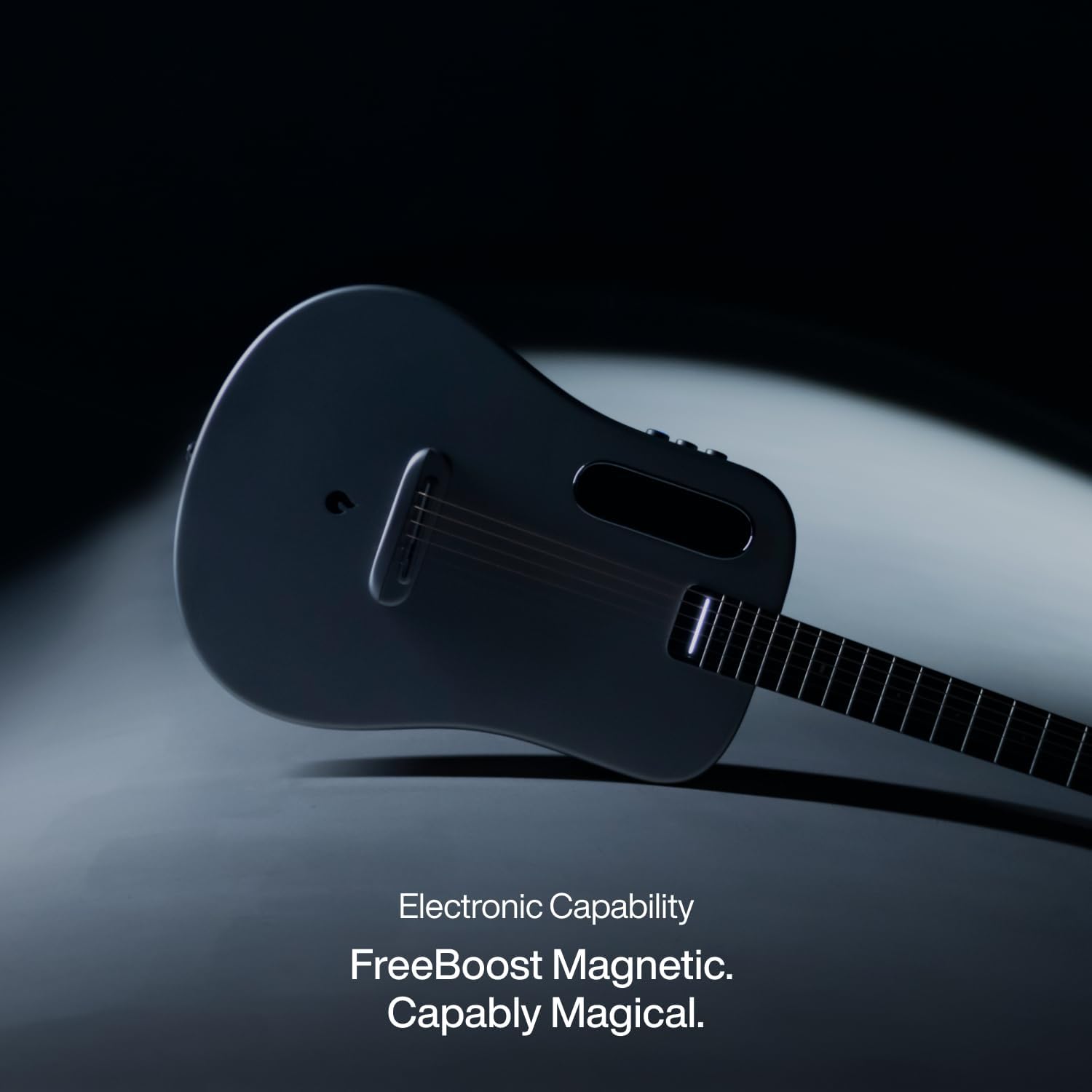
Figure 3.2: The FreeBoost Magnetic system allows for amplified effects without external equipment.
3.3 LAVA+ App Connectivity
Enhance your LAVA ME AIR experience by connecting to the LAVA+ App. The app allows for deeper customization of effects, access to learning tools, and the ability to share your creations with a global community of LAVA users.

Figure 3.3: Connect to the LAVA+ App for advanced features and community interaction.
4. Maintenance
4.1 Cleaning
Wipe the guitar body and neck with a soft, dry, lint-free cloth after each use to remove sweat and oils. For deeper cleaning, use a slightly damp cloth and dry immediately. Avoid abrasive cleaners or solvents.
4.2 Storage
Store the LAVA ME AIR in its original case or a suitable gig bag when not in use to protect it from dust, humidity fluctuations, and physical damage. Avoid prolonged exposure to direct sunlight or extreme temperatures.
4.3 String Replacement
Replace strings regularly to maintain optimal tone and playability. Use light gauge acoustic guitar strings. Refer to the LAVA+ App or official LAVA resources for detailed string replacement instructions.

Figure 4.1: The LAVA ME AIR's durable construction is designed for active use.
5. Troubleshooting
This section addresses common issues you might encounter with your LAVA ME AIR guitar.
| Problem | Possible Cause | Solution |
|---|---|---|
| No sound from FreeBoost effects | Battery low or effects turned off. | Charge the guitar. Ensure effect knobs are engaged and turned up. |
| Guitar not tuning accurately | Old strings or improper string seating. | Replace strings. Ensure strings are correctly installed and seated at the bridge and nut. |
| Difficulty connecting to LAVA+ App | Bluetooth not enabled or app outdated. | Ensure Bluetooth is on your device and guitar. Update LAVA+ App to the latest version. |
| Buzzing sound from strings | Action too low or fret issues. | Check string action. If persistent, consult a qualified guitar technician. |
6. Technical Specifications
| Feature | Specification |
|---|---|
| Model Number | LAVA ME AIR-BLACK (Note: This manual covers the LAVA ME AIR series) |
| Item Weight | 7.7 pounds (approx. 3.5 kg) |
| Product Dimensions | 36.22 x 12.99 x 3.54 inches (approx. 92 x 33 x 9 cm) |
| Body Material | Carbon Fiber |
| Neck Material Type | Carbon Fiber |
| Fretboard Material | HPL |
| Number of Strings | 6 |
| Guitar Pickup Configuration | Magnetic-combination |
| Battery Type | Lithium Ion (included) |
| Color | SILVER (as per current product variant) |
| Hand Orientation | Right |
7. Warranty and Support
7.1 Product Warranty
LAVA products are manufactured to high-quality standards and are covered by a limited warranty against defects in materials and workmanship. Please refer to the official LAVA website or your purchase documentation for specific warranty terms and conditions.
7.2 Customer Support
For technical assistance, troubleshooting, or any inquiries regarding your LAVA ME AIR guitar, please visit the official LAVA Store or contact their customer support team.
Official LAVA Store: LAVA Music Store on Amazon
Related documentsLAVA ME AIR


Ask a question about this manual
Ask about setup, troubleshooting, compatibility, parts, safety, or missing instructions. Manuals+ will review the question and use this page’s manual context to help answer it.