
JOOAN A6M-U
JOOAN Outdoor Security Camera User Manual
Model: A6M-U
1. Introduction
Thank you for choosing the JOOAN Outdoor Security Camera. This manual provides essential information for the safe and effective use of your device. Please read it thoroughly before installation and keep it for future reference.
2. Safety Information
- Ensure the power adapter and cable are not damaged before use.
- Do not expose the camera to extreme temperatures or direct sunlight for prolonged periods beyond its operating range.
- Avoid placing the camera near strong magnetic fields.
- Do not attempt to disassemble or modify the camera. Refer all servicing to qualified personnel.
- Keep the camera and its accessories out of reach of children and pets.
3. Package Contents
Please check the box for the following items:
- 1x Camera Body
- 1x Charging Cable
- 1x Power Adapter
- 1x Mounting Screw Pack
- 1x Instruction Manual

Figure 3.1: What's in the Box. This image displays the JOOAN camera, a 3M Type-C cable, a power adapter, a pack of screws, and the product manual, illustrating all included components.
4. Product Overview
4.1 Key Features
- 2.4G WiFi Support & Two-Way Talk: Real-time image and sound transmission via 2.4GHz WiFi with built-in two-way audio for communication.
- Full HD 1296p Video & 30ft Color Night Vision: High-resolution video with advanced night vision capabilities, including full-color mode.
- IP65-Rated Waterproof: Designed for both indoor and outdoor use, resistant to various weather conditions.
- Flexible Storage Options: Supports MicroSD card (up to 256GB, not included) and cloud storage (subscription required, 30-day trial available).
- Motion & Sound Detection: Accurately detects moving objects and sounds, sending timely alerts to your phone.
- Multiple Night Vision Modes: Offers Normal Night Vision, Smart Full Color, and Timed Full Color modes.
- ONVIF Protocol Support: Allows integration with existing security systems (DVR/NVR) that support the ONVIF protocol.
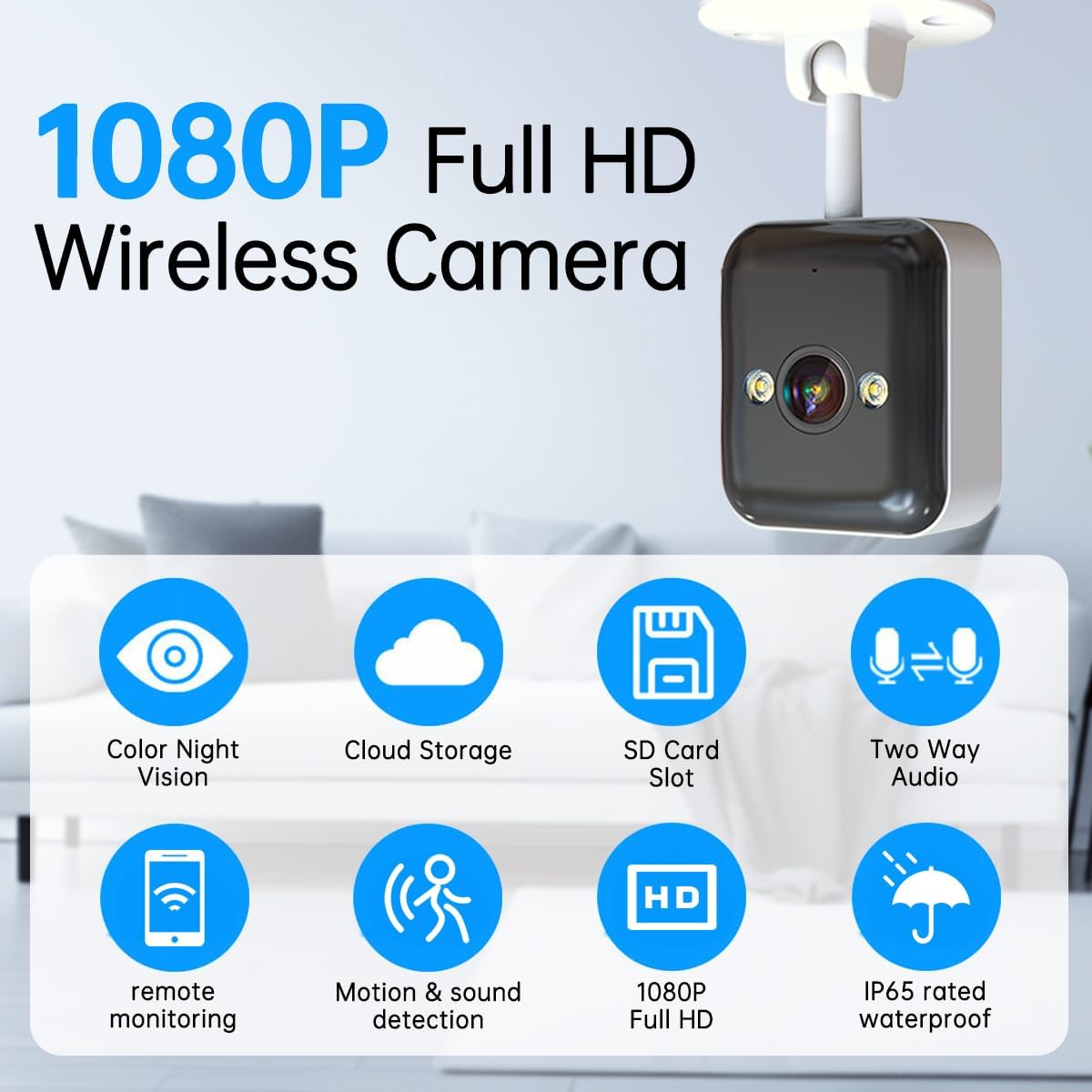
Figure 4.1: Key Features of the JOOAN Camera. This graphic highlights the main functionalities including color night vision, cloud storage, SD card slot, two-way audio, remote monitoring, motion and sound detection, 1080P Full HD resolution, and IP65 waterproof rating.

Figure 4.2: Comprehensive Feature Overview. This image summarizes the camera's capabilities, emphasizing its IP65 weatherproof design, night vision, detection features, audio, connectivity, and storage options.
5. Setup
5.1 App Installation
- Download the CAM 720 app from your device's app store (available for iOS and Android).
- Register for a new account or log in if you already have one.
5.2 Camera Placement
The JOOAN camera offers versatile installation options:
- Desktop Placement: Simply place the camera on a flat surface.
- Wall Mounted: Use the included mounting screws to secure the camera to a wall.
- Hoisting (Ceiling Mount): Mount the camera upside down on a ceiling for an overhead view.

Figure 5.1: Multiple Installation Options. This image illustrates the flexibility of mounting the camera on a desktop, hoisting it from a ceiling, or mounting it on a wall.
5.3 Power Connection
Connect the camera to a power source using the provided charging cable and power adapter. The camera is plug-in powered.
5.4 Network Connection
- Plug in the camera. It will enter pairing mode.
- Open the CAM 720 app and follow the on-screen instructions to add a new device.
- Select your 2.4GHz Wi-Fi network and enter the password. The camera only supports 2.4GHz Wi-Fi.
- Once connected, the camera will be ready for use.

Figure 5.2: Connectivity and Storage Options. This image highlights that the camera supports 2.4G WiFi and offers both SD card and cloud storage methods.
6. Operating the Camera
6.1 Live View
Open the CAM 720 app to access the live video feed from your camera anytime, anywhere. You can view your home, apartment, or monitor pets and babies.

Figure 6.1: Live View via CAM 720 App. This image shows the JOOAN camera alongside a smartphone screen displaying the live video feed, indicating real-time monitoring capabilities.
6.2 Two-Way Audio
The camera features built-in two-way audio, allowing you to communicate with people or pets on the other end through the app. This is useful for calming pets or deterring intruders.
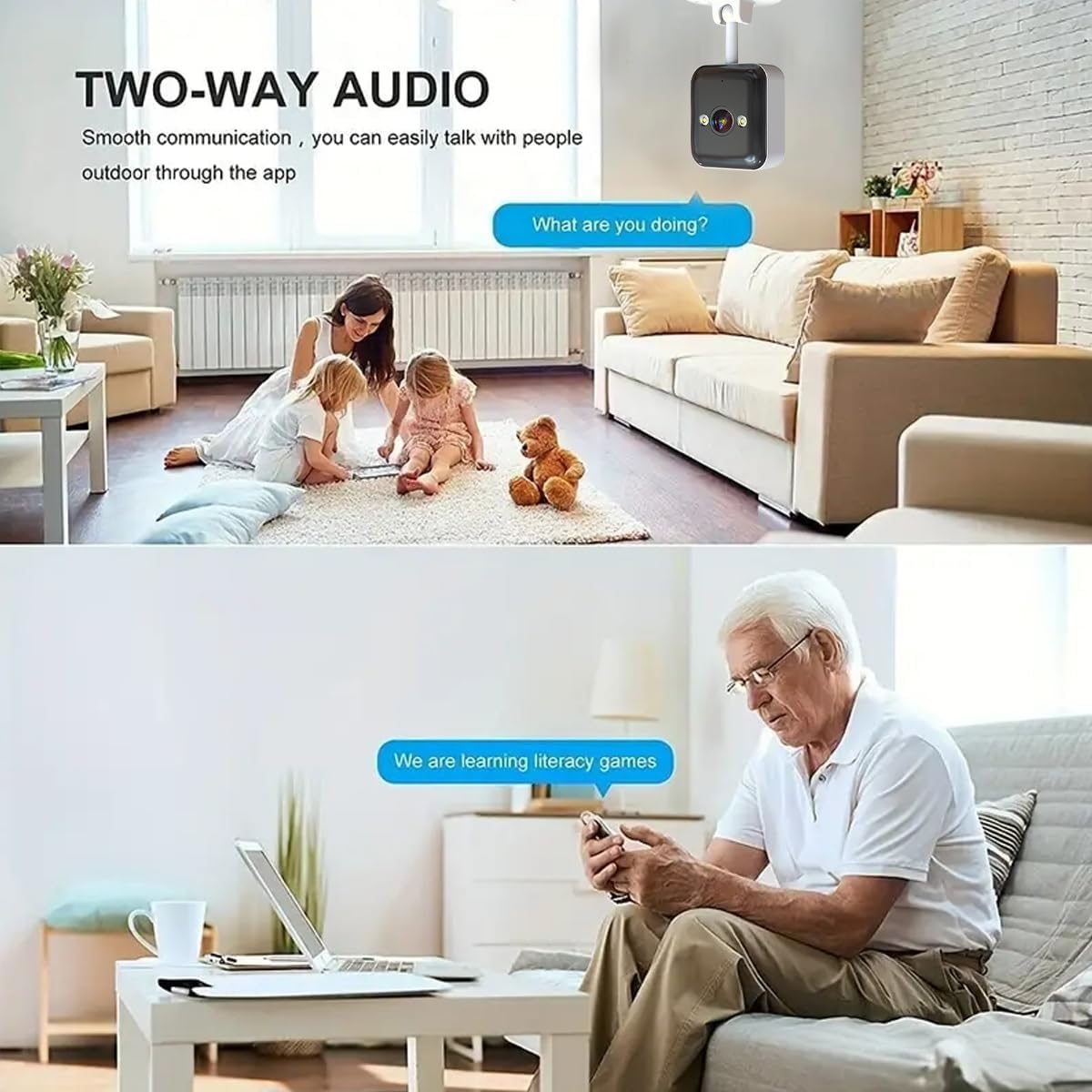
Figure 6.2: Two-Way Audio in Use. This image illustrates the smooth communication enabled by the two-way audio feature, allowing users to talk to people outdoors through the app.

Figure 6.3: Interactive Two-Way Audio. This image visually represents the 2-way audio function, showing how users can communicate through the camera.
6.3 Night Vision Modes
The camera automatically switches to night vision mode in low light conditions. It offers three distinct modes:
- Normal Night Vision: Standard black and white infrared view.
- Smart Full Color: Activates full-color night vision when motion is detected.
- Timed Full Color: Maintains full-color night vision during specific scheduled times.

Figure 6.4: Three Night Vision Modes. This image demonstrates the camera's ability to switch between Full Color Light, Infrared Normal Light, and Smart Color Light modes for optimal visibility in low-light conditions.

Figure 6.5: Night Vision Illumination. This image shows the camera's night vision capability with its integrated light source, providing clear visibility in dark environments.
6.4 Motion and Sound Detection
The camera can detect moving objects and sounds, sending instant alerts to your phone. You can adjust the sensitivity of motion detection in the app to minimize false alarms.

Figure 6.6: Sound Detection Alert. This image illustrates how the camera detects abnormal sounds and sends an alarm message to the user's phone via the cam720 app.

Figure 6.7: Motion and Sound Detection Capabilities. This image demonstrates the camera's ability to detect both motion (e.g., a crawling baby) and sound (e.g., a crying baby), sending alerts via the cam720 app.
6.5 Recording and Storage
The camera supports two primary storage methods for video history:
- MicroSD Card: Insert a MicroSD card (up to 256GB, not included) into the camera for local storage.
- Cloud Storage: Subscribe to the cloud storage service for secure, remote video history access. A 30-day trial is typically offered.

Figure 6.8: 24/7 Local Recording. This image illustrates the continuous recording capability of the camera, showing a timeline of recorded footage.
6.6 ONVIF Protocol Integration
If you have a DVR or NVR video recorder that supports the ONVIF protocol, you can add the JOOAN camera to your existing security system for centralized monitoring.
7. Maintenance
- Cleaning: Use a soft, dry cloth to clean the camera lens and body. Do not use harsh chemicals or abrasive cleaners.
- Environmental Protection: While IP65 waterproof, avoid submerging the camera in water. Ensure proper installation to prevent water accumulation around the device.
- Firmware Updates: Regularly check the CAM 720 app for available firmware updates to ensure optimal performance and security.

Figure 7.1: P65 Weatherproof Design. This image demonstrates the camera's robust design, capable of handling various weather conditions for both indoor and outdoor use.
8. Troubleshooting
| Problem | Possible Cause | Solution |
|---|---|---|
| Camera offline in app | No power; Wi-Fi disconnected; Router issue | Check power connection; Restart camera and router; Reconnect camera to Wi-Fi in app. |
| Poor video quality | Weak Wi-Fi signal; Lens dirty; Insufficient lighting | Move camera closer to router; Clean lens; Ensure adequate lighting or enable night vision. |
| Motion detection not working | Detection sensitivity too low; Area outside detection zone | Increase sensitivity in app settings; Adjust camera angle or detection zone. |
| Two-way audio issues | Microphone/speaker blocked; App permissions; Network delay | Ensure clear path for audio; Check app permissions for microphone; Verify stable network connection. |
| Cannot connect to Wi-Fi | Incorrect password; Not 2.4GHz network; Too far from router | Double-check Wi-Fi password; Ensure you are connecting to a 2.4GHz network; Move camera closer to router. |
9. Specifications
| Feature | Detail |
|---|---|
| Model Number | A6M-U |
| Video Capture Resolution | 1296p |
| Connectivity Technology | Network Wireless (2.4GHz Wi-Fi), Power Cord Wired |
| Wireless Communication | Bluetooth, Wi-Fi |
| Indoor/Outdoor Usage | Outdoor (IP65 Waterproof) |
| Night Vision Range | 30 Feet |
| Special Features | 2 Way Audio, HD Resolution, Night Vision, Water Proof, Motion Sensor |
| Storage Options | MicroSD Card (up to 256GB), Cloud Storage |
| Compatible Devices | Digital Video Recorder, Smartphone (iOS, Android) |
| Power Source | Corded Electric |
| Mounting Type | Wall Mount/Ceiling Mount/Planar installation |
| Material | Acrylonitrile Butadiene Styrene (ABS) |
| Item Weight | 210 g |
10. Warranty and Support
10.1 Warranty Information
The JOOAN Outdoor Security Camera comes with a 1-year manufacturer's warranty. If the product is found to be broken due to manufacturing defects within this period, a new replacement will be provided free of charge.
10.2 Customer Support
For any questions, technical assistance, or warranty claims, please contact JOOAN customer support through the official channels provided at the point of purchase or on the JOOAN brand website. Please have your model number (A6M-U) and purchase details ready when contacting support.
Related documentsA6M-U


Ask a question about this manual
Ask about setup, troubleshooting, compatibility, parts, safety, or missing instructions. Manuals+ will review the question and use this page’s manual context to help answer it.