
Product Overview
Thank you for choosing CASCHO BX17 Wireless Earbuds. This manual provides essential information for setting up, operating, and maintaining your new earbuds. Please read it carefully before use.
Key Features
- 60H Playback and LED Digital Display: Single earbuds offer 10 hours of use, extending to 60 hours with the 650mAh charging case. The case features a clear digital display showing battery percentage for the case and individual earbuds.
- High-fidelity Audio and Built-in MIC: Equipped with 14.5mm graphene diaphragms for strong bass and clear mid-to-high frequencies. Built-in high-quality microphones ensure crystal-clear calls.
- Bluetooth 5.3 and One-Step Auto Connect: Advanced Bluetooth 5.3 technology provides 2X faster transfer speed and a stable, low-latency connection. Earbuds automatically connect to the last paired device upon opening the case lid.
- IPX7 Waterproof and Button Control: IPX7 waterproof rating resists rain and sweat, ideal for workouts. Multifunction buttons allow easy control of music, calls, and voice assistants.
- Silicone Non-slip Design and Stereo/Mono Mode: Soft silicone over-ear earhooks with a non-slip design ensure a secure fit during strenuous activity. Seamlessly switch between Stereo and Mono modes for flexible use.
Setup Guide
Charging the Earbuds and Case
Before first use, ensure the earbuds and charging case are fully charged. The charging case has a digital LED display indicating its battery percentage (0-100). Individual earbuds' charge levels are shown by separate indicators. During charging, the LED light will flash.
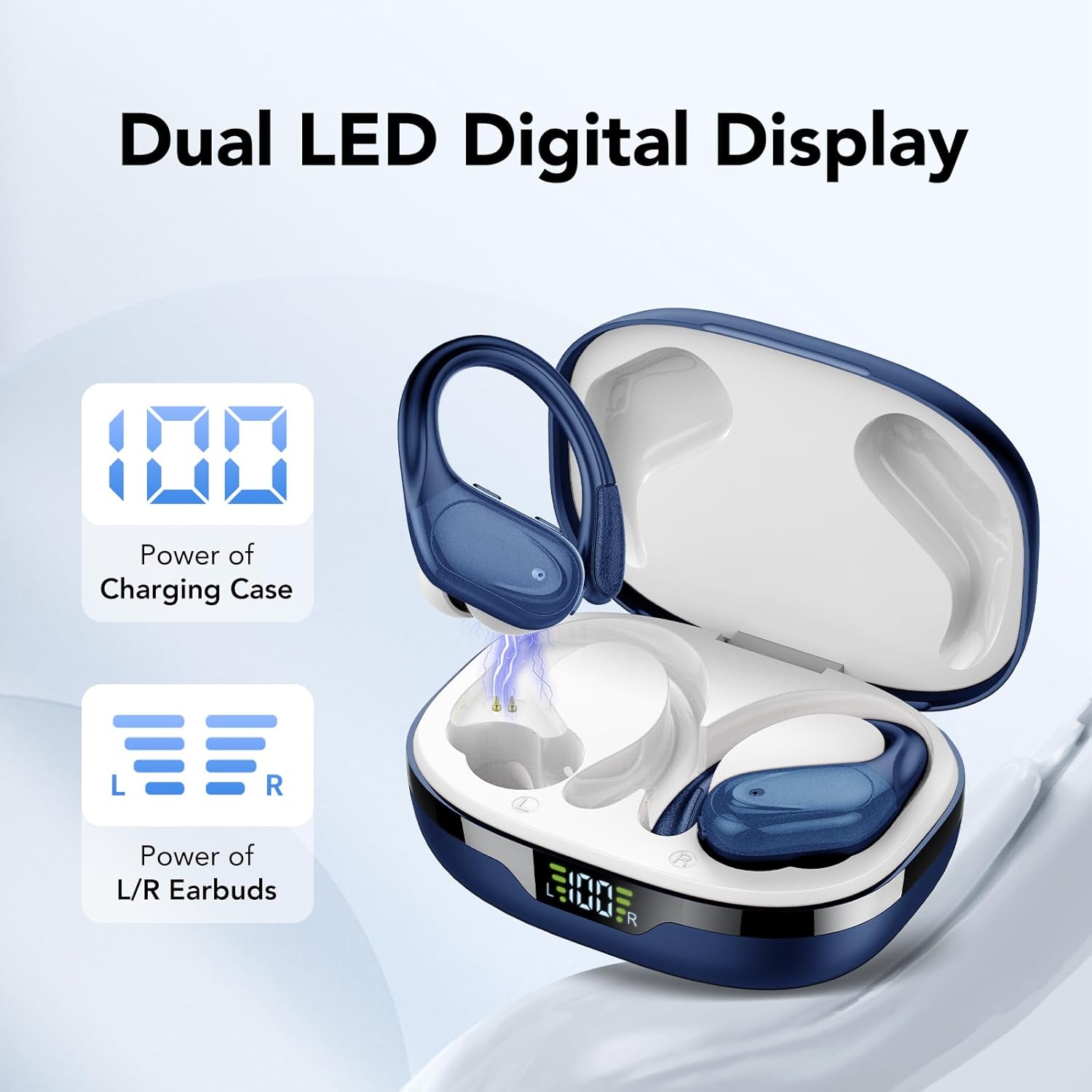
Image: Dual LED Digital Display on the charging case, showing battery levels for the case and each earbud.

Image: Earbuds and charging case highlighting 60 hours of total playtime.
Connect the provided Type-C charging cable to the port on the back of the charging case to replenish its battery.
Initial Pairing
The earbuds feature one-step auto-connect. Simply open the lid of the charging case, and the earbuds will automatically enter pairing mode. Enable Bluetooth on your device (smartphone, tablet, etc.) and select 'BX17' from the list of available devices to connect.
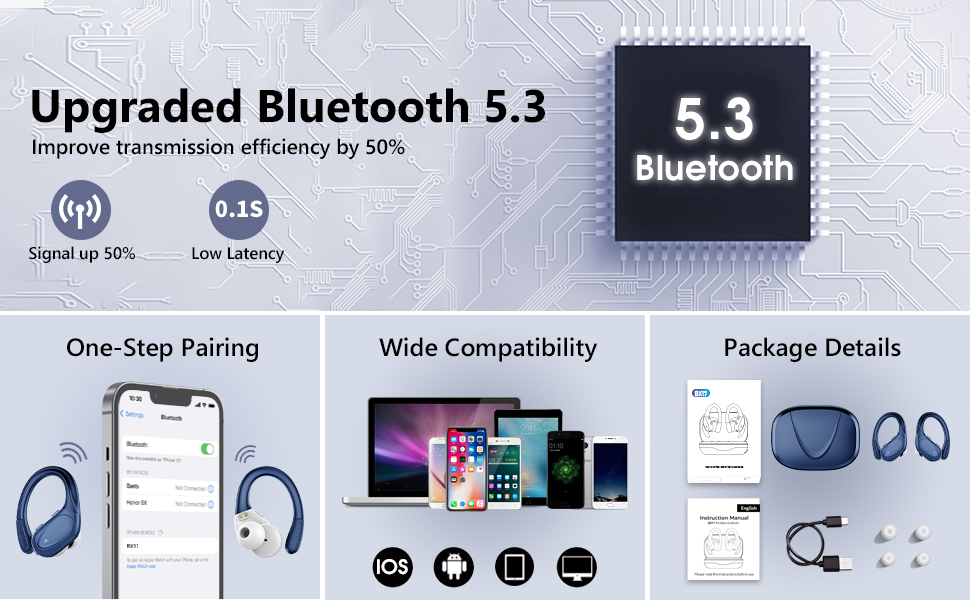
Image: Visual guide for one-step pairing with a smartphone.
Wearing the Earbuds
Place the earbud with the soft silicone over-ear earhook over your ear, ensuring the ear tip is comfortably seated in your ear canal. The flexible earhooks and various eartip sizes (S, M, L included) allow for a secure and comfortable fit, even during intense activities.

Image: Illustration of the secure and comfortable fit of the earbuds with earhooks.
Operating Instructions
Button Controls
Each earbud features a multifunction button for easy control:
- Play/Pause: Single click the button.
- Next Track: Long press the right earbud button for 2 seconds.
- Previous Track: Long press the left earbud button for 2 seconds.
- Volume Up: Single click the right earbud button.
- Volume Down: Single click the left earbud button.
- Answer/End Call: Single click the button during an incoming call or active call.
- Reject Call: Long press the button for 2 seconds during an incoming call.
- Activate Voice Assistant (Siri): Long press the button for 2 seconds when not on a call.
- Power On/Off: Long press the button for 5 seconds.
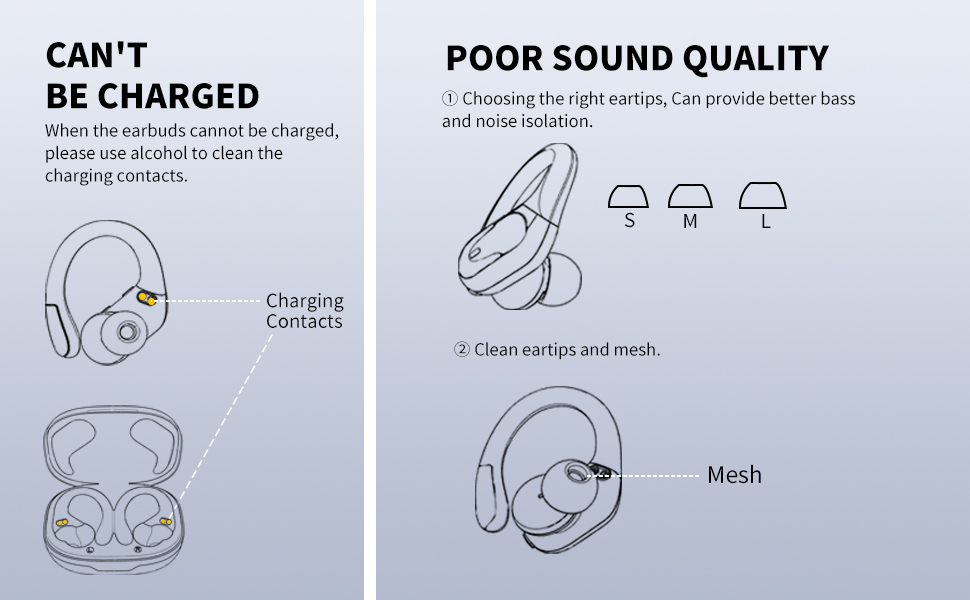
Image: Detailed guide to earbud button functions.
Stereo/Mono Mode
The BX17 earbuds can seamlessly switch between Stereo Mode (using both earbuds) and Mono Mode (using a single earbud). This allows for individual use or sharing with others, and the remaining earbud will automatically adjust to provide full audio functionality.
Media Integration
Official Product Video
Video: An official product video demonstrating the features and usage of the CASCHO BX17 Wireless Earbuds.
Care and Maintenance
Cleaning
To ensure optimal performance and charging, regularly clean the charging contacts on both the earbuds and inside the charging case. Use a dry, soft cloth or cotton swab. If sound quality degrades, clean the eartips and mesh to remove any debris.

Image: Visual guide for cleaning charging contacts and eartips.
Water Resistance
The earbuds are IPX7 waterproof, meaning they can resist sweat and rain. However, they are not designed for swimming or prolonged submersion. Always ensure the charging port is dry before charging.
Troubleshooting Common Issues
Earbuds Not Charging
- Ensure the charging contacts on both earbuds and the case are clean and free of debris.
- Verify the charging cable is securely connected and the power source is active.
- Check the digital display on the charging case to confirm it is receiving power.
Poor Sound Quality
- Ensure you are using the correct size eartips for a snug fit, which improves bass and noise isolation.
- Clean the eartips and the mesh on the earbuds to remove any earwax or dirt buildup.
- Check your device's volume settings and the earbud's volume controls.
Connectivity Issues
- Ensure Bluetooth is enabled on your device and the earbuds are within range.
- Forget the 'BX17' device from your device's Bluetooth settings and re-pair.
- Ensure the earbuds are charged.
Product Specifications
| Feature | Specification |
|---|---|
| Model Name | BX17 |
| Brand | CASCHO |
| Bluetooth Version | 5.3 |
| Battery Life | 60 Hours (with charging case) |
| Water Resistance Level | IPX7 Waterproof |
| Audio Driver Size | 14.5 Millimeters |
| Earpiece Shape | Over-ear hook |
| Control Type | Push Button, Volume Control |
| Charging Time | 1 Hour |
| Material | Plastic |
Warranty and Customer Support
CASCHO is committed to providing excellent customer service and product quality.
- Lifetime Support: We offer lifetime support and satisfactory solutions for our products.
- 24-Hour Response: Expect a prompt response to your inquiries via email within 24 hours.
- 30-Day Return Policy: Enjoy a 30-day return policy with no questions asked.
- 2-Year Free Replacement: Your product is covered by a 2-year free replacement warranty.

Image: Overview of CASCHO's warranty and support services.

Image: Further details on customer support and replacement policies.
For any questions or product quality issues, please contact the seller directly for a solution within 24 hours.


